Two Plugins, One Cookie Setup
Cookie Consent is split in two on purpose. One plugin runs the logic. The other draws what your visitors see.
The Engine
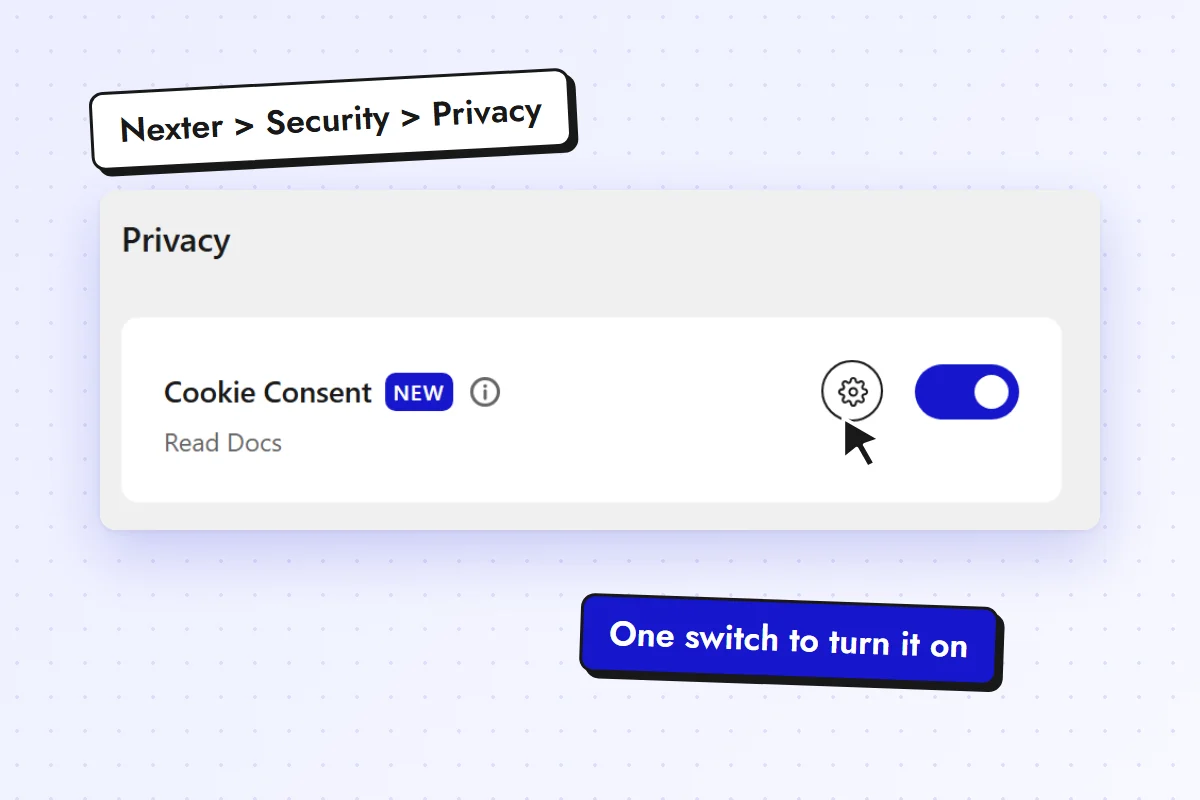
Categories, script holding, consent records, the Compliance Check and Google Consent Mode v2. You set it up once under Nexter > Security > Privacy.
Get Nexter ExtensionThe Banner
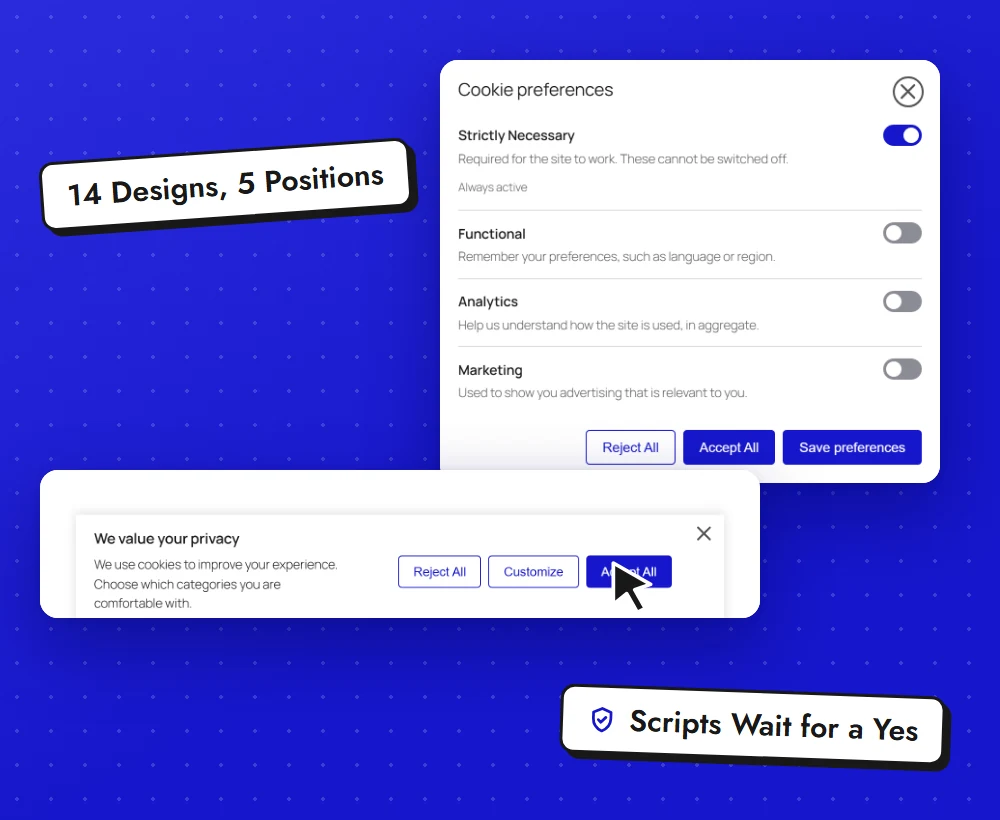
Three blocks: the Cookie Consent banner, the Cookie Preferences Button and the Cookie Declaration table. You design them in the block editor like the rest of your site.
Get Nexter BlocksKey Benefits of Nexter Cookie Consent
A Banner Built in the Block Editor
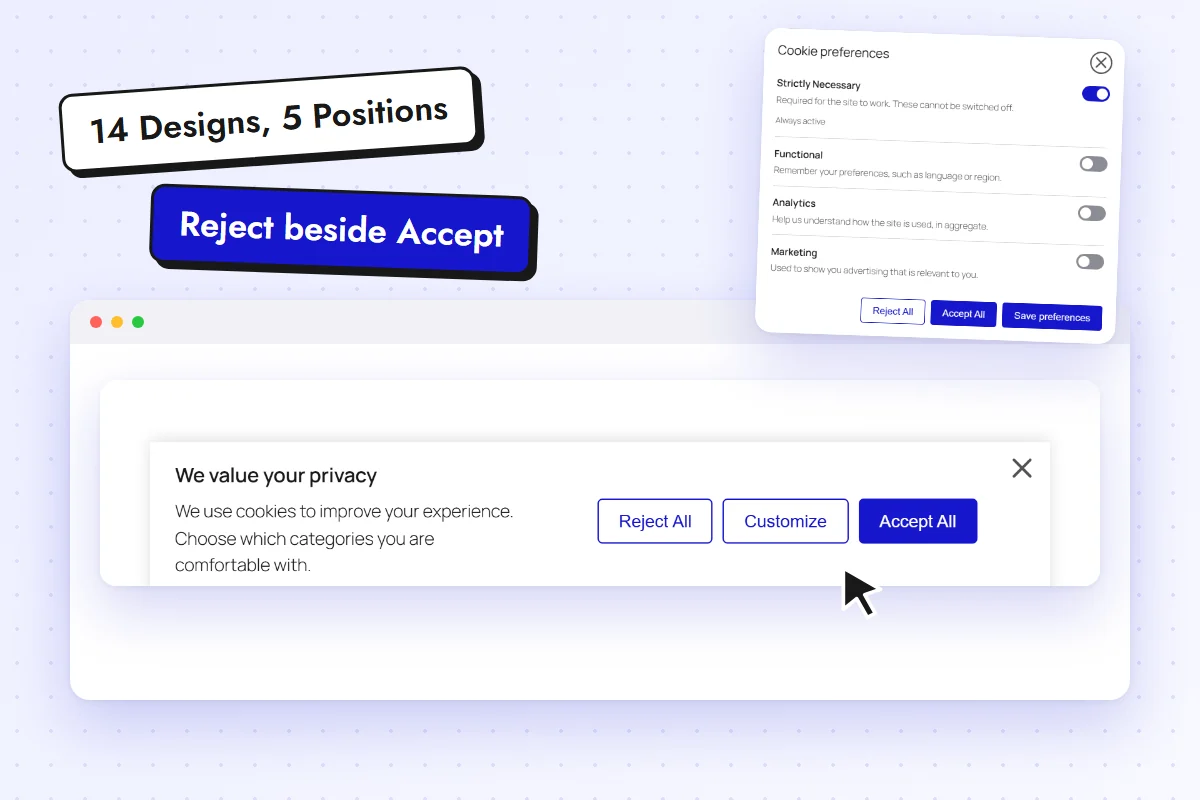
Pick one of 14 designs and 5 positions, then change colours, type and spacing in the inspector. No separate settings app to learn.
- Reject sits beside Accept
- A Cookie Preferences Button to reopen choices
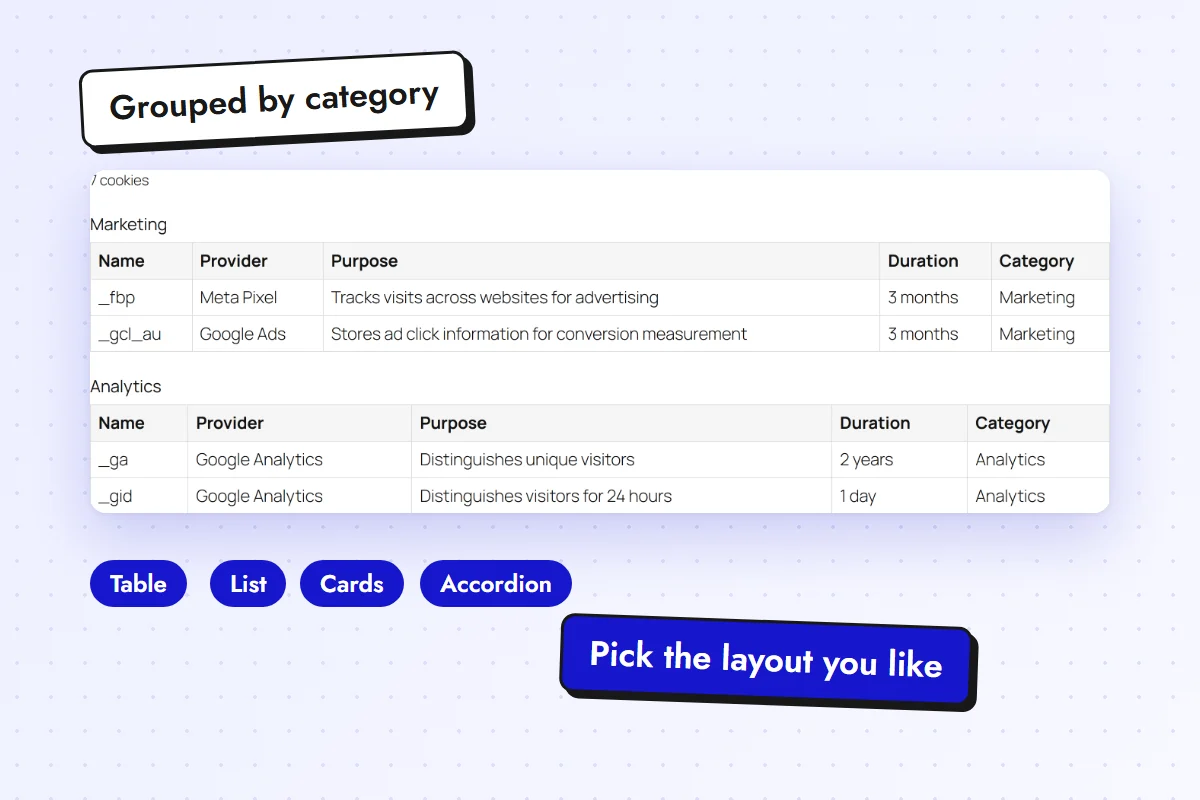
- A Cookie Declaration table for your policy page
Scripts Wait for a Yes
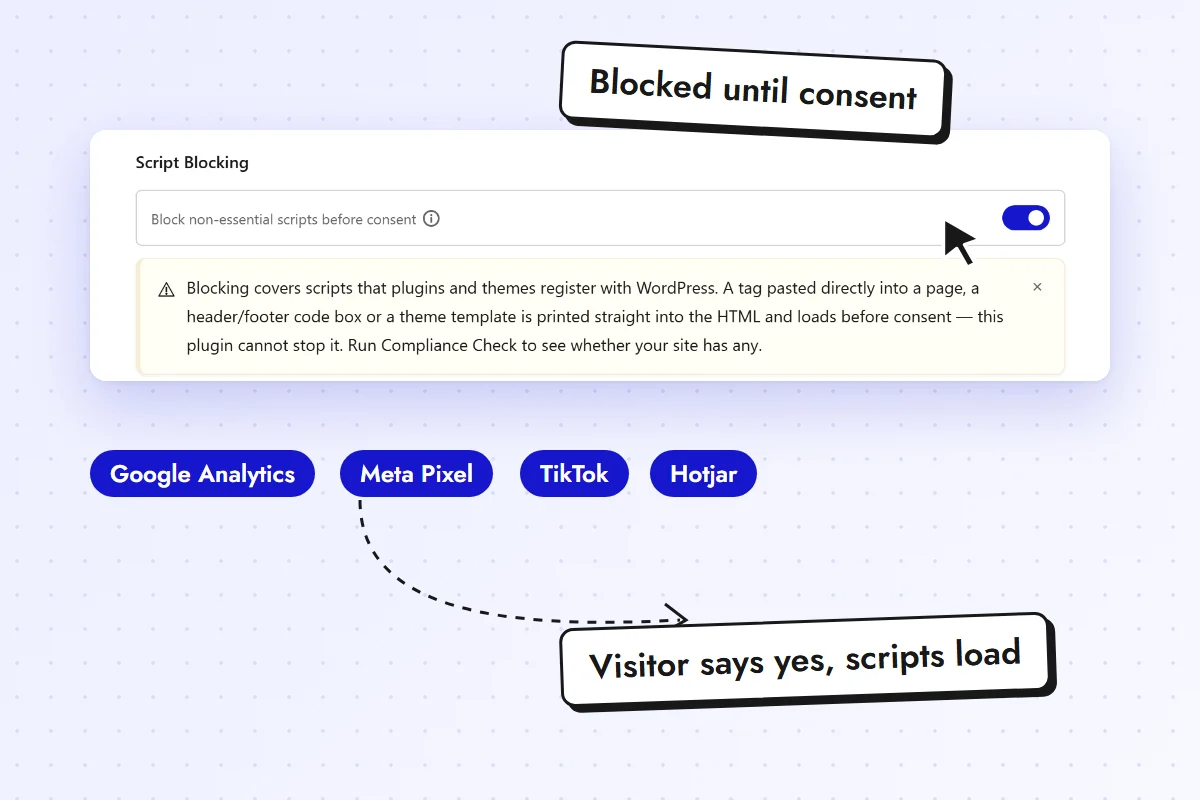
Google Analytics, Meta Pixel, TikTok, Hotjar and more are held until the visitor agrees. YouTube, Vimeo and Google Maps embeds show an Accept and Show placeholder.
- 18 built-in vendor rules
- Script blocking is on by default
- Google reCAPTCHA is never held, so forms keep working
A Compliance Check That Tells the Truth
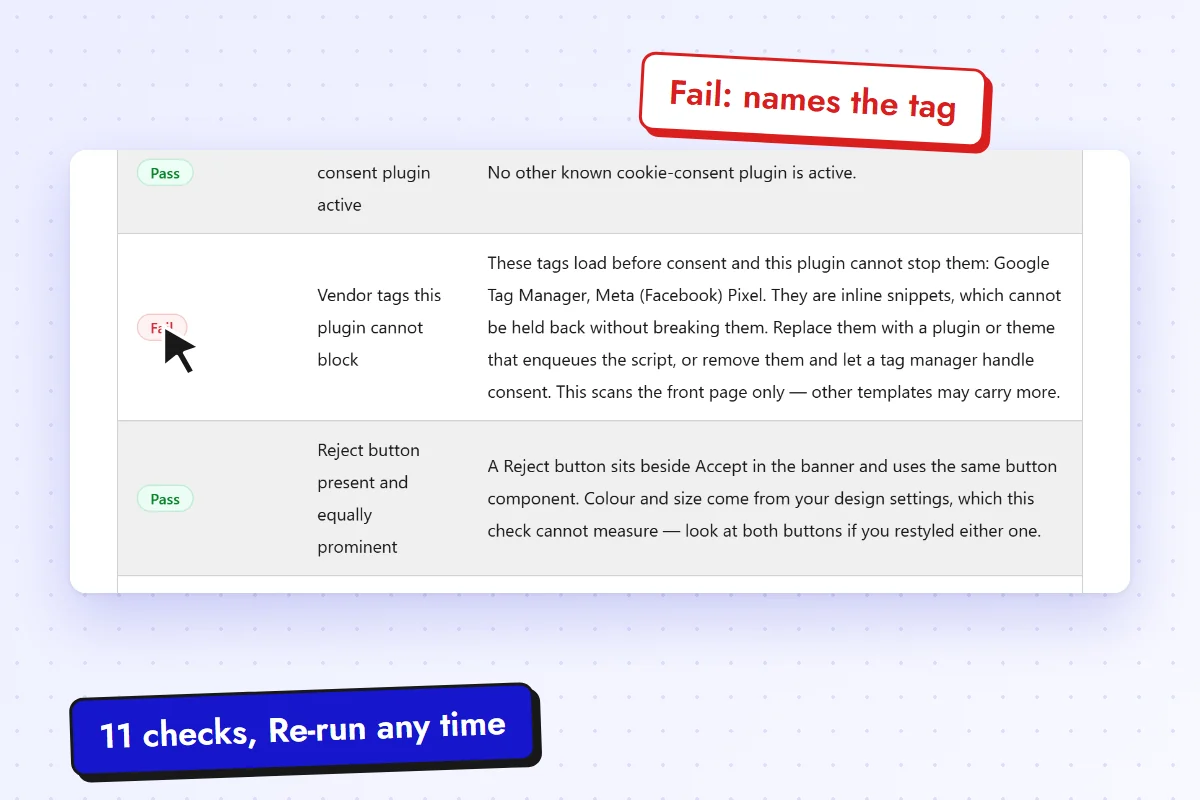
It lists what is working, what is risky and what Nexter cannot verify. When a tag cannot be held back, it names the tag.
- 11 checks with Pass, Warning, Fail or Not available
- Flags a second cookie plugin before it shows a second banner
- Re-run it after any change
Everything You Need to Collect Consent
What each plugin gives you, in plain terms.
Nexter Extension Logic and Records
Four Consent Categories
Strictly Necessary, Functional, Analytics and Marketing. Rename the labels. Strictly Necessary stays on.
Script Holding
18 built-in vendor rules. Matching script tags wait for the visitor.
Consent Records
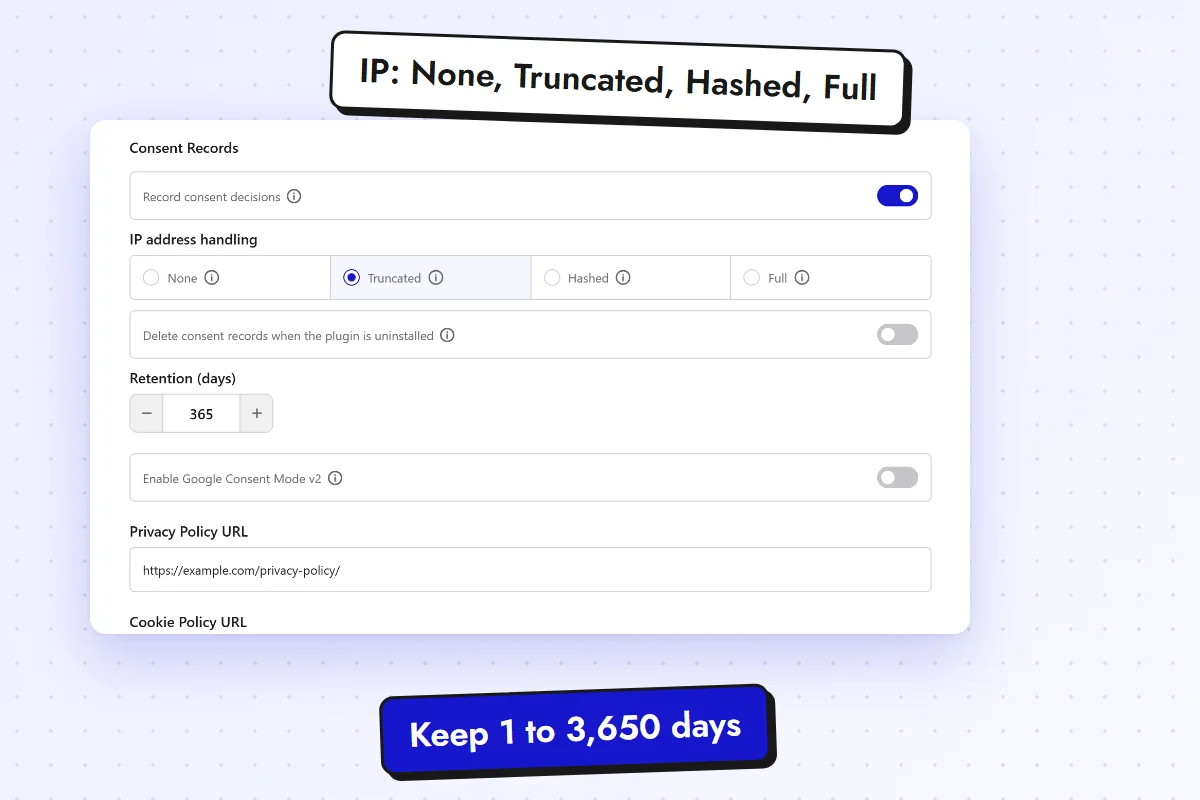
Every decision is logged. Store the IP as None, Truncated, Hashed or Full.
Retention Control
Keep records from 1 to 3,650 days. Older records are purged on a daily schedule.
Compliance Check
11 checks with Pass, Warning, Fail or Not available. Re-run it after any change.
Google Consent Mode v2
Send consent signals to Google, direct or through Google Tag Manager with the GTM-managed path.
Nexter Blocks The Visitor Side
Cookie Consent Banner
14 presets, 5 positions, an optional overlay, a heading, your message and a privacy policy link.
Fair Buttons
Reject sits beside Accept. Choose the button order. The close icon counts as a rejection, never a silent dismissal.
Preferences Window
One switch for each category, with descriptions, so visitors can choose in detail.
Cookie Preferences Button
Six styles: Link, Outline, Filled, Floating, Icon and Badge. Visitors can reopen their choices any time.
Cookie Declaration
List your cookies as a table, list, cards or accordion. Group by category or provider and pick your columns.
Full Style Controls
Style the banner, buttons, preferences window, category list, close icon and overlay from the Style tab. All free.
See It in Action
Real screens from the product.
How It Works
Turn It On
Open Nexter > Security > Privacy in WordPress and switch on Cookie Consent. Set your categories and your policy links.
Add the Banner
Insert the Cookie Consent block in your footer or a template part, and pick a design and a position.
Check It
Run the Compliance Check. Fix any Fail or Warning, then test in a private window.
What Cookie Consent Does Not Do
We would rather you hear it from us before you launch.
- It does not write your policies. Link your own privacy and cookie policy pages.
- Inline snippets load before consent. The standard Google Tag Manager and Meta Pixel code blocks run as soon as the page loads, and cannot be held without breaking them. The Compliance Check names them so you can move them to a plugin or theme that loads scripts the WordPress way.
- Embeds are swapped as the page loads. A blocked YouTube, Vimeo or Google Maps embed is replaced with a placeholder. The video does not load, but the browser can begin the request for an instant before the swap.
- Only listed vendors are held. A vendor that is not on the built-in list is not held.
- One consent tool at a time. If another cookie plugin is active, the Compliance Check flags it, because two tools show two banners.