












October was the month Nexter shipped a Cookie Consent system. Nexter Extension 4.8.0 collects and honours visitor consent, blocks non-essential scripts until a visitor decides, and keeps a record of every choice. Nexter Blocks 5.0.9 added a matching banner block on top of it, so you can design the banner in the editor and let the engine do the work.
The rest of the month was a hardening pass. Nexter Blocks 5.0.8 made Tabs, Accordion, Form and Switcher usable with a keyboard and a screen reader, escaped a long list of dynamic attributes, and added nonce protection to the Search Bar. Here is everything that shipped in October, the WordPress news that mattered, and what the public roadmap says is next.
🎉 What’s New
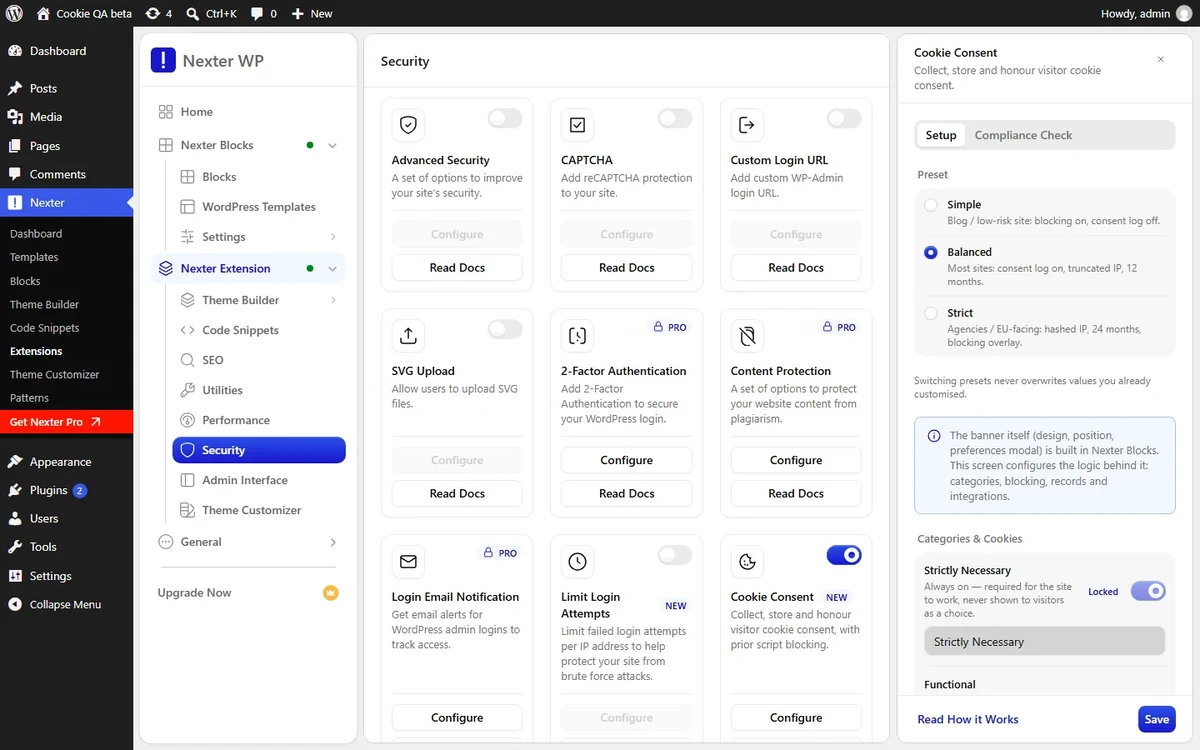
- Cookie Consent In Nexter Extension (4.8.0): collect, store and honour visitor consent. Non-essential vendors stay blocked until a visitor decides, every choice is written to a consent log with configurable IP handling and retention, Google Consent Mode v2 is integrated, and a live Compliance Check report tells you what is still missing.
- Cookie Consent Block In Nexter Blocks (5.0.9): a GDPR and CCPA cookie banner block with consent categories, a preferences modal and a privacy policy link. It renders through the consent engine in Nexter Extension, so the design lives in Blocks and the consent logic lives in Extension.
- Search Bar No-Results Fallback (5.0.8): when a search returns nothing, the Search Bar can now show suggested posts instead of an empty panel.
- Keyboard And Screen Reader Support (5.0.8): Tabs and Tours respond to the arrow keys and carry proper roles. Accordion has full keyboard support with roles on headers and panels. Form announces required and error states and moves focus to the first invalid field. Switcher responds to Enter and Space and reports whether it is on or off.
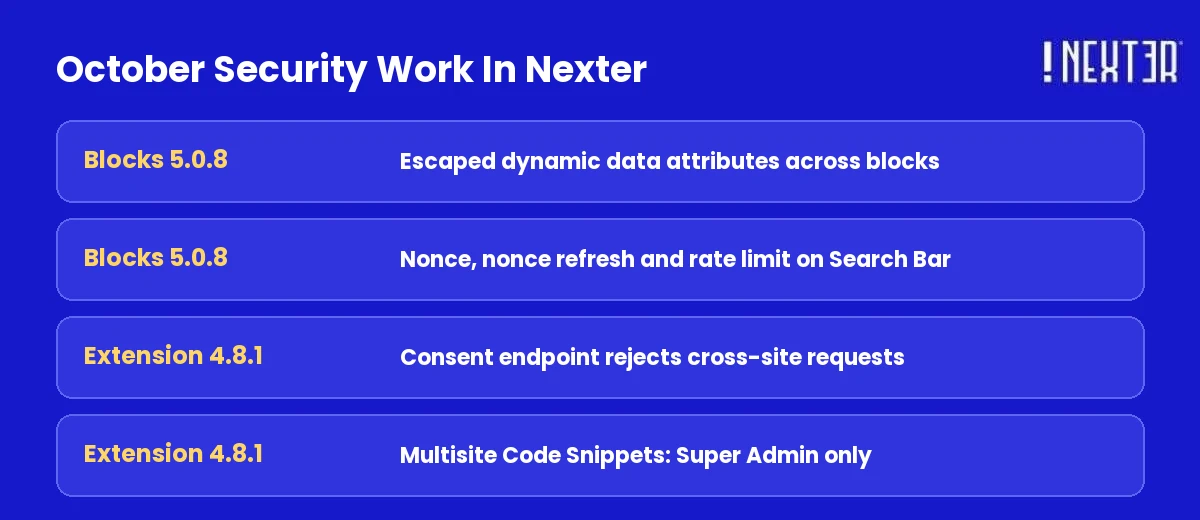
- Security Hardening Across Blocks (5.0.8): dynamic data attributes are now escaped across multiple blocks to prevent XSS, a stored-XSS risk in mega-menu link text is fixed, and Search Bar requests gained nonce protection, nonce refresh and rate limiting.
- Consent Log Tightened (Extension 4.8.1): the consent-record endpoint now rejects cross-site requests and checks the module switch and rate limit before it accepts a write, so consent-log records cannot be forged. On multisite, only a Super Admin can create, import or run Code Snippets.
How The Cookie Consent Pieces Fit Together
The two releases are one feature split across two plugins, and that matters when you set it up. Nexter Extension 4.8.0 holds the engine: it decides which scripts are blocked, stores the visitor’s choice, writes the log and talks to Google Consent Mode v2. Nexter Blocks 5.0.9 holds the visible part: the banner, the categories and the preferences modal you drop into a page or template. The block renders through the engine, so it needs Nexter Extension active to work.
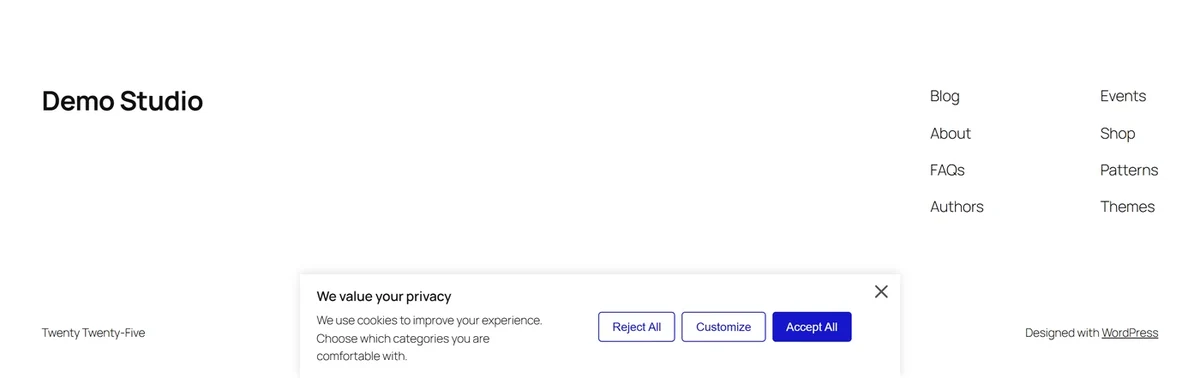
| Piece | Plugin And Version | What It Does |
|---|---|---|
| Consent engine | Nexter Extension 4.8.0 | Prior script blocking, consent-record logging, Google Consent Mode v2, Compliance Check report |
| Banner block | Nexter Blocks 5.0.9 | Banner with consent categories, preferences modal, privacy policy link |
| Log hardening | Nexter Extension 4.8.1 | Rejects cross-site writes, checks module switch and rate limit before saving a record |
Two details are worth knowing before you turn it on. First, blocking happens before a visitor decides, which is the part regulators care about: a banner that loads Google Analytics first and asks later is not consent. Second, the Compliance Check report is a checklist of what the module sees on your site right now, so run it after you add any new tracking script.
Also Read: WordPress Cookie Consent Plugins Compared if you want to see how a built-in consent module compares with the stand-alone plugins.
What The Accessibility Pass Changes For Your Visitors
Nexter Blocks 5.0.8 is the release to read if you build sites for clients who ask about WCAG. Four interactive blocks changed behaviour, and each change removes a barrier a keyboard or screen reader user would hit.
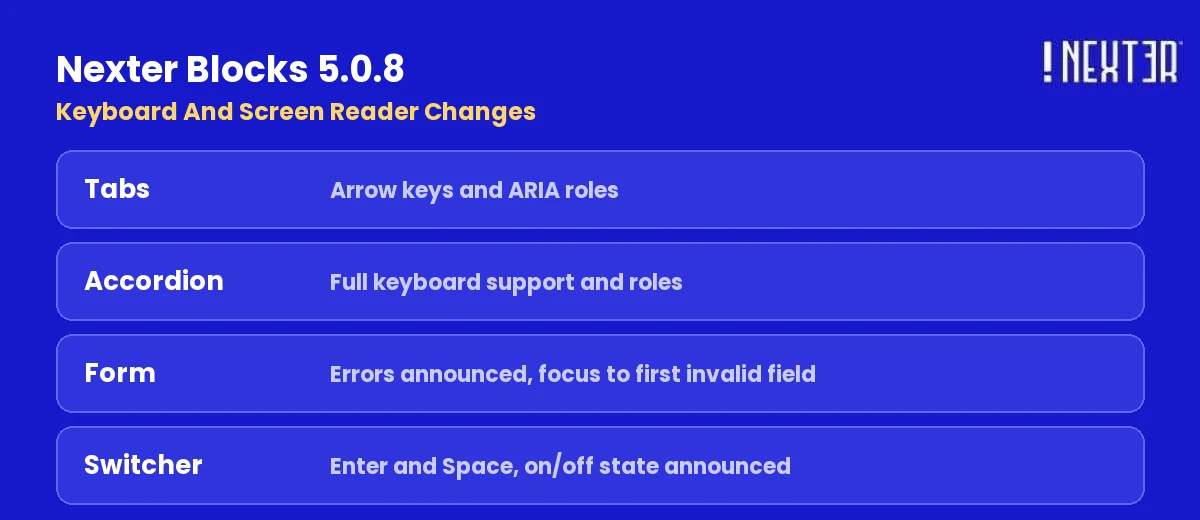
| Block | Before 5.0.8 | In 5.0.8 |
|---|---|---|
| Tabs And Tours | Mouse-first navigation | Arrow-key navigation and screen reader roles |
| Accordion | Headers and panels not fully keyboard operable | Full keyboard support and roles for headers and panels |
| Form | Errors visible on screen only | Required and error states announced, focus moves to the first invalid field |
| Switcher | Pointer toggle | Enter and Space toggle it, and it reports on or off |
The same release says existing content keeps working: the Accordion, Tabs and Tours, Switcher, Flipbox, Infobox and Form field markup was updated without breaking pages that already use them. Test a page you care about after updating, but the release is designed so you do not have to rebuild anything.
Also Shipped This Month
- Theme Builder Menu Fix (Blocks 5.0.9): the Theme Builder menu item now opens the Theme Builder screen correctly.
- Zero Spacing Works (Blocks 5.0.8): a spacing value set to 0 now applies correctly in Blocks Spacing, and Stylist List item spacing can be set to 0.
- Controls Stay In Range (Blocks 5.0.8): number and slider fields now stay within their minimum and maximum limits.
- Breadcrumbs Dynamic Field (Blocks 5.0.8): a Dynamic Field set on the Home Title now shows its value instead of raw code.
- Escaping Fixes (Blocks 5.0.8): Countdown redirect URLs are sanitised, Post Comment logout text is escaped, the Social Embed Twitter profile link uses correct URL escaping, and data attributes are escaped in Creative Image, Flipbox, Testimonials, Post Image and Smooth Scroll. The Info Box carousel also applies its settings again.
- SEO Description Fallback (Extension 4.8.0): the meta description fallback no longer runs shortcodes on a page with no excerpt, which had been duplicating shortcode-rendered content such as the FluentCart customer dashboard navigation on the front end.
- Translations Load Where They Should (Extension 4.8.0 and 4.8.1): Theme Builder and Code Snippets screens now pick up translations, including ones kept in custom locations such as Loco Translate.
- Small Dashboard Fixes (Extension 4.8.0): the Import Snippets drop zone has proper padding, SVG Upload role names show in the site language, and long translated labels no longer overflow the Disable Gutenberg switch or the Get Nexter Pro menu item.
- New Dashboard (Extension 4.7.14, October 23): the admin dashboard was refreshed with clearer hierarchy, more consistent spacing and iconography, and more legible controls across every tab. Abilities (MCP) files now stop early when the WordPress Abilities API is missing, so older WordPress versions never call
wp_register_ability().
Also Read: September 2026 Update for the Form Builder conditional logic, multi-step forms and SEO migration releases that came before this one.
For everything else this month, check the complete changelog here.
What’s Coming Up
Plans live on the public Nexter roadmap, where you can see the status of each item and vote on what matters to you. Nothing there carries a release date, so treat it as direction rather than a promise.
🗞️ WordPress And Tech Bytes
The news that mattered in October, and what it means if you build with Nexter. Every item below was checked against the official post on October 30, 2026.
- WordPress 7.1.4 shipped on October 28 as a security release. It fixes a weakness in the upgrade process that can lead to remote code execution during the upgrade window, plus several stored XSS issues, including ones in the Interactivity API, Customizer selective refresh and the Categories block. Updating is recommended immediately. WordPress 7.1.4 release notes →
- WordPress 7.1.3 landed on October 6 with 7 security fixes and 4 bug fixes, including a stored XSS on the Comments administration page, a second-order SQL injection in WXR export, and unauthenticated disclosure of comments on private and unpublished posts. WordPress 7.1.3 release notes →
- The PHP project fixed two critical vulnerabilities, announced October 21. WordPress says no WordPress update is required, but you should check your PHP version under Tools, then Site Health, then Info, then Server, and ask your host about updates. Versions before PHP 8.2 no longer receive security updates. Critical PHP security release →
- WordPress 7.2 Beta 1 arrived on October 20, and Beta 2 followed on October 27. The final release is scheduled for December 8, 2026. Beta 1 expands the responsive design controls from 7.1 to more tools and blocks, including responsive Gallery settings for columns, cropping and aspect ratio. Test it on a local or staging site, never production. WordPress 7.2 Beta 1 announcement →
- Gutenberg 24.2 shipped on October 14. What’s new in Gutenberg 24.2 →
What This Doesn’t Cover
This update lists what shipped, not how to configure each feature. It does not walk through a full Cookie Consent setup, it does not compare Nexter against other consent plugins, and it does not cover Nexter Pro releases beyond what the public changelog states. Each feature has its own documentation for the step-by-step.
Also Read: WordPress 7.1.1 And 7.1.2 Security Releases for how to harden a site with Nexter Extension after a core security release.
Suggested Reading
- September 2026 Update
- August 2026 Update
- WordPress Cookie Consent Plugins Compared
- Nexter Extension Login Security
- How To Move From Spectra Legacy To Nexter Blocks
