












I wanted a straight answer to one question: is Genesis Blocks still a safe plugin to build on? It is not abandoned, but I would not call it healthy either. The plugin has 40,000+ active installs and a 3.7 rating from 24 reviews, and its last release was two months ago. Most of the plugins people compare it with updated this week.
This post is the check I ran on 16 October 2026. I read the plugin page and the changelog, installed the plugin on a clean WordPress 7.1.3 site with Gutenberg 24.2.0, and then ran the test most reviews skip: I built a page with Genesis Blocks, deactivated the plugin, and looked at what was left. Nexter Blocks is our plugin, so weigh my comparisons accordingly. Every number below comes from a page I opened today, and I say where I did not test something.
What Genesis Blocks Is Today
Genesis Blocks is a block plugin from StudioPress, and its documentation now lives on WP Engine’s support site. WordPress.org lists version 3.1.11, last updated two months ago, with 40,000+ active installations. It needs WordPress 6.1 and PHP 7.1, and its author has marked it as tested up to WordPress 7.0.7.
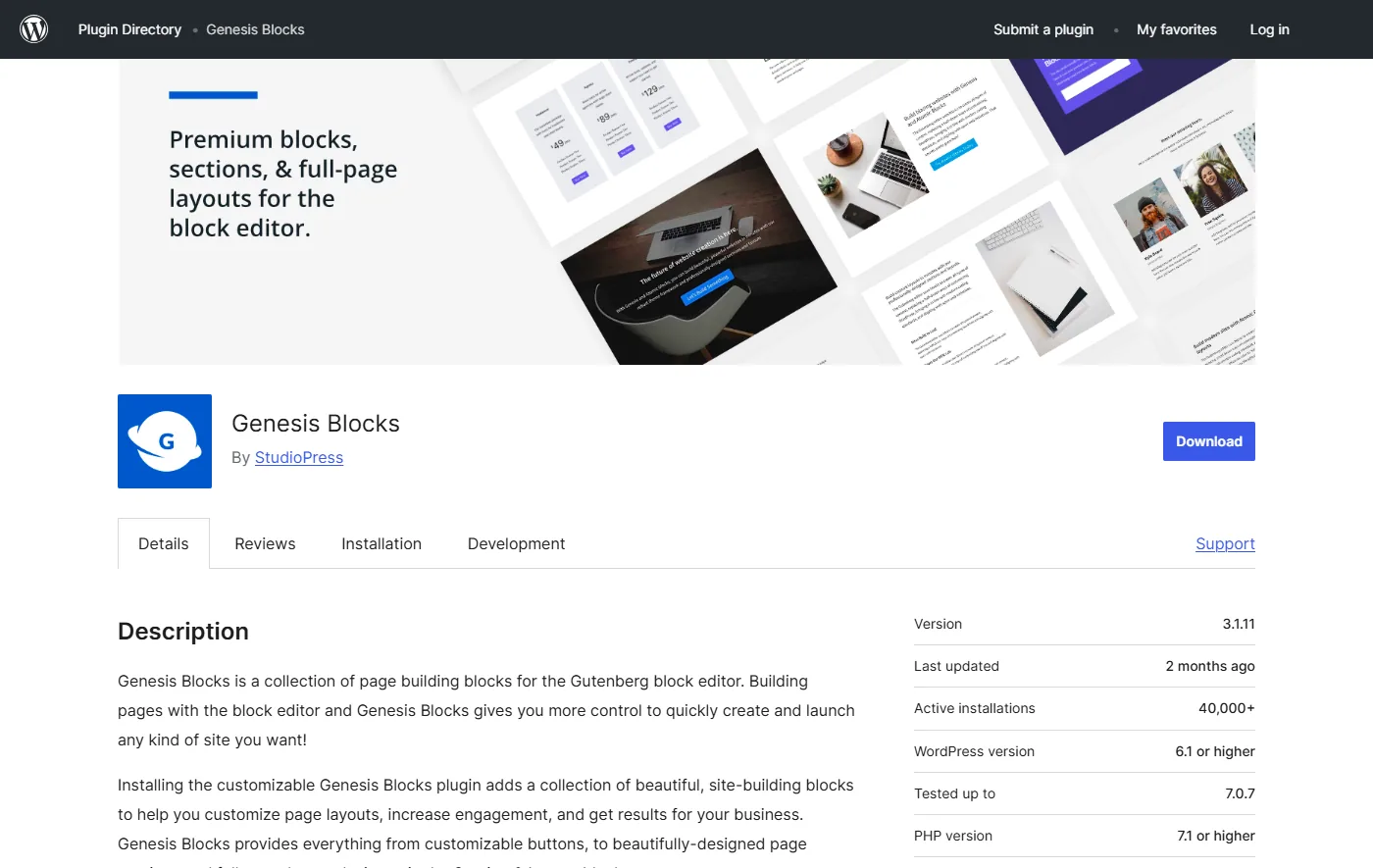
The rating is 3.7 out of 5 from 24 ratings, and 14 of them are five stars. That is a small sample, so I would not lean on it, but it is the lowest average in the comparison table further down.
One detail is worth pausing on. “Tested up to” is a label the author sets, not a test I ran. WordPress 7.1.3 is the current release, and most of the plugins I compare below declare 7.1.3. Genesis Blocks declares 7.0.7. CoBlocks is the only other plugin in my table that is behind, at 6.8.11. I ran my own check instead of trusting the label, and the result is in the next two sections.
Is Genesis Blocks Abandoned? What The Changelog Shows
No. The three most recent changelog groups show a plugin that still gets security and compatibility work:
- 3.1.11: a security fix for a stored cross-site scripting vulnerability in the Sharing block.
- 3.1.10: a fix for a regression introduced in 3.1.9, where theme styles could load before block styles on the front end.
- 3.1.9: all blocks moved to Block API version 3 in preparation for WordPress 7.0, plus fixes for WordPress 7.0 component deprecation warnings, iframe editor compatibility, and PHP 8.1 null value errors in the post grid and newsletter blocks.
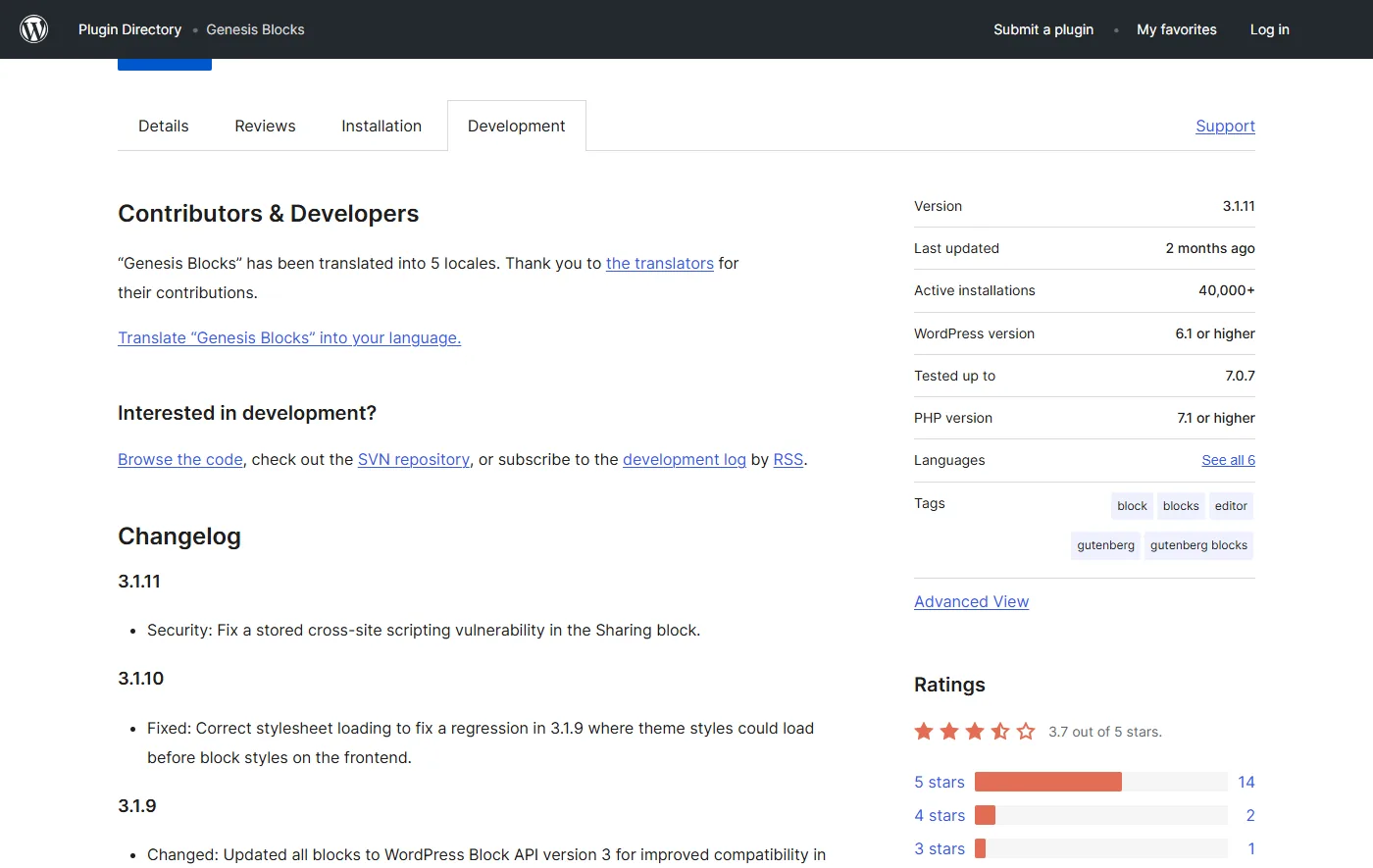
I read that as a maintained plugin. A stored XSS fix in a block that outputs on the front end is the kind of release you want to see shipped, and plugins with front-end output ship fixes like it regularly. The part I would watch is the pace. A release to repair the previous release (3.1.10 after 3.1.9) and a two-month gap since the last one is slower than the rest of the field.
Here is the gap. On the same day I read the Genesis Blocks page, WordPress.org showed Kadence Blocks and Stackable updated within the last three days, GenerateBlocks three days ago, Spectra seven days ago and Otter two weeks ago. Genesis Blocks sits at two months. I would call it maintained, at a slower pace than its peers.
What I Tested On WordPress 7.1.3
The setup was a clean Docker site on WordPress 7.1.3 with the default Twenty Twenty-Five theme, the Gutenberg plugin at 24.2.0, Genesis Blocks 3.1.11 and the free Nexter Blocks 5.0.7. I drove the editor with Microsoft Edge and read the browser console while I worked.
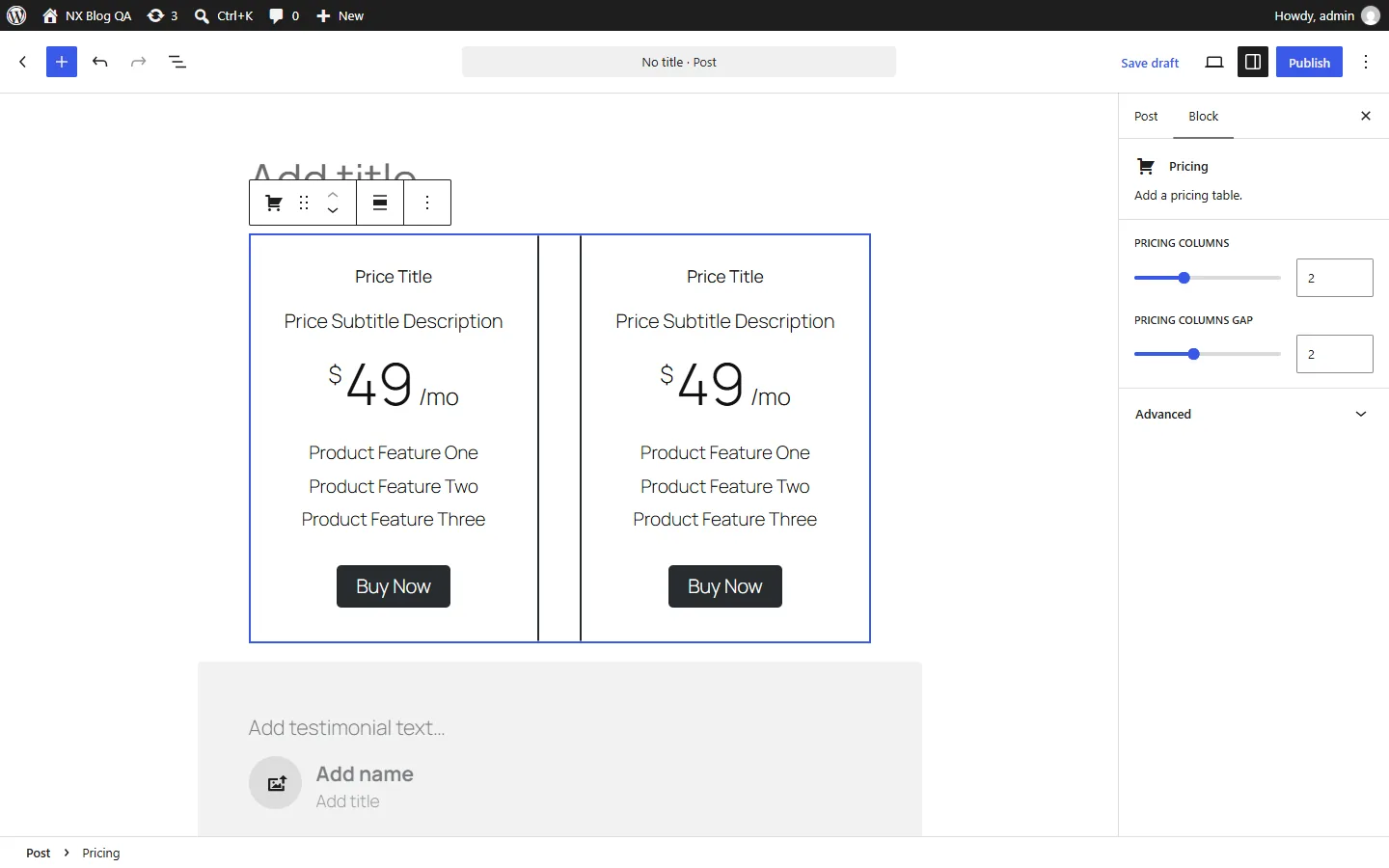
I inserted eight Genesis blocks (testimonial, profile box, notice, drop cap, button, spacer, accordion and call to action) next to seven Nexter blocks in the same post. None of them was flagged as invalid, and the console showed no page errors and no error messages. The plugin registered 22 block types in the editor, which is more than the 15 the vendor lists. I did not investigate the difference, and my guess is that some are child blocks.
Gutenberg 24.2 also turned on React 19 by default, and the editor was running React 19.3.0 during this test. Genesis Blocks is not on the incompatible list that ships with the release, and it loaded fine. I wrote up how that list works in my Gutenberg React 19 post.
My verdict is that on a clean install it works. Nothing I tried broke on 7.1.3. It is a short test: I did not exercise every block, I did not use any Genesis Pro layouts, and I did not try other themes.
What Free Gets You And What Pro Costs
The two vendor pages disagree on what the free plugin includes. The StudioPress page says 15 new blocks, 4 pre-built full-page layouts and 8 pre-built sections. The WP Engine support page says 15 blocks plus 1 collection, 26 page sections and 9 page layouts. I cannot tell which is current, so I treat 15 blocks as the figure both agree on.
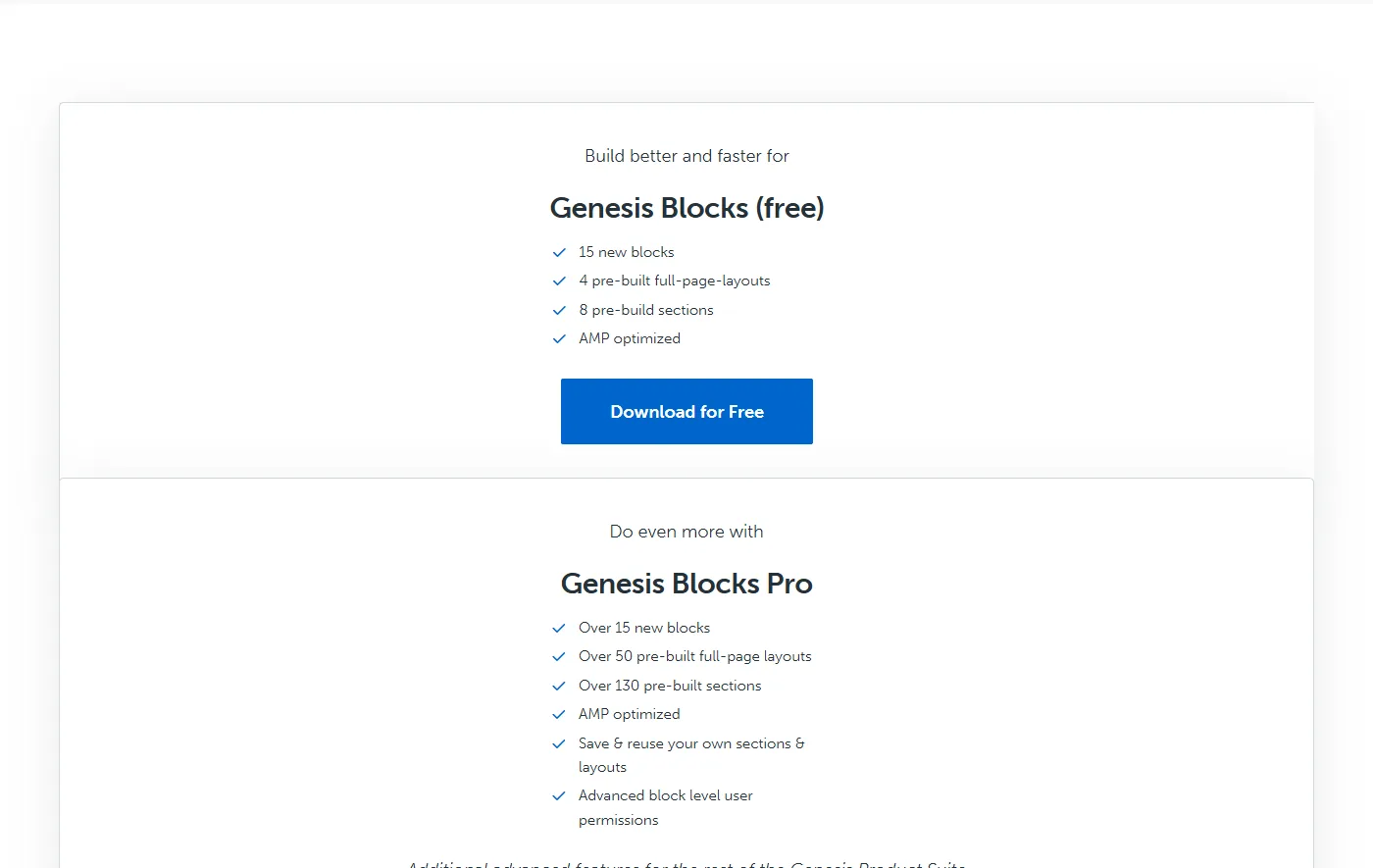
Pro comes only through a Genesis Pro subscription. The StudioPress page lists over 15 extra blocks, over 50 full-page layouts, over 130 sections, the ability to save and reuse your own sections and layouts, and block-level user permissions.
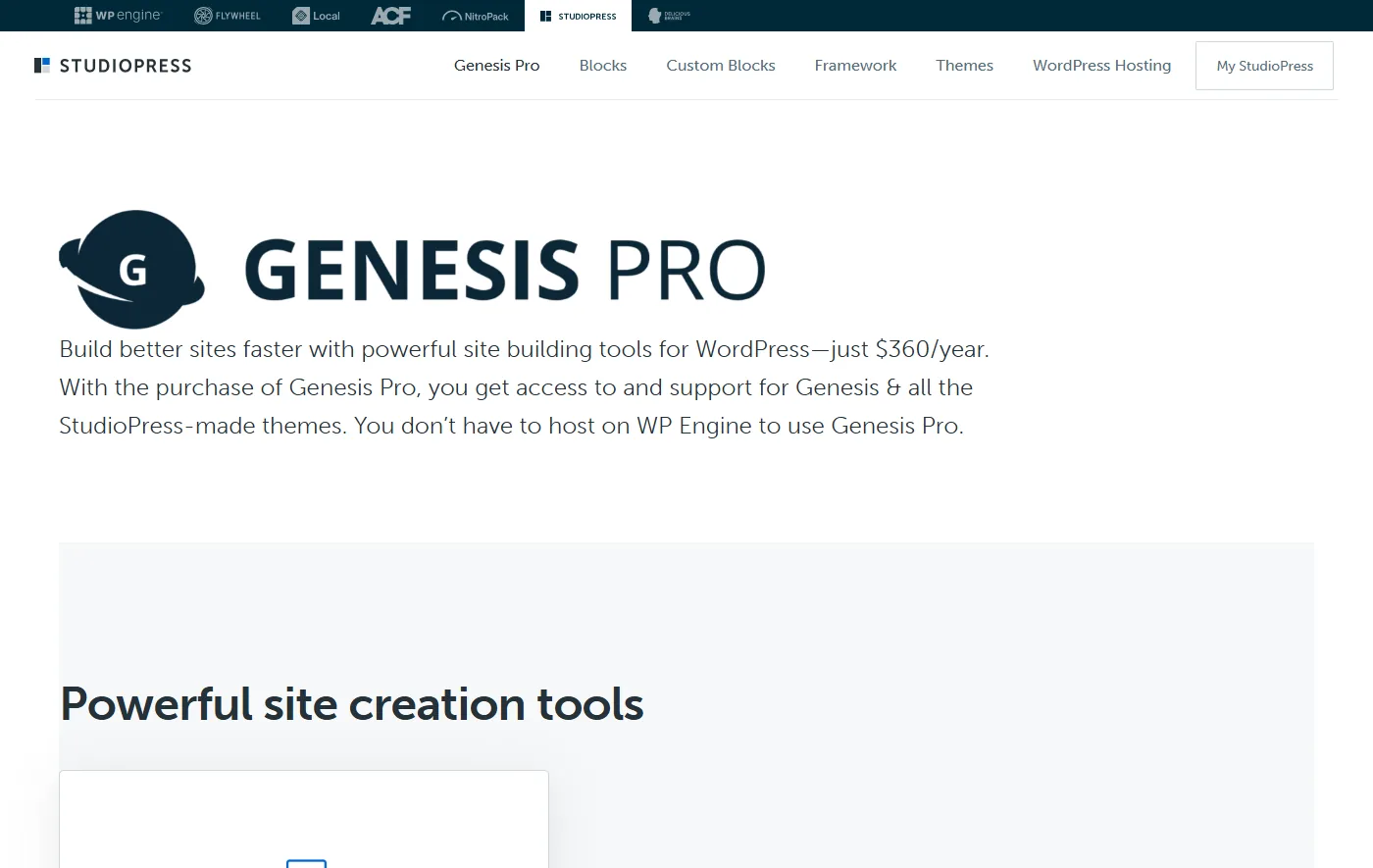
Genesis Pro costs $360 a year. That price also covers the Genesis Framework, all 10 StudioPress premium child themes and use on unlimited sites. WP Engine’s support page says both versions of Genesis Blocks work with any WordPress theme, so you do not need the Framework to use the plugin.
The practical reading depends on who you are. If you already pay for Genesis Pro because you build on the Framework, the Pro blocks come with what you pay anyway. If blocks are all you want, $360 a year is the number to weigh against the alternatives below. I am not copying Nexter’s prices into this post, because its pricing page bundles several products and I would rather you read it directly on the Nexter pricing page.
What Happens If You Deactivate Genesis Blocks
This is the question that matters if you are thinking of leaving. I built a test post with five Genesis blocks (pricing, testimonial, notice, accordion and profile box), published it, filled in text for four of them, deactivated the plugin and looked at the front end and the editor. The pricing block had no content in my test, so I can only speak for the other four on the front end.
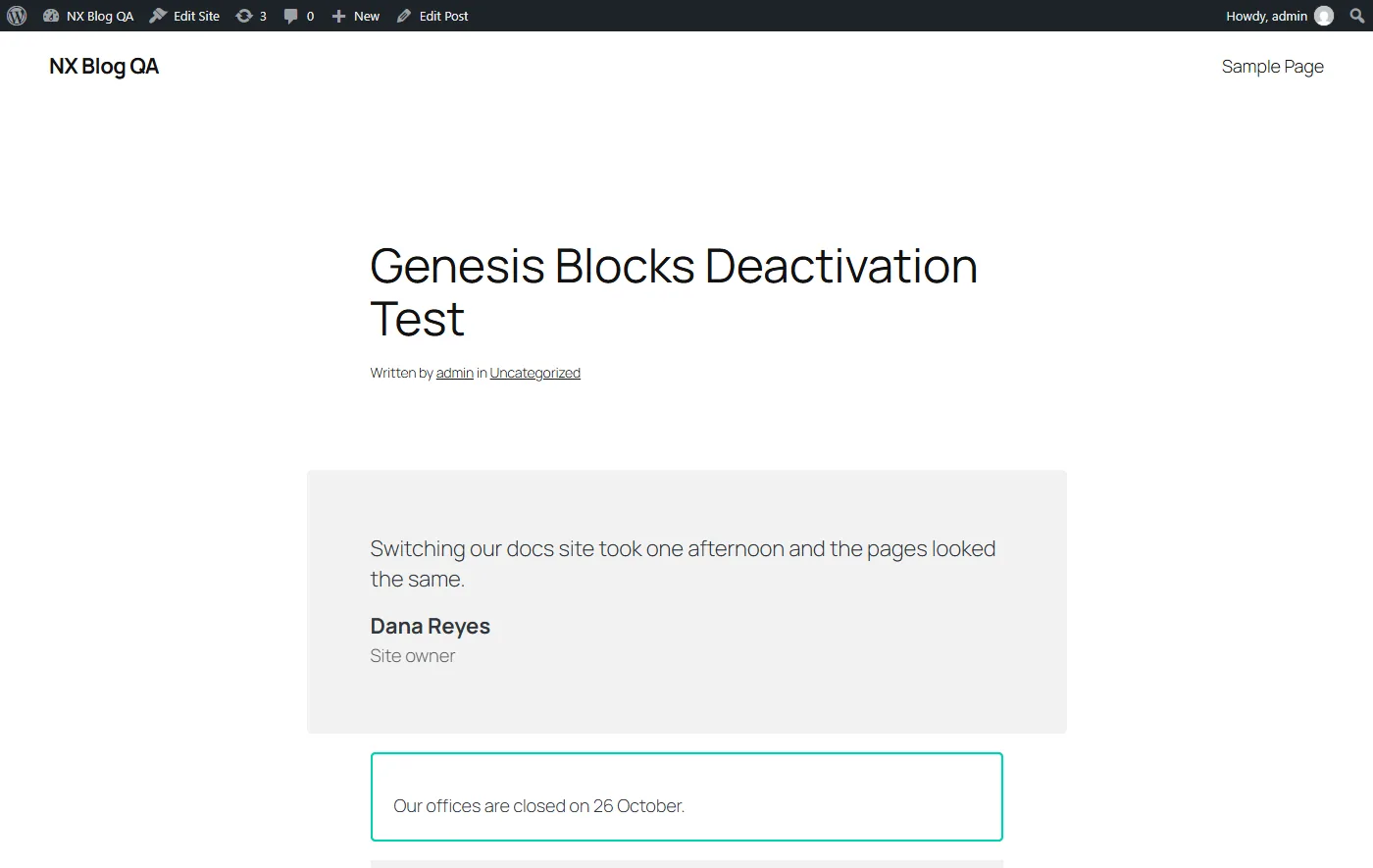
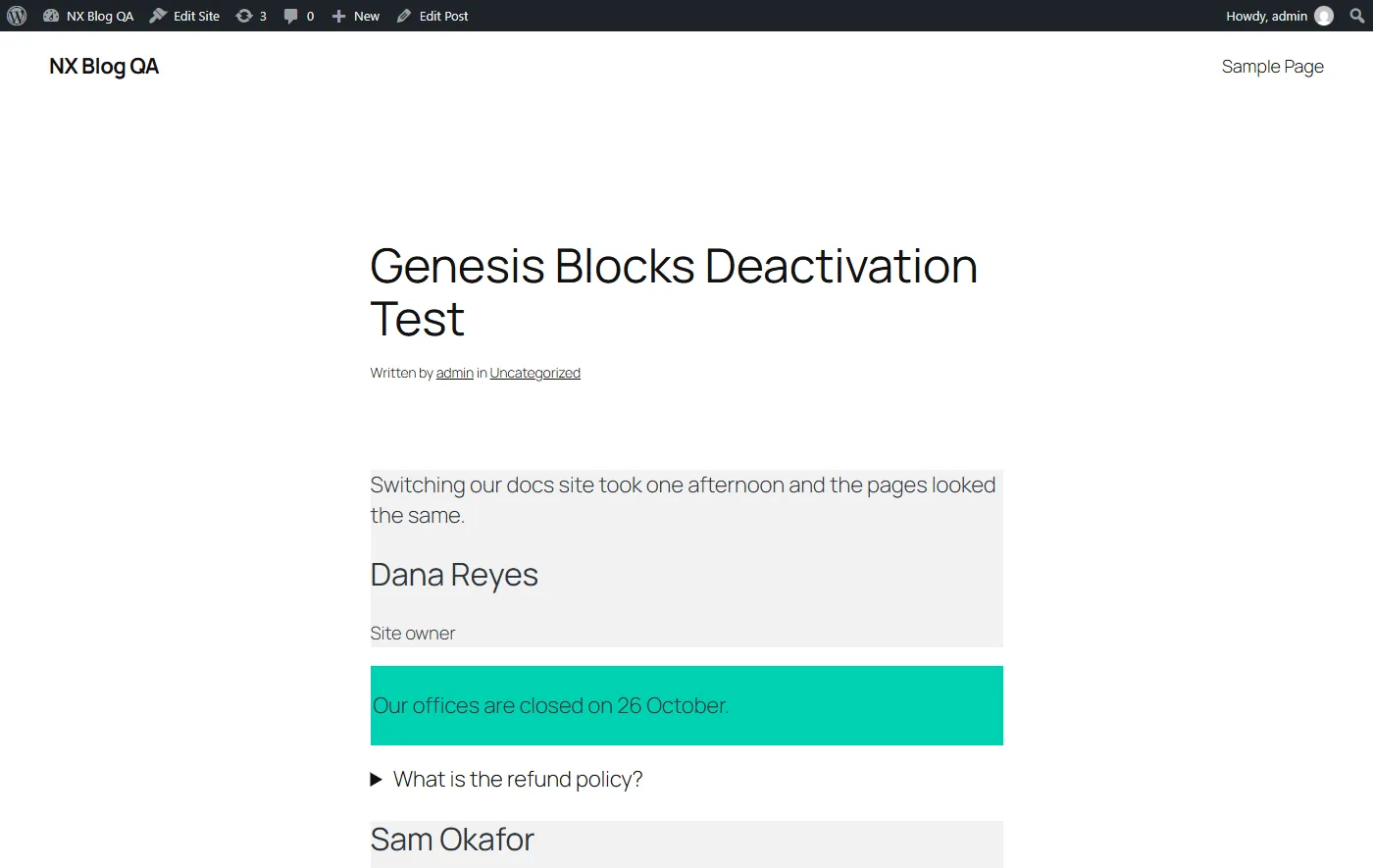
Here is what changed:
- The text survived. Every sentence I typed was still on the page.
- The design did not. The testimonial lost its padding and rounded card, and the notice lost its border and inner spacing.
- The accordion kept working. The saved markup uses the browser’s own details and summary elements, so it still opens and closes without the plugin.
- The editor gave up on every block. All five came back as unsupported, each one with a message that the site does not include support for that block and a Keep as HTML button.
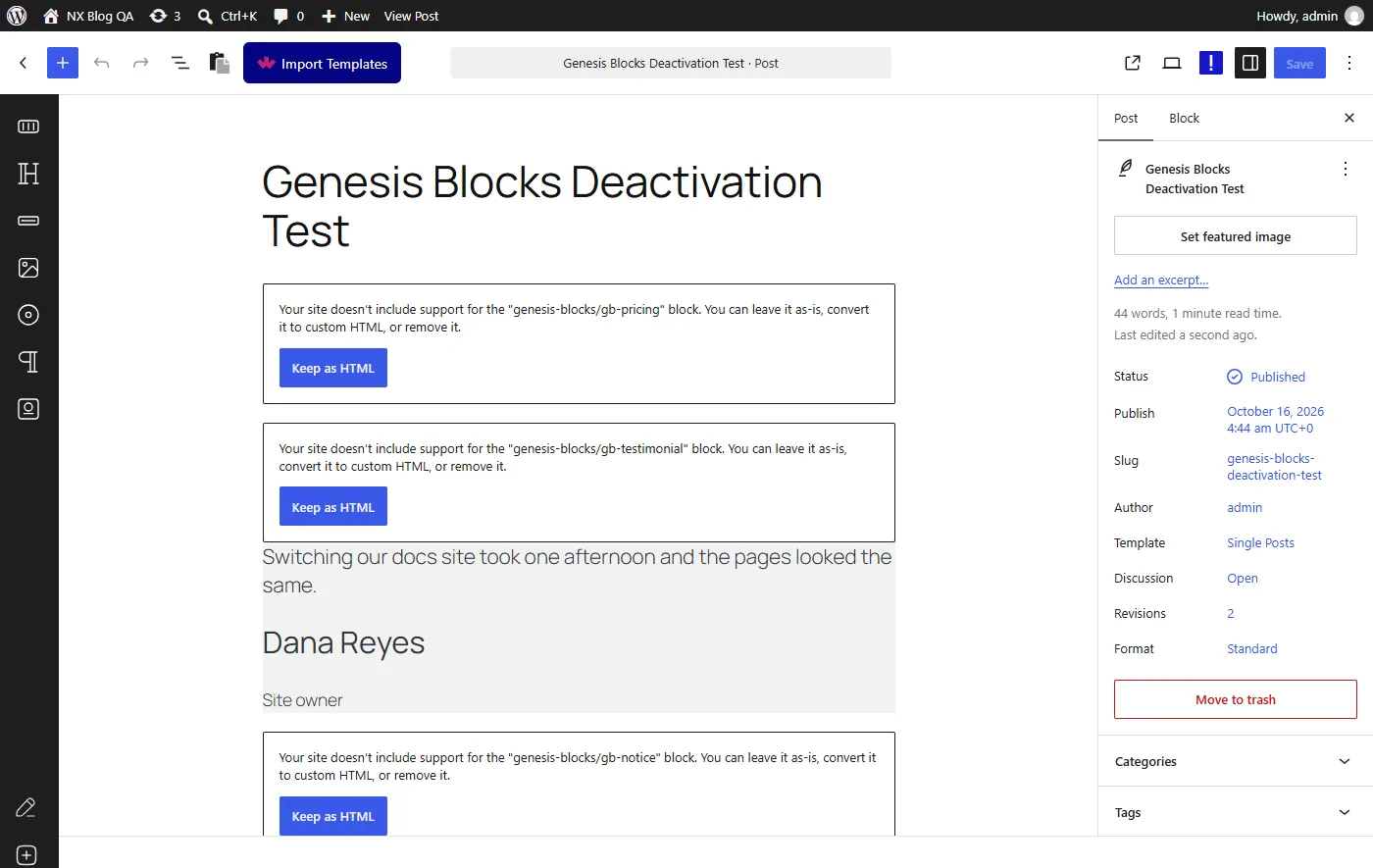
The lesson is that pages built with Genesis Blocks are not portable. That is true of most block plugins, and I have not run this test on any other plugin in the table below, so I will not claim that any of them behaves differently. What matters is knowing it before you leave: switching means rebuilding the styled blocks, not flipping a plugin off.
Genesis Blocks Alternatives Compared By The Numbers
All figures in this table come from each plugin’s WordPress.org page, read on 16 October 2026. Install counts are WordPress.org’s rounded bands.
| Plugin | Active installs | Version | Last updated | Tested up to | Rating |
|---|---|---|---|---|---|
| Genesis Blocks | 40,000+ | 3.1.11 | 2 months ago | 7.0.7 | 3.7 (24) |
| Spectra | 1+ million | 2.20.5 | 7 days ago | 7.1.3 | 4.7 (1,871) |
| Kadence Blocks | 600,000+ | 3.8.0 | 2 days ago | 7.1.3 | 4.8 (332) |
| Otter Blocks | 300,000+ | 3.2.7 | 2 weeks ago | 7.1.3 | 4.7 (250) |
| CoBlocks | 300,000+ | 3.1.17 | 7 months ago | 6.8.11 | 4.2 (109) |
| GenerateBlocks | 200,000+ | 2.5.0 | 3 days ago | 7.1.3 | 4.9 (122) |
| Essential Blocks | 200,000+ | 6.5.0 | 18 hours ago | 7.1.3 | 4.9 (215) |
| Stackable | 100,000+ | 3.20.3 | 3 days ago | 7.1.3 | 4.9 (522) |
| Greenshift | 70,000+ | 13.2.1 | 3 weeks ago | 7.2 | 4.8 (107) |
| Ultimate Blocks | 50,000+ | 3.6.1 | 3 weeks ago | 7.1.3 | 4.9 (729) |
| Nexter Blocks (free) | 10,000+ | 5.0.7 | 3 weeks ago | 7.1.3 | 4.8 (90) |
Three things stand out. First, Genesis Blocks has the lowest rating and the second-oldest update in the table, behind only CoBlocks. Second, Nexter Blocks free has the smallest install base of all eleven, at 10,000+. If you pick a plugin mainly for the size of its community, that counts against us, and I would rather say so than hide it. Third, nearly every plugin here declares 7.1.3, so Genesis Blocks and CoBlocks are the outliers.
Kadence Blocks
Kadence Blocks has 600,000+ installs, a 4.8 rating from 332 reviews and a release two days ago. If you want a large, active library of blocks, it is the obvious comparison. I cover the free and Pro split in my Kadence Blocks review, and I list the options around it in my Kadence Blocks alternatives post.
GenerateBlocks
GenerateBlocks has 200,000+ installs, a 4.9 rating from 122 reviews and a release three days ago. It is a smaller toolkit built around layout primitives. My GenerateBlocks alternatives post sets it beside the other options.
Spectra
Spectra is the biggest by installs, at 1+ million, with a 4.7 rating from 1,871 reviews and a release seven days ago. Its history matters if you are shortlisting it: the project split into a new Spectra and a legacy line, which I explain in Spectra Blocks versus Spectra Legacy.
Stackable
Stackable has 100,000+ installs, a 4.9 rating from 522 reviews and version 3.20.3 from three days ago. One thing to know: Gutenberg 24.2 lists Stackable among the plugins that keep React 18 by default, with no fixed version recorded. In my test I forced React 19 on with Stackable active and inserted seven of its blocks without a single error, so I could not reproduce a break. The details are in the React 19 post, and I review the plugin itself in my Stackable review.
Otter, Essential Blocks, Ultimate Blocks And Greenshift
Otter Blocks has 300,000+ installs and a release two weeks ago, and I look at it in my Otter Blocks review. Essential Blocks has 200,000+ installs and was updated 18 hours before I read the page. Ultimate Blocks has 50,000+ installs and a 4.9 rating from 729 reviews, the largest review count of the smaller plugins. Greenshift has 70,000+ installs and is the only one declaring WordPress 7.2, and my Greenshift review covers it. I did not test any of these four hands-on for this post.
Nexter Blocks
Nexter Blocks is our plugin. The product page says 90+ blocks across Free and Pro. With only the free plugin active, the editor registered 71 Nexter block types in my test. The free plugin is at version 5.0.7 with 10,000+ installs and a 4.8 rating from 90 reviews. In my testing it ran next to Genesis Blocks in the same editor with no conflict, and it loaded under React 19.3.0 with no errors.
What I cannot tell you is how a migration goes. I did not find a Genesis Blocks importer, and I did not test a conversion, so plan on rebuilding styled blocks by hand. Start with the Nexter Blocks page and the free versus Pro comparison to see which blocks you would need.
Which Alternative Fits Which Situation
I am working from the numbers above and from what I tested, not from a feature-by-feature bake-off, so treat this as a starting point:
- You build on the Genesis Framework or StudioPress themes and pay for Genesis Pro. Staying costs you nothing extra, because Pro blocks are part of the subscription. Keep an eye on the release pace, and run the deactivation test on a staging copy so you know your exit cost.
- You use the free plugin on a handful of pages. There is no emergency. The plugin works on 7.1.3 and still gets security fixes. Count your pages first (the commands are in the next section) and decide with that number.
- You care most about community size and update cadence. By the table, Spectra and Kadence Blocks lead on installs, and Kadence, GenerateBlocks, Stackable and Essential Blocks all updated within the last three days.
- You depend on a library of ready-made sections and layouts. Compare each plugin’s library directly. I have not evaluated section libraries side by side, and the Genesis counts alone are inconsistent between its own two vendor pages.
How To Move Off Genesis Blocks Without Breaking Pages
This is the order I would follow, based on what the deactivation test showed:
- Count what you have. Find every post that uses a Genesis block. With WP-CLI, run the first command below. If you prefer SQL, the second one gives you the same list.
- Test on a staging copy. Deactivate Genesis Blocks there and look at your ten most important pages. This shows you the real exit cost before it touches a live page.
- Rebuild one page type at a time. Keep Genesis Blocks active until the last page is done, so nothing turns into an unsupported block in the meantime.
- Compare the front end side by side, on desktop and on mobile, because spacing and borders are what disappear first.
- Deactivate last, with a database backup. Treat the Keep as HTML button as a last resort: it freezes the markup, but the styling stays gone.
wp post list --post_type=any --post_status=any --s="wp:genesis-blocks/" --fields=ID,post_title,post_statusSELECT ID, post_title FROM wp_posts WHERE post_content LIKE '%wp:genesis-blocks/%' AND post_status IN ('publish','draft','private');I ran both on my test site, and both returned the one test post. Change the table prefix in the SQL if yours is not wp_.
Questions I Expect About Genesis Blocks
Is Genesis Blocks Still Being Updated?
Yes. Version 3.1.11 shipped about two months before I wrote this, and it contained a security fix. The pace is slower than that of Kadence Blocks, GenerateBlocks or Stackable, which all updated within the last three days.
Does Genesis Blocks Work With WordPress 7.1?
It worked in my test on WordPress 7.1.3 with Gutenberg 24.2.0, even though the plugin page says it is tested up to 7.0.7. My test was short, so run your own on staging before you rely on it.
Do I Need Genesis Pro To Use Genesis Blocks?
No. The free plugin is on WordPress.org. The extra Pro blocks, layouts and sections come with a Genesis Pro subscription, and WP Engine says both versions work with any theme.
Is There An Automatic Converter To Another Block Plugin?
I did not find one, and I did not test any conversion tool. Plan on rebuilding the styled blocks by hand.
What This Doesn’t Cover
- I did not test Genesis Blocks Pro or any Genesis Pro layout. Everything hands-on is about the free plugin.
- I did not run the deactivation test on the other plugins in the table, so I make no claim about how they behave.
- I did not check the Genesis Blocks support forum or its development log for open bugs.
- I did not test a migration from Genesis Blocks to any other plugin, including Nexter Blocks.
- I did not test Otter Blocks, Essential Blocks, Ultimate Blocks or Greenshift. Their figures come from WordPress.org only.
- I did not verify which vendor page is right about the free layout and section counts.
Suggested Reading
- Gutenberg 24.2 Turns On React 19 By Default
- CoBlocks Alternatives: What To Use Now That The Plugin Has Gone Seven Months Without An Update
- How To Move From Spectra Legacy To Nexter Blocks Without Breaking Your Pages
- Gutenberg 24.2: What’s New For Block Styling And The Interactivity API
- WordPress 7.1 Adds Tabs, but Not a Table of Contents. Do You Still Need a Blocks Plugin?
If you want to try the plugin I compared against, start with Nexter Blocks, or read about the Nexter Theme if you want a block theme to go with it.
