












Gutenberg 24.2 shipped on 14 October 2026 with a change that is easy to miss in a long changelog: the React 19 experiment is now on by default. If you run the Gutenberg plugin, your editor may already be running a different major version of React than it was last week, and which one you get depends on what else is installed.
I did not want to repeat the release notes, so I tested it. I installed Gutenberg 24.2.0 on a clean WordPress 7.1.3 site, read the code that makes the decision, and measured the React version the editor actually loads in six different setups. Nexter Blocks is our plugin, so I tested it too and I mark that clearly. Where I did not test something, I say so.
What Changed In Gutenberg 24.2
The official post on Make WordPress Core is dated 14 October 2026. Its summary line for developers says that React 19 is now enabled by default and that feedback on it is welcome and needed.
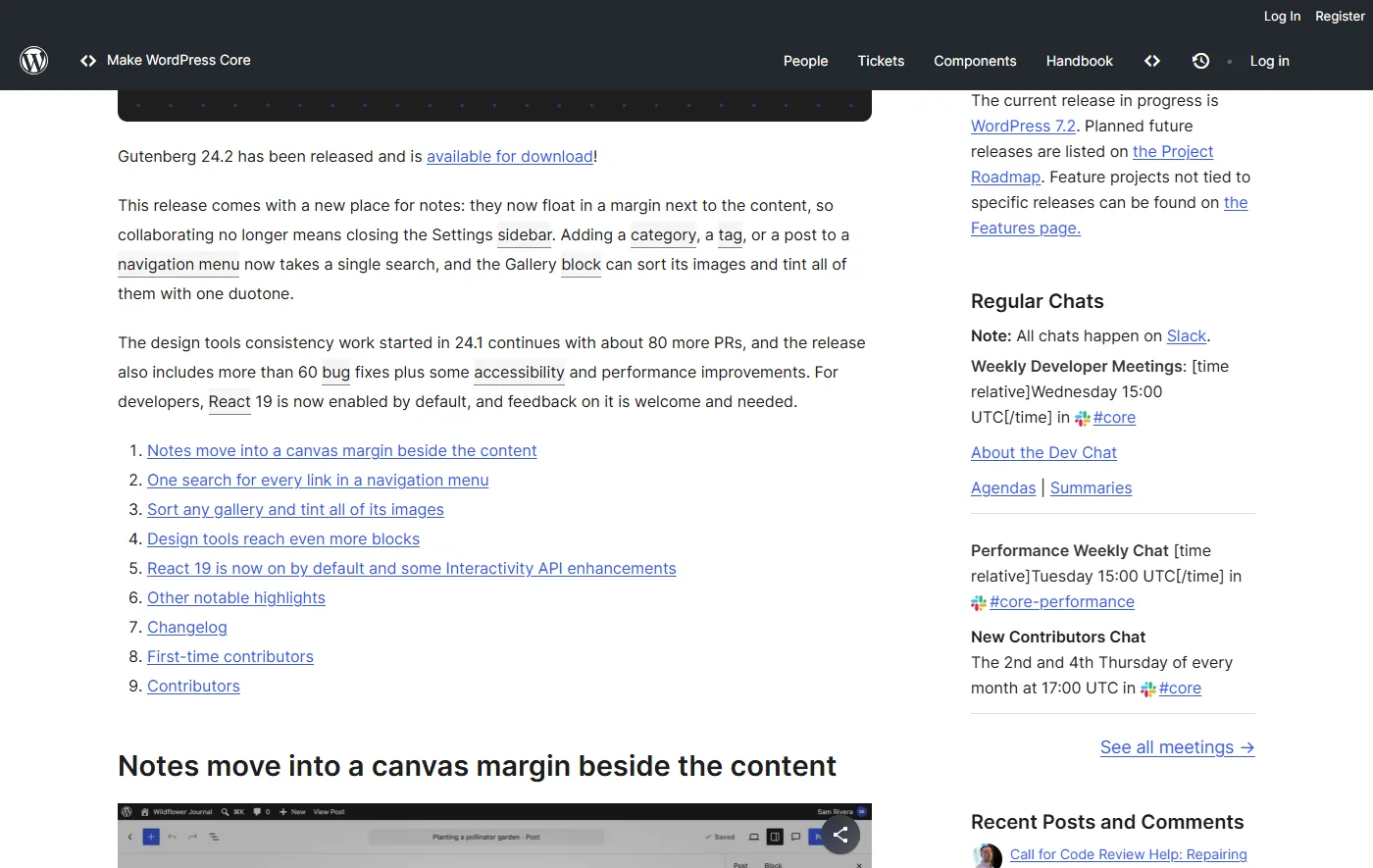
The detail sits further down the same post. Sites now load React 19 for the react and react-dom scripts, unless a theme or plugin known to have compatibility issues is active. Those sites stay on React 18. The post says the list of known problems started from issues observed on WordPress.com and was extended for this release. If something breaks, it tells you to turn React 19 off under Gutenberg, Experiments. It also adds a small package, @wordpress/react-inert-value, for setting the inert attribute in a way that works with both React versions.
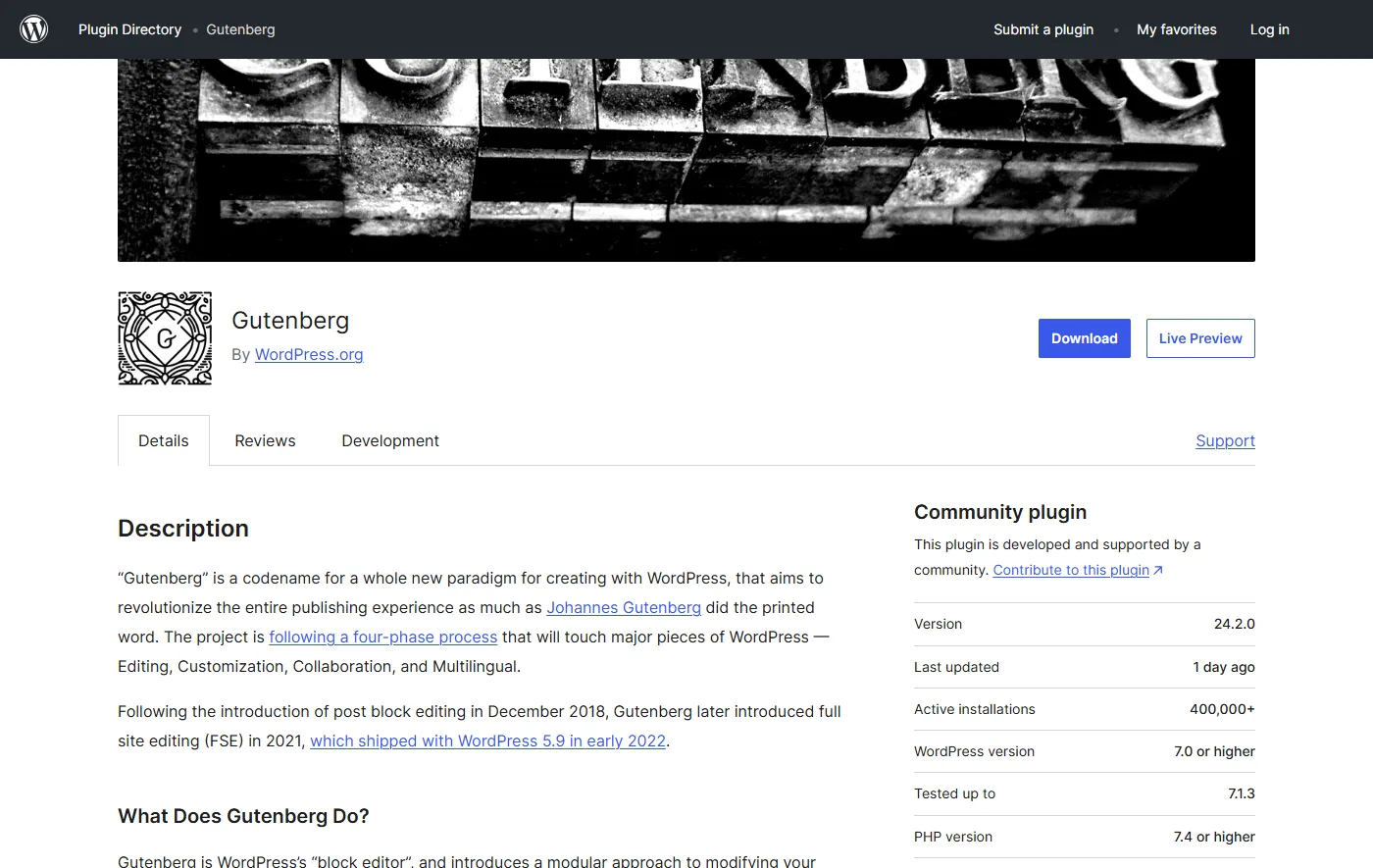
That is the plugin, not WordPress core. Core ships whichever Gutenberg version a release bundles. The code comment I quote below says the point of the default is to reach as many sites as possible ahead of the switch in WordPress Core. I could not find a statement of which core release will make the switch. WordPress 7.2 Beta 1 is scheduled for 20 October 2026 according to the core dev chat agenda, and I have not guessed whether it matters here.
How The Default Actually Works
I read lib/experimental/experiments/react-19.php in the 24.2.0 plugin. The logic is short, and it is more careful than the headline suggests:
- A saved choice wins. The code decides the default only for a site that has not made a choice on the Experiments screen. If you have toggled React 19, your choice stands.
- Two lists drive the default. One covers themes, keyed by template slug, so a child theme counts through its parent. The other covers plugins, keyed by plugin file. Each entry holds the release that fixed the problem, or null when there is no fix yet.
- Versions are compared. A plugin is only treated as incompatible while its installed version is older than the fixed release. A version the code cannot read counts as incompatible, so a missing header cannot opt a site in.
- Inactive and missing plugins are ignored. A plugin that is listed as active but missing from disk never loads, so it cannot block anything.
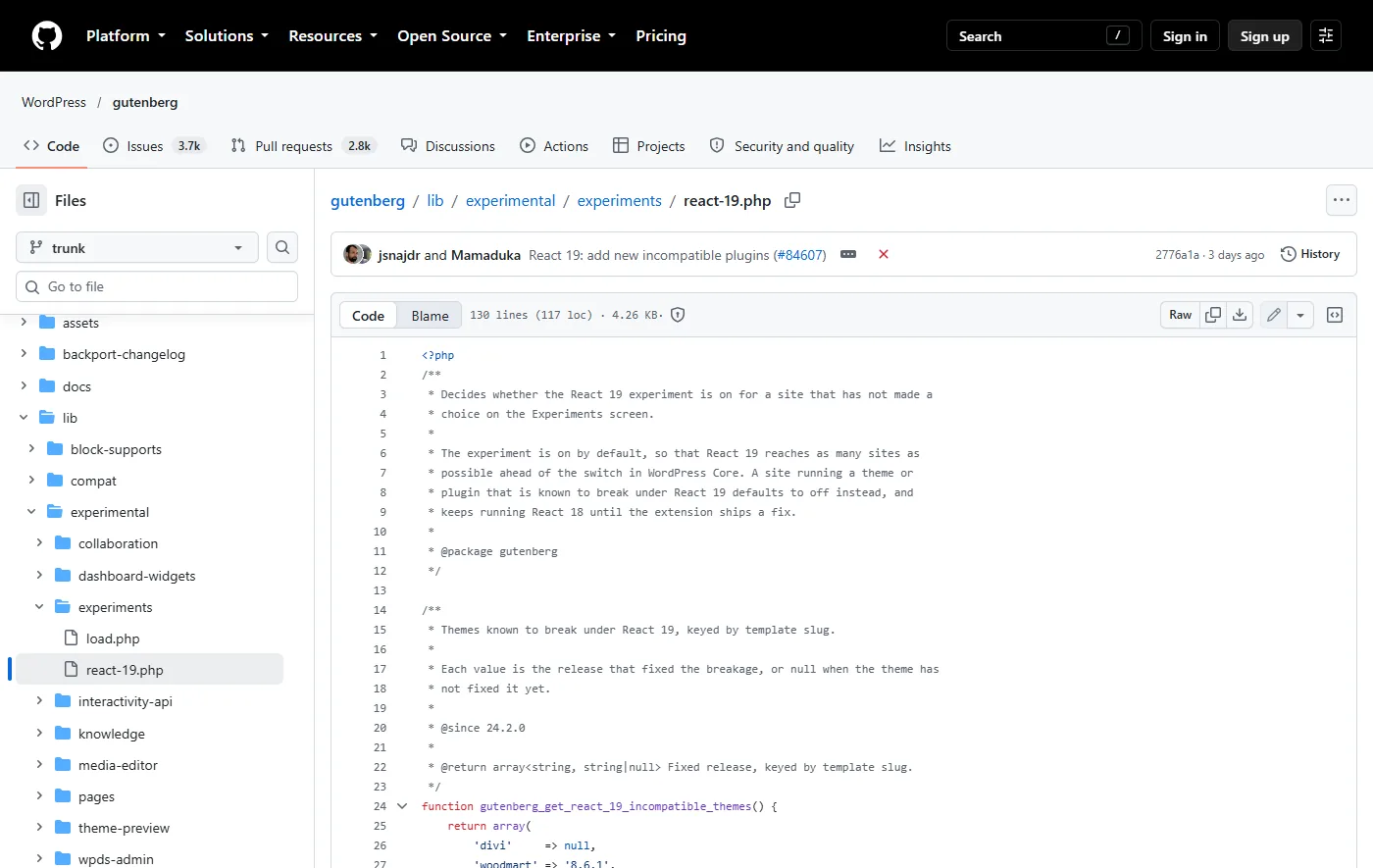
Here is the full list as it stands in the 24.2.0 plugin I installed. GitHub trunk may be newer, so check the file if you read this later. There are two themes and 22 plugins:
| Type | Name (slug) | Fixed in |
|---|---|---|
| Theme | Divi (divi) | No fix recorded |
| Theme | WoodMart (woodmart) | 8.6.1 |
| Plugin | Adminify | No fix recorded |
| Plugin | Advanced Coupons for WooCommerce (free and premium) | No fix recorded |
| Plugin | Astra Sites and Astra Pro Sites | No fix recorded |
| Plugin | Beehive Analytics | No fix recorded |
| Plugin | Brave Popup Builder and Brave Popup Pro | No fix recorded |
| Plugin | Classified Listing | No fix recorded |
| Plugin | Echo Rewards | No fix recorded |
| Plugin | Forminator | No fix recorded |
| Plugin | Iron Security | No fix recorded |
| Plugin | LLMs Full TXT Generator | No fix recorded |
| Plugin | Mail Mint | No fix recorded |
| Plugin | MeetingHub | No fix recorded |
| Plugin | SB Analytics Pro | No fix recorded |
| Plugin | Stackable (stackable-ultimate-gutenberg-blocks) | No fix recorded |
| Plugin | Ultimate Blocks | 3.6.0 |
| Plugin | WP LetsEncrypt SSL Pro | No fix recorded |
| Plugin | WP Post Author | No fix recorded |
| Plugin | WP Table Builder | No fix recorded |
| Plugin | XSpeed | No fix recorded |
A caution on reading it. Being on this list does not mean the plugin is broken for you. It means Gutenberg’s maintainers saw it break under React 19 somewhere, and they chose the safe default. Being absent does not mean a plugin was tested and cleared.
What I Tested
The site was a clean Docker install of WordPress 7.1.3 with the default Twenty Twenty-Five theme and Gutenberg 24.2.0. In each setup I opened a new post in Microsoft Edge, waited for the editor to load, and read React.version from the browser console. Here is what each setup loaded:
| Setup | React version loaded |
|---|---|
| Gutenberg 24.2.0 with Nexter Blocks 5.0.7 and Genesis Blocks 3.1.11 | 19.3.0 |
| The same, plus Stackable 3.20.3 | 18.3.1 |
| The same, plus Astra Sites 4.7.8 | 18.3.1 |
| The same, plus Ultimate Blocks 3.6.1 | 19.3.0 |
| Default setup, React 19 toggled off by hand | 18.3.1 |
| Stackable active, React 19 toggled on by hand | 19.3.0 |
The result matches the source. Stackable and Astra Sites sit on the list with no fix recorded, so the editor stayed on 18.3.1. Ultimate Blocks is on the list with a fix in 3.6.0, and I had 3.6.1, so it got React 19. That last row is the useful one: the logic compares versions, as the code says.
Does Anything Actually Break?
This was the part I most wanted to know. The flagged plugins stay on React 18 by default, so I forced React 19 on with Stackable active to see what a flagged plugin does under it. The editor loaded React 19.3.0 and registered 47 Stackable block types. I inserted seven of them (heading, card, accordion, pricing box, columns, feature and icon list). All seven were valid, the console showed no errors, and the block inspector opened with its Layout, Style and Advanced tabs.
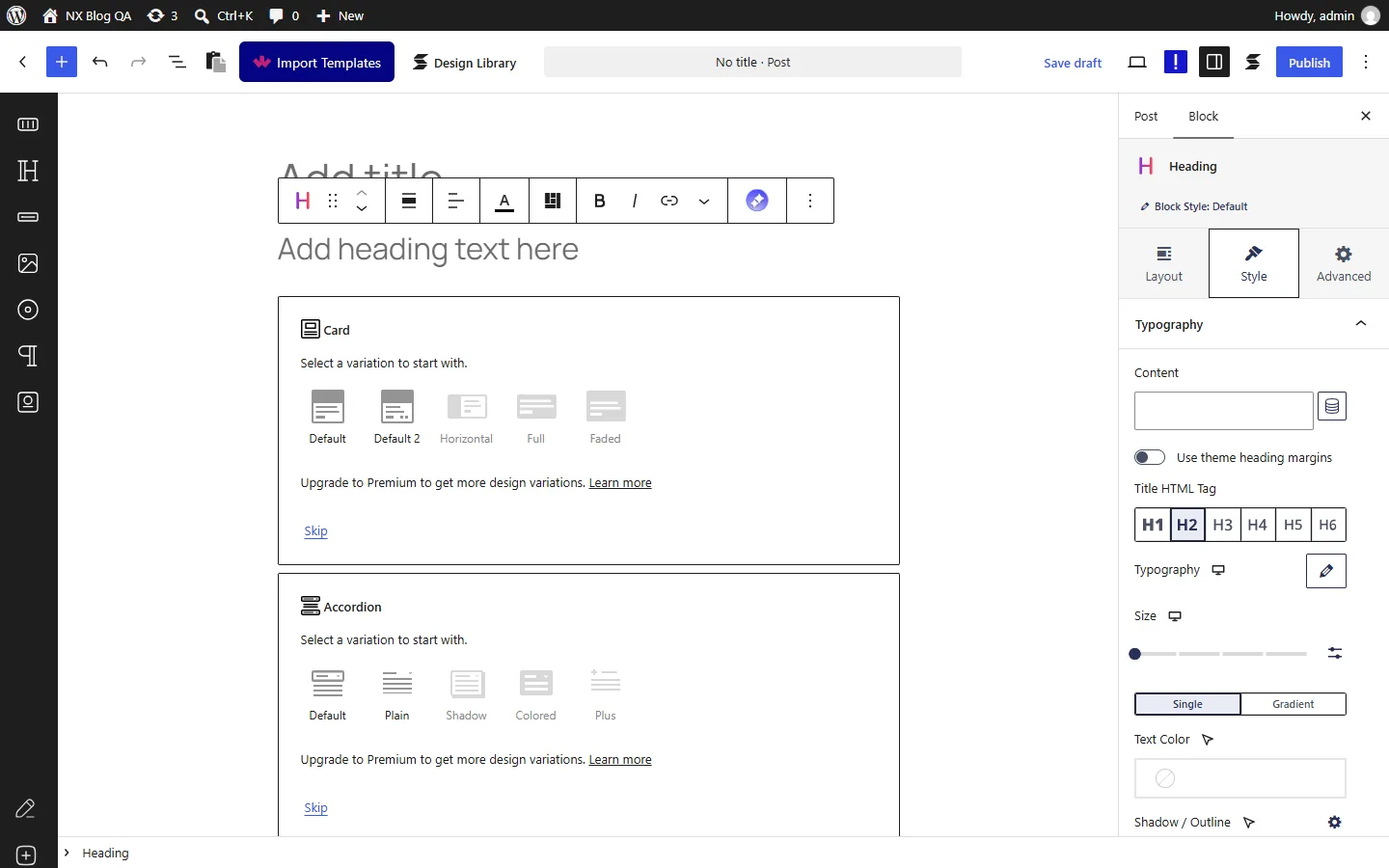
I could not reproduce a break. That does not clear Stackable. My test was short: I did not save and reload, I did not open the Design Library, I did not test the Premium features, and I did not look at the front end. The breakage Gutenberg’s maintainers saw may sit in a screen I never opened. The safe reading is that the default protects sites that have a known problem, and my test did not trigger one.
Nexter Blocks Under React 19
Nexter Blocks is our plugin, so keep that in mind. With Nexter Blocks 5.0.7 (the free plugin) active under React 19.3.0, I inserted seven of its blocks: heading, flip box, pricing table, accordion, tabs tours, testimonials and countdown. The plugin registered 71 block types in total. None of the seven was flagged invalid, the console showed no page errors and no error messages, and the heading block’s inspector opened with its Layout, Style and Advanced tabs.
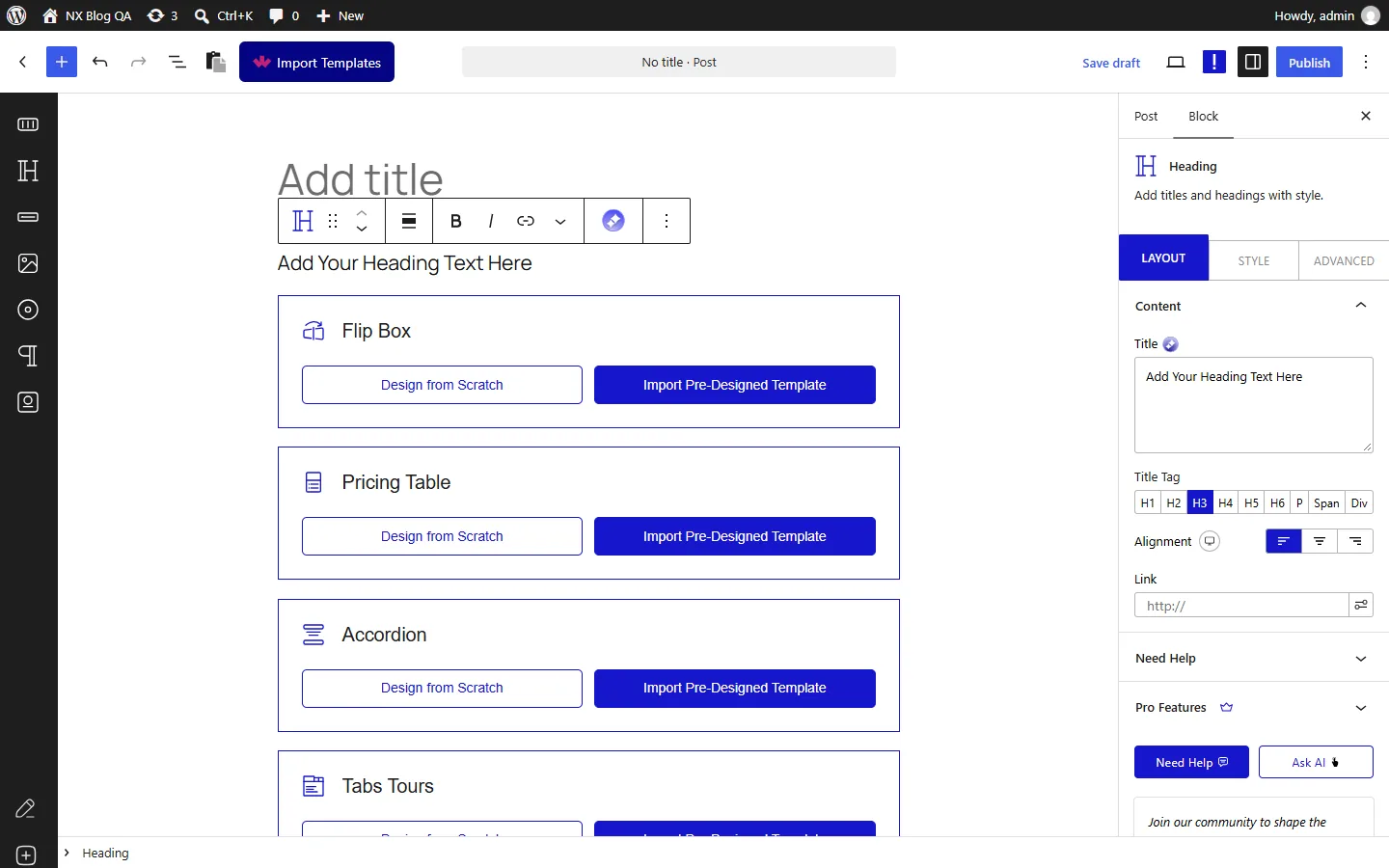
Here is what that does and does not tell you. It is an editor test of the free plugin: I did not test Nexter Blocks Pro, I did not save and reload a page, and I did not test the front end. The product page describes the front-end scripts as pure vanilla JS, which is the vendor’s own claim and one I did not audit. React 19 changes the react and react-dom scripts that the editor registers, so the editor is where I looked. You can see more of what the plugin includes on the Nexter Blocks page.
How To Switch React 19 Off
There are two routes, and I tested both.
From The Experiments Screen
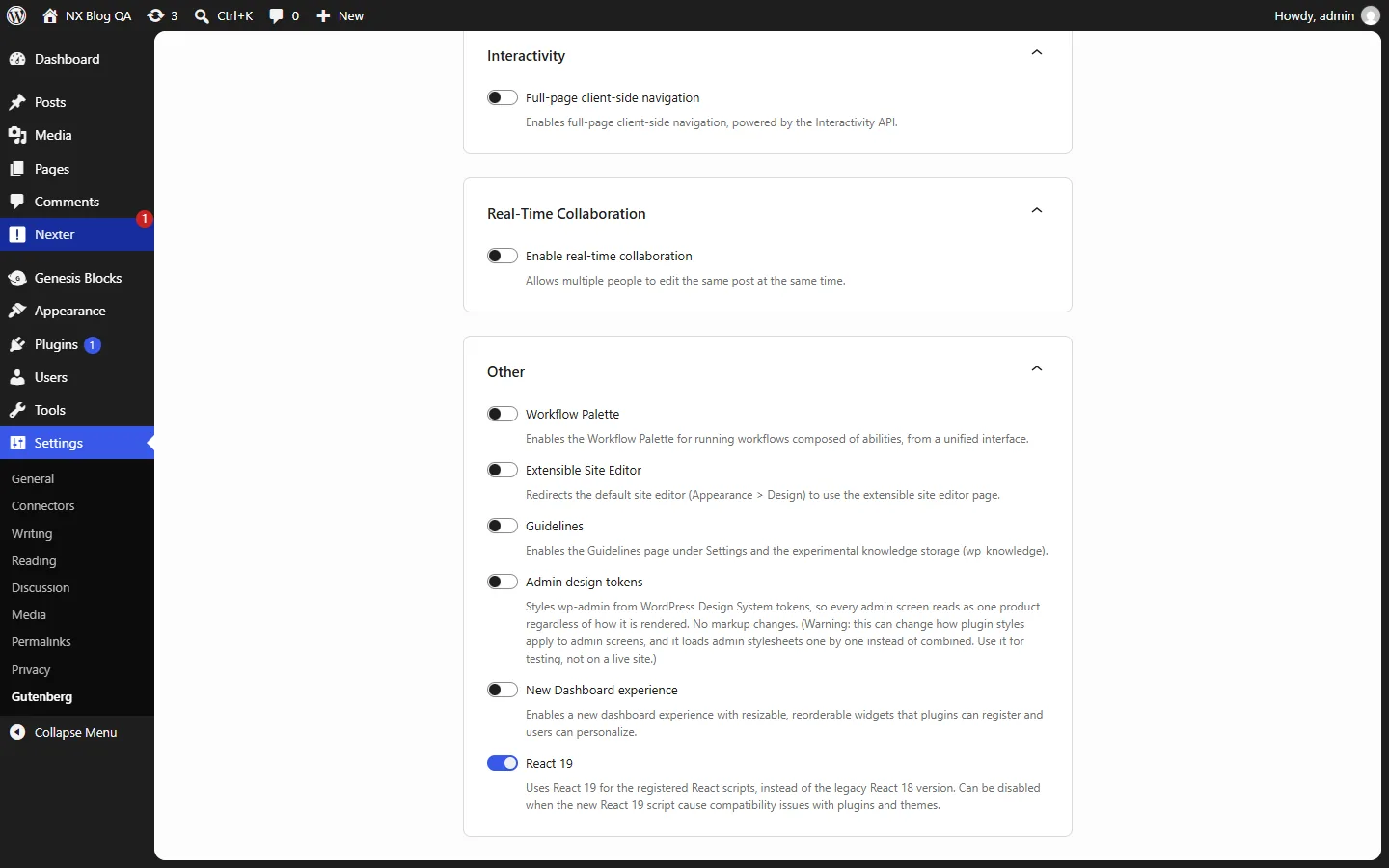
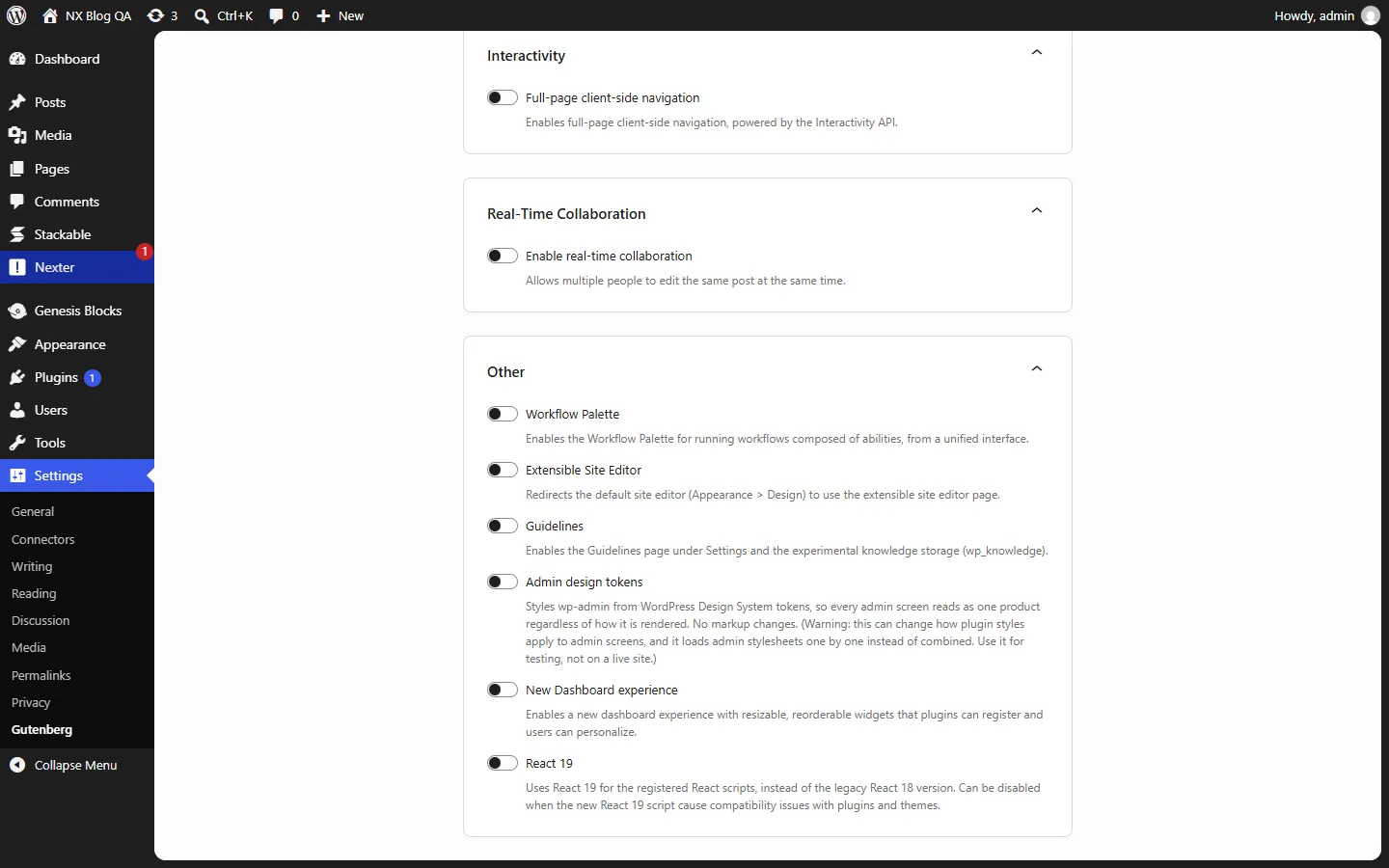
Open the Experiments screen of the Gutenberg plugin. On my test site it sits under Settings, Gutenberg, in the Other section. Switch the React 19 toggle off. The change saves immediately and shows an Other settings updated notice. After a reload the toggle was still off, and the editor loaded React 18.3.1.
From WP-CLI
The toggle is stored in a single option, gutenberg-experiments, under the key gutenberg-react-19. This command turned it off on my site, and the next editor load reported React 18.3.1:
wp option patch update gutenberg-experiments gutenberg-react-19 0Setting it back to 1 turned React 19 on again, and the editor loaded 19.3.0. The option only exists once the toggle has been saved at least once, so on a site that never touched the screen, wp option get reports it as missing. Saving a choice, by hand or with the command, also means the plugin-list default no longer applies to you, so you own the decision from then on.
How To Check Which Version You Are Running
Open any post in the editor, open the browser developer tools console and type React.version. It returns 18.3.1 or 19.3.0 on the site I tested.
If You Maintain A Plugin Or Theme
- Test on React 19 now. The release notes ask for exactly this, and the default is meant to reach as many sites as possible before the switch in WordPress Core.
- Use the helper for the inert attribute. The new
@wordpress/react-inert-valuepackage sets it in a way that works on both React 18 and React 19. - If you are on the list, ship a fix and ask for the version to be recorded. The list stores the release that fixed the breakage, and once a user’s installed version reaches it, the default flips to React 19 for them. Ultimate Blocks is the example: listed with 3.6.0, and my 3.6.1 install got React 19.
- Do not assume you are safe by absence. The list holds only what the maintainers saw break.
Should You Change Anything Today?
If you run the Gutenberg plugin on a live site, my advice is to check which React version you are on before you do anything, using the console command above. If you are on 19.3.0 and everything in the editor works, leave it alone. If you see odd behavior in an admin screen from a plugin or theme after updating to 24.2, flip the toggle off first and report the problem to the plugin author, which is what the release notes ask for.
If you only run WordPress core and not the Gutenberg plugin, none of this changes for you today. It becomes relevant when core bundles a Gutenberg release that makes the switch, and I do not know which release that will be. I keep my running notes on the roadmap in my WordPress 7.2 post, and I cover the rest of this release in my Gutenberg 24.2 post.
Questions I Expect About React 19 In Gutenberg
Is React 19 On By Default In WordPress Core?
Not that I could find. The default I tested is in the Gutenberg plugin, version 24.2.0. The code comment mentions the switch in WordPress Core as something that comes later, and I found no statement of which core release makes it.
Will My Site Break If I Update To Gutenberg 24.2?
It should not if you run a plugin or theme from the list, because those sites stay on React 18 by default. In my six setups the editor loaded without errors every time. Run it on staging first anyway, as with any Gutenberg update.
Does React 19 Affect My Front End?
I only tested the editor. React 19 replaces the registered react and react-dom scripts, and I did not check what a plugin does with them on the front end.
How Do I Know If A Plugin I Use Is On The List?
Check the table above, or open react-19.php in the Gutenberg plugin folder. Remember that a plugin missing from the list may simply not have been tested.
What This Doesn’t Cover
- I did not test Nexter Blocks Pro, or any saved page on the front end, under React 19.
- I did not test the flagged plugins other than Stackable and Astra Sites, and for Astra Sites I measured the React version only.
- My Stackable test was short. I did not open its Design Library or test its Premium features.
- I do not know which WordPress core release will make React 19 the default, and I have not guessed.
- I did not test child themes of Divi or WoodMart.
- I read the list from the 24.2.0 plugin on my site. GitHub trunk may already hold newer entries.
Suggested Reading
- Gutenberg 24.2: What’s New For Block Styling And The Interactivity API
- Gutenberg 24.1: Design Tools Now Reach Almost Every Core Block
- WordPress 7.2: Release Date, Ipsum Theme, And Every Feature On The Roadmap
- Genesis Blocks Alternatives: Is It Time To Move On From WP Engine’s Block Plugin?
- What Is Gutenberg?
To try the blocks I tested, start with Nexter Blocks, or look at the Nexter Theme if you want a block theme to go with them.
