












Short answer: Nexter Blocks is the best overall Kadence Blocks alternative in 2026, because it is the only plugin here that pairs a 90+ block library (45+ of them free) with a header builder, mega menu, popup builder and unlimited-site pricing at $129 per year. Choose Greenshift for the largest free block library and scroll-driven animation, Essential Blocks for 70+ free blocks with no paywalled basics, Stackable for design depth and styling precision, GenerateBlocks for the smallest footprint and full layout control, and Spectra Blocks if you want Brainstorm Force’s new AI-assisted rebuild. Kadence Blocks itself stays a fair pick if you already own a Kadence bundle.
Kadence Blocks is one of the most popular Gutenberg block plugins on WordPress.org, with 600,000 active installs and a well-earned reputation for design quality. But for many WordPress users, Kadence Blocks has a clear ceiling: the free plugin lists 20 blocks, key features like mega menus and popup builders are locked behind Kadence Pro, and Kadence Pro is not sold as a standalone plugin at all. It comes bundled with the theme, starting at $99 per year.
If you are outgrowing Kadence Blocks or looking for more flexibility before committing to a paid plan, there are several strong Gutenberg alternatives worth comparing. This guide is for WordPress developers, freelancers, and agencies who build with the block editor and want to know which plugin gives them the best combination of features, value, and performance.
We compared 6 Gutenberg block plugins against Kadence Blocks across free block count, builder features, pricing, and best-fit use cases. Nexter Blocks, a Gutenberg block plugin by POSIMYTH Innovations, comes out on top for most use cases, and we explain exactly why throughout this guide. Every install count, version and price below was re-checked against the WordPress.org plugin API and each vendor’s own pricing page in August 2026.
What Is Kadence Blocks? (And Why Look for an Alternative?)
Kadence Blocks is a WordPress plugin by Kadence WP that extends the Gutenberg block editor with additional blocks, row layouts, and design controls not available in core WordPress. It is available as a free plugin on WordPress.org and as a premium version (Kadence Pro) with advanced features including a popup builder, dynamic content, and a WooCommerce product carousel.
Here are the most common reasons WordPress users look for Kadence Blocks alternatives:
- Limited free block count: the free Kadence Blocks plugin lists 20 blocks. Greenshift (100+), Essential Blocks (70+ free), and Nexter Blocks (45+ free out of 90+ total) offer significantly more without paying.
- No mega menu or header builder in free: Building custom navigation with Kadence Blocks requires Kadence Pro plus separate add-ons. Nexter Blocks includes a full Header Builder and Mega Menu Builder (Pro) in a single plan that also covers theme building and site extensions.
- No popup builder in free: The Kadence popup builder is a Pro feature. Several alternatives offer this in their free or lower-cost tiers.
- Pricing at scale: Kadence Pro is only available as part of a bundle plan (no standalone single-plugin pricing). For agencies managing 10+ sites, the cost compounds quickly compared to plugins with unlimited-site flat pricing.
How We Picked These Kadence Blocks Alternatives
Six alternatives made this list. We started from every actively maintained Gutenberg block plugin with at least 10,000 active installs, then scored each one on five things we could verify rather than take on trust:
- Free block count: how many blocks you actually get without paying, counted from each plugin’s own block list, not from its marketing headline.
- Builder coverage: whether the plugin replaces separate header, popup, mega menu and archive plugins, or only adds blocks.
- Real pricing: the entry paid price and the site limit that comes with it, read off each vendor’s live pricing page in August 2026.
- Maintenance signal: current version, last updated date and the WordPress version each plugin is tested up to, pulled from the WordPress.org plugin API.
- Install base: active installs, as a proxy for how much production testing each plugin has had.
One thing changed while we were checking. Spectra now ships as two separate plugins, so it appears twice in the table below. We counted it once as a single alternative.
Kadence Blocks Alternatives at a Glance
Here is the decision data first, then a feature-by-feature matrix underneath it.
| Plugin | Type | Free blocks | Entry paid price | Active installs | Last updated |
|---|---|---|---|---|---|
| Nexter Blocks | All-in-one Gutenberg ecosystem | 45+ (90+ total) | $39/yr, 1 site ($129/yr unlimited) | 10,000 | 27 Jul 2026 |
| Greenshift | Animation and motion blocks | 100+ | Free core, addon packs from $39.99/yr | 70,000 | 19 Jul 2026 |
| Essential Blocks | Broad general-purpose library | 70+ | $39/yr, 1 site | 200,000 | 28 Jul 2026 |
| Stackable | Design-first blocks | 43 | $49/yr, 1 site | 100,000 | 16 Jul 2026 |
| GenerateBlocks | Minimal, developer-first | 7 | $99/yr (GenerateBlocks Pro) | 200,000 | 28 Jul 2026 |
| Spectra Blocks | AI-assisted rebuild, new installs | All blocks free | Free | 10,000 | 23 Jul 2026 |
| Spectra Legacy | Original Spectra, existing sites | 33 | Free (no new features) | 1,000,000 | 31 Jul 2026 |
| Kadence Blocks (baseline) | Design-focused block toolkit | 20 | Bundle only, from $99/yr | 600,000 | 29 Jul 2026 |
The matrix below goes deeper, comparing the same plugins feature by feature so you can check a specific capability before you commit.
| FEATURES | Nexter Blocks | Spectra | Kadence Blocks | Stackable | Greenshift | Essential Blocks | Crocoblock |
|---|---|---|---|---|---|---|---|
| Total Blocks | 90+ | 25+ | 15+ | 40+ | 100+ | 70+ | 60+ |
| Total Extensions | 15+ | 3 | - | - | - | - | - |
| Blog Builder | Yes | - | - | - | Limited | Limited | - |
| Advanced Data Table | Yes | - | Limited | - | (Limited, Only Comparison Table Block) | Yes | Yes |
| Popup Builder/Off Canvas | Yes | Limited | Limited | (Limited, Only Video Popup Block) | (Limited, Simple Popup Builder with Button Trigger) | Yes | (Limited, Requires separate JetPopup plugin) |
| Dynamic Listing | Yes | - | Limited | Yes | Yes | Limited | Yes |
| Custom Loop Skin | Yes | - | - | Yes | - | - | - |
| Vertical & Horizontal Mega Menu | Yes | - | - | - | Limited | Limited | (Limited, Requires separate JetMenu plugin) |
| Dark Mode | Yes | - | - | - | Yes | - | - |
| Cross Domain Copy and Paste | Yes | - | - | (Limited, Only includes Copy-Paste Styles) | Limited | Limited | - |
| Live Ajax Search | Yes | - | - | - | Yes | - | (Limited, Requires separate JetSearch plugin) |
| Header & Footer Builder | Yes | Limited | - | Yes | - | - | (Limited, Requires separate JetThemeCore plugin) |
| Carousel Anything & Remote | Yes | Limited | Limited | Yes | Yes | Limited | Yes |
| Login/Signup Form | Yes (Contains Password Reset too) | Yes | - | - | (Limited, Only Login Form Block) | - | (Limited, Requires separate JetFormBuilder and JetWooBuilder plugin) |
| Advanced Row Background | Yes | - | Yes | Limited | - | Limited | - |
| Code Snippets & Hooks | Yes | - | - | - | Limited | - | - |
| Advance Theme Builder | Yes | Limited | - | - | - | - | (Limited, Requires separate JetThemeCore plugin) |
| Social Reviews | Yes (Includes Facebook & Google Reviews) | - | - | - | - | - | - |
| Social Feeds | Yes (Includes Facebook, Instagram, YouTube, Vimeo & Multi Social) | - | - | - | - | (Limited, Only Instagram feed) | - |
| Scroll Sequence | Yes | - | Limited | (Limited, Only included Motion Effects) | (Limited, Only Background Parallax Block) | - | - |
| Form Styler | Yes | Yes | Yes | - | - | Yes | (Limited, Requires separate JetFormBuilder plugin) |
| Advanced Display Conditions | Yes | Limited | Limited | Yes | Limited | - | Limited |
| White-label Plugin | Yes | - | - | - | Yes | - | - |
Not sure which one to pick? Here is the short version:
- Choose Nexter Blocks if you need an all-in-one Gutenberg ecosystem with blocks, theme building, site extensions, and unlimited sites in one plan.
- Choose Spectra if you are on the Astra theme and want a lightweight, tightly integrated block plugin with a solid free tier.
- Choose GenerateBlocks if you are a developer who wants the absolute minimum footprint with maximum layout control.
- Choose Stackable if design depth and premium UI animations are your priority over raw feature breadth.
- Choose Greenshift if advanced scroll animations and Full Site Editing compatibility are core to your workflow.
- Choose Essential Blocks if you need a large free block library with a familiar, well-documented experience.
1. Nexter Blocks
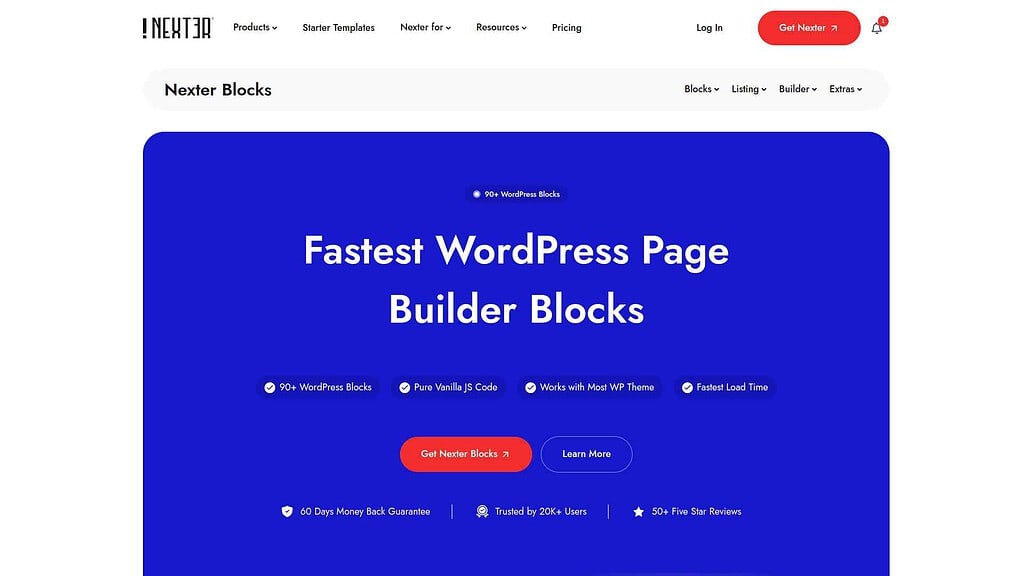
Nexter Blocks, a Gutenberg block plugin by POSIMYTH Innovations, extends WordPress with 90+ native blocks and a complete site building toolkit. With 10,000 active installs and a 96/100 rating on WordPress.org (version 5.0.2, updated July 2026), it is built on pure Vanilla JS with zero jQuery dependency, meaning pages load with a single CSS and a single JS file regardless of how many blocks you use.
What separates Nexter Blocks from other Kadence Blocks alternatives is the scope of what it replaces. Most block plugins give you extra blocks and stop there. Nexter Blocks includes a Header Builder, Mega Menu Builder, Popup Builder, Blog Builder, Form Builder, and Ajax Live Search, plus AI-powered block editing capabilities added in January 2026. The paid plans also bundle Nexter Extension (50+ site management tools covering security, performance, code snippets, SMTP, and white labeling) and Nexter Theme (under 50KB, fully Gutenberg-native), all from one dashboard at one price.
Key Features of Nexter Blocks
- 90+ Gutenberg blocks (Free and Pro): Core blocks available in the free version include Container, Heading, Paragraph, Infobox, Accordion, Table of Contents, Video Player, Google Map, Number Counter, and Post Listing with category filtering.
- Header Builder and Mega Menu (Pro): Build full custom headers and vertical or horizontal mega menus directly in Gutenberg without a separate plugin.
- Popup Builder and Off-Canvas (Pro): Create modal popups, slide-ins, exit intent popups, and full-screen overlays with 50+ ready-to-use templates.
- Blog Builder and CPT Builder (Free/Pro): Build custom archive pages, single post layouts, and search result pages using native Gutenberg blocks.
- Ajax Live Search (Pro): Search bar with real-time dropdown results across blog posts, custom post types, and WooCommerce products.
- AI Block Editor and Dark Mode (Pro): AI-assisted content generation in Gutenberg (added January 2026) plus a site-wide dark mode toggle with per-block color connections.
- White Label and Cross Domain Copy Paste (Pro): Re-brand the plugin for client sites and copy sections between WordPress installs without file exports.
Nexter Blocks Pricing
- Free: $0, unlimited sites, 45+ blocks, free forever on WordPress.org
- Starter: $39/year for 1 site, all 90+ blocks, 30-day money-back guarantee
- Professional: $89/year for 5 sites, the usual freelancer tier
- Studio: $129/year for unlimited sites. This is the number worth comparing against per-site competitors.
- Lifetime: $139 once for 1 site, $249 for 5 sites, $349 for unlimited sites, no renewals
- Agency Bundle: $399/year or $899 once, adds the other POSIMYTH products including The Plus Addons for Elementor, for teams working in both Gutenberg and Elementor
See the full breakdown at Nexter free vs Pro or go directly to Nexter pricing.
Best for agencies and freelancers who want one plan across unlimited sites: Nexter Blocks.
2. Spectra (now Spectra Blocks and Spectra Legacy)
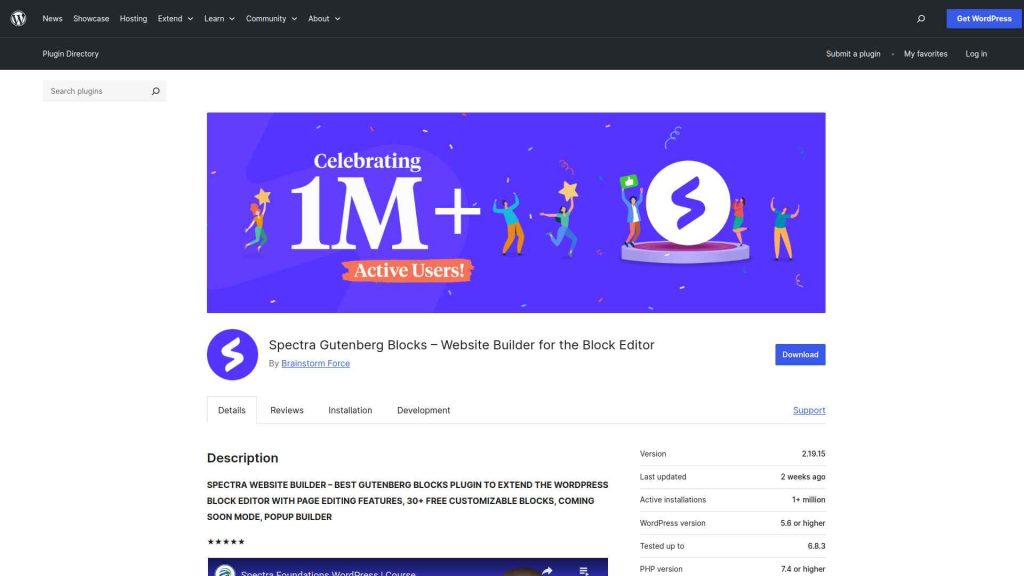
Read this section before you install Spectra, because the product you think you are getting may not be the one you get. Brainstorm Force, the team behind the Astra theme, has split Spectra in two. The original plugin, still sitting on 1,000,000 active installs, has been renamed and its WordPress.org page now opens with a plain statement: “This plugin was previously called Spectra. It’s now Spectra Legacy.” The same page explains the split directly, saying “We’ve split Spectra into two products,” and that Spectra Legacy “receives security and compatibility updates and full support, but no new features.”
New feature work now happens in a second, separate plugin called Spectra Blocks, described on its own listing as “a complete rebuild of Spectra on WordPress’s modern core-block APIs” and as an AI website builder inside the block editor. It is genuinely free: the listing states that “the core plugin, all blocks, and all Extensions are completely free and don’t require an account.” The AI itself comes from Zip AI, a separate free plugin you connect from the Spectra Blocks dashboard. The catch is maturity. Spectra Blocks is on version 1.0.2 with 10,000 active installs and needs PHP 8.1, against 1,000,000 installs on the legacy plugin. If you already run Spectra, nothing breaks and no migration is required. If you are installing fresh and want features to keep arriving, Spectra Blocks is the one to pick.
Key Features of Spectra Legacy
- 33 blocks (Free), Loop Builder and login forms in Spectra Pro Legacy: Covers common design needs including headings, buttons, content timelines, Google Maps, and team members.
- Popup Builder (Pro): Trigger popups based on user behavior, scroll depth, or exit intent.
- Dynamic Content (Pro): Pull in post meta, custom fields, and other dynamic data directly into block content.
- 100+ prebuilt templates (Free and Pro): Import full page designs directly from the editor.
- Animation Effects (Pro): Block-level entry animations and scroll-triggered effects.
How Does Spectra Compare to Kadence Blocks?
Spectra Legacy lists more free blocks than Kadence Blocks, 33 against 20, and both are free to start. The trade-off is direction of travel: Kadence Blocks is still actively developed, while Spectra Legacy is now in maintenance mode and new work has moved to Spectra Blocks. Kadence Blocks offers a more polished design library and tighter WooCommerce integration in its Pro version. For users who are already on Astra and want a consistent ecosystem, Spectra is the natural fit. For users who need a mega menu or theme builder, neither covers that without a separate purchase, Nexter Blocks does.
Also Read: our full Spectra plugin review covers features, performance and real-world use. Note that it describes the plugin now named Spectra Legacy.
Best for Astra users who want a free, no-account block library: Spectra Blocks for new sites, Spectra Legacy if you are already on it.
3. Stackable
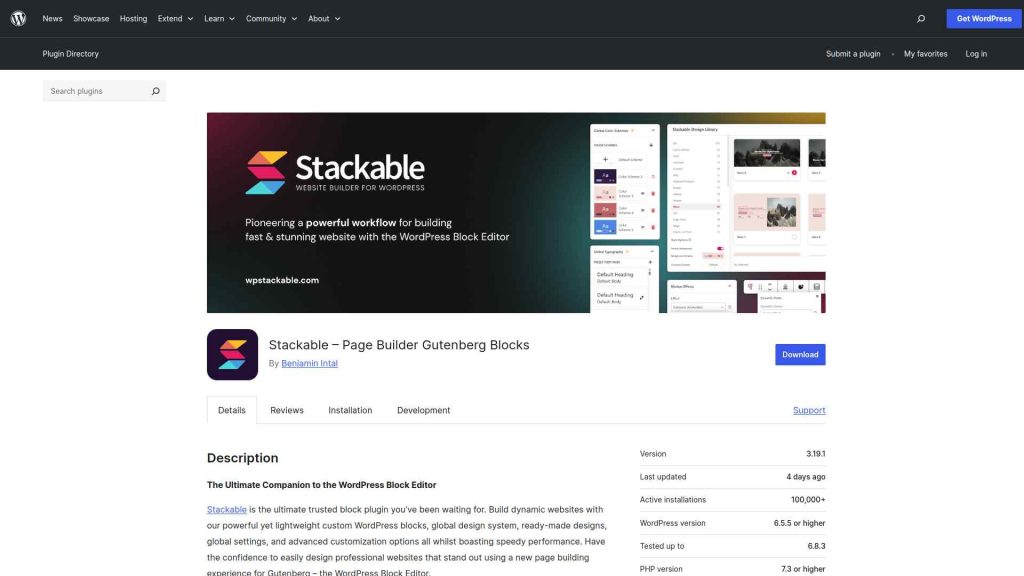
Stackable takes a design-first approach to Gutenberg blocks, offering 40+ blocks that prioritize visual customization over raw feature count. Where other block plugins focus on adding more block types, Stackable focuses on making each block deeply configurable, padding, margin, animation, scroll effects, background options, and CSS transformations are available at every level.
Stackable suits designers who care about styling precision more than breadth. It works well for teams that pair it with Blocksy or similar design-oriented themes, and its premium design library adds pre-designed block patterns and full-page templates on top of the free set.
Key Features of Stackable
- 40+ blocks (Free and Pro): Covers accordion, testimonials, feature grid, call-to-action, and post grid blocks, each with deep styling options.
- Advanced styling controls (Free and Pro): Per-block control over typography, spacing, borders, blend modes, CSS filters, and transformation effects.
- Design library (Free and Pro): Dozens of pre-designed block patterns and 40+ full-page templates, including complete starter site designs.
- Dynamic content and conditional display (Pro): Show or hide blocks based on user role, device, or custom conditions.
Also Read: the complete Stackable Gutenberg plugin review for a full features and performance breakdown.
Best for designers who care more about styling precision than feature breadth: Stackable.
4. GenerateBlocks

GenerateBlocks takes the opposite approach from most block plugins. Instead of adding dozens of blocks, the free plugin ships seven: Container, Grid, Text, Button, Query, Image and Shape. That sounds limiting until you understand the philosophy: these few blocks, combined with Gutenberg’s native blocks and GenerateBlocks’ styling controls, can build almost any layout without touching a line of code.
GenerateBlocks is developed by the GeneratePress team and integrates tightly with the GeneratePress theme, though it works with any theme. It is the most developer-oriented alternative on this list, built for users who prioritize performance and CSS-level control over a large pre-built block library.
Key Features of GenerateBlocks
- 7 free blocks: Container, Grid, Text, Button, Query, Image and Shape. Deliberately few, so you learn a handful of blocks deeply instead of maintaining dozens.
- Advanced layout controls (Free): Full CSS Grid and Flexbox layout control directly within the block editor, without writing code.
- Dynamic content (Pro): Pull in post meta, custom fields, and ACF data into any text or image block.
- Ultra-lightweight footprint (Free): among the smallest performance footprints of any block plugin, because it ships seven blocks instead of a hundred and loads styles only for what you use.
Comparing more Gutenberg alternatives? Read the full Spectra alternatives guide for additional options.
Best for developers who want the smallest footprint and total layout control: GenerateBlocks.
5. Greenshift

Greenshift stands out among Kadence Blocks alternatives for its animation and motion capabilities. With 100+ blocks and a deep focus on scroll sequences, parallax effects, and Full Site Editing compatibility, it is the right choice for teams building visually complex sites where motion design is part of the brief.
Greenshift is actively developed and regularly updated. It supports WordPress Full Site Editing (FSE), which makes it compatible with block themes out of the box. The comparison table above shows several advanced features in Greenshift that are missing from Kadence Blocks entirely, including background parallax blocks and scroll-sequence animations.
Key Features of Greenshift
- 100+ blocks (all free): one of the largest free block libraries in the Gutenberg ecosystem, covering standard layout blocks and advanced interactive elements. The plugin’s own listing is blunt about the model: “All our core features are free and will be free always. We don’t sell any premium versions and don’t limit functionality.” Paid money buys optional addon packs, not an unlock of the core plugin.
- Scroll sequence animations (addon): Create scroll-triggered animations where elements react to the user’s scroll position, frame by frame.
- Full Site Editing support (Free): Works natively with WordPress block themes and the FSE template editor.
- Dark mode (addon): Site-wide dark mode toggle with automatic color adaptation.
- Ajax Live Search (addon): dynamic search with real-time filtering. Addon packs start at $39.99 per year or $79.99 as a one-time payment.
Best for scroll-driven animation and Full Site Editing, with no paywalled core: Greenshift.
6. Essential Blocks for Gutenberg

Essential Blocks for Gutenberg, developed by WPDeveloper, brings 70+ blocks to the Gutenberg editor with a focus on a polished out-of-the-box experience. With 200,000 active installs on WordPress.org (version 6.4.0, updated July 2026), it is one of the most widely adopted free block plugins available.
Essential Blocks covers most standard design needs in its free tier: post grids, testimonials, table blocks, progress bars, accordion, and more. The documentation is thorough and the plugin has a large user community, which makes it a safe choice for teams that value stability and support over cutting-edge features.
Key Features of Essential Blocks
- 70+ blocks (Free and Pro): Covers post grids, testimonials, table of contents, data tables, accordion, tabs, countdown timer, and more in the free version.
- Advanced data table (Free): Build sortable and filterable data tables directly in the block editor.
- Form Styler (Pro): Style contact forms from popular form plugins without writing CSS.
- Advanced Display Conditions (Pro): Show or hide blocks based on user role, login status, post type, or device.
Also Read: the Essential Blocks for Gutenberg alternatives guide breaks down how it compares to similar plugins.
Best for the largest free tier with no basics behind a paywall: Essential Blocks.
Why We Recommend Using Nexter Blocks?
Every plugin on this list is a legitimate Kadence Blocks alternative for the right user. But when you compare them against what most WordPress professionals actually need, Nexter Blocks covers more ground in a single plan than any other option here. Spectra, Stackable, and GenerateBlocks give you additional blocks. Nexter Blocks gives you blocks, a theme builder, 50+ site management extensions, a popup builder, a mega menu builder, a form builder, and an Ajax search bar, all from one plugin, on version 5.0.2 and tested up to WordPress 7.0.2 as of August 2026.
The zero-jQuery architecture means your site loads exactly one CSS file and one JS file regardless of how many Nexter Blocks you use on a page. That is a real performance advantage over plugins that load separate assets per block. For agencies running the Professional or Studio plan across unlimited client sites, the per-site cost works out to a fraction of what Kadence Pro charges at the same scale.
If you are currently evaluating Gutenberg block plugins and want a single product that replaces multiple separate plugins, start with Nexter Blocks. The free version from WordPress.org gives you enough to test the core blocks, layout system, and editor experience before committing to a plan. Need templates to get started faster? WDesignKit offers 1,000+ ready-to-use Gutenberg and Elementor templates that work directly with Nexter Blocks.
Depending on your business, website, and the features you’re looking for, you might be looking for different Gutenberg blocks. Besides, your budget and affordability are also important factors in this decision.
However, when choosing the right Gutenberg blocks, you must consider certain factors to ensure a smooth experience. These include ease of use, premium customer support that extends beyond phone and chat support, flexibility, security, and so on.
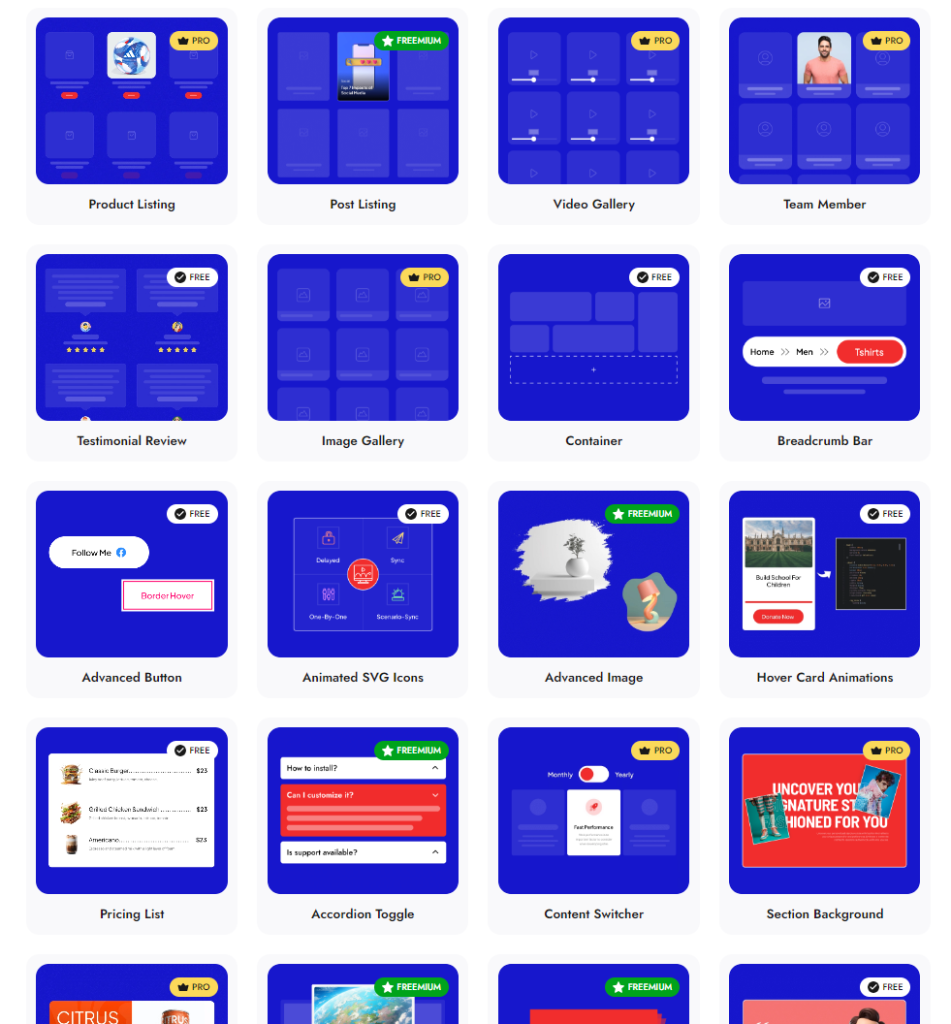
Check 90+ Gutenberg Blocks Library from Nexter Blocks
Nexter Blocks brings you all these features and more in a single plugin. It is easy to install and use, you can enjoy hands-on support, and the plugin offers you possibly every unique function you need to create a stunning website.
And the best part? The blocks are highly customizable, and you don’t need to know coding to use them for your website.
Wrapping Up: Which Kadence Blocks Alternative Should You Choose?
All six alternatives covered here are capable Gutenberg plugins. Nexter Blocks is the strongest all-round choice for agencies and freelancers who want blocks, theme building, and site management tools in a single plan. Spectra fits Astra users wanting a free option, as long as you pick the right one of its two plugins. GenerateBlocks suits developers who prioritize performance over feature breadth. Stackable wins on design depth, Greenshift on scroll animations and FSE, and Essential Blocks on free-tier coverage. For converting Figma designs into any of these Gutenberg setups, UiChemy converts Figma files directly into editable WordPress block layouts, saving hours of manual build time.
Nexter Blocks brings 90+ Gutenberg blocks, a built-in Header Builder, Popup Builder, Mega Menu, and 50+ site extensions from $39/year for one site or $129/year for unlimited sites. View Nexter pricing or download Nexter free to try the core blocks at no cost.
FAQs on Kadence Blocks Alternatives
What is the difference between Spectra and Kadence Blocks?
Spectra and Kadence Blocks both extend Gutenberg with additional blocks and design options, but they differ in scope and in how they are maintained. Spectra Legacy lists 33 blocks free and now receives only security and compatibility updates, with new development moved to the separate Spectra Blocks plugin. The free Kadence Blocks plugin lists 20 blocks and is still actively developed. Spectra’s free tier goes further for standard block needs, while Kadence Blocks offers a more polished template library and stronger WooCommerce features in its Pro version. Neither provides a built-in mega menu or full header builder without a separate plugin, Nexter Blocks covers both.
What is the best free Kadence Blocks alternative?
The best free Kadence Blocks alternative depends on your priority. For the largest free block library, Greenshift (100+ blocks) and Essential Blocks (70+ blocks) offer the most without a paid upgrade. For the lightest performance footprint, GenerateBlocks ships only seven blocks and focuses on layout-first development. For the strongest overall free tier that still includes a post listing block with category filtering, Nexter Blocks covers more use cases than Kadence Blocks’ free version. All four are available on WordPress.org at no cost.
Is Kadence Blocks better than Spectra?
Kadence Blocks and Spectra target similar users but differ in focus. Kadence Blocks has a more polished template library, better WooCommerce Pro integration, and 600,000 active installs behind it. Spectra integrates more tightly with the Astra theme ecosystem and is free, but you now have to choose between Spectra Legacy, which gets no new features, and the newer Spectra Blocks rebuild. For most freelancers building standard sites, Spectra’s free tier covers more ground. For agencies needing a mega menu, popup builder, and theme builder combined in one plan without multiple subscriptions, Nexter Blocks is the stronger choice over both.
Is Nexter Blocks better than Kadence Blocks?
Nexter Blocks, a Gutenberg block plugin by POSIMYTH Innovations, provides 90+ blocks compared to Kadence Blocks’ 20+ free blocks and additional Pro-only blocks. Beyond block count, Nexter Blocks includes a Header Builder, Mega Menu Builder, Popup Builder, Blog Builder, Ajax Search, Social Feeds, Dark Mode, and an AI block editor, all in a single plugin starting at $39/year for one site, or $129/year for unlimited sites. That plan also bundles Nexter Extension (50+ site tools including security, performance, and code snippets) and Nexter Theme (under 50KB, zero jQuery). Achieving the same feature set with Kadence requires Kadence Pro plus several separate Kadence add-on purchases.
Extra Resources
Nexter Official Website
Check 90+ Gutenberg Blocks Library
Get Premium Plan – Yearly & Lifetime (Both available)
Join our Facebook Community – Ask all your WordPress questions
Subscribe for Product Updates, Elementor News, Tips & More
If you’re specifically choosing between two of the most popular options, our in-depth Spectra vs Kadence Blocks comparison walks through 7 key differences to help you decide.
Suggested Reading
- Spectra vs Kadence Blocks, a head-to-head on the two most popular options here
- Best Stackable alternatives, if design-first blocks are your priority
- Best Essential Blocks for Gutenberg alternatives
- Best Kadence Theme alternatives, for replacing the theme rather than the blocks
- Best Crocoblock alternatives, the plugin included in the feature matrix above
