












Stackable is a good Gutenberg blocks plugin if you want a global design system and a useful free tier. The free plugin has 42 blocks, and Premium adds dynamic content, motion effects and conditional display from $49 a year for one site. It does not include header, popup or form builders. I checked everything below on 7 October 2026.
This review covers what the Stackable plugin does well, where it falls short, how it prices out, whether it has any AI or MCP support, and how it compares with Nexter Blocks. All Stackable facts come from wpstackable.com and its WordPress.org listing, read on that date. I did not run Stackable on a test site for this refresh, and the “What This Doesn’t Cover” section lists what that leaves out.
Stackable At A Glance (Checked 7 October 2026)
| Item | Current value | Where I checked |
|---|---|---|
| Plugin version | 3.20.2, last updated 9 September 2026 | WordPress.org plugin page |
| Active installs | 100,000+ | WordPress.org plugin page |
| WordPress.org rating | 4.9 out of 5 from 521 ratings | WordPress.org plugin page |
| Requirements | WordPress 6.9 or higher, PHP 7.4 or higher, tested up to WordPress 7.1.3 | WordPress.org plugin page |
| Blocks | 42 in the free plugin, 44 in Premium | Stackable pricing page |
| Design Library | 107 patterns and 15 full-page designs free, 375 patterns and 40 full-page designs in Premium | Stackable pricing page |
What Is Stackable?
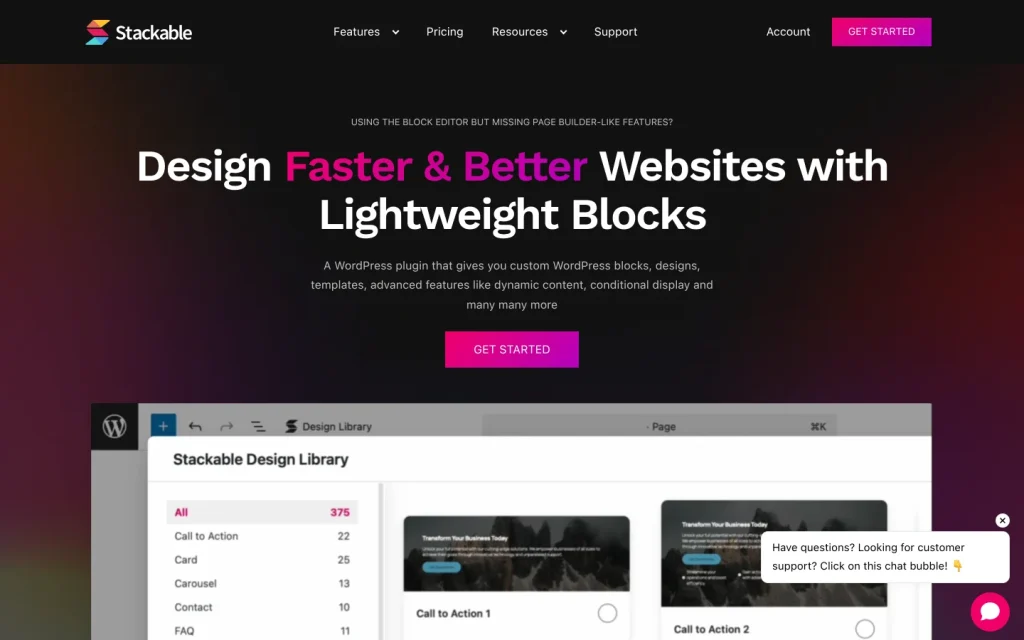
Stackable is a block plugin for the WordPress block editor. WordPress.org lists it as Stackable, Page Builder Gutenberg Blocks, and its goal is to turn the native editor into something closer to a page builder without leaving Gutenberg. The free plugin ships 42 custom blocks, a global design system and a Design Library of ready-made patterns.
Its design philosophy centers on consistency. Global color schemes, typography, spacing, borders and buttons are defined once and reused across every Stackable block. Version 3.16 added theme.json support, so Stackable can inherit styles from a block theme, and version 3.18 added Global Block Styles (a Premium feature).
Stackable Key Features
Here is what Stackable brings to the Gutenberg editor, and which tier it sits in:
- 42 free blocks: Essential, special and section blocks, including columns, heading, text, image, icon list, button, carousel, tabs, accordion, countdown, timeline, table of contents, posts, hero, call to action, feature grid, pricing box and testimonial.
- Design Library: 107 patterns and 15 full-page designs in the free plugin, 375 patterns and 40 full-page designs in Premium. Version 3.20 added saved patterns (Premium) and a faster library.
- Global Design System: free, with 2 global color schemes and 11 preset font pairs. Premium raises that to unlimited color schemes, 50 color scheme presets and 97 font pairs.
- Global Block Styles (Premium): reusable block styles that apply across the site.
- Dynamic Content (Premium): show post data, ACF, Metabox and JetEngine fields, and use dynamic content inside the native Query Loop.
- Motion Effects and Conditional Display (Premium): entrance and scroll animations, plus rules that show or hide blocks by user status, role, date or post data.
- Role Manager, per-block custom CSS and WooCommerce integration (Premium): control who can edit what, add CSS to a single block, and use Stackable blocks with WooCommerce.
- Responsive controls: free, with tablet and mobile styling and visibility options per block.
Stackable Pricing In 2026
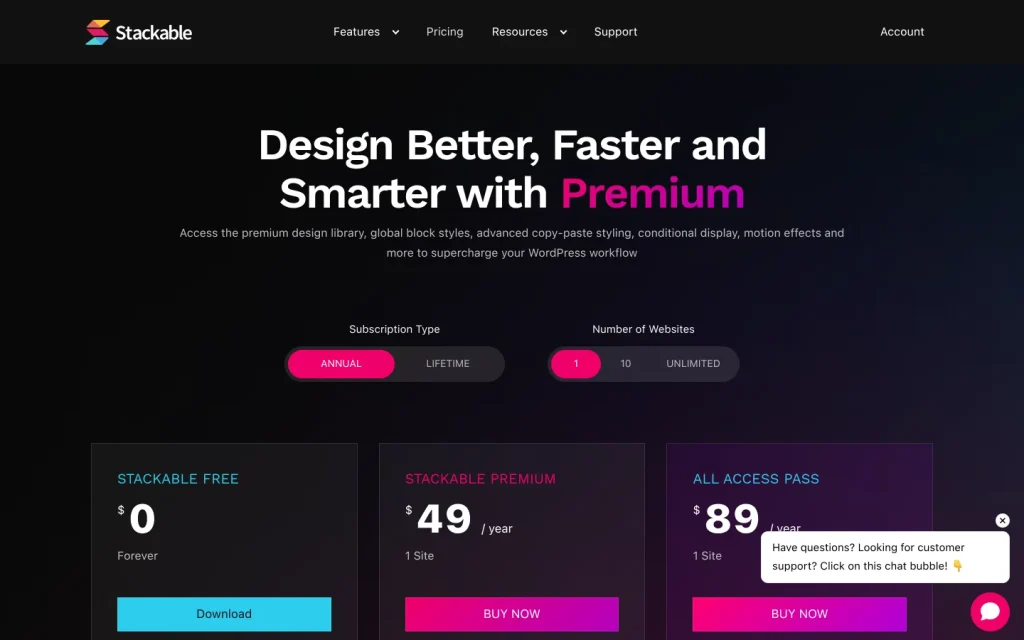
| Plan | 1 site | 10 sites | Unlimited sites |
|---|---|---|---|
| Stackable Free | $0 | $0 | $0 |
| Stackable Premium (annual) | $49 a year | $99 a year | $149 a year |
| All Access Pass (annual only) | $89 a year | $179 a year | $299 a year |
The All Access Pass bundles two extra plugins, Interactions Premium and Cimo Premium, on top of Stackable Premium. The pricing page also offers a lifetime option for Premium on one site at $189 one time. Every paid plan comes with a 30-day money-back guarantee and one year of updates and support. According to Stackable’s FAQ, Premium features keep working after a license expires, but updates and one-on-one support need an active license.
For comparison, Nexter’s plans start at $39 a year for one site (Starter), $89 for 5 sites (Professional) and $129 for unlimited sites (Studio), checked on the Nexter pricing page the same day. The plans cover different things, so compare what each license includes before you decide. For agencies, see Nexter for agencies.
Does Stackable Have AI Or MCP Support?
As of 7 October 2026 I found no documented AI feature, MCP server or WordPress Abilities API integration for Stackable. I searched the wpstackable.com homepage, pricing and features pages, the blog index, roadmap, changelog and docs search, plus the full WordPress.org readme and changelog. Not finding it is not proof it does not exist, so check with the vendor if you need it.
Stackable sites are not locked out of AI workflows, though. Site-level tooling such as the WordPress Abilities API and an MCP adapter works on your content rather than on one block plugin. Read what the WordPress Abilities API is and how to set up a WordPress MCP server to see how that works. Nexter Blocks registers its own abilities on the WordPress Abilities API, and you connect an AI client through an MCP bridge plugin. Nexter does not ship its own MCP server. Nexter Abilities explained covers the details.
Pros And Cons Of Stackable
Pros Of Stackable
- Active development: version 3.20.2 is dated 9 September 2026, and recent releases added saved patterns, a faster Design Library, full-page templates, a style guide and global block styles.
- Free plan is substantial: 42 blocks, a global design system, responsive controls, a Design Library and theme.json support without paying.
- Consistent design system: global color schemes, typography and spacing make site-wide changes quick, and block theme style inheritance helps it blend with the theme.
- Strong WordPress.org record: 4.9 out of 5 from 521 ratings on 100,000+ active installs.
- Premium keeps working after expiry: per the vendor FAQ, you lose updates and support, not the features.
Cons Of Stackable
- Key features sit behind Premium: dynamic content, conditional display, motion effects, global block styles, per-block custom CSS, Role Manager and WooCommerce integration are all Premium-only.
- No site builders: the block list and pricing comparison show no header, footer, popup or form builder. There is a Video Popup block, and the roadmap lists a Forms Block under What’s Next, but I could not see a release date.
- Fast release pace means regular updates: recent changelogs include compatibility fixes (Yoast, MailPoet, WordPress 7.0 editor previews) and a fix in 3.20.1 for an editor error with styled blocks in templates. Test updates on staging first.
- Newer WordPress required: the current version needs WordPress 6.9 or higher.
- No documented AI or MCP features: I found none in the vendor’s pages or changelogs on 7 October 2026.
Not satisfied with Stackable? Here are the Best Stackable Alternatives you should consider, or read Nexter Blocks vs Stackable side by side.
Stackable Vs Nexter Blocks Compared
| FEATURES | Nexter Blocks | Spectra | Kadence Blocks | Stackable | Greenshift | Essential Blocks | Crocoblock |
|---|---|---|---|---|---|---|---|
| Total Blocks | 90+ | 25+ | 15+ | 40+ | 100+ | 70+ | 60+ |
| Total Extensions | 15+ | 3 | - | - | - | - | - |
| Blog Builder | Yes | - | - | - | Limited | Limited | - |
| Advanced Data Table | Yes | - | Limited | - | (Limited, Only Comparison Table Block) | Yes | Yes |
| Popup Builder/Off Canvas | Yes | Limited | Limited | (Limited, Only Video Popup Block) | (Limited, Simple Popup Builder with Button Trigger) | Yes | (Limited, Requires separate JetPopup plugin) |
| Dynamic Listing | Yes | - | Limited | Yes | Yes | Limited | Yes |
| Custom Loop Skin | Yes | - | - | Yes | - | - | - |
| Vertical & Horizontal Mega Menu | Yes | - | - | - | Limited | Limited | (Limited, Requires separate JetMenu plugin) |
| Dark Mode | Yes | - | - | - | Yes | - | - |
| Cross Domain Copy and Paste | Yes | - | - | (Limited, Only includes Copy-Paste Styles) | Limited | Limited | - |
| Live Ajax Search | Yes | - | - | - | Yes | - | (Limited, Requires separate JetSearch plugin) |
| Header & Footer Builder | Yes | Limited | - | Yes | - | - | (Limited, Requires separate JetThemeCore plugin) |
| Carousel Anything & Remote | Yes | Limited | Limited | Yes | Yes | Limited | Yes |
| Login/Signup Form | Yes (Contains Password Reset too) | Yes | - | - | (Limited, Only Login Form Block) | - | (Limited, Requires separate JetFormBuilder and JetWooBuilder plugin) |
| Advanced Row Background | Yes | - | Yes | Limited | - | Limited | - |
| Code Snippets & Hooks | Yes | - | - | - | Limited | - | - |
| Advance Theme Builder | Yes | Limited | - | - | - | - | (Limited, Requires separate JetThemeCore plugin) |
| Social Reviews | Yes (Includes Facebook & Google Reviews) | - | - | - | - | - | - |
| Social Feeds | Yes (Includes Facebook, Instagram, YouTube, Vimeo & Multi Social) | - | - | - | - | (Limited, Only Instagram feed) | - |
| Scroll Sequence | Yes | - | Limited | (Limited, Only included Motion Effects) | (Limited, Only Background Parallax Block) | - | - |
| Form Styler | Yes | Yes | Yes | - | - | Yes | (Limited, Requires separate JetFormBuilder plugin) |
| Advanced Display Conditions | Yes | Limited | Limited | Yes | Limited | - | Limited |
| White-label Plugin | Yes | - | - | - | Yes | - | - |
The core difference between Stackable and Nexter Blocks is scope. Stackable focuses on blocks and a global design system, which it does well. Nexter Blocks has 90+ blocks (checked on the Nexter Blocks page on 7 October 2026) and extends into territory that Stackable’s own pages do not list: a Header Builder, Popup Builder, Form Builder and social feeds, plus site management through Nexter Extension.
The comparison table above is a shared Nexter template that I did not re-audit in this pass. Where it differs from Stackable’s own feature list (for example, its header and footer row), trust the vendor’s pages quoted in this review.
For sites that only need blocks and a design system, Stackable is a capable choice. For teams that also need a header builder, popups, forms, advanced WooCommerce layouts or a site management layer, Nexter Blocks covers more in one license. Elementor users who want comparable widget breadth can look at The Plus Addons for Elementor with 120+ widgets and extensions. If you are also weighing Spectra, our Spectra Blocks vs Spectra Legacy guide explains how that plugin split. And if you want ready-made starting points, browse the Nexter starter templates library or WDesignKit, which offers templates and widgets across Gutenberg, Elementor and Bricks.
What This Doesn’t Cover
I did not install Stackable Free or Premium for this update, so I make no claims about editor feel, front-end page weight or real PageSpeed impact. Run your own before and after test on a staging copy if performance matters. I also did not check Stackable’s lifetime pricing for the 10-site and unlimited tiers, or the Premium license terms beyond the vendor FAQ. The Nexter versus Stackable table above is a shared template I did not re-audit.
Wrapping Up: Is Stackable Worth It?
Stackable is a solid Gutenberg blocks plugin with a clean design system, a free tier that goes well beyond a demo and a steady release cadence. It delivers within its scope: blocks and design consistency for content-focused sites, with dynamic content and motion effects on Premium.
Choose Stackable if you need blocks and a global design system, you do not need builders for headers, popups or forms, and you want a plugin that non-technical editors can use without training.
Choose Nexter Blocks if you need 90+ Gutenberg blocks plus a built-in header builder, popup builder, form builder and social feeds without adding separate plugins. Start for free and browse ready-to-use templates on the Nexter starter templates library. Download Nexter free or see full pricing.
Get Exclusive WordPress Tips, Tricks and Resources Delivered Straight to Your Inbox!
Subscribe to stay updated with everything happening on WordPress.
Why We Recommend Using Nexter Blocks?
Stackable excels at blocks and design consistency. Nexter Blocks adds 90+ Gutenberg blocks with no jQuery dependency, plus a Header Builder, Popup Builder, Form Builder and social feeds in one plugin, and its abilities are registered on the WordPress Abilities API for AI clients that connect through an MCP bridge. Add Nexter Extension (50+ site management tools) and Nexter Theme (under 20KB, no jQuery per its product page) for a complete WordPress stack. Plans start at $39 a year for one site, with a 30-day money-back guarantee.
Depending on your business, website, and the features you’re looking for, you might be looking for different Gutenberg blocks. Besides, your budget and affordability are also important factors in this decision.
However, when choosing the right Gutenberg blocks, you must consider certain factors to ensure a smooth experience. These include ease of use, premium customer support that extends beyond phone and chat support, flexibility, security, and so on.
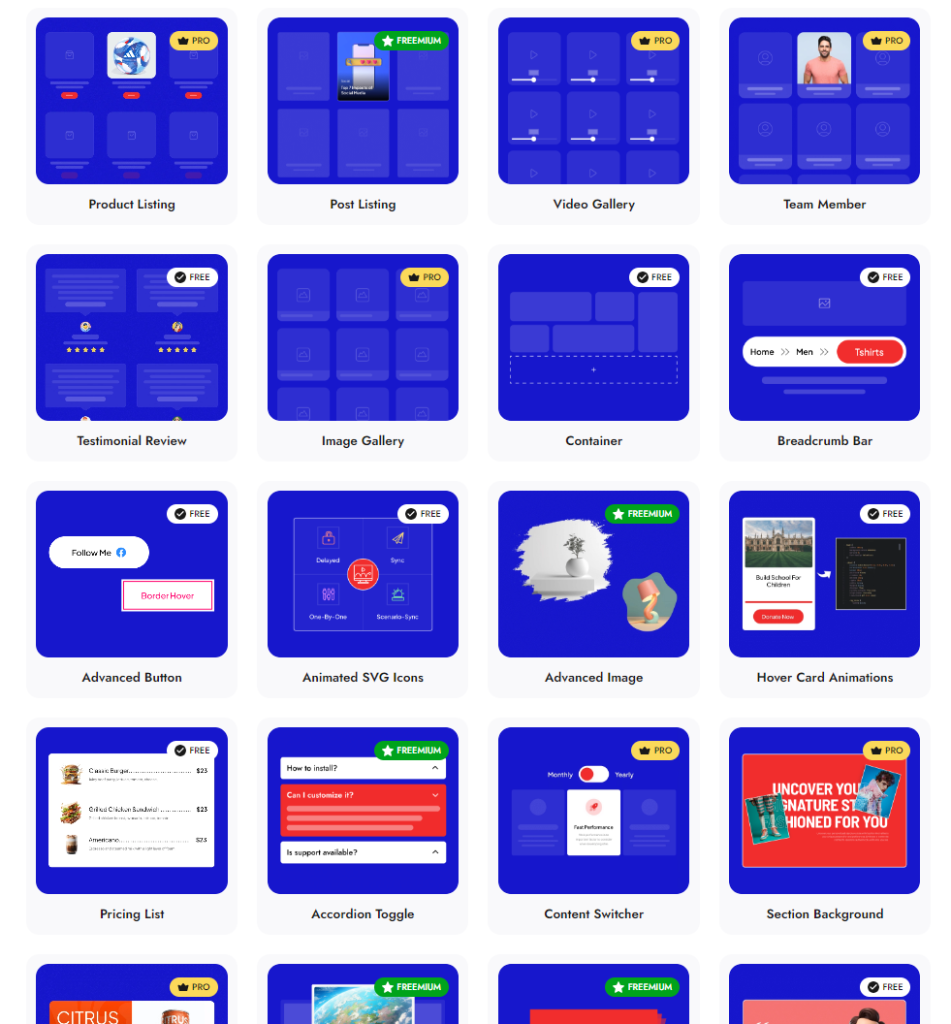
Check 90+ Gutenberg Blocks Library from Nexter Blocks
Nexter Blocks brings you all these features and more in a single plugin. It is easy to install and use, you can enjoy hands-on support, and the plugin offers you possibly every unique function you need to create a stunning website.
And the best part? The blocks are highly customizable, and you don’t need to know coding to use them for your website.
Stay updated with Helpful WordPress Tips, Insider Insights, and Exclusive Updates – Subscribe now to keep up with Everything Happening on WordPress!
FAQs On Stackable Gutenberg Blocks
Is Stackable Free To Use?
Yes. The Stackable plugin is free on WordPress.org and includes 42 blocks, a global design system, responsive controls and a Design Library with 107 patterns. Dynamic content, conditional display, motion effects, global block styles, per-block custom CSS and Role Manager need Premium, which starts at $49 a year for one site.
How Much Does Stackable Cost?
Stackable Premium costs $49 a year for 1 site, $99 for 10 sites and $149 for unlimited sites. The All Access Pass costs $89, $179 and $299 for the same tiers and adds Interactions Premium and Cimo Premium. A lifetime option for one site is listed at $189 one time (checked 7 October 2026).
How Many Blocks Does Stackable Have?
The free plugin has 42 blocks and Premium has 44, according to the vendor’s comparison table. Nexter Blocks lists 90+ blocks, including builder blocks for headers, popups and forms.
What Is The Difference Between Stackable And Nexter Blocks?
Stackable focuses on blocks and a global design system. Nexter Blocks covers blocks and extends into a Header Builder, Popup Builder, Form Builder, social feeds and site management through Nexter Extension. Read Nexter Blocks vs Stackable for the full comparison.
Does Stackable Slow Down WordPress?
The vendor says Stackable was built for performance with Core Web Vitals in mind, but I did not measure it. The effect depends on your theme, how many blocks you use and your hosting. Benchmark your own PageSpeed Insights scores on a staging copy before and after installing any block plugin.
Does Stackable Work With Any WordPress Theme?
Stackable runs as a block plugin and can inherit styles from a block theme through theme.json support. How well blocks match your theme depends on your theme’s CSS, so test on staging first. The WordPress.org listing mentions integrations with plugins such as WPML, Weglot, Toolset and Google Fonts.
Does Stackable Support MCP Or AI?
I found no documented MCP or AI feature in Stackable’s pages, roadmap or changelog on 7 October 2026. Site-level AI tooling built on the WordPress Abilities API can still work with a site that uses Stackable blocks.
What Is The Best Stackable Alternative?
It depends on what you need. For more blocks plus header, popup and form builders, Nexter Blocks is our pick, with plans from $39 a year. For a developer-style block set, see the GenerateBlocks alternatives guide, or browse the full list of Stackable alternatives.
