












Your robots.txt file tells crawlers which parts of your site they may and may not request. Nexter SEO serves a virtual robots.txt you can edit directly from the SEO panel, so you never have to touch a file over FTP.
Nexter → SEO → Technical → Robots.txt Editor.txt Editor.
How To Edit Your robots.txt In Nexter SEO?
- Open Technical in the left-hand nav and click Robots.txt Editor.
- Edit the rules in the code box. A sensible default is provided.
- Click Save (top right).
- Use the Open robots.txt on your website link to view the live file, or the verify link to check its contents.
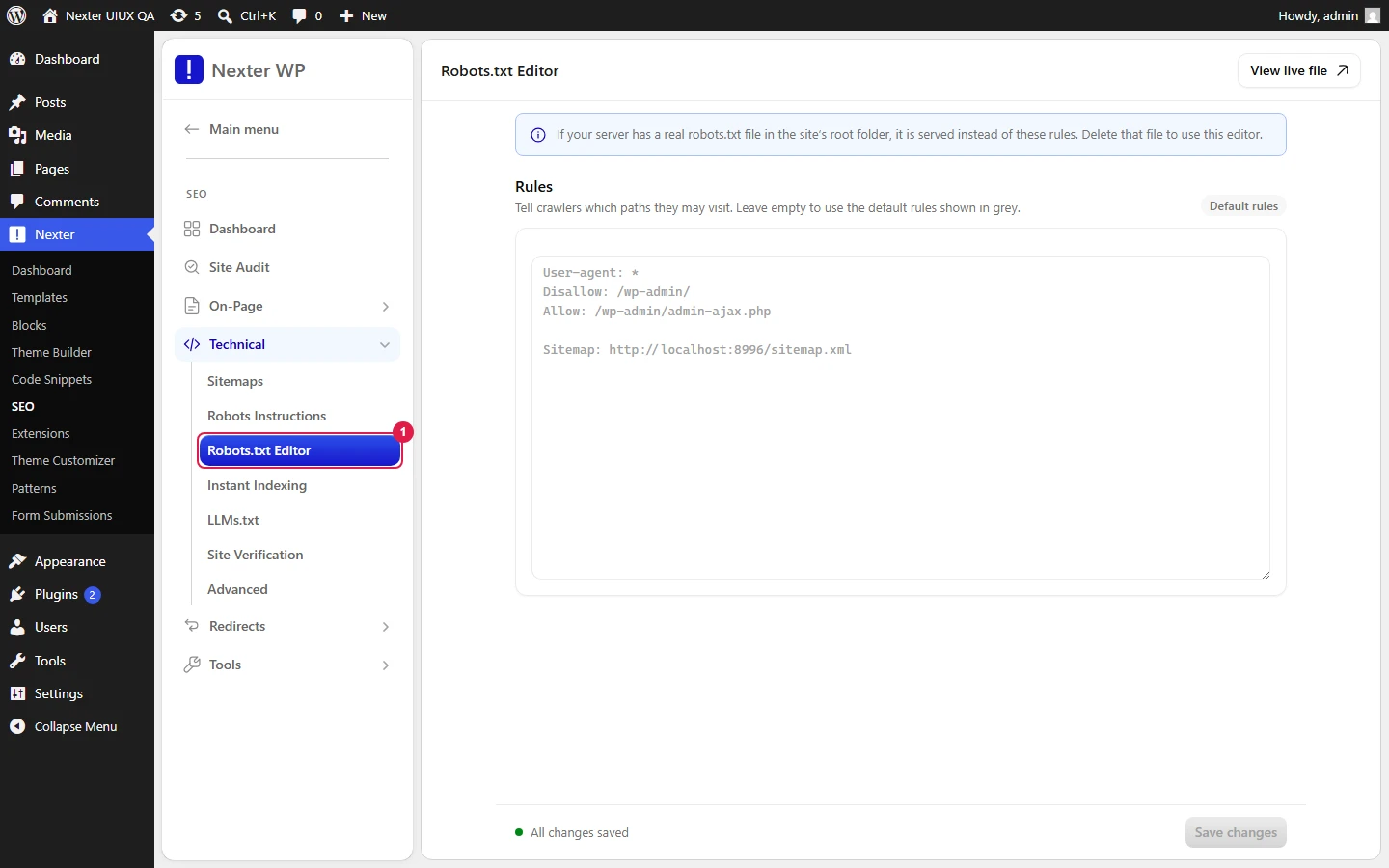
Default Rules
The editor is prefilled with safe defaults:
User-agent: *
Disallow: /wp-admin/
Allow: /wp-admin/admin-ajax.php

Sitemap: https://yourdomain.com/sitemap.xml
User-agent: *— the rules apply to all crawlers.Disallow: /wp-admin/— keeps crawlers out of the admin area.Allow: /wp-admin/admin-ajax.php— leaves the AJAX endpoint reachable, which some front-end features need.Sitemap:— points crawlers to your XML sitemap. This line is added automatically and stays in sync with the Sitemaps module.- Editor — free-text rules, one directive per line, standard robots.txt syntax.
- Open robots.txt on your website — opens the live
/robots.txtso you can confirm what crawlers actually see. - Verify link — checks the current contents of your robots.txt.
- Save — stores your rules and serves them as the virtual robots.txt.
Good To Know
- A physical robots.txt file in your site root overrides this virtual file. If your edits do not appear on the live URL, delete the physical
robots.txtfrom your site root so WordPress can serve the virtual one. - Do not
Disallowyour whole site (Disallow: /) on a live site — that removes it from search. - Blocking a URL in robots.txt is not the same as noindexing it. To keep a page out of results, use Robots Instructions, not a Disallow.
Troubleshooting
- My changes are not live. A physical robots.txt is overriding the virtual one. Remove it from the site root, then reload
/robots.txt. - Crawlers ignore a rule. Check for typos and ordering; the most specific matching rule wins. Test the file in a private browser window.
Related: XML Sitemaps · Robots Instructions · Instant Indexing
This is how you can edit your robots.txt with Nexter SEO.
