












Instead of waiting for search engines to crawl your site, Instant Indexing pushes your URLs to them the moment content changes, using the IndexNow protocol. Nexter SEO can do this automatically on publish and update, or on demand for a batch of URLs.
Nexter → SEO → Technical → Instant Indexing.
How To Use Instant Indexing With IndexNow?
- Open Technical in the left-hand nav and click Instant Indexing.
- On the Settings tab, turn on Enable Automatic Indexing so new and updated content is submitted automatically.
- Optionally add post types to Exclude Post Types to keep them out of automatic submission.
- To submit manually, paste URLs into Submit URLs For Indexing (one per line) and click Submit URLs.
- Click Save. Check the Logs tab to see what was submitted and its status.
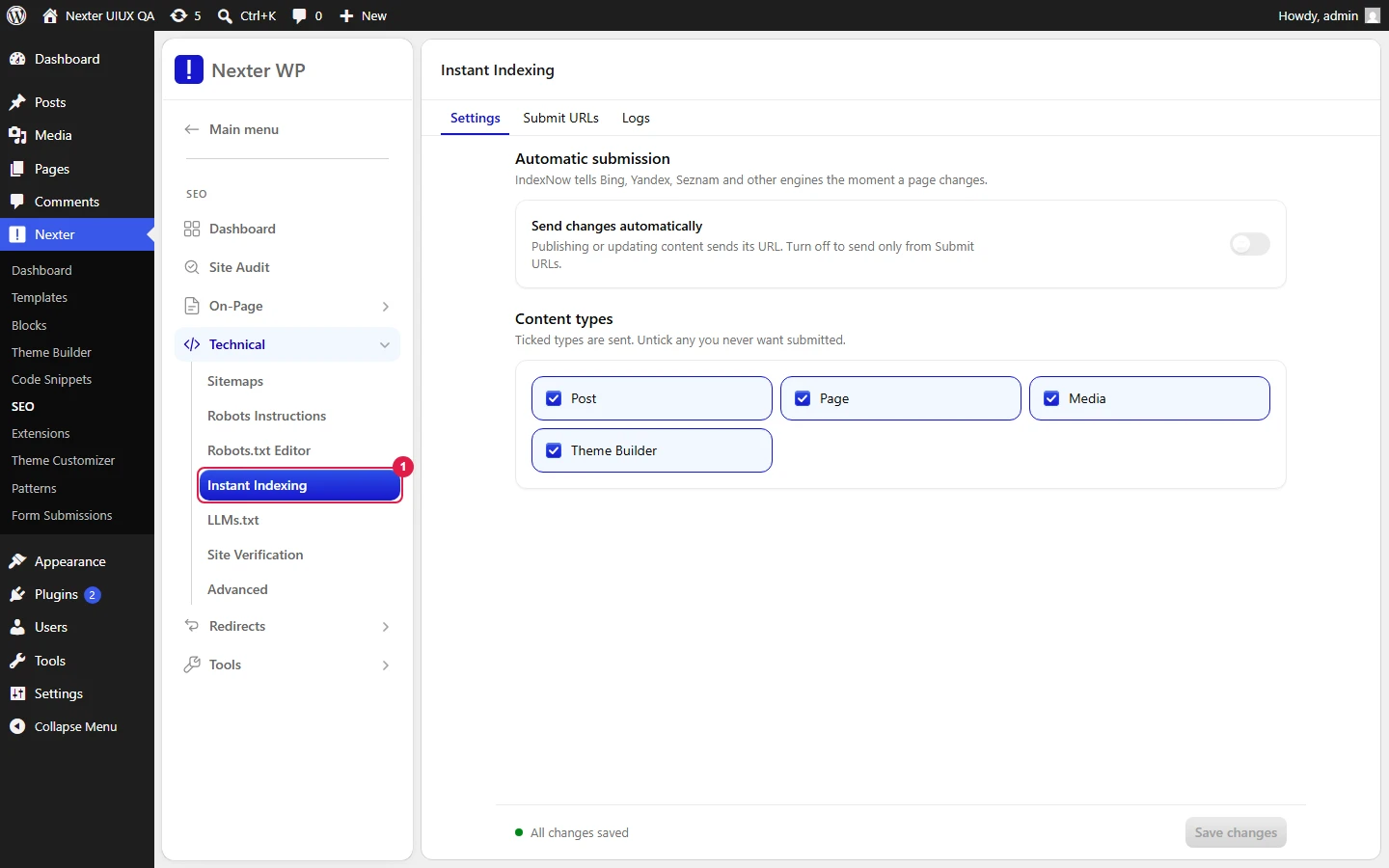
Settings Tab
- Enable Automatic Indexing — automatically sends an indexing request whenever you publish or update content. Turn it off if you prefer to submit URLs manually.
- Exclude Post Types — a multiselect of post types to skip during automatic submission (for example, internal or private post types).
Bulk Indexing
- Submit URLs For Indexing — paste URLs, one per line, then click Submit URLs. You can submit up to 100 URLs at a time to IndexNow.
Logs Tab
- Shows a history of submissions and their status, so you can confirm URLs were accepted.
Good To Know
- IndexNow is supported by Bing and Yandex (and engines that share the IndexNow network). Google does not use IndexNow — for Google, rely on your XML sitemap and Search Console. See XML Sitemaps.
- Automatic indexing is the low-effort choice for most sites. Use bulk submission after a large migration or import.
- Do not resubmit the same URLs repeatedly; one submission per meaningful change is enough.
Troubleshooting
- Submissions fail in the Logs tab. Confirm the URLs are public (load in a private window) and are on the same domain as this site.
- Nothing happens on publish. Make sure Enable Automatic Indexing is on and the post type is not in the exclude list.
Related: XML Sitemaps · Site Verification · Robots.txt Editor
This is how you can push URLs to search engines instantly with Nexter SEO.
