












AI assistants like ChatGPT, Perplexity, and Google's AI answers increasingly send traffic and shape how your brand is described. An LLMs.txt file is a clean, curated map of your most important content that these models can read. Nexter SEO generates and maintains this file for you.
Nexter → SEO → Technical → LLMs.txt.txt.
How To Generate An LLMs.txt File?
- Open Technical in the left-hand nav and click LLMs.txt.
- Turn on Enable LLMs.txt generation. The status badge shows Active and your file goes live at
/LLMs.txt. - Set the limits and window so the file lists your best, freshest content.
- Choose which post types and taxonomies to include.
- Click Save.
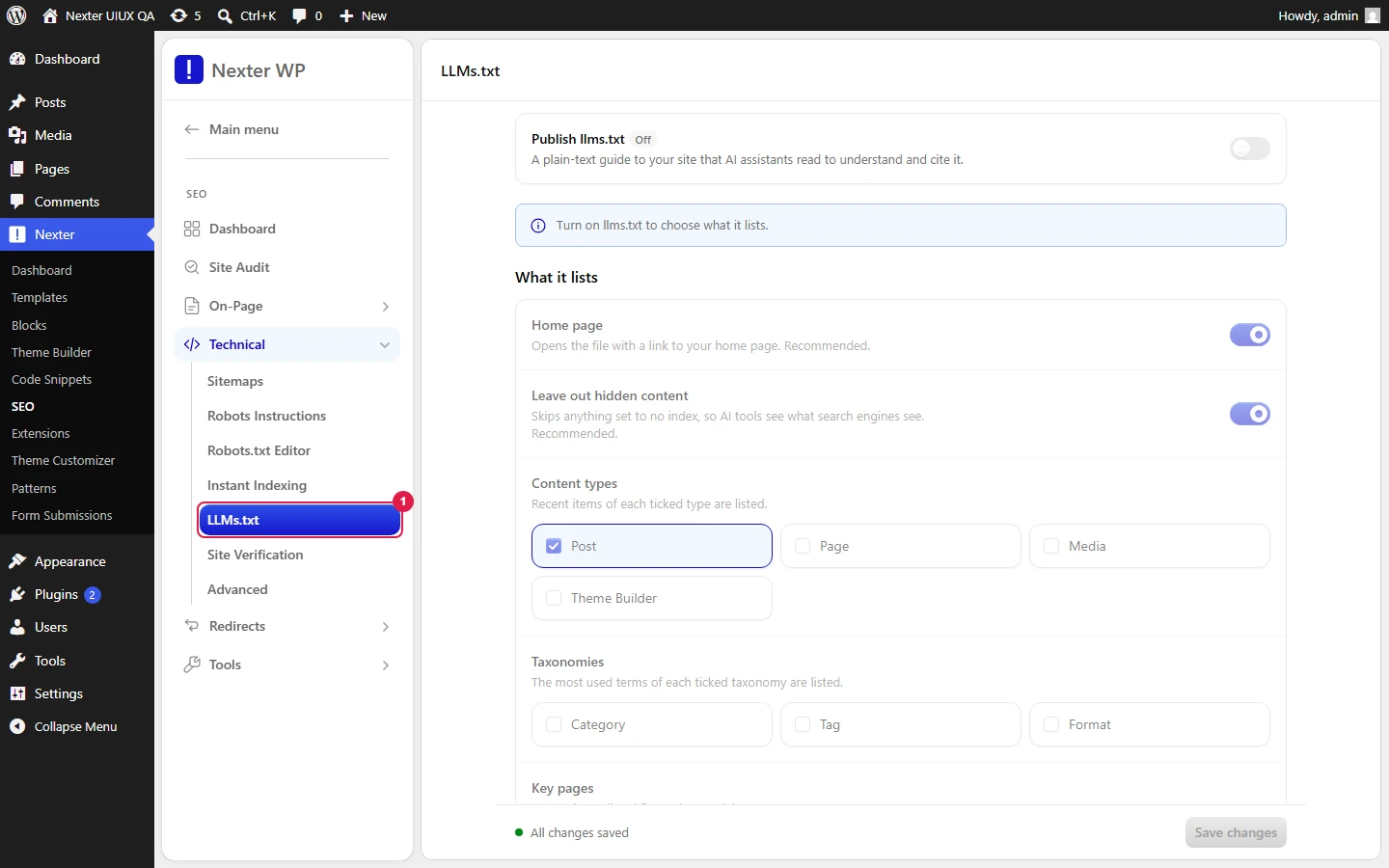
- Enable LLMs.txt generation — the master switch. When on, Nexter SEO publishes your file at
/LLMs.txt. - Include Homepage — adds your homepage to the file as a top-level entry.
- Respect Noindex — when on, any content marked noindex is excluded from the file, so you never expose pages you have deliberately kept out of search.
- Posts Per Type Limit — how many items to list per post type (default 20). Keep it focused; this file is a highlights reel, not a full sitemap.
- Terms Per Taxonomy Limit — how many terms to list per taxonomy (default 20).
- Cache Duration (hours) — how long the generated file is cached before it rebuilds (default 24).
- Freshness Window (months) — restrict entries to content published or updated within this many months. Leave at 0 for no time limit.
- Included Post Types — expand to choose which post types appear in the file.
- Included Taxonomies — Category, Tag, and Format checkboxes.
Good To Know
- Think of
LLMs.txtas the answer-engine equivalent of your sitemap: sitemaps are for search crawlers,LLMs.txtis for AI models. Keeping it tight and current gives AI a clean, authoritative source to cite. - Turn on Respect Noindex if you use noindex anywhere, so private or thin pages never leak into the AI-facing file.
- After a big content push, the file rebuilds on its own once the cache duration elapses; lower the cache duration temporarily if you need it sooner.
Troubleshooting
/LLMs.txtshows nothing or 404s. Confirm Enable LLMs.txt generation is on and Save was clicked, then reload the URL after the cache duration.- A page I expected is missing. Check the per-type limit, the freshness window, and whether the page is noindexed while Respect Noindex is on.
Related: XML Sitemaps · Robots Instructions · Structured Data (Schema) Overview
This is how you can generate an LLMs.txt file for AI search with Nexter SEO.
