












A carousel slide is small. A three-paragraph quote is not.
Text Limit trims every card’s quote to a word or letter count and adds a Read More link to reveal the rest — the carousel’s version of the Excerpt Limit setting on Masonry.
For every Dynamic Device setting in one place, see the Testimonials block guide.
Before You Start
- Edition: Free — the Testimonials block, its three layouts and its content limit are all part of Nexter Blocks (free) and Nexter Blocks Pro.
- Block to enable: Testimonials, switched on under Nexter > Blocks in your WordPress dashboard.
- Each testimonial is a row. Add one row per person: a name, a role, the quote, and an optional photo.
Steps
- Add the Testimonials block and add a row for each testimonial — a name, a role, the quote, and a photo.
- Choose a Layout: Grid, Masonry or Carousel.
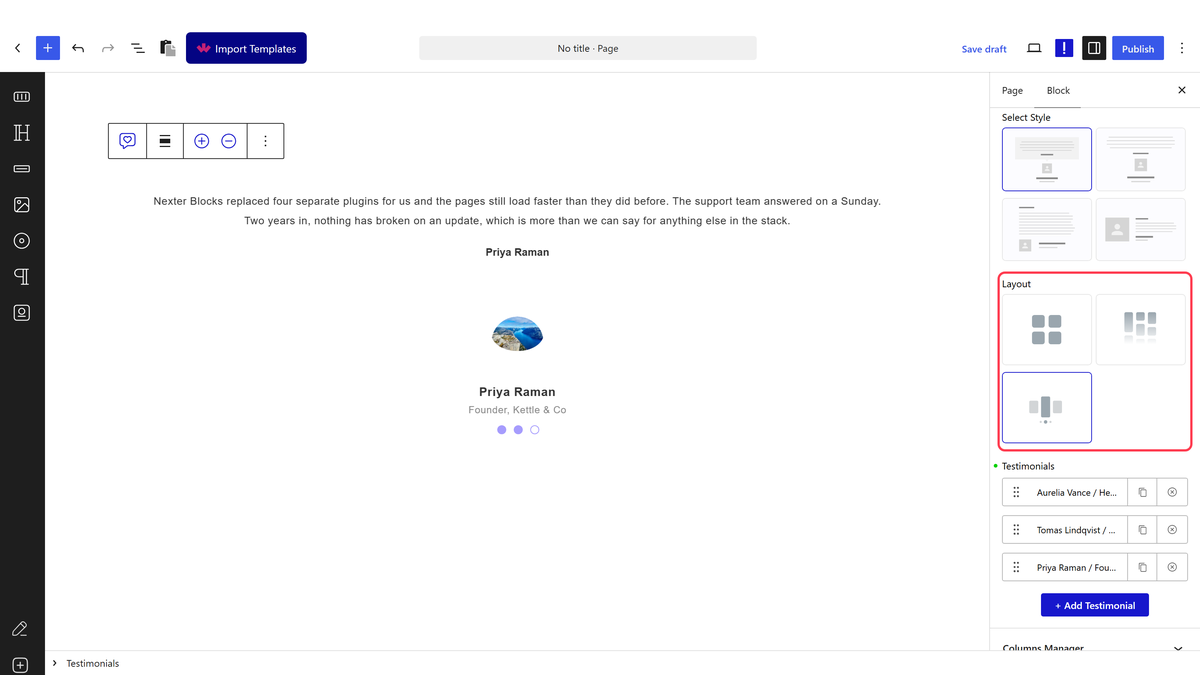
- Set Layout to Carousel.
- Open Columns Manager and set Content Limit By to Text Limit.
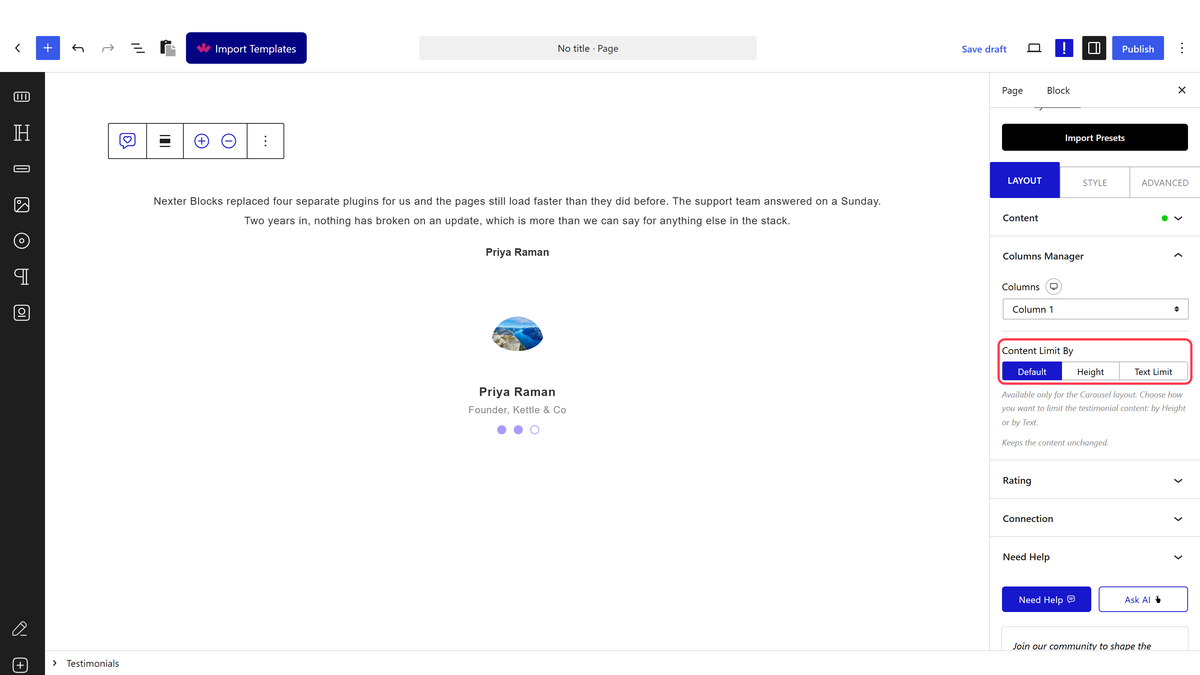
- Set the new Excerpt Limit field to By Words or By Letters, and a count.
Excerpt Limit only appears after Text Limit is chosen. Measured: with Content Limit By left on Default or Height, there is no words/letters control to find.
How It Behaves
- By Words cuts after the word count; By Letters cuts after that many characters. Both add a working Read More link — measured by clicking it: the hidden remainder becomes visible and the button relabels to Read Less.
- Title Limit trims the author’s name the same way, if it appears on Carousel.
- This is the same mechanism as Masonry’s Excerpt Limit — the difference is only which layout exposes it and under what label.
A gap worth knowing about
Set a limit here, then switch Layout back to Grid, and the behaviour differs by edition. Measured with identical settings: on Free the trimmed text and Read More link keep showing on Grid, because Free’s rule only checks whether a limit is set, not which layout is active. On Pro the full quote reappears on Grid, because Pro’s rule only applies a limit on Masonry or Carousel with Text Limit. Neither edition lets you set a limit while Grid is selected, so this only shows up if you configure the limit elsewhere and then switch layouts — worth knowing if a card looks different than expected after a layout change.
Limitations
- Only available on Carousel, and only once Content Limit By is set to Text Limit.
- A limit cuts mid-sentence wherever the word or letter count lands — there is no smart truncation.
- For a fixed-size card that scrolls instead of trims, use Height mode.
Troubleshooting
I cannot find Excerpt Limit
Set Content Limit By to Text Limit first — Excerpt Limit only appears once that is chosen.
A quote looks trimmed even though I switched to Grid
That is expected on Free — a limit set earlier keeps applying on Grid there, even though Grid has no control to set one. Set Content Limit By back to Default to restore the full text everywhere.
The cut-off looks awkward
Adjust the word or letter count, or rewrite the quote so the trim point falls somewhere natural.
