












A carousel where every slide jumps to a different height feels broken, even when nothing is.
Content Limit By’s Height option fixes every card to the same size and lets the text scroll inside it instead of stretching the slide.
For every Dynamic Device setting in one place, see the Testimonials block guide.
Before You Start
- Edition: Free — the Testimonials block, its three layouts and its content limit are all part of Nexter Blocks (free) and Nexter Blocks Pro.
- Block to enable: Testimonials, switched on under Nexter > Blocks in your WordPress dashboard.
- Each testimonial is a row. Add one row per person: a name, a role, the quote, and an optional photo.
Steps
- Add the Testimonials block and add a row for each testimonial — a name, a role, the quote, and a photo.
- Choose a Layout: Grid, Masonry or Carousel.
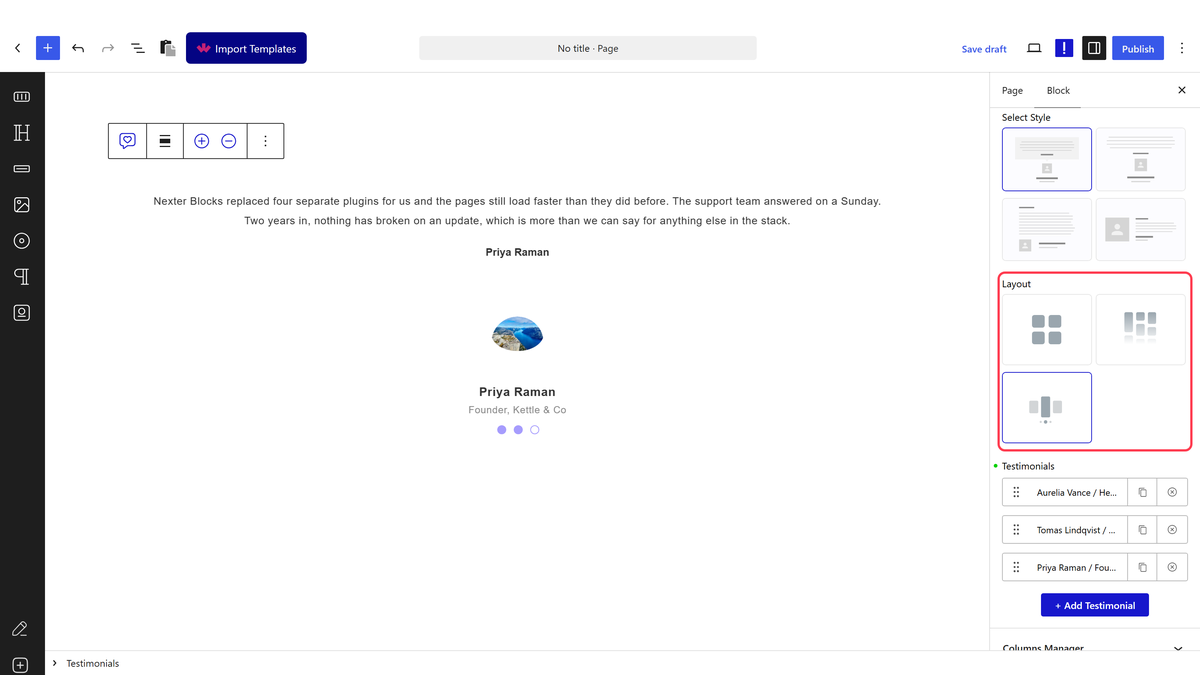
- Set Layout to Carousel.
- Open Columns Manager and set Content Limit By to Height.
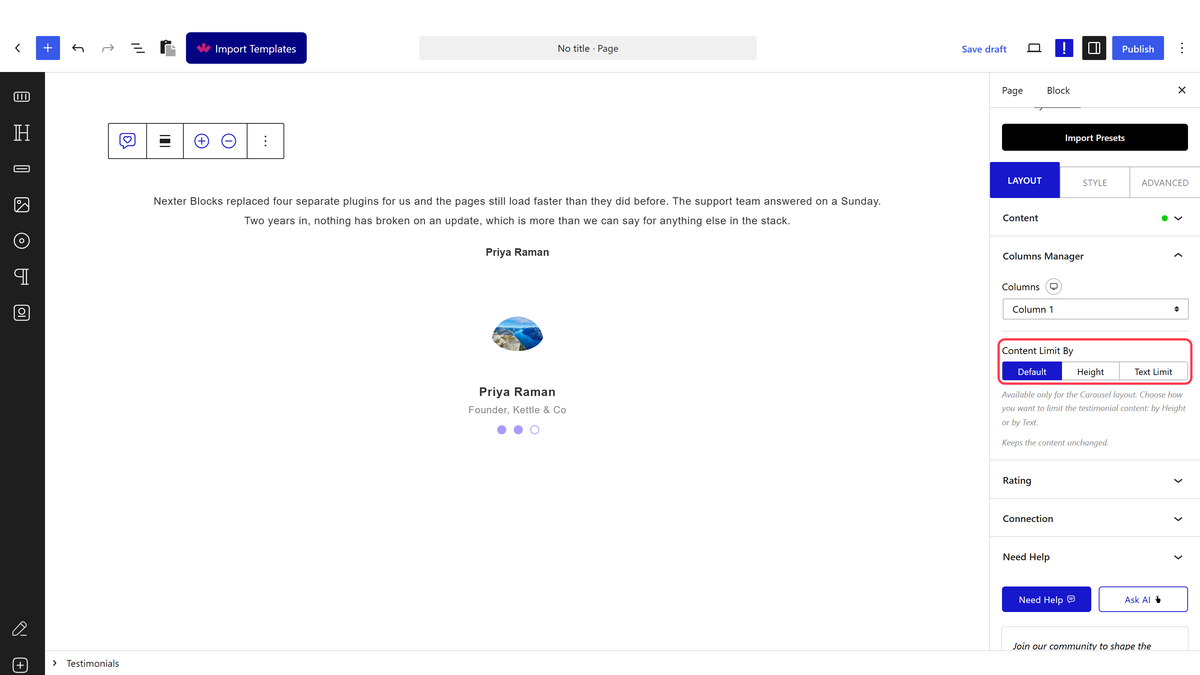
- Set Content Height to the size every card should share.
Height scrolls, it does not trim. Measured: the content box became a fixed size with
overflow: auto, not a shortened quote.
How It Behaves
- Every card becomes the same height, set by Content Height, regardless of how long the quote is.
- Long quotes scroll inside the card rather than being cut off or growing the slide — measured directly as a scrolling box.
- Nothing is hidden behind a Read More link in this mode — the whole quote is there, just inside a scrollable area. For a trimmed quote with a Read More link instead, use Text Limit.
- Height mode is specific to Carousel — Grid has no content-limit control and Masonry uses Excerpt Limit instead, which trims rather than scrolls.
Limitations
- A visitor has to scroll inside the card to read a long quote, which is an extra action compared to a trimmed excerpt.
- Only available on Carousel.
- There is no automatic sizing — pick a height that comfortably fits your shortest realistic quote.
Troubleshooting
My slides are still different heights
Confirm Content Limit By is set to Height, not Default, and that Content Height has a value.
The text is cut off with no way to read the rest
Check the content box is actually scrollable — hover it and try scrolling. If quotes are much longer than the box, consider Text Limit instead, which adds a Read More link.
