












Images help rankings only when search engines can understand them and when they do not create thin, low-value pages. Nexter SEO handles both: it can redirect WordPress attachment pages to their parent, add alt text to new uploads automatically, and backfill alt text across your existing media library.
Nexter → SEO → On-Page → Image SEO.
How To Set Up Image SEO?
- Open On-Page in the left-hand nav and click Image SEO.
- Turn on Redirect attachment pages to parent post to avoid empty attachment URLs.
- Turn on Optimize Image SEO without AI so future uploads get alt text automatically.
- Click Generate Missing Alt Text to backfill alt text on images already in your library.
- Click Save (top right).
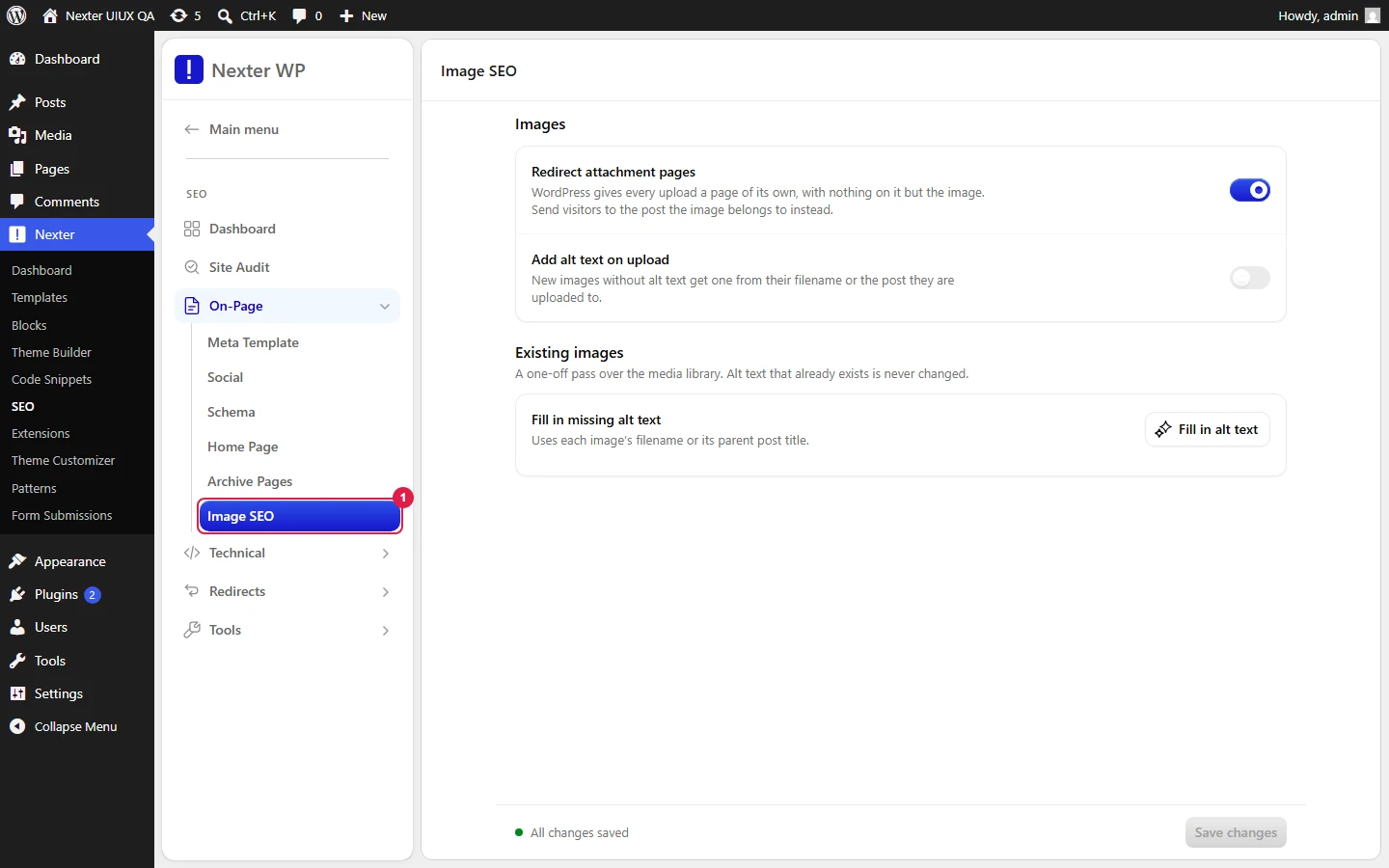
- Redirect attachment pages to parent post — WordPress creates a standalone page for every uploaded image. These pages have almost no content and can dilute your SEO. Turn this on to send those attachment URLs to their parent post (or the homepage) instead.
- Optimize Image SEO without AI — when on, any image uploaded without alt text automatically gets alt text generated from the image filename or the post title. This is rule-based, not AI, so it runs instantly and privately at upload time.
- Bulk Alt Text → Generate Missing Alt Text — scans your whole media library and adds alt text to images that do not have any, using each image's filename or its parent post title. Existing alt text is never changed.
- Save — stores your Image SEO settings.
Good To Know
- The bulk tool is safe to run on an established library: it only fills in blanks and never overwrites alt text you have already written by hand.
- Filename-based alt text is only as good as your filenames. For important images, still write descriptive alt text manually — automatic alt is a floor, not a ceiling.
- Attachment redirects apply site-wide once enabled; you do not need to set them per image.
Troubleshooting
- Bulk alt text did not change an image. That image already has alt text, or its filename and parent title are both empty. The tool skips images that already have alt.
- Attachment pages still load. Resave permalinks under Settings → Permalinks to flush rewrite rules, then retest an attachment URL in a private browser window.
Related: Meta Title And Description Templates · XML Sitemaps · Structured Data (Schema) Overview
This is how you can set up image SEO with Nexter SEO.
