












Keeping a copy of every submission in WordPress means nothing is lost if an email goes to spam or gets deleted.
The Form block in Nexter Blocks Pro saves submissions to your dashboard with the Database Entry action.
For every Form setting in one place, see the Form block guide.
Before You Start
- Edition: Pro — Database Entry needs Nexter Blocks Pro.
- Block to enable: Form, switched on under Nexter > Blocks in your WordPress dashboard.
Steps
- Add the Form block to your page, click Design from Scratch and choose Simple Contact Form or Newsletter Form.
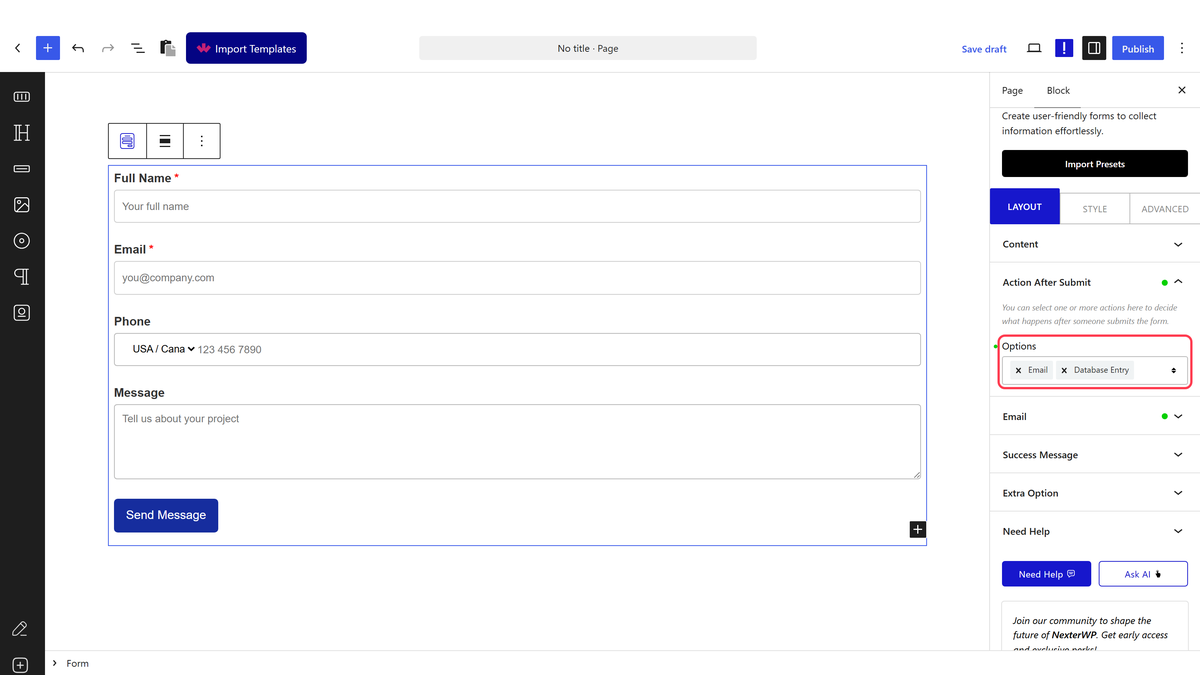
- Select the Form block (not a field inside it). In Action After Submit, open Options and choose Database Entry. You can keep Email selected as well.
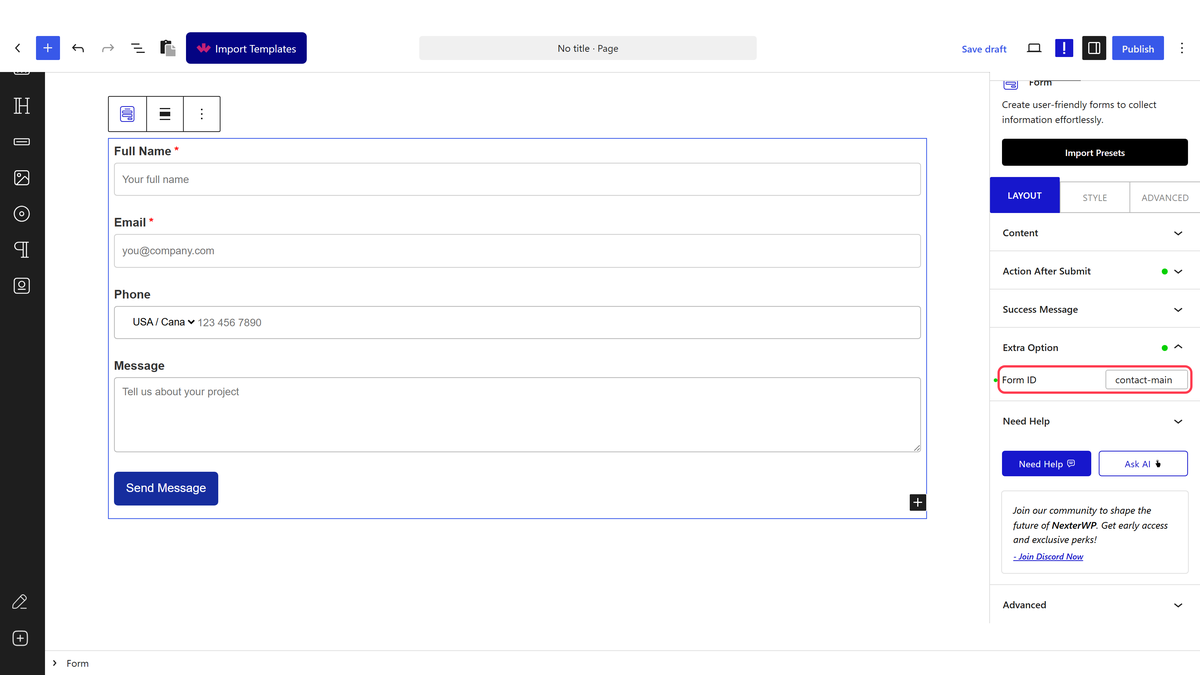
- Open the Extra Option panel that appears and enter a short, unique name in Form ID, for example
contact-main.
- Save the page, then submit the form once on the front end to test the connection.
View and Export Submissions
- Go to Nexter > Form Submissions in your dashboard.
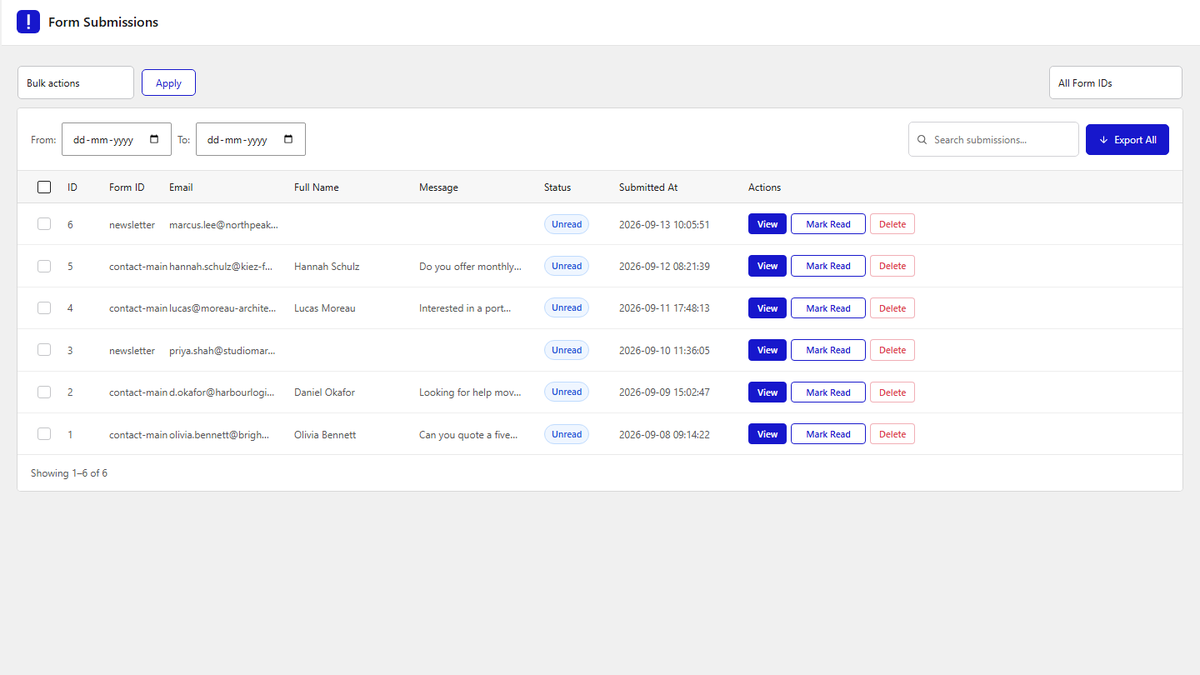
- Click View on a row to read the whole submission, Mark Read to clear its Unread status, or Delete to remove it.
- Pick a form in All Form IDs, set From and To dates, or use Search submissions… to find entries.
- Click Export All to download a CSV file, or select rows and choose Export Selected or Delete.
How It Behaves
- Each submission is saved with the date and time it arrived, and every field is stored under its label.
- Entries are grouped by Form ID, so give each form its own ID.
- Database Entry works alongside other actions such as Email or Mailchimp.
Limitations
- Pro only. The Form Submissions menu and Database Entry need Nexter Blocks Pro.
- If Nexter Blocks Pro is deactivated, new submissions are not saved.
- Only administrators can open Form Submissions.
Troubleshooting
I cannot see Form Submissions in the Nexter menu
Check Nexter Blocks Pro is active and that Enable Form Submission Menu is turned on under Nexter > Extra Options > Settings.
Entries from two forms are mixed together
Give each form a different Form ID in its Extra Option panel.
