












On 15 October 2026 a thread titled “LearnDash plugin community imploding” appeared on r/Wordpress. The poster said LearnDash had announced price rises of more than 100% on some tiers at a town hall the day before, and that the new plans now include three other plugins from the same company. A day earlier, a different thread complained that the same owner was bundling The Events Calendar with three plugins the poster did not want. Both threads are about Liquid Web, which owns LearnDash, Kadence, The Events Calendar and Give.
I have not seen the town hall and I cannot prove what any poster was quoted. What I can do is read the vendor’s own pricing page today, set it against older price listings, and look at what else can run a course site. This is not a LearnDash review. It is a pricing check plus a short, honest look at three free LMS plugins, with the numbers I fetched on 21 October 2026.
One more disclosure. Nexter does not make an LMS. We make the design layer of a course site, and I explain where that stops later in the post. If a bundled LearnDash plan suits you, I will say so.
What The Liquid Web Page Shows Today
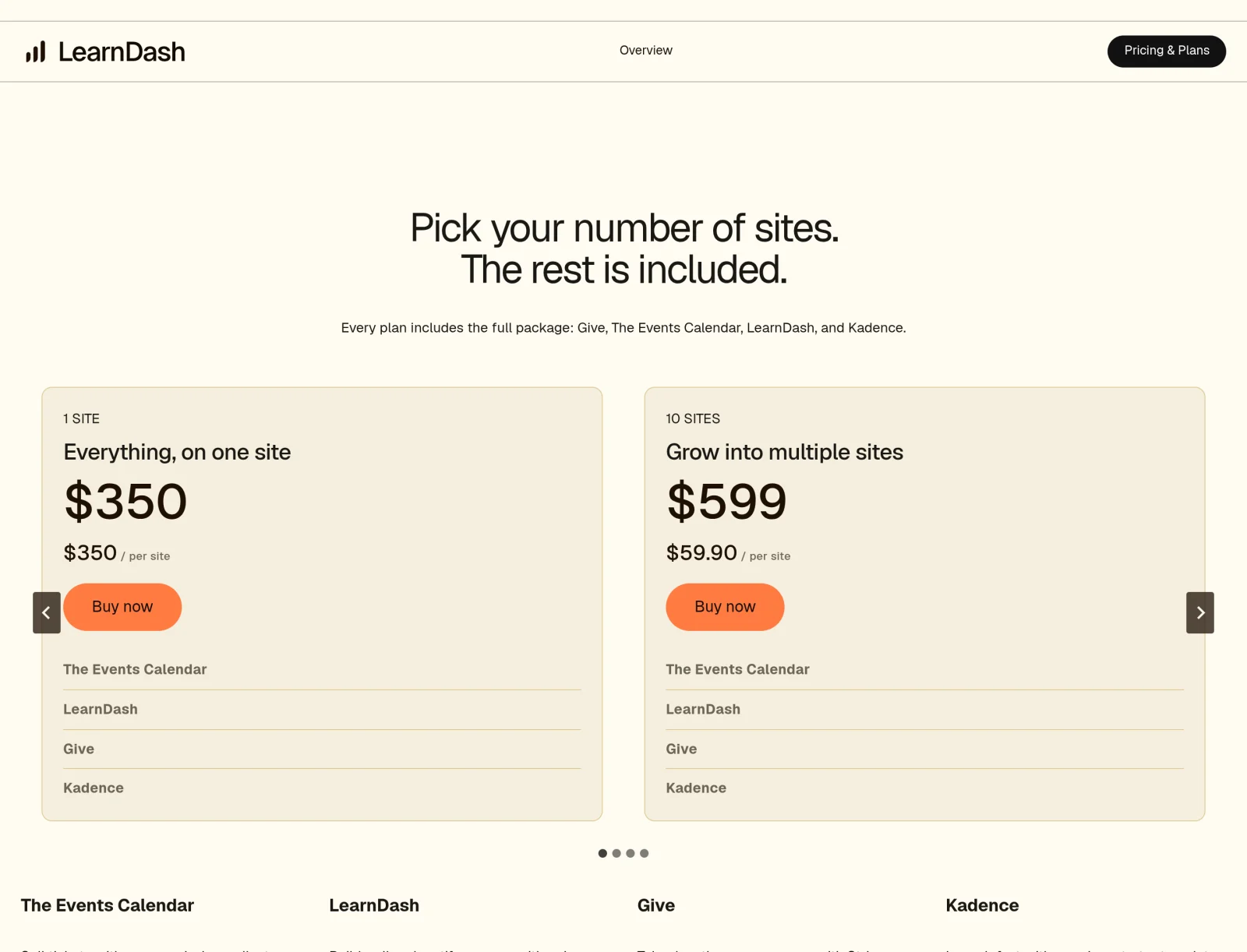
The page says every plan includes the full package: Give, The Events Calendar, LearnDash and Kadence. You pick the number of sites, and the page lists these prices:
- 1 site: $350, which is $350 per site.
- 10 sites: $599, which the page works out as $59.90 per site.
- 25 sites: $799, or $31.96 per site.
- 50 sites: $899, or $17.98 per site.
- 100 sites: $999, or $9.99 per site.
The page does not say whether these are annual prices, and I did not find a renewal term on it, so I will not call them yearly. The page also says MemberDash, a membership layer, is built into LearnDash and included in every plan. Its numbers about 100K active installs, 25M learners and a 4.8 Trustpilot score are the vendor’s own claims, and I have not checked any of them.
The page’s structured data shows it was first published on 8 May 2026 and last modified on 20 October 2026. That tells me the page changed yesterday. It does not tell me when the prices changed.
What Changed In Price, And What I Cannot Prove
I could not find the old vendor price page, so I rely on third-party listings. A BloggingJOY page dated 23 June 2026 lists LearnDash at $199 a year for one site, $399 for ten sites and $799 for unlimited. A Softwr page says that as of 31 August 2026 LearnDash starts at $199 a year. Other sites list different entry prices, so treat the old numbers as indicative, not official.
Against those listings, $350 for one site is about 76% more than $199, and $599 for ten sites is about 50% more than $399. Those percentages are my arithmetic on third-party numbers. They are also not a like-for-like comparison, because the new price includes three more products.
The Reddit poster wrote that one site went from $199 to $399 and ten sites from $399 to $599. The live page shows $350 for one site, not $399. Either the page changed after the post, the poster read a different tier, or I am looking at a different plan. I cannot tell which, and I will not pick one. The poster also said legacy licences had been promised protection in April. I have no source for that, so I leave it as a claim.
The practical advice is dull and reliable: open your own renewal invoice or licence page and compare it with the number above before you decide anything. Your price may not be either of these.
What The Bundle Means If You Only Need LearnDash
The bundle is good value for some buyers and poor value for others, and the per-site numbers show why. An agency running 25 sites pays about $32 a site and gets four plugins on all of them. A single course creator pays $350 and gets three products they may never install.
The complaint in the Events Calendar thread was exactly that: a poster said they were being moved to a combined plan with plugins they neither wanted nor could use. I cannot confirm how any existing customer is being migrated, so I will only say that the pricing section I captured lists only the all-in-one plans, and I looked for a LearnDash-only option.
If you are in the single-site group, the question is not whether LearnDash is good. It is whether you want to pay for a package built for agencies when your need is one course site.
Kadence Is In The Box Now
Kadence is one of the four products in the package. I wrote about the ownership change back in May in the Kadence and Liquid Web post, so I will not repeat it. What is new is that a LearnDash buyer now also holds Kadence, and the page lists what that covers in general terms: starter templates, drag-and-drop blocks, custom fonts, a shared design system and mega menus.
The page does not say which Kadence plugins or which licence tier that means, so I cannot tell you whether it includes the Pro features. The free Kadence Blocks plugin on WordPress.org is at version 3.8.0.1, was updated on 19 October 2026, has 600,000+ active installations and a 4.8 rating from 332 reviews. If you want to compare it with other block plugins, the Kadence Blocks alternatives guide does that.
Three Free LMS Plugins To Evaluate
I am not going to rank these, because a ranking would need features I have not tested. Here is what I could verify from each WordPress.org page on 21 October 2026, with the screenshots I took of the pages:
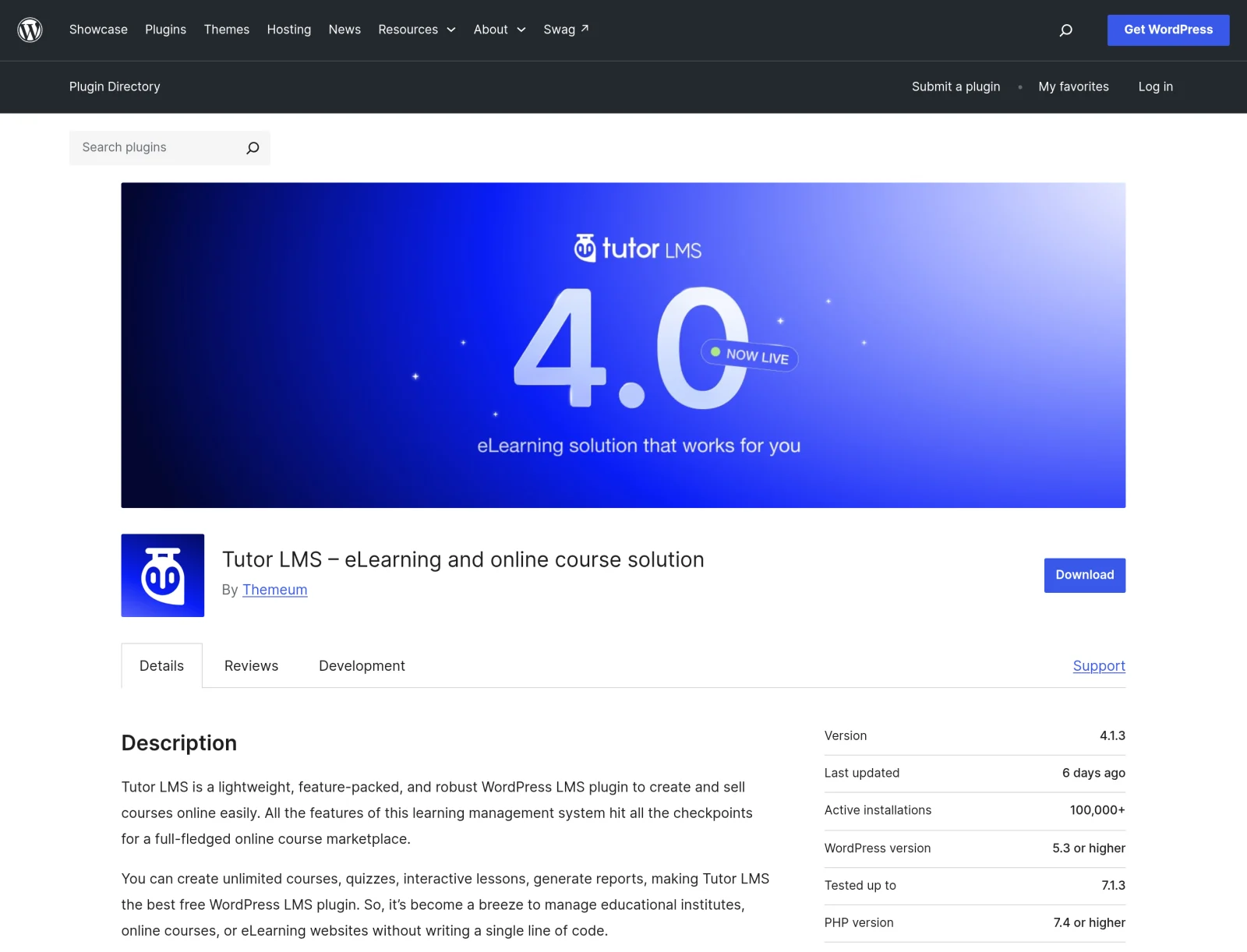
Tutor LMS is at version 4.1.3 with 100,000+ active installations and a 4.4 rating from 589 reviews. It was updated on 15 October 2026 and is listed as tested up to WordPress 7.1.3. The listing says 25 of 37 support issues were resolved in the last two months. Its description lists unlimited courses, quizzes, interactive lessons and reports, plus premium add-ons such as Course Builder, Certificate, Content Drip and Assignments. It is also the LMS plugin active on nexterwp.com, which I saw in this site’s plugin list.
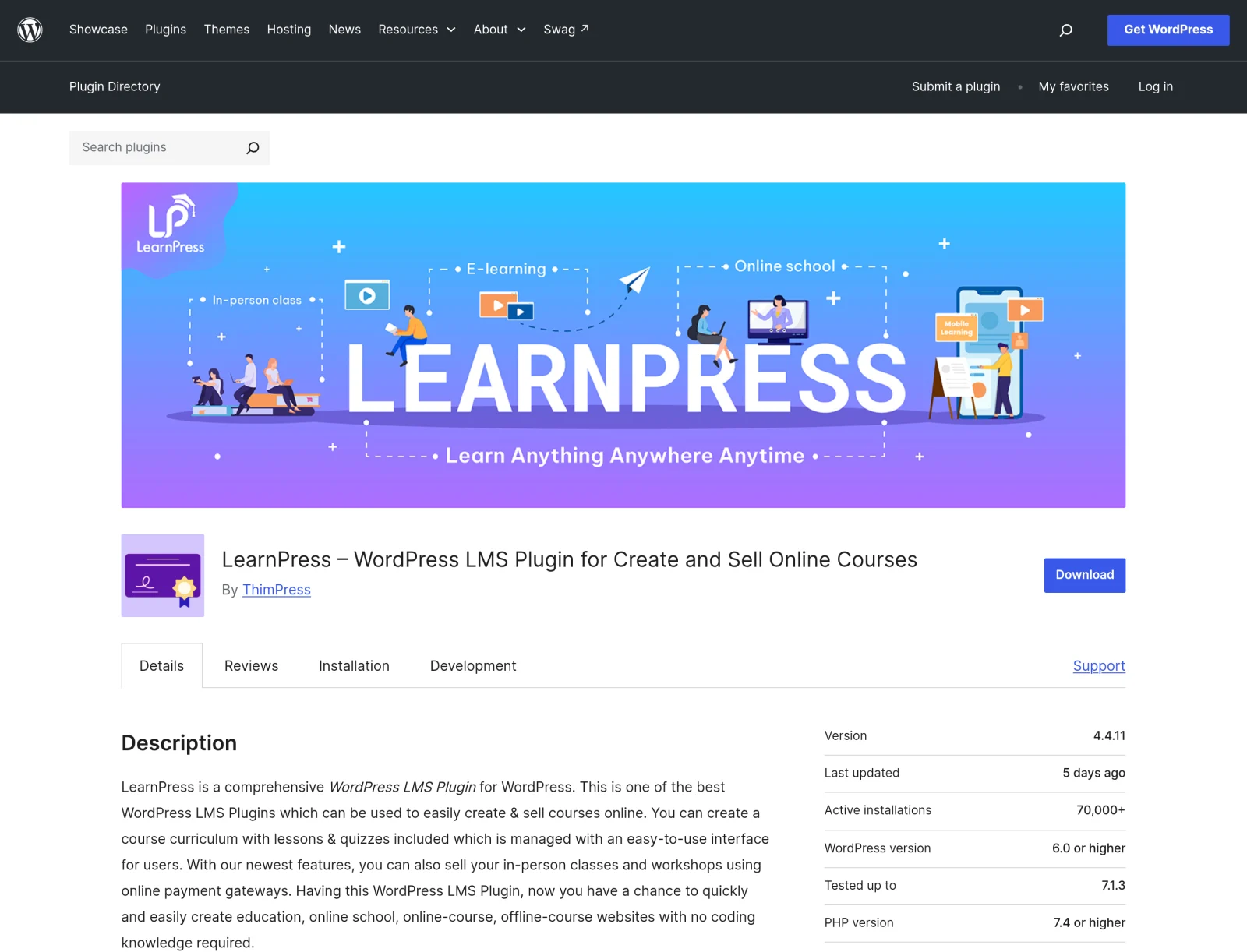
LearnPress is at version 4.4.11 with 70,000+ active installations and a 4.3 rating from 597 reviews. It was updated on 16 October 2026 and is listed as tested up to 7.1.3. The listing shows 5 of 6 support issues resolved in the last two months. Its description says the core plugin is free, mentions a recommendation from WPML for multilingual sites, and links to a PRO bundle and premium themes that include add-ons.
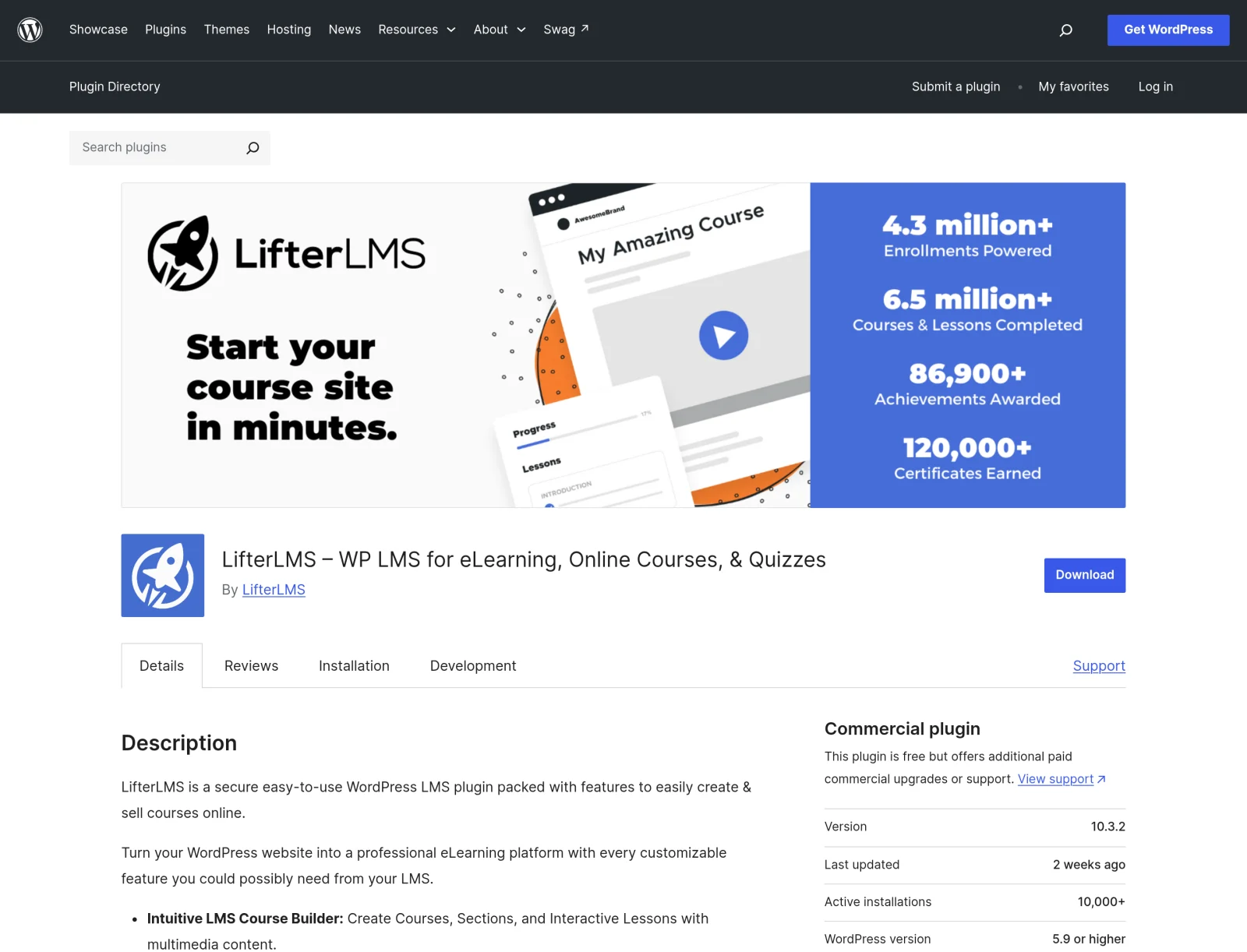
LifterLMS is at version 10.3.2 with 10,000+ active installations and a 4.8 rating from 393 reviews. It was updated on 9 October 2026 and is listed as tested up to 7.1.3. The listing shows 1 of 1 support issue resolved in the last two months. Its description lists a course builder, quizzes, drip content, certificates, Stripe and PayPal gateways and memberships, and says the core plugin is free with no limits on courses, memberships or enrollments.
Install counts are a rough guide only. A plugin with more installs is not better, it is just more common, which does help when you need a freelancer or a tutorial. I did not check any paid add-on or pro price for these three, so before you compare totals, open their pricing pages on the day you buy. The free core of each one covering your needs is a claim to test with a real course, not to assume.
Where Nexter Fits In A Course Site

Nexter Theme and Nexter Blocks own the pages, the layout and the branding. An LMS plugin owns lessons, progress and enrolment, and a payment plugin or WooCommerce owns checkout. I laid that split out step by step in the guide to building a membership or course site with Nexter Theme, and it is the same whichever LMS you choose.
That separation is the useful part of a price change. If your pages are built with Nexter Blocks and your lesson templates come from the theme, swapping the LMS plugin underneath changes your lesson data, not your design. It does not make a migration free, and I have not tested a LearnDash to Tutor LMS move for this post. Lesson and quiz data sit in each plugin’s own structure, so plan for an export, an import or a rebuild and test it on a copy.
Two Nexter guides help with the pieces around the LMS: how to restrict content to registered users and the Data Table and Pricing Table walkthrough for a plans page. To see which blocks are free and which are Pro, read the free versus Pro page.
How To Decide
- How many sites do you run? At 10 or more sites the bundle page works out to $59.90 a site or less, so the bundle may be the cheap option. At one site it is $350.
- Do you want the other three products? If you use Kadence, Give or The Events Calendar, the bundle gets better. If you do not, you are paying for them.
- What is your current renewal price? The only number that matters for a current customer is on your own invoice.
- How much of your course content is locked into one plugin? A few courses are cheap to rebuild. Hundreds of lessons with quiz data are not.
- Do you need one vendor to call? A paid, bundled product comes with one company behind it. Free plugins from three different teams do not.
If you are comparing the cost of different stacks beyond LMS plugins, the Nexter versus Elementor Pro total cost post shows how I count licences, add-ons and renewals.
What I Would Do This Week
- Find your current LearnDash invoice and write down the price and the renewal date.
- Open the Liquid Web page and compare your site count with the table above.
- Export a backup of your courses, quiz data and user progress before you change anything.
- Install one free LMS plugin on a staging copy and rebuild one real course as a test.
- Do not cancel anything until the test course works and the backup is restored once.
What This Doesn’t Cover
- I did not attend the town hall and cannot confirm what was announced. The 100% figure is a Reddit poster’s claim.
- I could not open the Reddit thread myself in my screenshot tool, so I did not capture it. I read its text through a scraper.
- I do not know when the prices changed, whether they are annual, or how existing customers are being migrated.
- The old prices come from third-party listings, not from the vendor.
- I did not review LearnDash features, and I did not test migration between any two LMS plugins.
- I did not check paid add-on or pro prices for Tutor LMS, LearnPress or LifterLMS.
- I did not verify any vendor claim about installs, learners or ratings except the numbers shown on the WordPress.org pages.
Suggested Reading
- How to Build a Membership or Online Course Website with Nexter Theme
- Kadence Alternative After the Liquidweb Acquisition: 5 Themes Worth Switching To (2026)
- 6 Best Kadence Blocks Alternatives Compared (2026)
- How to Restrict Content to Registered Users in WordPress [3 Methods]
- NexterWP Vs Elementor Pro: The Real Total Cost Of Ownership In 2026
To design the pages around whichever LMS you pick, start with Nexter Theme and Nexter Blocks.
