---
title: "How to Connect Kit (formerly ConvertKit) to a WordPress Form?"
url: https://nexterwp.com/docs/connect-kit-formerly-convertkit-to-a-wordpress-form/
date: 2025-04-17
modified: 2026-08-10
author: "Aditya Sharma"
description: "Want to grow your email list by connecting your WordPress form to Kit (formerly ConvertKit)? With this integration, you can automatically send form submissions to your Kit account and add..."
image: https://nexterwp.com/wp-content/uploads/2025/04/connect-kit-formerly-convertkit-to-a-wordpress-form-1024x519.jpg
word_count: 475
---

# How to Connect Kit (formerly ConvertKit) to a WordPress Form?

## Key Takeaways

- Nexter Blocks Form block connects a WordPress form to Kit (formerly ConvertKit) and sends form submissions to a Kit account automatically.
- Kit (formerly ConvertKit) setup requires an API Key from Settings > Developer and a published form from Grow > Landing Page & Forms.
- Double-Opt-in is disabled so users are added automatically, and the Form block’s Display Rules control when and where the form appears on the site.

Want to grow your email list by connecting your WordPress form to Kit (formerly ConvertKit)? With this integration, you can automatically send form submissions to your Kit account and add subscribers to your marketing list.

With the Form block from Nexter Blocks, you can connect your Kit (formerly ConvertKit) account to your WordPress form.

**Best Used For:**

- WordPress sites with contact or lead capture forms that feed into email marketing

- WooCommerce stores using Kit to build customer email lists from purchase forms

- Online course or membership sites capturing leads with Kit automations

*To check the complete feature overview documentation of the Nexter Blocks Form block, see [How to Add a Form in WordPress](https://nexterwp.com/docs/add-a-form-in-wordpress/).*

**Note:** This block is part of Nexter Blocks. Make sure Nexter Blocks is installed and activated before following these steps.

[LIVE BLOCK LINK](https://nexterwp.com/nexter-blocks/blocks/)

## Learn via Video Tutorial

https://www.youtube.com/watch?v=1DGPpTMBnHk

For this, you must have the Kit (formerly ConvertKit) API Key.

### Get Kit (formerly ConvertKit) API Key

[Create an account in Kit (formerly ConvertKit)](https://kit.com/) if you do not already have one. Once you are logged into your account, follow the steps.

1. Click on the user profile on the top right.

2. Then click on **Settings** from the dropdown.

3. On the next page, click on **Developer** in the left menu.

4. On the screen, you will have your API Key.

![](https://nexterwp.com/wp-content/uploads/2025/04/convertkit-api.png)

### Create a Form in Kit (formerly ConvertKit)

Now you have to create a form in Kit (formerly ConvertKit). To do this, follow the steps.

1. From the Kit (formerly ConvertKit) dashboard, go to **Grow** > **Landing Page & Forms**.

2. Then, on the next page, click on the **Create a Form** button.

3. On the next page, select any form type.

4. After that, select a form template.

5. Then click on the **Publish** button on the next page.

> *Note: Make sure to disable Double-Opt-in in your form so users can be added automatically, otherwise, you have to manually approve each user.*

### Use the Form Block

Now, add the Form block to the page and select the appropriate form type, then follow the steps.

1. Add the required form fields and customize them as needed.

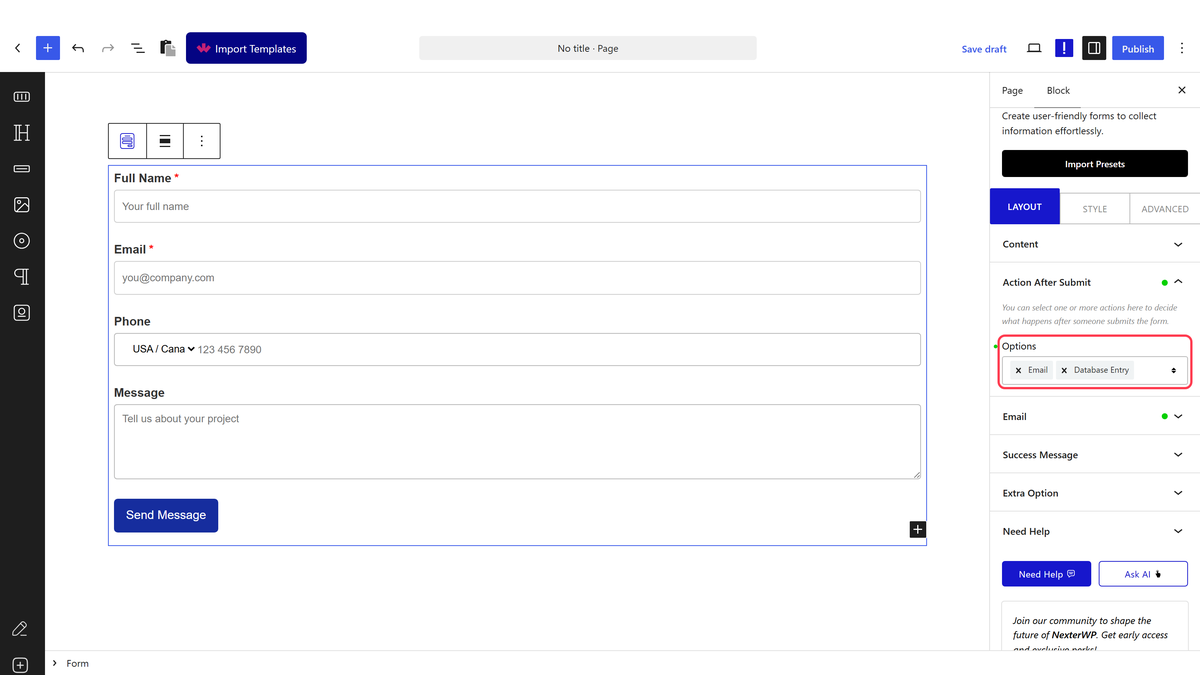
2. Then select the main form block and go to the **Action After Submit** tab and select **ConvertKit** from the **Options** dropdown.

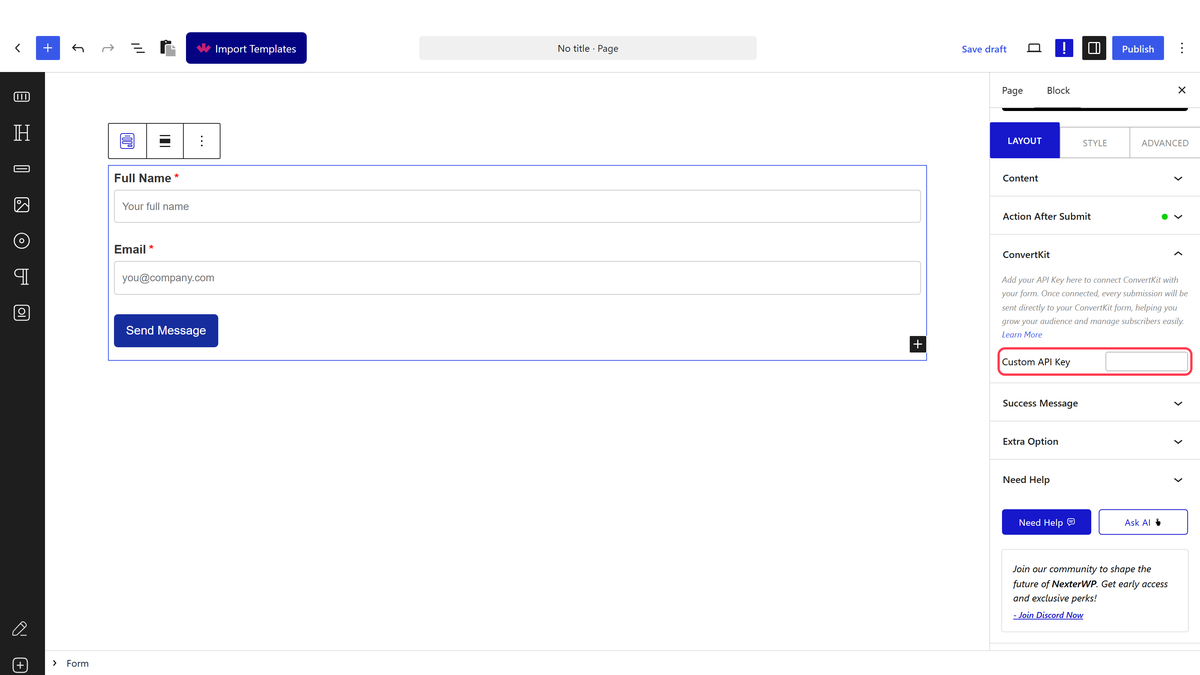
3. You will now see the **ConvertKit** tab. Open it.

4. Then add your API key in the **Custom API Key** field. To show the form only to specific visitor segments, the [Display Rules feature](/docs/add-display-rules-in-wordpress/) lets you control when and where the form appears on your site.

Now, when a user fills out your form, they will be automatically added to your Kit (formerly ConvertKit) contact list. To display the form as an overlay instead of inline, see [How to Add a Popup Builder in WordPress](/docs/add-popup-builder-in-wordpress/) to embed the form inside a timed or triggered popup.