












Most people who try building WordPress pages with an AI assistant hit the same wall: the assistant is capable, but the prompt is vague. “Make my accordion look nicer” gives you a guess. Nexter Block Recipes exist to remove the guessing. Each recipe is a ready-written prompt for one specific result on one specific Nexter block, and you copy it straight into your AI assistant.
This guide explains what the Recipe Library is, how the three-step flow works, what a good recipe looks like, and where recipes stop being useful. Every claim about the library below was checked against the live Block Recipes page on October 30, 2026.
What Nexter Block Recipes Are
The Recipe Library is a searchable set of prompt ideas for Nexter Blocks. The page describes it as prompt ideas for 105 blocks that you can copy into your AI assistant and adjust from there. The library currently holds 1,050 recipes, which averages ten per block.
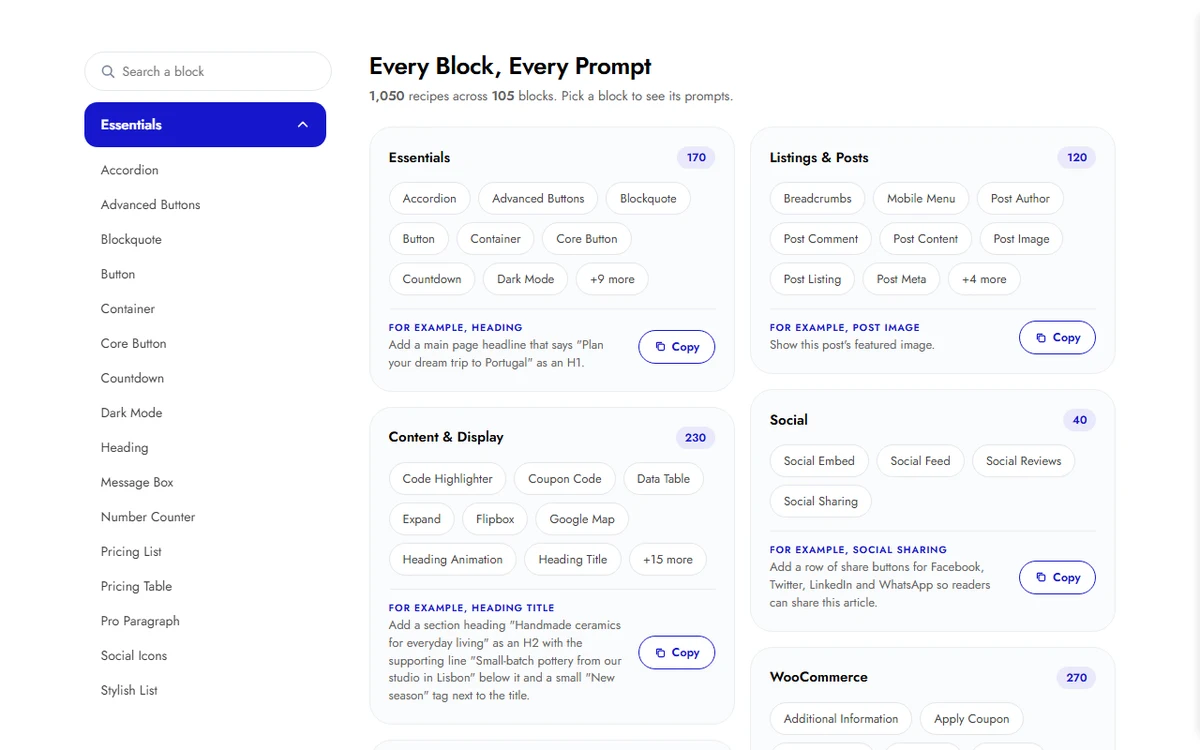
A recipe is not a template and not a preset. It is one plain-English sentence that tells an assistant what to build and how it should look. Because it is only text, it works with any assistant that can talk to your site, and you can edit it before you paste it.
How The Recipe Flow Works
The library page lays the process out in three steps. The recipes only do something once the first two are in place.
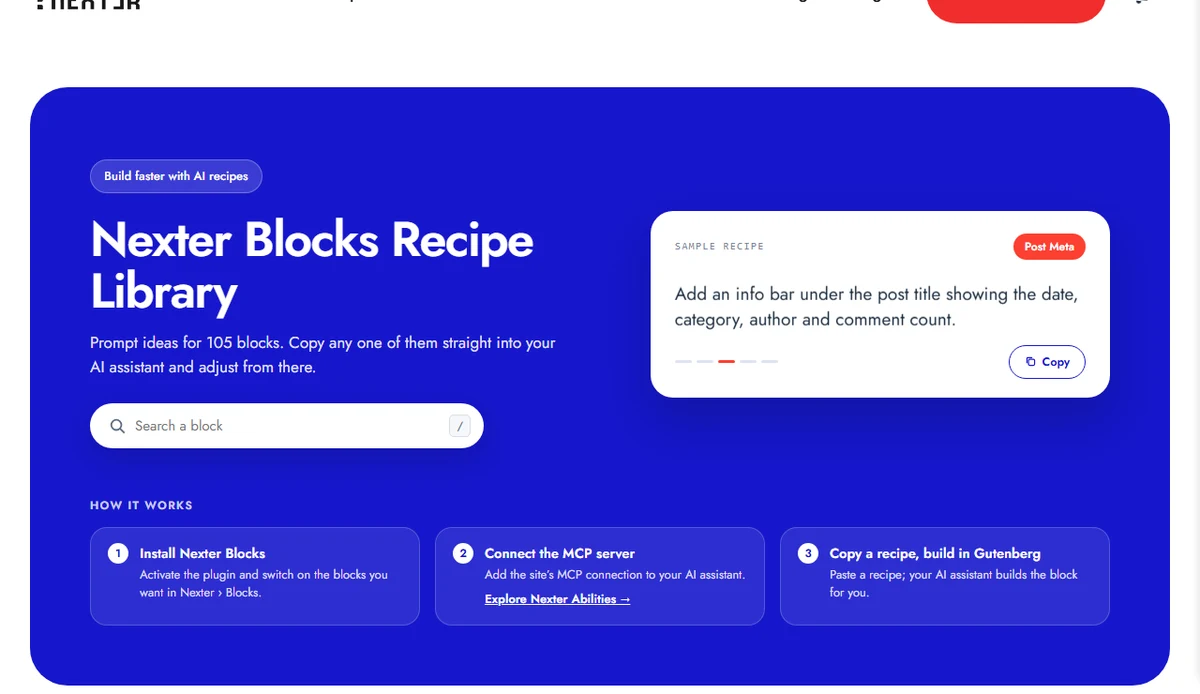
- Install Nexter Blocks. Activate the plugin and switch on the blocks you want under Nexter, then Blocks.
- Connect the MCP server. Add your site’s MCP connection to your AI assistant. This is what lets the assistant act on your site instead of only describing what to do. The page links to Nexter Abilities for this step.
- Copy a recipe and build in Gutenberg. Paste a recipe into your assistant and it builds the block for you.
Also Read: Nexter Abilities Explained to see what the assistant can do once it is connected, and How To Set Up A WordPress MCP Server for the connection step.
What A Good Recipe Looks Like
Compare a vague request with a recipe from the Accordion set. The recipe names the part of the block (the accordion title), the exact values (thin grey border, rounded corners, soft grey background, 16px padding) and the expected result. An assistant has nothing to interpret.
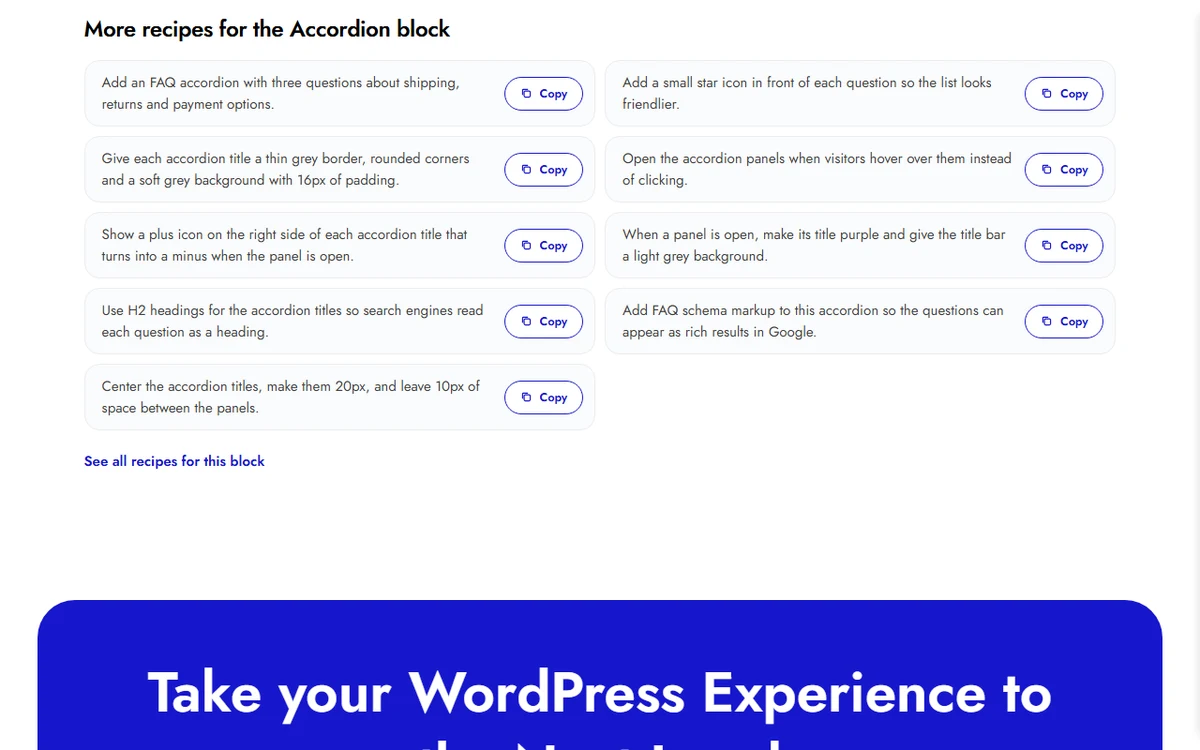
Give each accordion title a thin grey border, rounded corners and a soft grey background with 16px of padding.Three habits show up across the recipes in the library. They name one block part at a time, they give numbers (sizes, counts, colours) instead of adjectives, and they state the outcome in visitor terms, such as showing a plus icon that turns into a minus when the panel opens. Copy those habits when you write your own prompts.
Recipes You Can Copy Today
These are real recipes from the library, shown with the block they belong to. Paste them as they are, or change the wording and numbers first.
| Block | Recipe |
|---|---|
| Accordion | Add an FAQ accordion with three questions about shipping, returns and payment options. |
| Accordion | Add FAQ schema markup to this accordion so the questions can appear as rich results in Google. |
| Accordion | Add an expand all and collapse all button above the accordion. |
| Button | Create a navy button “Browse the collection” with white text that flips to coral with a dark-navy label when hovered. |
| Button | Add a download button for the brochure: label “Get the brochure” with a small “PDF, 2.4 MB” line, saved as nexter-brochure.pdf. |
| Chart | Add a pie chart of our traffic sources: Organic 45, Direct 25, Social 18, Email 12, each slice in its own colour. |
| Checkout Notes | Make the order notes text area taller, 180px high, with a soft cream background and dark brown text. |
You can open any single recipe on its own page. For example, the expand all and collapse all recipe and the FAQ schema recipe each have a page of their own, which makes them easy to share with a teammate or a client.
How To Adjust A Recipe Before You Paste It
The library calls recipes a starting point, and the editing is where they become yours. Swap the sample content for your own, change the numbers, then paste.
- Replace the placeholder text with your real wording, such as your own FAQ questions.
- Change the values you care about: a brand colour, a 20px title, a different spacing.
- Chain two recipes in one message when they target the same block, for example the accordion border recipe followed by the plus and minus icon recipe.
- Read what the assistant built in the editor, then ask for one change at a time.
Who Recipes Help Most
Recipes pay off for three groups. Site owners who are comfortable with an assistant but not with every block setting get a safe starting sentence. Agencies get a shared vocabulary: a teammate can paste the same recipe and expect the same result. Developers use them as a fast way to see which settings a block exposes, because every recipe maps to something you can change on that block.
Also Read: Nexter Blocks for the full block list the recipes are written against.
What This Doesn’t Cover
A recipe tells an assistant what you want. It does not choose an assistant for you, set up the MCP connection, or guarantee an identical result from every assistant, because the wording of the build is still up to the tool you use. Review the output before you publish a page. This guide also does not cover writing recipes for blocks outside the library.
Suggested Reading
- AI Recipes For Nexter Blocks
- Nexter Abilities Explained
- How To Set Up A WordPress MCP Server
- What Is MCP In AI
- MCP Security For WordPress
