








Skip to content

Display an Image or File Custom Field in WordPress

Key Takeaways

  • Nexter Extension uses `nxt_field_value()` to read an image or file field, and the field’s Return Format can be an attachment ID, a URL, or an array.
  • WordPress renders image fields best from the attachment ID, because `wp_get_attachment_image()` builds responsive, correctly sized markup and can use alt text from the media library.
  • File fields use the attachment URL to build a download link, but deleted attachments still leave the ID stored, so the code checks `wp_get_attachment_url()` before rendering.
Table of Contents

Media fields store a reference, not a picture. What you get back depends on the field’s Return Format, and how you render it depends on that choice.

What It Does

An image or file field holds an attachment ID, a URL, or an array. The ID is the most useful of the three, because WordPress can build a responsive, correctly sized image from it.

Before You Start

  • Nexter Extension is active.
  • A field group with values saved on a post.
  • You know the field’s Field Name.

Render a Media Field

  1. Check the field’s Return Format in the builder.
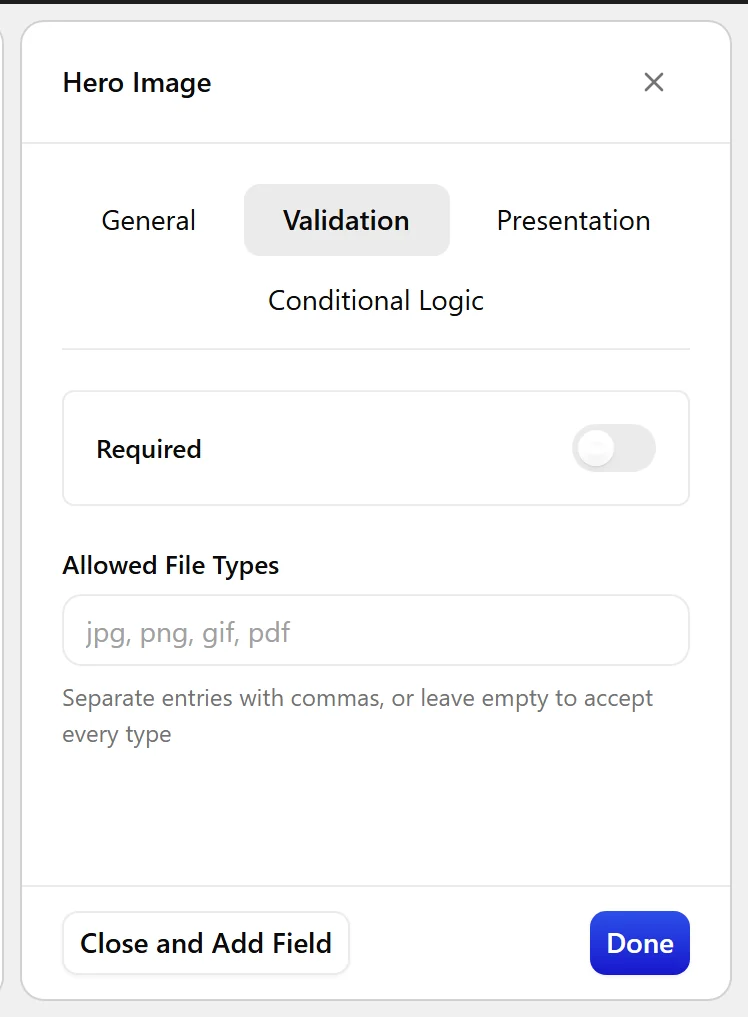
The Validation tab, where Allowed File Types is set
  1. Read the value with nxt_field_value().
  1. Guard against an empty or deleted attachment before rendering.
  1. For an image, let WordPress build the markup so it is responsive and sized properly. For a file, build the download link from the attachment.

Display the Value

Both shapes, with the guards that matter:

<?php
// Image, Return Format = ID
$id = nxt_field_value( 'hero' );
if ( $id && wp_get_attachment_url( $id ) ) {
    echo wp_get_attachment_image( $id, 'large' );
}

// File, Return Format = ID
$file = nxt_field_value( 'brochure' );
if ( $file && wp_get_attachment_url( $file ) ) {
    printf(
        '<a href="%s" download>%s</a>',
        esc_url( wp_get_attachment_url( $file ) ),
        esc_html( get_the_title( $file ) )
    );
}

Limitations

  • Deleting the attachment from the media library leaves the ID stored. Always check it still resolves before rendering.
  • Files in the media library are publicly reachable by URL. A file field is not a way to serve private documents.
  • With Return Format set to URL you lose the alt text and the size variants, so wp_get_attachment_image() is no longer available to you.

Troubleshooting

I get a number instead of an image

That is the attachment ID — the Return Format. Pass it to wp_get_attachment_image(), or change the format to URL.

The image renders but has no alt text

Alt text comes from the media library, not the field. Set it on the attachment and wp_get_attachment_image() will use it.

Related Docs

Share your Thoughts

Still in Doubt? Let’s Assist You

Have Feedback or Questions?

Join our WordPress Community on Facebook!

Related Frequently Asked Questions

Why does a WordPress image custom field show a number instead of the image itself?

That number is the attachment ID, which is one of the Return Format options for an image or file field. IDs are useful because WordPress can turn them into responsive, correctly sized images. If you print the raw value, you only see the ID. Pass it to `wp_get_attachment_image()` when the field stores an image ID, or switch the field to URL if you need a different shape of value.

What is the best Return Format for displaying an image custom field in WordPress?

The ID format is usually the best choice for images because WordPress can build the markup, size variants, and responsive output from it. That matters if you want the image rendered properly instead of just outputting a raw URL or array. With Nexter Extension, `nxt_field_value()` reads the value, and `wp_get_attachment_image()` handles the actual image markup when the field returns an ID.

How do I display a file custom field as a download link in WordPress?

A file field stored as an attachment ID can be turned into a download link by reading the value with `nxt_field_value()` and building the URL from `wp_get_attachment_url()`. The example on the page also uses `get_the_title()` for link text and adds the `download` attribute. That works well for brochure-style files, but it still depends on the attachment existing in the media library.

What happens if I delete an attachment that is still saved in a custom field?

The stored ID stays in the field even after the attachment is deleted from the media library. That creates a broken reference, so rendering should always check that the ID still resolves before outputting anything. The page’s example guards with both `$id` and `wp_get_attachment_url( $id )`, which avoids printing dead links or broken image output.

Can I use a file custom field to protect private documents in WordPress?

No. Files in the media library are publicly reachable by URL, so a file field is not a private-document delivery system. If you need access control, this setup does not provide it by itself. The practical takeaway is that file fields are fine for public downloads like brochures, but not for content that must stay hidden behind permissions.

Why does my image custom field have no alt text?

Alt text comes from the media library attachment, not from the custom field itself. When you render an image with `wp_get_attachment_image()`, WordPress pulls that alt text from the attachment data. If it is missing there, the rendered image will have no alt text even though the field value is valid. Setting it on the media item fixes that source of truth.

Last reviewed: November 12, 2026

Related Docs