












A file field lets an editor attach a document — a brochure, a spec sheet, a price list — from the media library, so it can be offered as a download without pasting a URL.
What It Does
The field stores a reference to a media library attachment. Return Format decides whether your template gets the attachment ID, the URL, or an array with the filename, size and MIME type.
Before You Start
- Nexter Extension is installed and active.
- Content Fields is enabled under Nexter → Content Fields.
- You have a field group, or are about to create one.
Add a File Field
- Go to Nexter → Content Fields and open the Group Fields tab.
- Open a field group, or create a new one.
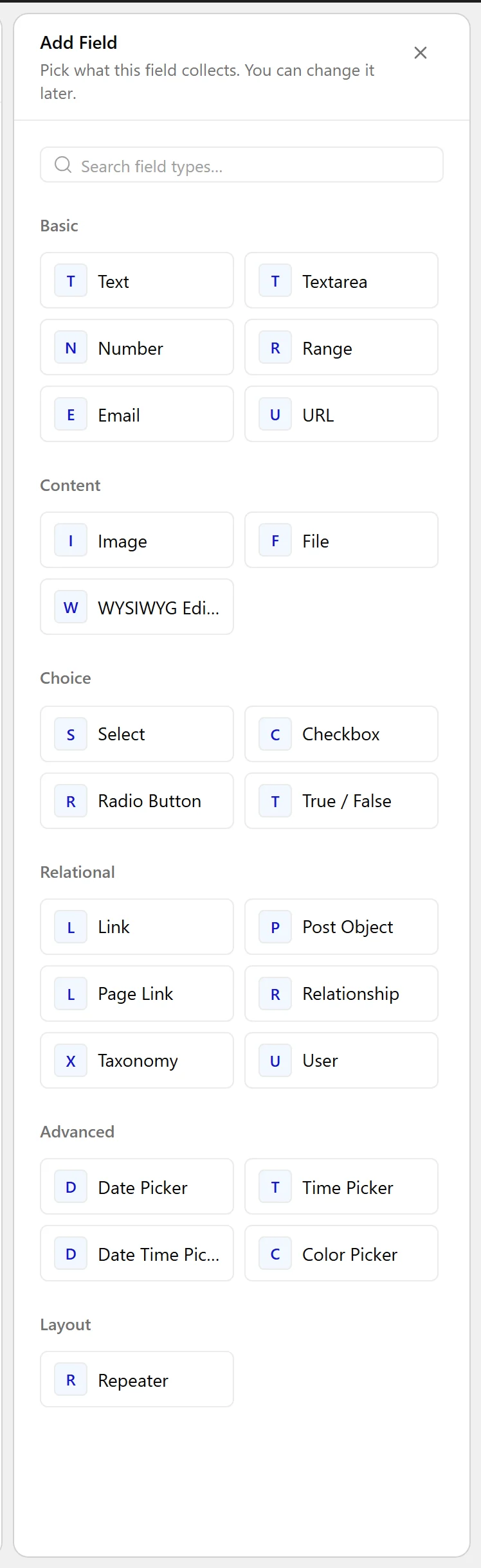
- Click Add Field.

- Set Field Label to Brochure (PDF). The Field Name fills in automatically and is what you use in code.
- Set Field Type to File.
- Choose a Return Format.
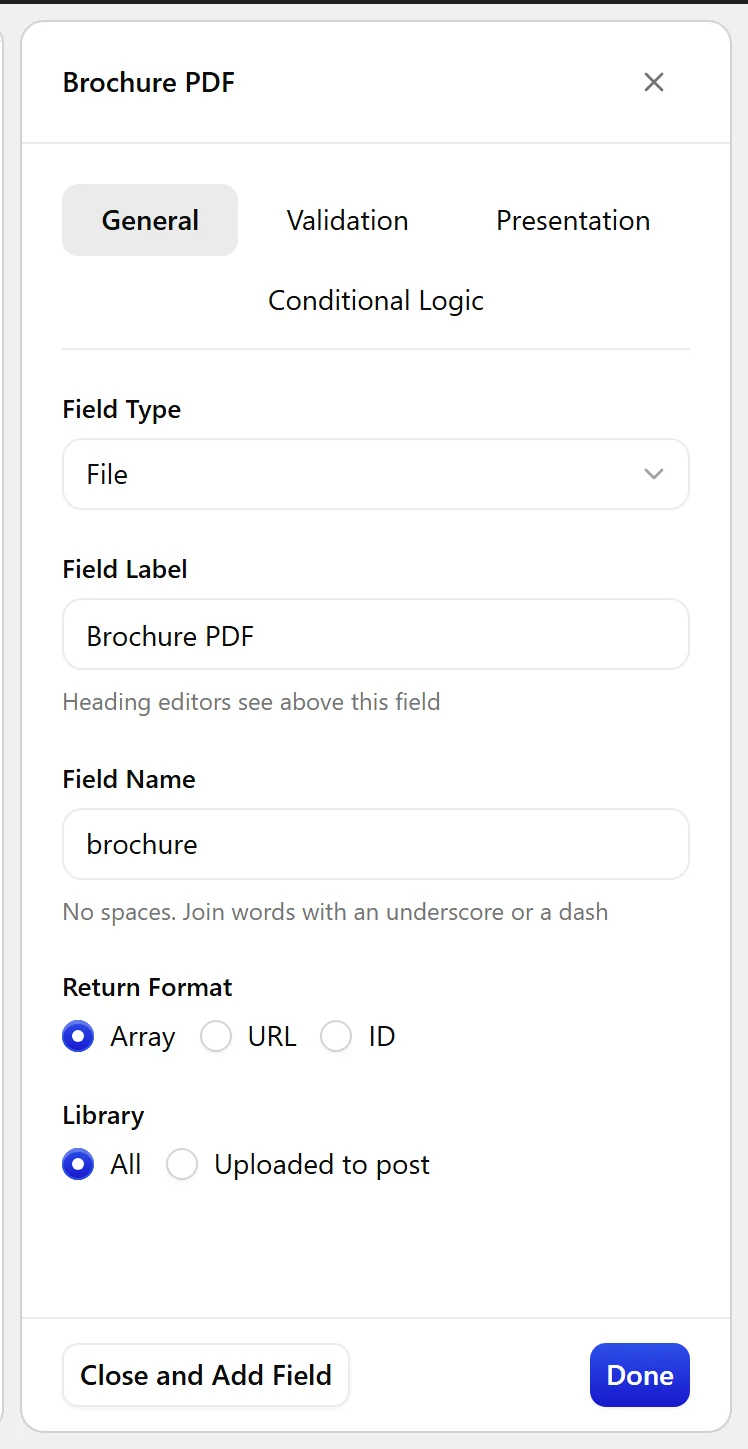
- Set Library if editors should only pick files uploaded to this post.
- Click Update.

Field Settings
Every field is configured across four tabs. These are the settings this field type offers, read from the field group builder in Nexter Extension 4.9.0.
General
| Setting | Options | What it does |
|---|---|---|
| Return Format | No help text in the UI. | |
| Library | No help text in the UI. |
Validation
| Setting | Options | What it does |
|---|---|---|
| Required | No help text in the UI. | |
| Allowed File Types | No help text in the UI. | |
| Minimum | No help text in the UI. | |
| Maximum | No help text in the UI. |
Presentation
| Setting | Options | What it does |
|---|---|---|
| Instructions | No help text in the UI. | |
| Wrapper Attributes | No help text in the UI. |
Conditional Logic
| Setting | Options | What it does |
|---|---|---|
| Conditional Logic | No help text in the UI. |
When to Use It
- A brochure or spec sheet on a listing.
- A menu or price list on a venue.
- A manual or datasheet on a product.
Display the Value
With an ID returned, build the download link from the attachment:
<?php
$id = nxt_field_value( 'brochure' );
if ( $id ) {
    printf(
        '<a href="%s" download>%s</a>',
        esc_url( wp_get_attachment_url( $id ) ),
        esc_html( get_the_title( $id ) )
    );
}
Limitations
- The file is stored in the media library, so it is publicly reachable by URL. Do not use a file field for anything that must stay private.
- One file per field. For several, use a repeater with a file sub-field.
Troubleshooting
The upload is rejected
WordPress blocks file types not on its allowed list. Check the extension is permitted for your site before assuming the field is at fault.
The link is broken
The attachment was deleted from the media library while the ID remained stored. Check the value resolves before rendering.
