












A checkbox field lets an editor tick as many options as apply — the amenities on a property, the dietary tags on a recipe — from a list you define.
What It Does
You define the choices; the editor ticks any number of them. The value is stored as an array, so a post can carry several at once.
Before You Start
- Nexter Extension is installed and active.
- Content Fields is enabled under Nexter → Content Fields.
- You have a field group, or are about to create one.
Add a Checkbox Field
- Go to Nexter → Content Fields and open the Group Fields tab.
- Open a field group, or create a new one.
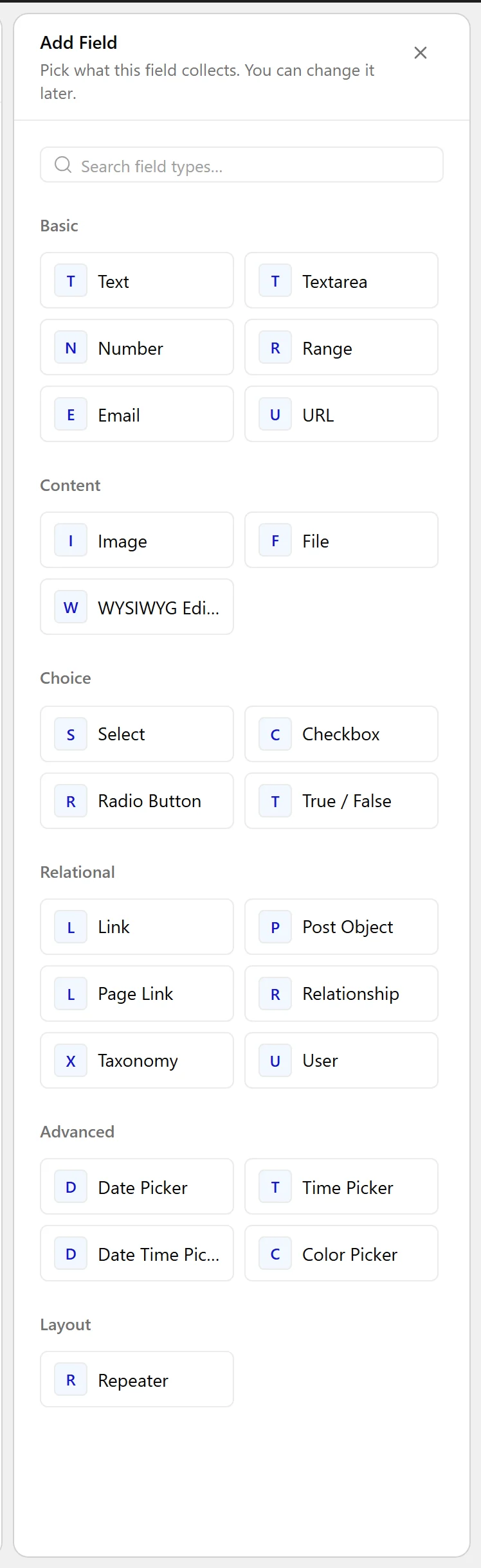
- Click Add Field.

- Set Field Label to Amenities. The Field Name fills in automatically and is what you use in code.
- Set Field Type to Checkbox.
- Enter the Choices, one per line, as
value : Label.
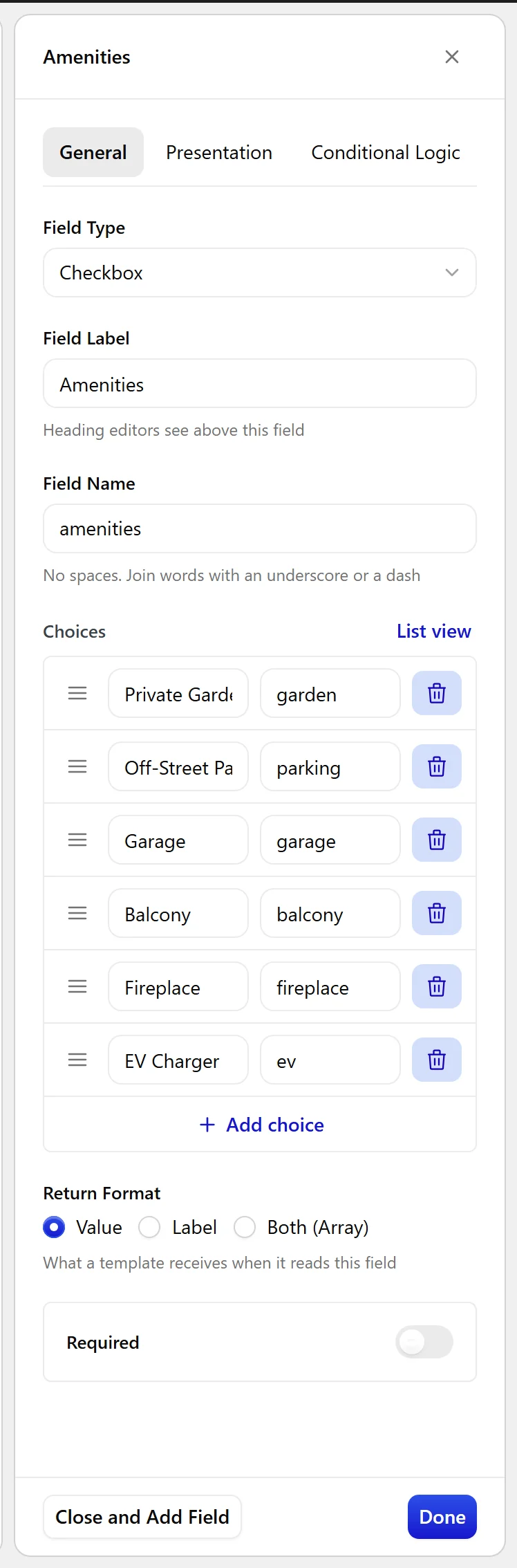
- Click Update.

Field Settings
Every field is configured across four tabs. These are the settings this field type offers, read from the field group builder in Nexter Extension 4.9.0.
General
| Setting | Options | What it does |
|---|---|---|
| Choices | No help text in the UI. | |
| Return Format | No help text in the UI. |
Validation
| Setting | Options | What it does |
|---|---|---|
| Required | No help text in the UI. |
Presentation
| Setting | Options | What it does |
|---|---|---|
| Instructions | No help text in the UI. | |
| Layout | No help text in the UI. | |
| Add Toggle All | Adds a select-all checkbox above the list | |
| Placeholder Text | No help text in the UI. | |
| Wrapper Attributes | No help text in the UI. |
Conditional Logic
| Setting | Options | What it does |
|---|---|---|
| Conditional Logic | No help text in the UI. |
When to Use It
- Amenities or features on a listing.
- Dietary or allergen tags on a recipe.
- Included services on a package.
Display the Value
The value is always an array — cast and loop it:
<?php
foreach ( (array) nxt_field_value( 'amenities' ) as $item ) {
    echo '<li>' . esc_html( $item ) . '</li>';
}
Limitations
- Choices are fixed in the field definition. To let editors manage the list, use a taxonomy field.
- The value is stored as a serialized array, so it cannot be matched exactly with a simple
meta_query. UseLIKE, or a taxonomy, if you need to filter posts by one option.
Troubleshooting
Only one option can be ticked
That is a Radio field, not a Checkbox field. Check the Field Type.
Filtering posts by an amenity does not work
Serialized arrays do not match exactly in a meta_query. Either use LIKE, or model the options as a taxonomy so WordPress can query them properly.
