












Storing a value is half the job. This page covers getting it back out — in a theme template, in Nexter Blocks, or anywhere else on the front end.
What It Does
Content Fields provides template functions for reading values. The one you will use most is nxt_field_value(), which returns a field’s value for the current post, already formatted according to that field’s settings.
Before You Start
- A field group with at least one field, saved with a value on a post.
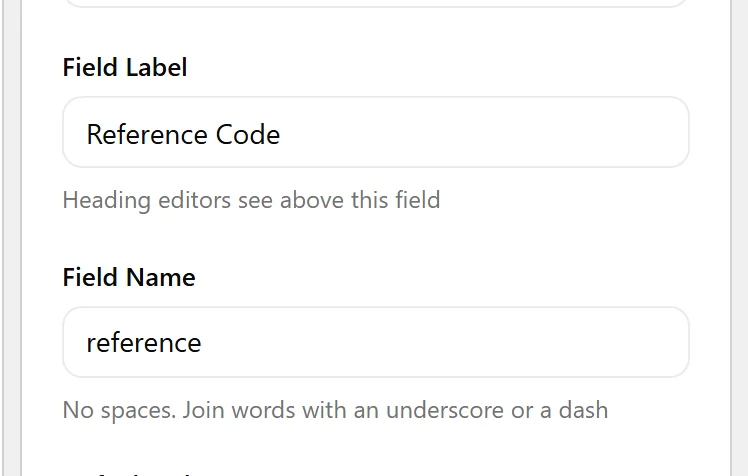
- You know the field’s Field Name — not its label. The two differ once you edit the label.
Read a Value in a Template
- Open the template that renders the post — for example
single.phpor a template part.
- Call
nxt_field_value()with the field name.
- Check the value is not empty before rendering it.
- Escape it for the context you are printing into —
esc_html()for text,esc_url()for links,esc_attr()for attributes.
When to Use It
- Rendering field values in a classic theme template.
- Reading a value from a different post — pass its ID as the second argument.
- Checking whether a value exists before rendering a whole section.
Display the Value
The common shapes, in one place:
<?php
// A single value for the current post
$price = nxt_field_value( 'price' );
if ( '' !== $price ) {
    echo esc_html( $price );
}

// A value from another post
$ref = nxt_field_value( 'reference', 123 );

// Every value on the current post, keyed by field name
$all = nxt_field_values();

// Does the field exist and have a value?
if ( nxt_has_field( 'brochure' ) ) {
    // ...
}

// The unformatted, raw stored value
$raw = nxt_field_value_raw( 'available' );
Limitations
- These functions exist only while Nexter Extension is active. Wrap calls in
function_exists()if your theme must survive the plugin being disabled. nxt_field_value()returnsnullfor a field whose conditional logic is not met, even when a value is stored. Usenxt_field_value_raw()if you need the stored value regardless.- Values are cached per request. Reading the same field twice in one page load does not hit the database twice.
Troubleshooting
The function returns nothing
Check three things, in order: the Field Name matches exactly (not the label), the post actually has a value saved, and the field group’s location rules match the post you are reading from.
I get 0 where I expected an empty value
Some field types store an empty value as 0. Test with '' !== $value rather than empty(), which treats 0 as empty.
Fatal error: call to undefined function
Nexter Extension is not active, or the template runs before plugins load. Guard with function_exists( 'nxt_field_value' ).
