












Text that assembles itself as the reader arrives draws the eye to the one line on the page that most deserves it.
Style 9 of the Advanced Heading splits the title into words, letters or lines and animates the pieces into place.
For every Advanced Heading setting in one place, see the main Advanced Heading guide.
Before You Start
- Edition: Free — works in Nexter Blocks (free) and with Nexter Blocks Pro.
- Block to enable: Advanced Heading, switched on under Nexter > Blocks in your WordPress dashboard.
- An Advanced Heading block on the page — see the main Advanced Heading guide.
Steps
- Select the Advanced Heading block and set Style to Style 9.
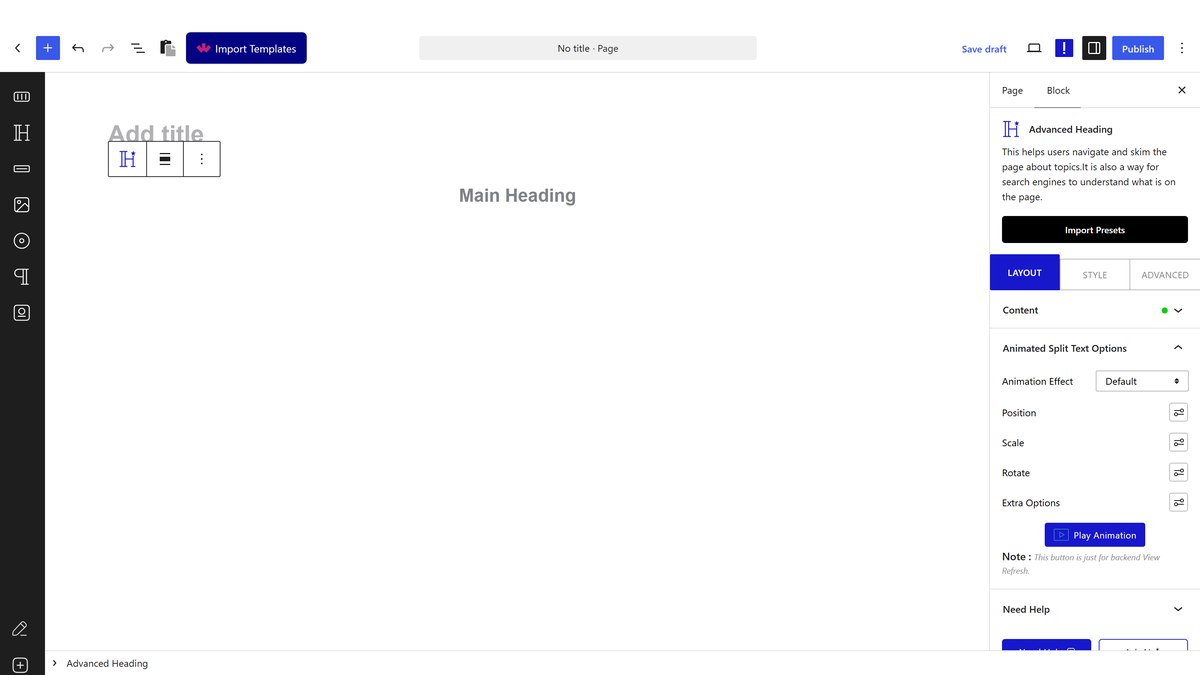
- Choose the Split Type: words, characters or lines.
- Pick the animation effect, and set the movement, scale or rotation you want the pieces to arrive from.
- Set the speed and the delay between pieces — the delay is what gives the staggered effect.
- Publish and view the real page — the animation does not run in the editor.
Style 9 shows the title only. Measured with a sub-title and an extra title both filled in: neither appeared anywhere on the page. If you need a sub-title, use one of the other styles.
How It Behaves
The Advanced Heading block is a heading with the parts a designed heading usually needs — a title, a sub-title, a small extra label, a separator and a link — in one block, with nine styles to arrange them.
- The split type is written into the page. Measured: choosing words, characters or lines put that choice on the heading element, and lines is recorded as
lines,charsbecause the text is split twice to animate whole lines made of letters. - The animation settings travel with the heading — measured, effect, movement, scale, rotation, opacity, speed and delay are all written onto the element as one block of data, with a default speed of 1 and a delay of 0.02 between pieces.
- Style 9 shows the title only. Measured with a sub-title and an extra title both filled in: neither appeared anywhere on the page. If you need a sub-title, use one of the other styles.
- The title still uses your chosen heading tag — measured, style 9 keeps the H1 to H6 you picked, so animating a heading does not cost you the document outline.
- Measured with Nexter Blocks Pro deactivated: the block renders identically. It is a free block.
Limitations
- Style 9 shows the title only. Measured with a sub-title and an extra title both filled in: neither appeared anywhere on the page. If you need a sub-title, use one of the other styles.
- It animates one heading, not a rotating list of phrases. For a heading that cycles through several words, use the Heading Animation block instead.
- Nothing runs in the editor — the effect has to be checked on the published page.
- Splitting by letter multiplies the elements in a long heading, which is worth keeping in mind for very long titles.
- The character limit counts bytes, not characters, so it is unsafe for non-English titles. Measured with the limit set to 8: an English title was cut to 8 characters correctly, an accented title was cut to only 5, and a Hindi title came out with a broken character on the page. Use Word rather than Character for any title that is not plain English — measured, word mode left the same Hindi title completely intact. This is reported to the development team.
Troubleshooting
Nothing animates
Check Style is set to 9 and that you are looking at the published page. Measured: the animation attributes are only written in style 9, and the effect runs on the front end.
My sub-title vanished when I switched to style 9
Style 9 shows the title only. Measured with a sub-title and an extra title both filled in: neither appeared anywhere on the page. If you need a sub-title, use one of the other styles.
The letters arrive all at once
The delay between pieces is what staggers them. Measured, it defaults to 0.02 seconds — increase it for a more pronounced effect.
I want each word to appear separately, not each letter
Set Split Type to words. Measured, that is recorded on the heading and animates whole words.
My non-English heading is cut strangely
The character limit counts bytes, not characters, so it is unsafe for non-English titles. Measured with the limit set to 8: an English title was cut to 8 characters correctly, an accented title was cut to only 5, and a Hindi title came out with a broken character on the page. Use Word rather than Character for any title that is not plain English — measured, word mode left the same Hindi title completely intact. This is reported to the development team.
