












“Custom fields” in WordPress can mean three genuinely different things depending on when you learned WordPress: the native meta box from 2005, Advanced Custom Fields, or block bindings, the newest Gutenberg-native approach. Confusing them leads to picking the wrong tool for a simple job — and the Block Bindings API specifically is still actively expanding release by release, which matters for how future-proof a decision made today actually is.
Native Custom Fields: The Original, Barebones Version
WordPress has shipped a native Custom Fields meta box since its earliest versions: a simple key-value pair UI in the post editor. It’s functional but has no field types (everything is plain text), no validation, and by default is hidden in the block editor unless re-enabled from the editor’s options panel. It’s rarely used directly today except for very simple, one-off data.
Advanced Custom Fields (ACF): The Long-Standing Standard
ACF built an entire visual field-builder UI on top of the native custom fields system: text, image, repeater, relationship, and many other field types, assignable to specific post types or conditions. It became the de facto standard for structured content in WordPress, and most “custom fields” discussions online implicitly mean ACF. The free version covers most field types; ACF Pro adds Repeater, Flexible Content, and Options Pages. Worth knowing if you’re choosing today: Secure Custom Fields (SCF), a free fork WordPress.org’s security team created from ACF in October 2024, offers the same Repeater and Flexible Content field types at no cost — a genuinely equivalent free alternative to ACF Pro for a new project with no existing ACF field data to migrate.
Also Read: Nexter Blocks Repeater: How to Build Dynamic Layouts with ACF and JetEngine — ACF’s Repeater field type specifically, connected to a real block-based frontend.
Block Bindings: The Native, Gutenberg-First Alternative
Block Bindings, added to WordPress core, connects a block’s attribute (an image’s URL, a paragraph’s text) directly to a custom field value, without needing ACF as an intermediary for the connection itself. Registering the field and the binding is code, not a visual builder:
// Register the underlying meta field
function register_product_sku_meta() {
    register_post_meta('post', 'product_sku', [
        'show_in_rest' => true,
        'single'       => true,
        'type'         => 'string',
    ]);
}
add_action('init', 'register_product_sku_meta');
Once registered, a paragraph block’s content (or another supported attribute) can be bound to that product_sku meta field directly from the block editor’s own binding UI — no ACF field group needed for the connection itself. It’s native, requires no additional plugin for the binding mechanism, and is designed to work naturally with block themes. The tradeoff: it’s newer, has a narrower set of supported block attributes than ACF’s mature field-type library, and the registration process above is more code-oriented than ACF’s visual field builder.
One detail easy to miss in that code sample: show_in_rest => true isn’t optional decoration, it’s the specific setting that exposes the field through the REST API, which the block editor itself relies on for the binding UI to see and edit the value in the first place. A meta field registered without it will work at the PHP level but stay invisible to the block editor’s binding controls.
Block Bindings Is Still Actively Growing, Release by Release
Unlike ACF, which has been feature-complete and stable for years, Block Bindings is still expanding its supported-attribute list with each WordPress release. WordPress 7.0 tied it directly to Pattern Overrides — any block attribute that supports Block Bindings now automatically supports Pattern Overrides too, and custom blocks can opt in via a block_bindings_supported_attributes filter. WordPress 7.1 is set to extend binding support to list-item blocks and inner blocks specifically, closing gaps that existed as recently as WordPress 6.9. The practical takeaway: a Block Bindings limitation you hit today (“this specific attribute isn’t bindable yet”) is genuinely likely to be addressed in an upcoming core release, in a way that an equivalent ACF limitation wouldn’t be, since ACF’s feature set moves on a slower, separate release cycle from WordPress core itself.
Side-by-Side, at a Glance
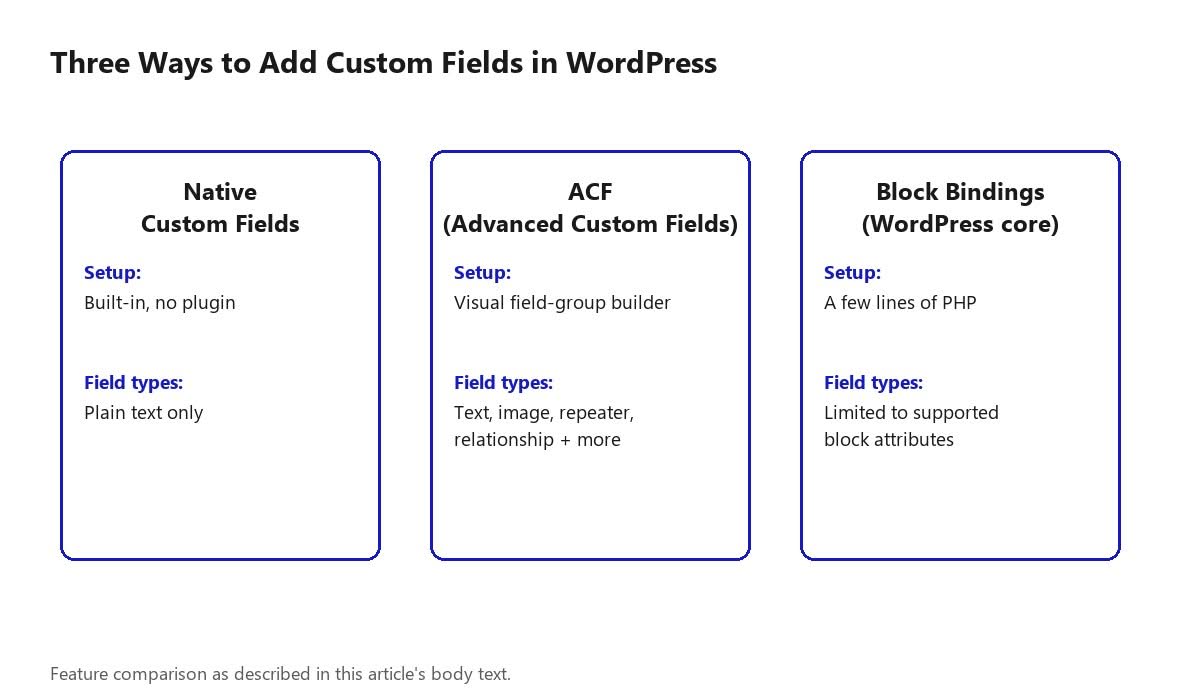
| Approach | Setup | Field types | Extra plugin needed |
|---|---|---|---|
| Native custom fields | None — built into every WordPress install | Plain text only | No |
| ACF / SCF | Visual field-group builder | Text, image, repeater, relationship, and many more | Yes (ACF free/Pro, or SCF free) |
| Block Bindings | A few lines of PHP to register the meta field | Growing each WP release; still narrower than ACF | No, core-native |
A Worked Example: A Product Spec Sheet
Picture a product page needing a spec sheet: SKU, weight, dimensions, and material, each displayed inline within otherwise-normal paragraph text (“Weighs 2.4 kg, ships in a 30x20x10cm box”). With native custom fields, this data has no structure beyond a flat key-value list and has to be manually formatted into the paragraph by hand every time it changes. With ACF, a field group with four text fields gives a clean editing UI, but displaying the values inline inside block content still typically means a shortcode or a custom template tag bridging ACF’s data into the block markup. With Block Bindings, each of the four values is registered as post meta and bound directly to the specific paragraph attribute displaying it — editing the SKU field updates the visible paragraph text directly, with no template code or shortcode bridging required, because the connection is native to the block editor itself. For a block-theme-first build specifically, that directness is the concrete win Block Bindings offers over the older approaches.
This example also illustrates the tradeoff honestly: setting up four Block Bindings fields means four separate register_post_meta() calls (or one function handling all four), each one a small but real code step, versus ACF’s single visual field group covering all four fields through a UI a non-developer could also configure. Neither approach is strictly faster to set up — they trade initial developer effort against ongoing plugin dependency in opposite directions.
Which to Actually Use
- Simple, one-off data on a handful of posts — native custom fields are enough; installing ACF for one field is overkill.
- Structured content at any real scale (repeaters, relationships, options pages, conditional field logic) — ACF (or its free SCF equivalent) remains the most mature, widely-supported option.
- A pure block-theme build where you want to avoid an extra plugin dependency for simple attribute binding — Block Bindings is worth using directly, if your WordPress version and block attribute needs support it, and that support keeps expanding each release.
Also Read: What Is a Custom Post Type in WordPress? — custom fields and custom post types are commonly paired but solve different problems; this explains the distinction.
Common Mistakes When Choosing Between These Three
- Installing ACF out of habit for a single simple field: native custom fields or a small Block Bindings registration handle that case without adding a plugin dependency.
- Forgetting
show_in_restwhen registering a meta field for Block Bindings: without it, the field exists in the database but stays invisible to the block editor’s own binding controls, which is a confusing failure mode to debug without knowing this specific requirement. - Assuming Block Bindings can fully replace ACF today: its supported-attribute list is real but still narrower than ACF’s mature field-type library; a project genuinely needing repeaters, relationships, or complex conditional logic is still better served by ACF or SCF right now.
- Mixing all three approaches on the same site without a clear rule for which handles what: pick one primary approach per use case (simple data vs. structured content vs. block-native binding) rather than letting the choice drift inconsistently across a site as different people build different sections.
FAQ
Do I need ACF if I’m using Block Bindings?
Not necessarily for the binding mechanism itself, but ACF can still register the underlying custom fields with a friendlier UI than manual code, and many sites use both together.
Are native custom fields still relevant?
For simple, low-volume data, yes — they add zero plugin overhead. For anything more structured, ACF or Block Bindings are almost always a better fit.
Will Block Bindings eventually replace ACF?
Not clearly, at least not soon — ACF’s field-type library and visual builder remain considerably more mature; Block Bindings is a newer, narrower, core-native mechanism rather than a full ACF replacement today, though its supported-attribute list is actively growing each WordPress release.
Do I need to write PHP to use Block Bindings at all?
Yes, currently — registering the underlying meta field with register_post_meta() is a code step; there’s no purely visual equivalent to ACF’s field-group builder for this yet.
What’s the difference between ACF and SCF for someone choosing today?
SCF is a free fork WordPress.org created from ACF in October 2024, and it includes the Repeater and Flexible Content field types (an ACF Pro-only feature) at no cost. For a brand-new project with no existing ACF data, SCF is a genuinely free equivalent; a site already invested in ACF field groups has less reason to migrate.
Why doesn’t my registered meta field show up in the block binding UI?
The most common cause is missing show_in_rest => true in the register_post_meta() call. The block editor relies on the REST API to see and edit meta values, so a field registered without REST exposure won’t appear as a bindable option even though it exists at the database level.
Can I bind a Block Bindings field to any block attribute I want?
No, only attributes the core API (or a custom block’s own registration) explicitly supports. That list has grown with each recent WordPress release — WordPress 7.0 tied binding support to Pattern Overrides, and 7.1 is set to add list-item and inner-block support — so an attribute unsupported today may become supported in a near-future release.
Is there a performance difference between the three approaches?
Native custom fields and Block Bindings both read directly from WordPress’s own postmeta storage with no additional plugin overhead. ACF (and SCF) add a thin layer on top of the same underlying storage for their visual builder and extra field types; for typical field counts this overhead is negligible, though it becomes more relevant at the scale discussed for repeater fields specifically (see the Nexter Repeater block guide linked above).
Conclusion
None of these three replaces the others outright — native fields for the simplest cases, ACF (or its free SCF equivalent) for mature, large-scale structured content, and Block Bindings for a lighter-weight, block-native connection where your build allows it. Picking based on project scale rather than habit avoids both over-engineering a simple site and under-powering a complex one, and it’s worth revisiting that choice periodically for a block-theme project specifically, since Block Bindings’ supported-attribute list keeps expanding release by release.
Suggested Reading
- Nexter Blocks Repeater: How to Build Dynamic Layouts with ACF and JetEngine
- What Is a Custom Post Type in WordPress?
- WPML vs Polylang vs TranslatePress: Which WordPress Translation Plugin Should You Use?
