












Kadence Blocks and Essential Blocks solve the same problem in two different ways. One keeps the WordPress block editor lean and design-led. The other hands you a much bigger box of ready-made blocks. So which one actually fits your site?
Short answer: pick Kadence Blocks if you want a small, fast set of design-focused blocks that pairs with a full theme and template ecosystem. Pick Essential Blocks if you want the widest free block library you can get, with built-in AI and a large pattern catalog. The rest of this guide breaks down where each one wins, what they cost in 2026, and how to decide.
What is Kadence Blocks?
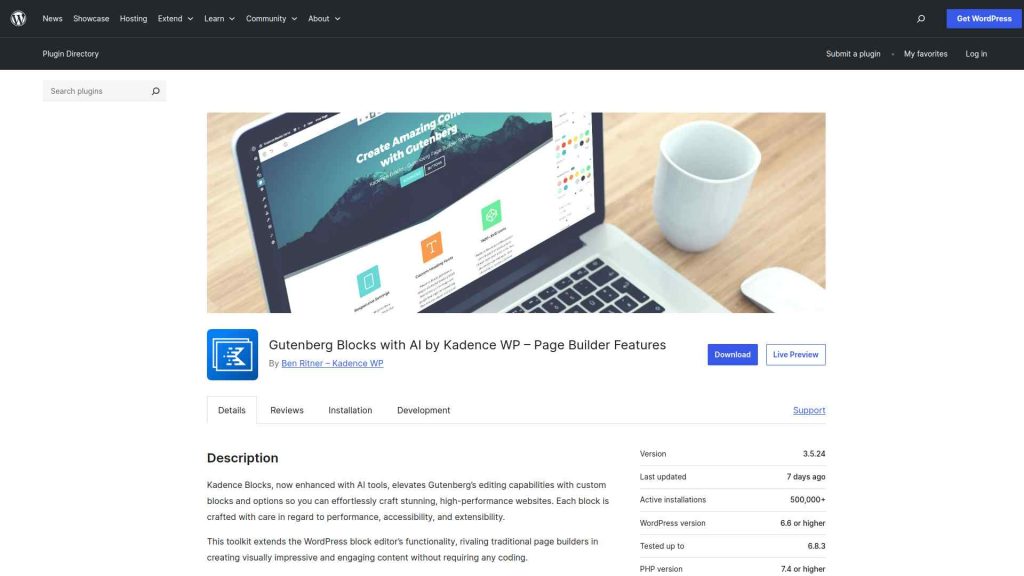
Kadence Blocks is a free WordPress plugin that extends the block editor with custom blocks and advanced design controls. The free version on WordPress.org has passed 600,000 active installs, runs at version 3.7.6, is tested up to WordPress 7.0, and holds a 4.8-star rating from 331 reviews (figures from WordPress.org, June 2026).
The free version ships 16 blocks, including Row Layout, Advanced Button, Tabs, Accordion, and the Advanced Gallery. The focus is less about block count and more about control. You get responsive settings on almost every option, a shared design library, and clean front-end output that keeps pages fast.
Kadence Blocks is now part of the Kadence family under Liquid Web’s StellarWP, sold alongside the Kadence theme and starter templates. That makes it a strong pick if you want your blocks, theme, and templates to come from one consistent design system.
Also Read: Want the full picture first? Here is a detailed review of Kadence Blocks with its pros and cons.
What is Essential Blocks for Gutenberg?
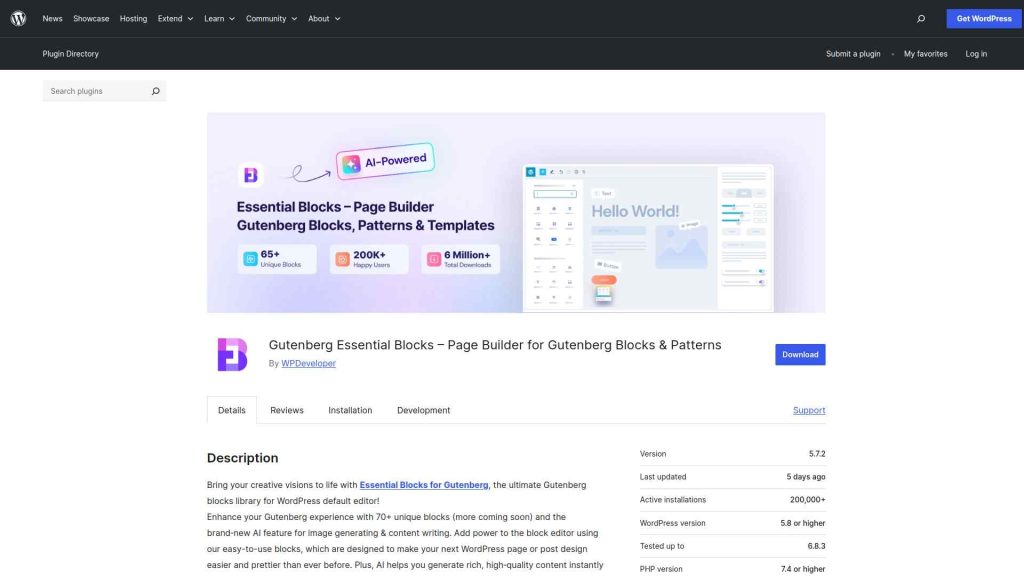
Essential Blocks is a free WordPress plugin built by WPDeveloper that adds a large library of blocks to the default editor. On WordPress.org it has crossed 200,000 active installs, sits at version 6.3.0, is tested up to WordPress 7.0, and carries a 4.9-star rating from 210 reviews (June 2026).
The free plugin lists 66 blocks, spanning content, creative, marketing, dynamic, form, WooCommerce, and social categories. It also builds in AI: you can generate titles and copy, adjust tone, and create images right inside the editor. Through its Templately integration, you get access to thousands of ready-made patterns and templates.
Where Kadence leans into a tight, design-system approach, Essential Blocks goes wide. If your priority is having a block for almost everything without buying add-ons, it covers a lot of ground out of the box.
Also Read: See the full breakdown in this Essential Blocks for Gutenberg review.
Kadence Blocks vs Essential Blocks: The Core Difference
The honest way to compare these two is by philosophy, not by feature counts.
Kadence Blocks is a design toolkit. It keeps the block count small (16 free blocks) and spends its effort on control, performance, and a design system that connects to the Kadence theme. You reach for it when you want fast, clean pages and tight control over spacing, typography, and responsive behavior.
Essential Blocks is a block library. With 66 free blocks plus AI writing and image tools, it tries to give you a ready-made block for nearly every section you would build, from pricing tables to WooCommerce product grids. You reach for it when breadth matters more than a single design system.
A few practical differences worth knowing:
- Block range: Essential Blocks (66 blocks) covers far more block types than Kadence Blocks (16). For WooCommerce, social feeds, or marketing sections without extras, Essential Blocks has them built in.
- Control vs variety: Kadence puts deep responsive controls on a smaller set of blocks. Essential Blocks gives you more blocks with lighter per-block control.
- AI: Essential Blocks ships AI content and image generation today. Kadence lists an AI website builder as coming soon.
- Ecosystem: Kadence ties into a full theme and template system. Essential Blocks ties into Templately’s large pattern catalog.
Kadence Blocks vs Essential Blocks Pricing (2026)
Both plugins are free to start, and for many sites the free version is enough. The differences show up when you move to paid tiers.
| Tier | Kadence | Essential Blocks |
|---|---|---|
| Free | 16 blocks | 66 blocks + AI |
| Entry paid | $99/yr (Essentials bundle: theme, 30+ blocks, 200+ templates) | $39/yr (Starter, 1 site) |
| Higher tiers | $299/yr Pro, $499/yr Elite | $112/yr Innovator (5 sites), $199/yr Visionary (100 sites), $249 lifetime |
One thing to note on value: Essential Blocks unlocks its full block range plus AI at a lower entry price, while Kadence’s paid tiers bundle a theme, security, and WooCommerce tools alongside the blocks. You are buying a different shape of product at each price point.
Which One Should You Choose?
Choose Kadence Blocks if you want a lean, fast, design-led set of blocks and you like the idea of one company supplying your theme, blocks, and templates. It rewards people who care about performance and consistent design more than sheer block count.
Choose Essential Blocks if you want the largest free block library, built-in AI, and a big pattern catalog, and you are happy to add the few extras you need over time. It rewards people who want variety and AI help without paying up front.
If you are still torn, the deciding question is simple: do you want fewer blocks with deeper control (Kadence), or more blocks with more variety and AI (Essential Blocks)?
Also Read: Weighing other options too? Compare the 7 best Kadence Blocks alternatives for 2026.
Kadence Blocks vs Essential Blocks Compared
The table below puts Kadence Blocks and Essential Blocks side by side with Nexter Blocks across the features site builders ask about most.
.tpgb-table tbody tr td:nth-child(3), .tpgb-table tbody tr td:nth-child(5), .tpgb-table tbody tr td:nth-child(6), .tpgb-table tbody tr td:nth-child(8), .tpgb-table tbody tr td:nth-child(9), .tpgb-table thead th:nth-child(3), .tpgb-table thead th:nth-child(5), .tpgb-table thead th:nth-child(6), .tpgb-table thead th:nth-child(8), .tpgb-table thead th:nth-child(9) { display: none; }| FEATURES | Nexter Blocks | Spectra | Kadence Blocks | Stackable | Greenshift | Essential Blocks | Crocoblock |
|---|---|---|---|---|---|---|---|
| Total Blocks | 90+ | 25+ | 15+ | 40+ | 100+ | 70+ | 60+ |
| Total Extensions | 15+ | 3 | - | - | - | - | - |
| Blog Builder | Yes | - | - | - | Limited | Limited | - |
| Advanced Data Table | Yes | - | Limited | - | (Limited, Only Comparison Table Block) | Yes | Yes |
| Popup Builder/Off Canvas | Yes | Limited | Limited | (Limited, Only Video Popup Block) | (Limited, Simple Popup Builder with Button Trigger) | Yes | (Limited, Requires separate JetPopup plugin) |
| Dynamic Listing | Yes | - | Limited | Yes | Yes | Limited | Yes |
| Custom Loop Skin | Yes | - | - | Yes | - | - | - |
| Vertical & Horizontal Mega Menu | Yes | - | - | - | Limited | Limited | (Limited, Requires separate JetMenu plugin) |
| Dark Mode | Yes | - | - | - | Yes | - | - |
| Cross Domain Copy and Paste | Yes | - | - | (Limited, Only includes Copy-Paste Styles) | Limited | Limited | - |
| Live Ajax Search | Yes | - | - | - | Yes | - | (Limited, Requires separate JetSearch plugin) |
| Header & Footer Builder | Yes | Limited | - | Yes | - | - | (Limited, Requires separate JetThemeCore plugin) |
| Carousel Anything & Remote | Yes | Limited | Limited | Yes | Yes | Limited | Yes |
| Login/Signup Form | Yes (Contains Password Reset too) | Yes | - | - | (Limited, Only Login Form Block) | - | (Limited, Requires separate JetFormBuilder and JetWooBuilder plugin) |
| Advanced Row Background | Yes | - | Yes | Limited | - | Limited | - |
| Code Snippets & Hooks | Yes | - | - | - | Limited | - | - |
| Advance Theme Builder | Yes | Limited | - | - | - | - | (Limited, Requires separate JetThemeCore plugin) |
| Social Reviews | Yes (Includes Facebook & Google Reviews) | - | - | - | - | - | - |
| Social Feeds | Yes (Includes Facebook, Instagram, YouTube, Vimeo & Multi Social) | - | - | - | - | (Limited, Only Instagram feed) | - |
| Scroll Sequence | Yes | - | Limited | (Limited, Only included Motion Effects) | (Limited, Only Background Parallax Block) | - | - |
| Form Styler | Yes | Yes | Yes | - | - | Yes | (Limited, Requires separate JetFormBuilder plugin) |
| Advanced Display Conditions | Yes | Limited | Limited | Yes | Limited | - | Limited |
| White-label Plugin | Yes | - | - | - | Yes | - | - |
Why Consider Nexter Blocks?
If you find yourself wanting both sides of this comparison, lean performance and a wide block range in one free plugin, Nexter Blocks is worth a look. It offers 90+ Gutenberg blocks on WordPress.org plus 50+ extensions, dynamic content, display conditions, AI content and image generation, and header, blog, popup, and form builders.
Depending on your business, website, and the features you’re looking for, you might be looking for different Gutenberg blocks. Besides, your budget and affordability are also important factors in this decision.
However, when choosing the right Gutenberg blocks, you must consider certain factors to ensure a smooth experience. These include ease of use, premium customer support that extends beyond phone and chat support, flexibility, security, and so on.
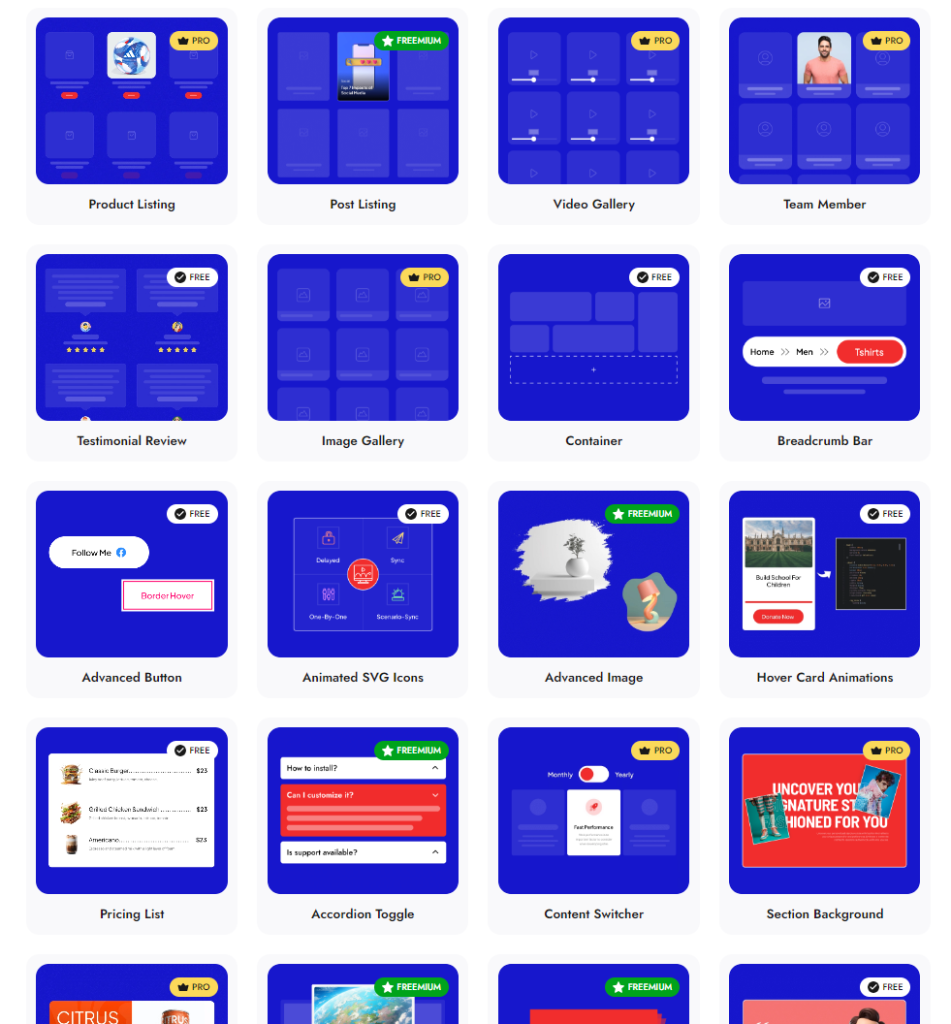
Check 90+ Gutenberg Blocks Library from Nexter Blocks
Nexter Blocks brings you all these features and more in a single plugin. It is easy to install and use, you can enjoy hands-on support, and the plugin offers you possibly every unique function you need to create a stunning website.
And the best part? The blocks are highly customizable, and you don’t need to know coding to use them for your website.
Suggested Reading
- Greenshift vs Essential Blocks for Gutenberg
- Stackable vs Essential Blocks
- Kadence vs Blocksy: 7 Key Differences
- Introducing AI in Nexter Blocks
Extra Resources
Nexter Official Website
Check 90+ Gutenberg Blocks Library
Get Premium Plan – Yearly & Lifetime (Both available)
Join our Facebook Community – Ask all your WordPress questions
Subscribe for Product Updates, Elementor News, Tips & More
