












Choosing between Astra and GeneratePress feels like it should be simple: both are free, both are fast, and both work with every major page builder. But the decision matters more than it looks. Pick the wrong one for your workflow and you will either outgrow it quickly or spend more time fighting CSS than building.
These two themes take fundamentally different approaches to the same problem. Astra prioritizes accessibility: it ships with 200+ starter templates, a guided setup wizard, and tight integrations for tools like Elementor and Divi. GeneratePress prioritizes code quality: it loads under 10KB, scores 100/100 in Lighthouse benchmarks, and gives developers clean HTML they can actually work with.
This guide compares both across 21+ features: performance benchmarks, free versus pro capabilities, page builder compatibility, WooCommerce support, and pricing. By the end, you will know which one fits what you are actually building.
What is Astra?
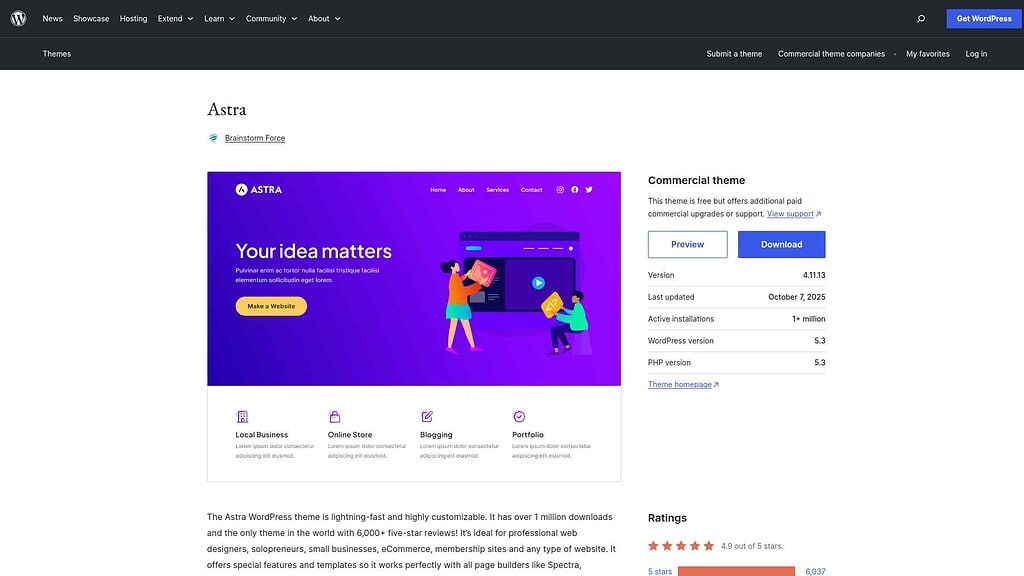
Astra is a free WordPress theme with over 1 million active installs and a 4.9/5 rating on WordPress.org. Built by Brainstorm Force (the team behind CartFlows and SureCart), Astra launched in 2017 and became one of the most downloaded themes in the WordPress ecosystem within two years.
Also Read: Blocksy vs GeneratePress if GeneratePress is on your shortlist.
The free version includes a visual header/footer builder, global color and typography controls, compatibility with all major page builders (Elementor, Beaver Builder, Divi, Brizy, and Gutenberg), and a library of 200+ pre-built starter templates spanning business sites, portfolios, blogs, and WooCommerce stores. The setup wizard guides new users through choosing their page builder and importing a matching template in a few clicks.
Astra Pro ($69/year for 3 sites, $89/year for 1000 sites) unlocks a significant tier of features that the free version gates off: sticky and transparent headers, advanced blog and archive layouts, mega menu support, per-page typography and color overrides, a white label mode for agencies, and dedicated WooCommerce customization. Higher tiers (Essential Toolkit at $119/year, Business Toolkit at $159/year) bundle additional tools like premium starter templates and automation. For users who need a polished site quickly without custom development, Astra’s template ecosystem is a real advantage.
Want a full breakdown of every Astra feature, plan, and pricing tier? Read our complete Astra Theme Review.
Pros and Cons of Astra
Pros
- Large template library: 200+ pre-built starter templates cover most website categories, so you can launch quickly without starting from a blank canvas.
- Strong page builder integrations: Tight compatibility with Elementor, Beaver Builder, Divi, Brizy, and native Gutenberg blocks means Astra adapts to whatever tool your workflow uses.
- Beginner-friendly onboarding: The setup wizard, visual customizer, and one-click template import process are designed for users who are not developers.
Cons
- Free version is limited: Key features like sticky headers, mega menus, and advanced footer layouts require Astra Pro. The jump from free to Pro is significant in terms of features gained.
- Heavier than competitors: Astra loads approximately 50KB on a fresh install, which is fast by general standards but notably heavier than GeneratePress. This gap matters on resource-limited hosting.
- Template quality varies: With 200+ templates across a wide range of niches, consistency is uneven. Some designs require substantial editing before they look production-ready.
What is GeneratePress?
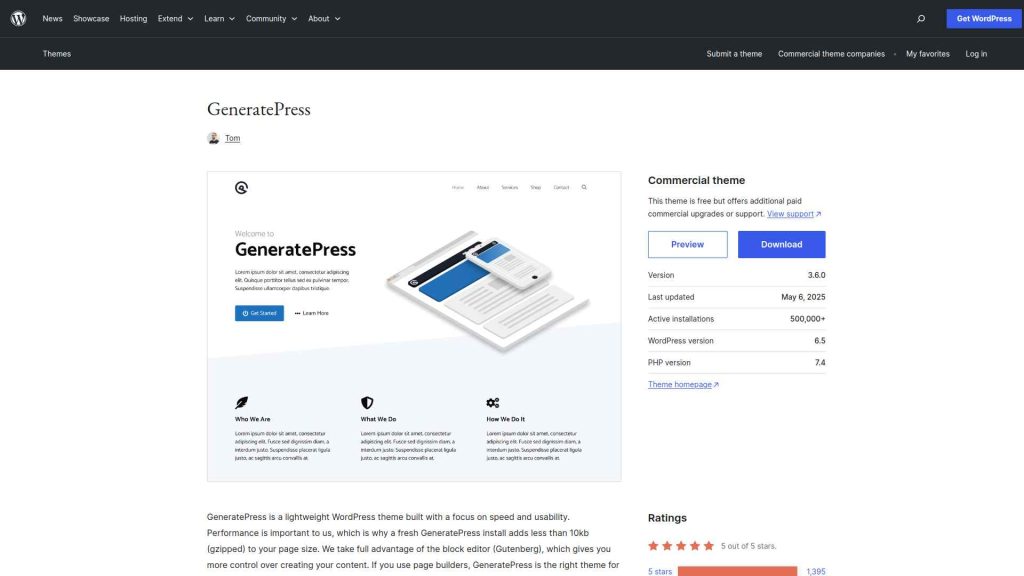
GeneratePress is a free WordPress theme built by Tom Usborne, first released in 2014. With 500,000+ active installs and a 4.9/5 rating on WordPress.org, it has earned its reputation as one of the best-coded themes in the ecosystem. It is the preferred foundation for developers and performance-focused site owners who want full control without added weight.
The free version of GeneratePress is more genuinely capable than most free themes. You get header and footer customizer controls, global typography and color settings, a responsive mobile menu, and clean HTML structure with no upsell prompts built in. GeneratePress free functions as a complete, working theme without any payment.
GP Premium ($59/year, unlimited sites) adds the site library with 100+ starter designs, a site builder for custom page layouts, a WooCommerce module, sections for full-width content rows, spacing controls, and per-post-type layout settings. GP Premium is annual only; no lifetime option is currently available.
Looking for a detailed breakdown of GP Premium features and whether the upgrade is worth it? Read our full GeneratePress Theme Review.
Pros and Cons of GeneratePress
Pros
- Lightest codebase: Under 10KB page weight on a clean install, GeneratePress consistently scores 100/100 on Google Lighthouse performance tests. For speed-sensitive projects, this advantage is measurable.
- Developer-friendly architecture: Clean HTML output, a predictable DOM structure, and well-documented hooks and filters make GeneratePress a reliable foundation for custom development and agency builds.
- More capable free version: The free version ships with more usable features than most competitors at their paid tier. You can build a working, fast website without spending anything.
Cons
- Steeper learning curve: GeneratePress does not include a guided setup wizard. Non-developers starting from a fresh install often find the bare defaults less approachable than Astra’s guided onboarding.
- Smaller starter template library: GP Premium’s 100+ site designs provide fewer starting points than Astra’s 200+ templates, which matters for users who depend on templates to start projects quickly.
- Advanced WooCommerce requires GP Premium: The free version handles basic WooCommerce display correctly, but store-specific layout customization, cart widget, and product page controls all require the paid upgrade.
Astra vs GeneratePress: 21+ Feature Comparisons
.tpgb-table tbody tr td:nth-child(3), .tpgb-table tbody tr td:nth-child(5), .tpgb-table tbody tr td:nth-child(6), .tpgb-table tbody tr td:nth-child(8), .tpgb-table thead th:nth-child(3), .tpgb-table thead th:nth-child(5), .tpgb-table thead th:nth-child(6), .tpgb-table thead th:nth-child(8) { display: none; }| FEATURES | Nexter Theme | Kadence Theme | Astra Theme | Blocksy | OceanWP | GeneratePress | Avada Theme |
|---|---|---|---|---|---|---|---|
| Global Fonts & Colors | Yes | Yes | Yes | Yes | Yes | Yes | Yes |
| Advanced Theme Builder | Yes | Yes | Limited | Limited | Limited | Yes | Limited |
| Conditional Rules | Yes | - | Yes | Yes | Yes | Yes | Limited |
| Header & Footer Builder | Yes | Yes | Limited | Limited | Limited | Yes | Yes |
| Code Snippets | Yes | - | - | Limited | - | - | - |
| Prebuilt Websites Templates | Yes 1000+ | Yes 90+ | Yes 300+ | Yes 40+ | Yes 240+ | Yes 90+ | Yes 110+ |
| Action & Filter Hooks | Yes | - | Yes | - | - | - | - |
| Whitelabel Theme | Yes | Limited | Yes | Yes | Yes | - | Yes |
| Maintenance/Coming Soon Mode | Yes | - | - | Yes | - | - | Yes |
| Replace Text & URL | Yes | - | - | - | - | - | - |
| Performance Booster | Yes | Limited | Limited | Limited | Limited | Limited | Yes |
| Security Hardening | Yes | - | - | - | Requires Ocean Core Extensions Bundle | - | Yes |
| Local Google Fonts | Yes | Yes | Yes | Yes | Yes | Yes | Yes |
| Adobe Fonts | Yes | - | - | Yes | Yes | - | Yes |
| Custom Upload Fonts | Yes | Requires Kadence Custom Fonts plugin | - | Yes | Yes | Yes | Yes |
| 404 Page | Yes | - | Yes | Yes | Yes | Yes | Yes |
| Disable Admin Settings | Yes | - | - | - | - | - | - |
| Post & Page Duplicator | Yes | - | - | - | - | - | - |
| WooCommerce Builder | Yes (With The Plus Addons) | Yes (Requires Shop Kit extension) | Yes | Yes | Yes | Yes | Yes |
| Blog Builder | Yes | - | Limited | Yes | Yes | Yes (Requires Blog add on) | Yes |
| Vertical & Horizontal Mega Menu | Yes | Limited | Yes | Limited | Yes | - | Yes |
1. Performance and Speed
Performance is where Astra and GeneratePress differ most clearly, and the gap is bigger than most comparisons acknowledge.
Astra
Astra scores 99/100 on Google Lighthouse for performance in independent benchmarks. The theme loads approximately 50KB of assets on a default install, which is fast by most definitions. Enabling a starter template or additional customizer options can push this higher. With a caching plugin and CDN active, Astra performs well across most hosting configurations, and its Lighthouse score rarely drops significantly in real-world tests.
GeneratePress
GeneratePress scores 100/100 in the same Lighthouse benchmarks and loads under 10KB on a clean install, approximately five times lighter than Astra’s base footprint. This advantage is most noticeable on shared hosting or on sites where Core Web Vitals scores directly affect rankings. The gap narrows once page builder plugins and images are factored in, but GeneratePress maintains a measurable performance edge under realistic conditions.
Choosing between FSE block themes and classic themes also affects performance. Here is a breakdown of WordPress FSE Block Themes vs Classic Themes and what each approach means for load speed.
If raw performance is the deciding factor for your project, Nexter Theme is worth adding to the comparison. It scores 98+ on PageSpeed Insights on a default install and loads under 20KB with zero jQuery dependency, placing it in the same performance tier as GeneratePress. Where Nexter pulls ahead: GeneratePress is a theme only, so you still need a separate block plugin, security plugin, and font manager to build a complete site. Nexter ships all three products (Theme + 90+ Gutenberg blocks + 50+ site extensions) in a single plan starting at $39/year, meaning the same performance score comes with a full production stack rather than just a foundation.
2. Customization Options
Astra
Astra’s Customizer provides global color palette controls, per-heading-level typography settings, container width, header/footer layout builder, and per-page sidebar settings, all in the free version. Astra Pro expands this considerably: multiple header rows, individual section styling, color and font overrides per page or post, mega menu configuration, and dedicated archive and blog layout controls. The depth of visual options makes Astra appealing to non-developers who need granular design control without writing CSS.
GeneratePress
The free version of GeneratePress covers the fundamentals: global colors, fonts, container width, header layout, footer copyright text, and a responsive mobile menu. GP Premium adds the full customization layer: a drag-and-drop site builder, sections (full-width content areas), dynamic color palettes, spacing controls, and layout settings per post type. For developers, GeneratePress’s clean markup and predictable CSS selectors are easier to extend than Astra’s. For non-developers who prefer a visual point-and-click interface, Astra’s Customizer is more guided.
If you manage multiple client sites and want a cross-builder template library that works with Elementor, Gutenberg, and Bricks regardless of which theme you use as the base, WDesignKit is worth bookmarking. It offers a cloud workspace with 1,000+ starter templates and a one-click widget converter across all three builders.
For Gutenberg builds that need a full visual Header Builder with Mega Menu, sticky effects, and multi-row layouts without a separate plugin purchase, Nexter Blocks (Pro) includes it as a built-in builder feature. The same Pro plan also covers the Theme Builder, Popup Builder, and Form Builder. This is where Nexter has a clear edge: Astra gates multi-row headers and mega menus behind Astra Pro ($69/year), and GeneratePress requires GP Premium ($59/year) plus its separate site builder module to reach the same result. With Nexter, the Header Builder, Theme Builder, and Popup Builder are all included in one plan, with no add-ons required.
3. Free vs Pro Features
Astra Free vs Pro
Astra’s free version is functional but limited in ways that surface quickly. The header builder supports only a single row (Pro adds multi-row headers), there is no sticky header, blog layouts are minimal, and typography control stops at the global level. Astra Pro ($69/year for 3 sites, $89/year for 1000 sites) unlocks sticky and transparent headers, advanced footer layouts, mega menus, per-page layout overrides, and a white label mode. Lifetime options are available starting at $319 for 3 sites. For agency workflows, the 1000-site tier at $89/year is strong value. For individual users, the gap between free and Pro in features gained is significant.
GeneratePress Free vs Premium
GeneratePress’s free version is the stronger starting point of the two. The free theme includes more usable features than most competitors offer at their paid tier. There are no artificial feature gates designed to push you toward paying. GP Premium ($59/year, up to 500 sites) adds the site library, WooCommerce module, sections, spacing controls, and per-post-type layout customization. No lifetime option is currently available; GP Premium is annual only. For users who want a capable site without spending, GeneratePress free edges out Astra free.
For context on where the paid tier sits: Nexter’s Starter plan at $39/year for a single site bundles Nexter Blocks (90+ Gutenberg blocks), Nexter Extension (50+ site tools covering security, performance, code snippets, and fonts), and Nexter Theme into one plan. The advantage over both themes is straightforward: Astra Pro ($69/year for 3 sites) gives you a theme with advanced customization. GP Premium ($59/year) gives you a theme with a site builder. Nexter at $39/year gives you a theme, a block plugin, and a site management suite together. For anyone who would otherwise pay for a theme plus a separate Gutenberg block plugin, Nexter covers both for less.
4. Page Builder Compatibility
Astra
Astra has the strongest out-of-box page builder integrations of any free theme. The setup wizard lets you choose your preferred builder (Elementor, Beaver Builder, Divi, Brizy, or Gutenberg) and automatically imports matching starter templates. When Elementor controls the header and footer, Astra disables its own header/footer renderer to avoid conflicts. This level of integration reduces setup friction substantially for users coming from a page builder workflow.
GeneratePress
GeneratePress supports all major page builders but takes a builder-agnostic approach. It does not ship builder-specific setup wizards or auto-import features. GP Premium’s site library includes Elementor and Gutenberg designs, but the selection is smaller than Astra’s. Developers who prefer native Gutenberg or want a theme that stays out of the way of their custom builder work often choose GeneratePress because its clean markup avoids CSS specificity conflicts. For Elementor users who want maximum compatibility with minimal configuration, Astra is the easier starting point.
5. WooCommerce Support
Astra
Astra handles a standard WooCommerce store without major layout issues in the free version: product grid, single product page, cart, and checkout all render correctly. Astra Pro adds store-specific features: a dedicated cart icon in the header, a distraction-free checkout layout, a sticky add-to-cart button on product pages, and product page sidebar and layout controls. For store owners who want WooCommerce-specific polish without custom development work, Astra Pro is a practical choice.
GeneratePress
GeneratePress free renders WooCommerce correctly but with minimal store-specific styling beyond the default. GP Premium’s WooCommerce module adds a header cart widget, sticky add-to-cart, product layout controls, and a cleaner checkout. The end result is comparable to Astra Pro’s WooCommerce output, but it requires GP Premium to reach it. Neither theme ships WooCommerce-specific design out of the box in the free version.
Want to use the Gutenberg block editor inside your WooCommerce store? Here is how to add the Gutenberg editor to WooCommerce.
For Gutenberg-based WooCommerce stores, Nexter Blocks (Pro) adds a WooCommerce Product Grid block with Grid, Carousel, Masonry, and Metro layout options, plus Ajax-powered category filtering and pagination, all inside the native block editor. The key difference from both themes: Astra’s WooCommerce features require Astra Pro, and GeneratePress’s require GP Premium, meaning your WooCommerce capability is tied to your theme choice. With Nexter, WooCommerce product listing is a block that works with any theme, so you are not locked into a theme just to get store layout controls.
6. Pricing
Astra
- Free: Available on WordPress.org (no time limit)
- Astra Pro: $69/year (3 sites) or $89/year (1000 sites) | Lifetime: $319 (3 sites) / $399 (1000 sites)
- Essential Toolkit: $119/year (3 sites) or $199/year (1000 sites): adds premium starter templates + Spectra Pro / Ultimate Addons for Elementor
- Business Toolkit: $159/year (3 sites) or $219/year (1000 sites): adds automation tools (OttoKit Pro, CartFlows Plus)
- Lifetime options available on all plans
GeneratePress
- Free: Available on WordPress.org (no time limit)
- GP Premium: $59/year (up to 500 sites): all features included, no tier segmentation
- GeneratePress One: $149/year (up to 500 sites): bundles GP Premium + GenerateBlocks Pro + GenerateCloud
- No lifetime option currently available
- Annual only; cancel anytime
Nexter
- Free: Available on WordPress.org (no time limit)
- Starter: $39/year (1 site): Nexter Theme + 90+ Gutenberg blocks + 1,000+ templates
- Professional: $89/year (5 sites): adds WooCommerce Builder, Grid Builder, and White Label
- Studio: $129/year (unlimited sites): full stack for agencies
- Lifetime plans from $139 (1 site) to $349 (unlimited sites): see Nexter pricing
Pricing Verdict
- Best for single sites: Nexter Starter at $39/year includes the theme, 90+ Gutenberg blocks, and 1,000+ templates in one plan. No separate block plugin needed.
- Best for agencies and multi-site: GP Premium at $59/year covers up to 500 sites. Astra Pro covers 1000 sites at $89/year, making GeneratePress the stronger per-site value.
- Best for avoiding renewals: Astra offers lifetime pricing from $319. Nexter offers lifetime plans from $139 (1 site) to $349 (unlimited). GeneratePress no longer offers a lifetime plan.
7. Documentation and Support
Astra
Astra’s documentation covers all Pro features with screenshots and video tutorials. Free users get access to documentation and community forum support. Astra Pro users receive priority ticket support with live chat access, which is useful when template imports fail or customizer settings do not behave as expected. The large user base means third-party tutorials and YouTube guides are widely available.
GeneratePress
GeneratePress documentation is thorough and technically detailed, reflecting its developer-leaning audience. Free users get community forum support. GP Premium users receive ticket-based premium support with consistent response times. The documentation is more technically written than Astra’s in places, but it covers hooks, filters, and custom CSS extensions with enough depth for developers to extend the theme confidently.
Why We Recommend Using Nexter Theme?
Both Astra and GeneratePress are strong foundations, but both require you to stack additional plugins to build a complete site: a Gutenberg block plugin, a security plugin, a font manager, and a code snippets tool at minimum. Nexter Theme is designed to eliminate that stacking. It combines GeneratePress-level performance (under 20KB, zero jQuery, 98+ PageSpeed) with a full block plugin (90+ Gutenberg blocks) and a site management suite (50+ extensions covering security, fonts, performance, and code snippets) in one plan starting at $39/year.
Nexter is a lightweight, high-performance theme from POSIMYTH, the team behind The Plus Addons for Elementor and Nexter Blocks. It offers all the essential elements of a premium WordPress theme, such as a flexible header and footer builder, customizable post types, an archive builder, multilingual capabilities, and numerous additional features.
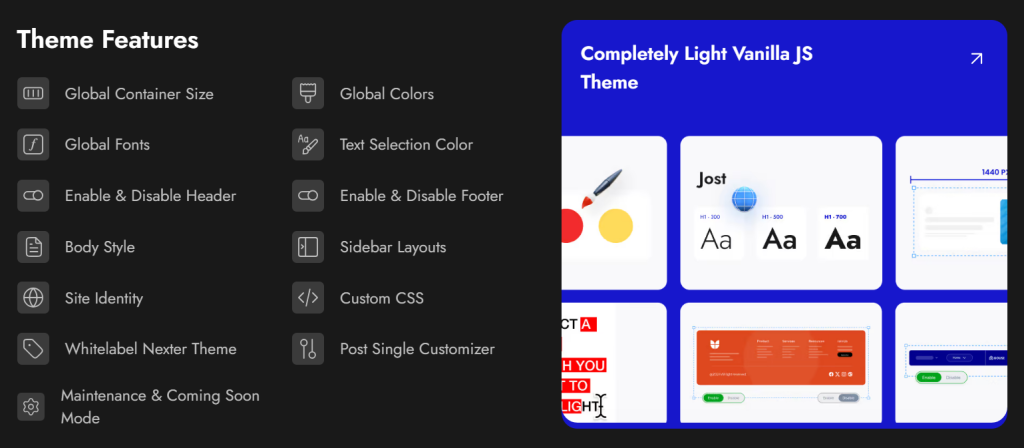
With Nexter, you can select from a wide range of pre-designed templates for effortless website construction and deployment. In terms of speed, Nexter excels with its exceptional performance. The theme's core files are optimized to be under 20 KB, resulting in lightning-fast load times of less than 0.5 seconds.
Nexter seamlessly integrates with popular page builders like Gutenberg, Elementor, Beaver Builder, and Brizy, ensuring compatibility across all major platforms.
Moreover, Nexter also provides many security features, such as content protection, Google reCAPTCHA integration, and the ability to disable XML-RPC or conceal your WordPress version.
Wrapping Up
Astra and GeneratePress are both excellent free themes, and neither is the wrong choice if it fits your workflow. The right call depends entirely on what you are building and how you work. GeneratePress is the stronger choice on raw performance and developer control; Astra wins on template variety, guided setup, and page builder integration.
Choose Astra if you are a non-developer who needs a wide template library, works primarily with Elementor or Divi, and wants a theme that walks you through setup. Choose GeneratePress if performance is the top priority, you manage multiple sites and want maximum value from a single license, or you need clean HTML that does not fight your custom CSS.
Choosing a theme sets your performance baseline for every project that follows. If you want a Gutenberg-native stack that combines GeneratePress-level speed with Astra-level template depth in one product, Nexter Theme loads under 20KB with zero jQuery dependency and a 98+ PageSpeed score out of the box. Pair it with Nexter Blocks (90+ Gutenberg blocks including Header Builder, WooCommerce Product Grid, and Popup Builder) and Nexter Extension (50+ site tools covering security, performance, fonts, and admin) to replace both themes along with 50+ additional plugins in one integrated stack. Built for agencies managing multiple client builds, see how the full ecosystem fits your workflow at Nexter for Agencies. Download Nexter free or see full pricing.
Stay updated with Helpful WordPress Tips, Insider Insights, and Exclusive Updates – Subscribe now to keep up with Everything Happening on WordPress!
Extra Resources
Nexter Official Website
Check 90+ Gutenberg Blocks Library
Get Premium Plan – Yearly & Lifetime (Both available)
Join our Facebook Community – Ask all your WordPress questions
Subscribe for Product Updates, Elementor News, Tips & More
