Skip to content

Range Field in WordPress

Key Takeaways

  • Nexter Extension 4.9.0 adds a Range field that stores a number like a Number field, but editors enter it with a slider bounded by a minimum and maximum.
  • Nexter → Content Fields lets users add the field by opening Group Fields, clicking Add Field, setting Field Label to Energy rating, and choosing Field Type Range.
  • Range fields suit ratings, scores, energy or efficiency bands, and percentage complete, but fine-grained values need a Number field and sorting needs 'meta_type' => 'NUMERIC'.
Table of Contents

A range field gives editors a slider instead of a number box. It suits values with an obvious scale — a rating, a score, an energy band — where dragging is quicker than typing.

What It Does

The field stores a number, exactly like a Number field. The difference is entirely in how the editor enters it: a slider bounded by a minimum and maximum.

Before You Start

  • Nexter Extension is installed and active.
  • Content Fields is enabled under Nexter → Content Fields.
  • You have a field group, or are about to create one.

Add a Range Field

  1. Go to Nexter → Content Fields and open the Group Fields tab.
  1. Open a field group, or create a new one.
  1. Click Add Field.
A field group open with the Add Field button
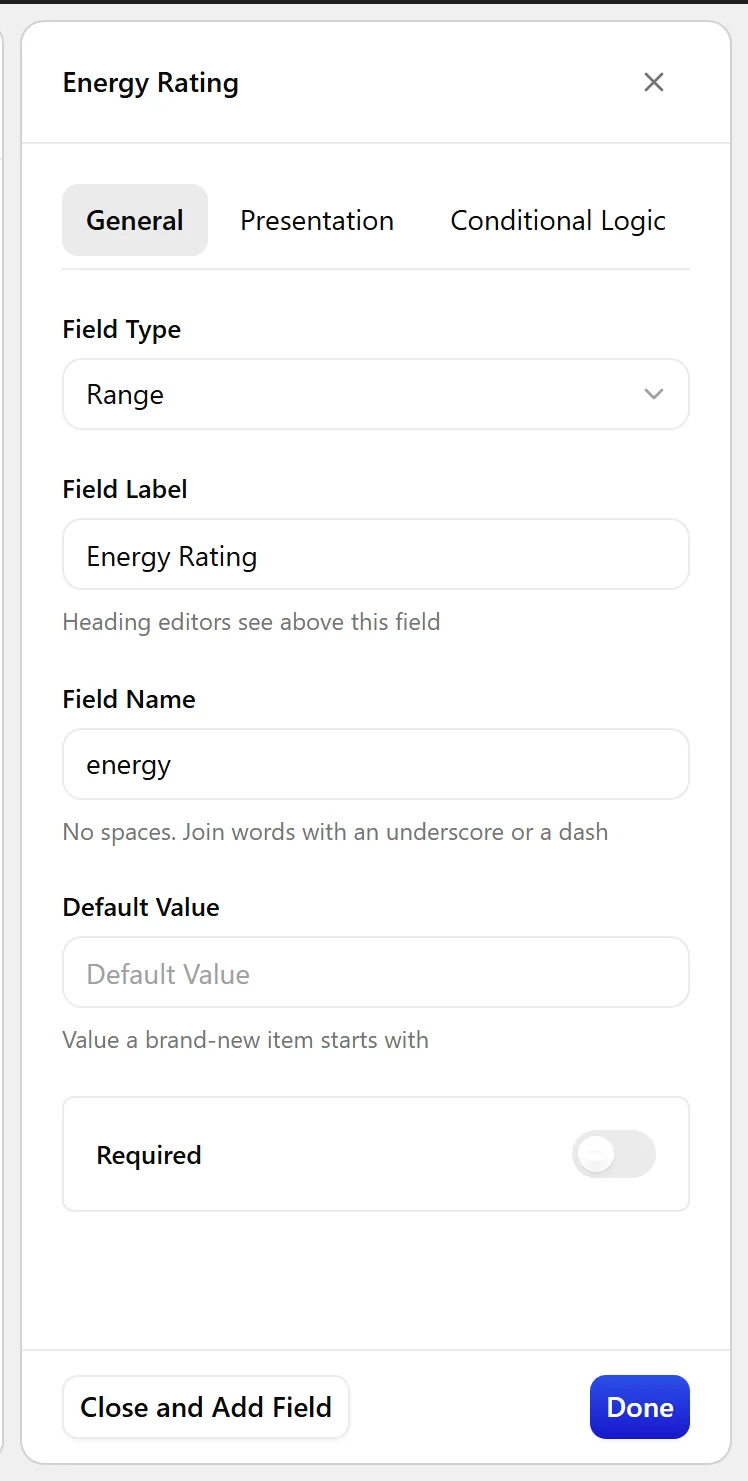
  1. Set Field Label to Energy rating. The Field Name fills in automatically and is what you use in code.
  1. Set Field Type to Range.
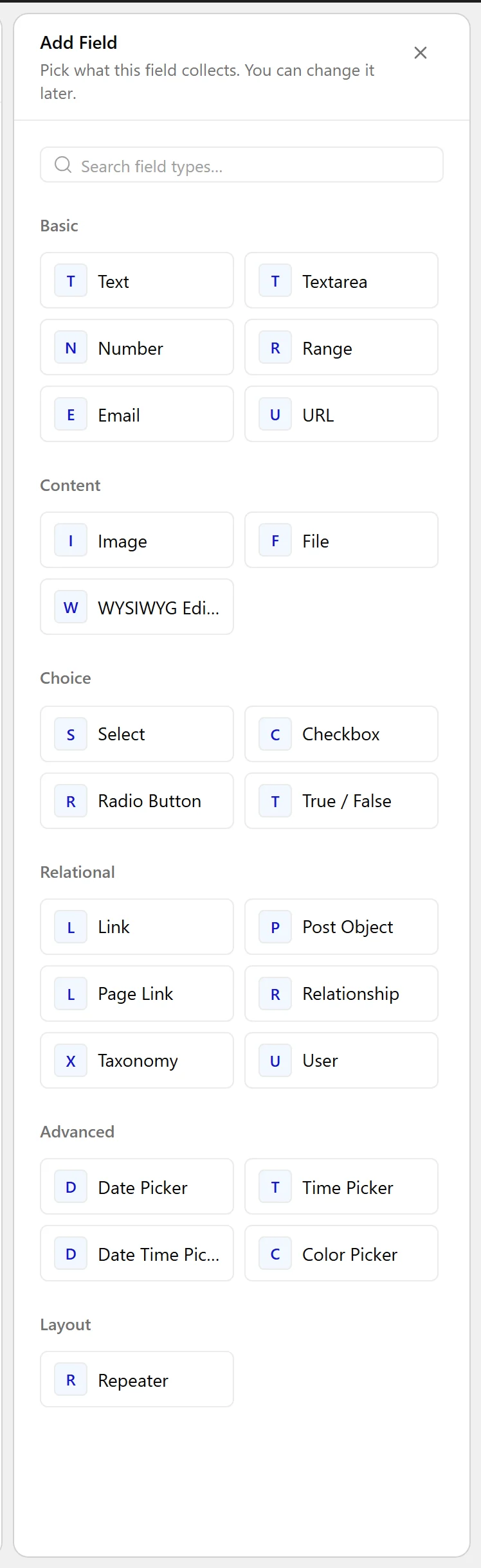
The Field Type dropdown listing the available field types
  1. Click Update.
The Range field as it appears on the post editing screen
The Range field settings in the Content Fields builder

Field Settings

Every field is configured across four tabs. These are the settings this field type offers, read from the field group builder in Nexter Extension 4.9.0.

General

SettingOptionsWhat it does
Default ValueNo help text in the UI.

Validation

SettingOptionsWhat it does
RequiredNo help text in the UI.

Presentation

SettingOptionsWhat it does
InstructionsNo help text in the UI.
Minimum ValueNo help text in the UI.
Maximum ValueNo help text in the UI.
Step SizeNo help text in the UI.
Placeholder TextNo help text in the UI.
PrependNo help text in the UI.
AppendNo help text in the UI.
Wrapper AttributesNo help text in the UI.

Conditional Logic

SettingOptionsWhat it does
Conditional LogicNo help text in the UI.

When to Use It

  • A rating or score out of ten.
  • An energy or efficiency band.
  • A percentage complete.

Display the Value

The value is a number, so read it as one:

<?php
$score = nxt_field_value( 'energy' );
if ( '' !== $score ) {
    printf( '%s / 10', esc_html( $score ) );
}

Limitations

  • A slider is imprecise for fine-grained values. Use a Number field where exactness matters.
  • As with any numeric meta, sorting needs 'meta_type' => 'NUMERIC'.

Troubleshooting

The slider will not reach the value I want

The minimum, maximum and step are set on the field. Edit the field and widen the bounds, or reduce the step.

The value is empty on a new post

A range field has no value until it is moved or a default is set. Set a Default Value if every post should have one.

Related Docs

Share your Thoughts

Still in Doubt? Let’s Assist You

Have Feedback or Questions?

Join our WordPress Community on Facebook!

Related Frequently Asked Questions

How do I add a range field in WordPress with Nexter?

Nexter Extension adds the range field through Nexter → Content Fields in the Group Fields tab. The field is created inside a field group, and the Field Type is set to Range. The Field Name fills in automatically after you set the label, so that name is what you use in code later. This setup matters because the range field stores a number, but editors enter it with a slider instead of typing.

When should I use a WordPress range field instead of a number field?

A range field fits values with an obvious scale, like a rating, score, energy band, or percentage complete. It is better when dragging is faster than typing and when the value does not need exact fine-grained input. The tradeoff is precision: the slider is imprecise for exact values, so a Number field is the better choice when exactness matters.

Why won't my range slider reach the value I want?

The slider limits come from the field’s minimum, maximum, and step settings. If the value is out of reach, the bounds are too narrow or the step is too large for the number you want. Widening the minimum and maximum or reducing the step gives you more room to hit the target value without forcing awkward jumps.

Why is a new range field empty on a new post?

A range field has no value until someone moves the slider or a default is set. That means a fresh post can stay blank even though the field exists. If every post should start with a value, set a Default Value in the field settings so editors do not have to fill it in manually each time.

What are the limits of using a range field for numeric data?

The main limit is precision. A slider works well for broad choices, but it is not ideal when you need exact numeric input. Sorting also needs numeric meta handling, so use `meta_type` => `NUMERIC` if you want ordered results to behave correctly. That makes it useful for ratings and scores, but less suited to exact measurements.

How do I display a range field value on the front end?

The value comes back as a number, so it should be read as one in code. The page shows `nxt_field_value( 'energy' )` and then prints it as `'%s / 10'` when it is not empty. That pattern matters because it keeps empty values out of your output and lets you format the score cleanly on the front end. For display setup, see Display a field value on the front end.

Last reviewed: November 12, 2026

Related Docs