












This guide provides step-by-step instructions on how to install and activate Nexter Blocks free and pro. You will learn how to install both the free and pro versions of Nexter Blocks and activate the licence.
You can install Nexter Blocks to build your WordPress website using the Gutenberg block editor.
Best Used For:
- New WordPress users installing Nexter Blocks for the first time
- Existing users upgrading from the free version to Nexter Blocks Pro
- Users troubleshooting licence activation errors after purchase
How to Install Nexter Blocks Pro?
To use Nexter Blocks Pro you need to have both Nexter Blocks and Nexter Blocks Pro installed and activated.
Nexter Blocks Free
To install the Nexter Blocks free version, follow the steps.
1. From the WordPress Dashboard, go to Plugins > Add New Plugin.
2. In the search field, search for “Nexter Blocks” and you will find the Nexter Blocks plugin.
3. Click on Install Now and then Activate.
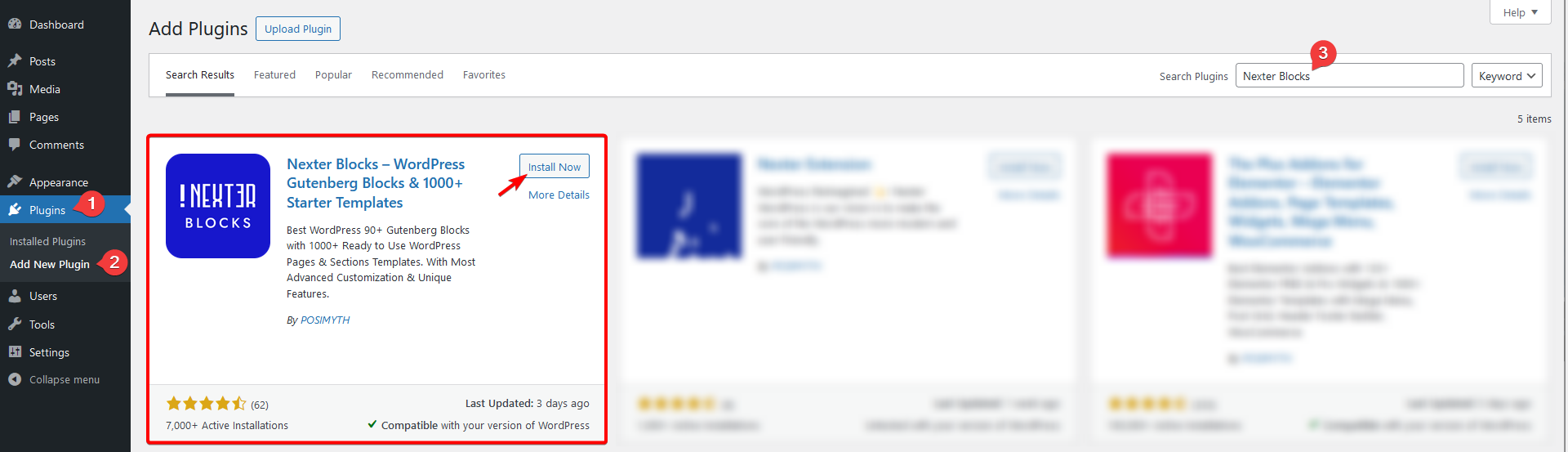
After Nexter Blocks is active, you can import pre-designed page templates to get started. See How to Import Templates in Nexter to set up your first page.
Nexter Blocks Pro
Once you have purchased Nexter Blocks Pro, follow the steps to install and activate it.
1. Visit Posimyth Store and log in to your account. This is the same login details you used on the checkout page.
2. Click on the Dashboard link.

3. From the Dashboard, go to Download. You will see a list of plugins based on your purchase. Find Nexter Blocks and click on the Download button with the latest version. The plugin will be downloaded to your system’s download folder.
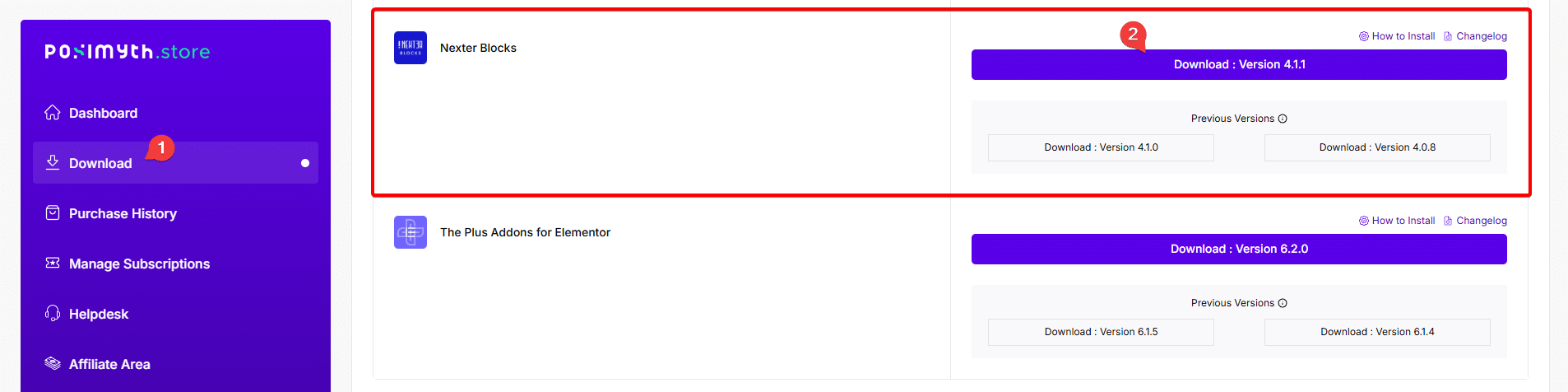
Note: You can also download previous versions from here but we recommend using the latest version.
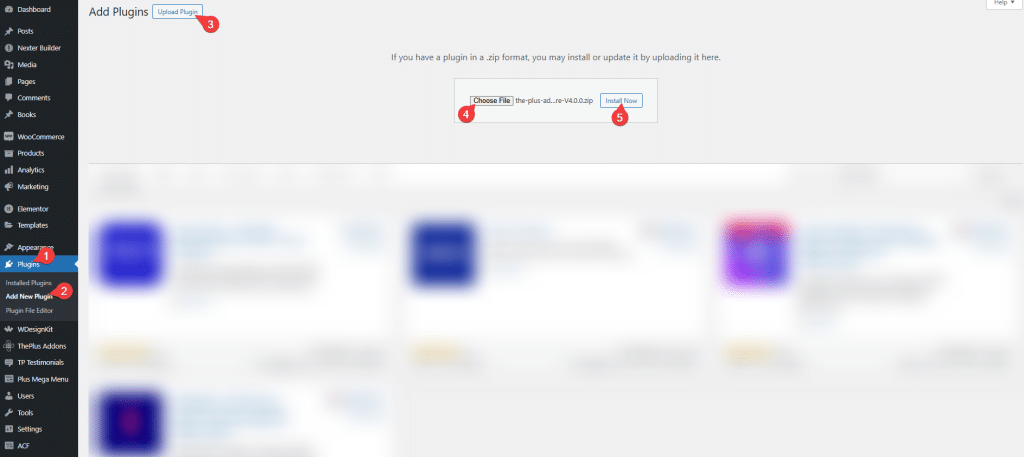
4. From your WordPress Dashboard, go to Plugins > Add New Plugin > Upload Plugin. Click Choose File and upload the plugin, then click Install Now.
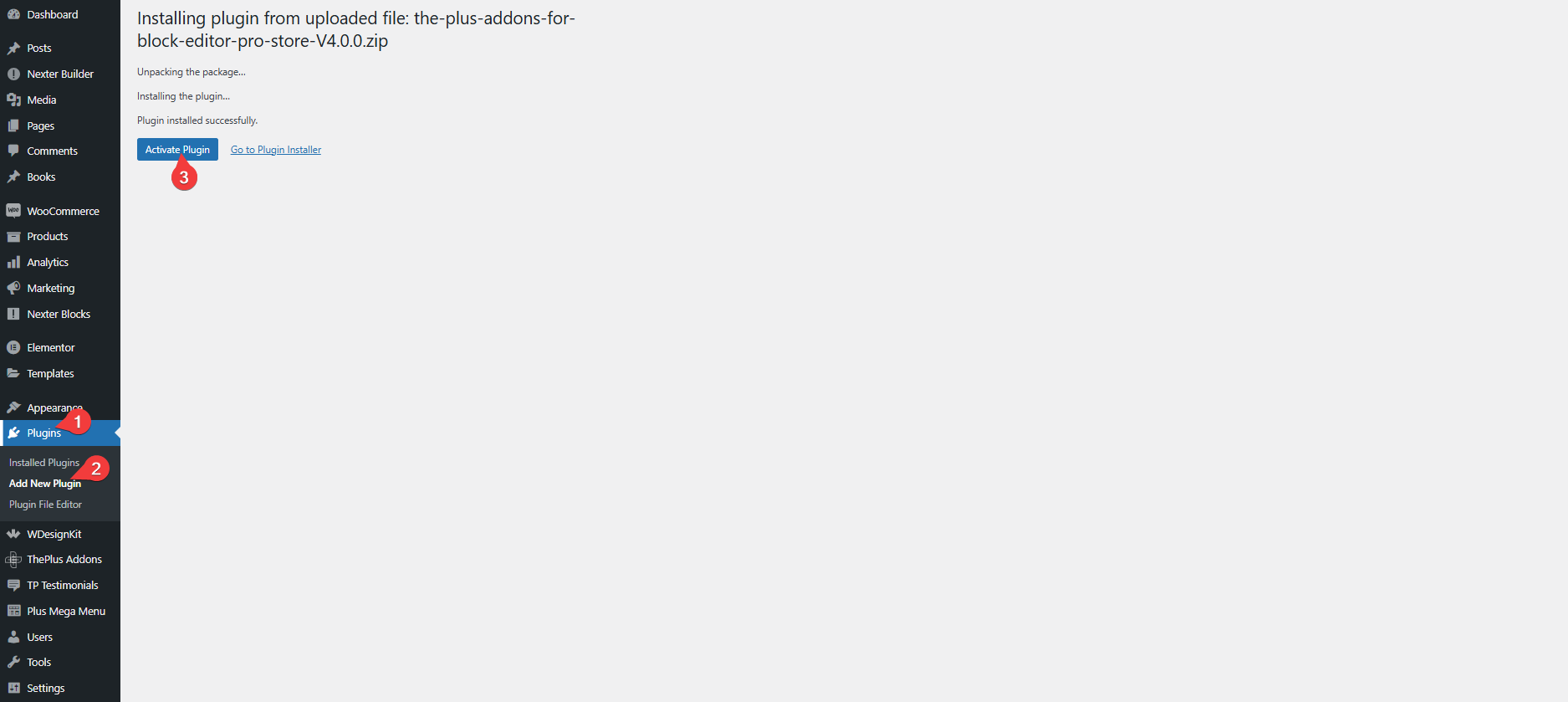
5. Once the plugin is installed, on the next page, click on Activate Plugin.
Note: Nexter Blocks has been rebranded from The Plus Blocks for Gutenberg.
How to Activate Nexter Blocks Pro Licence?
To activate the licence of Nexter Blocks Pro after you have purchased it, follow the steps.
1. Visit Posimyth Store and log in to your account. This is the same login details you used on the checkout page.
2. Click on the Dashboard link.
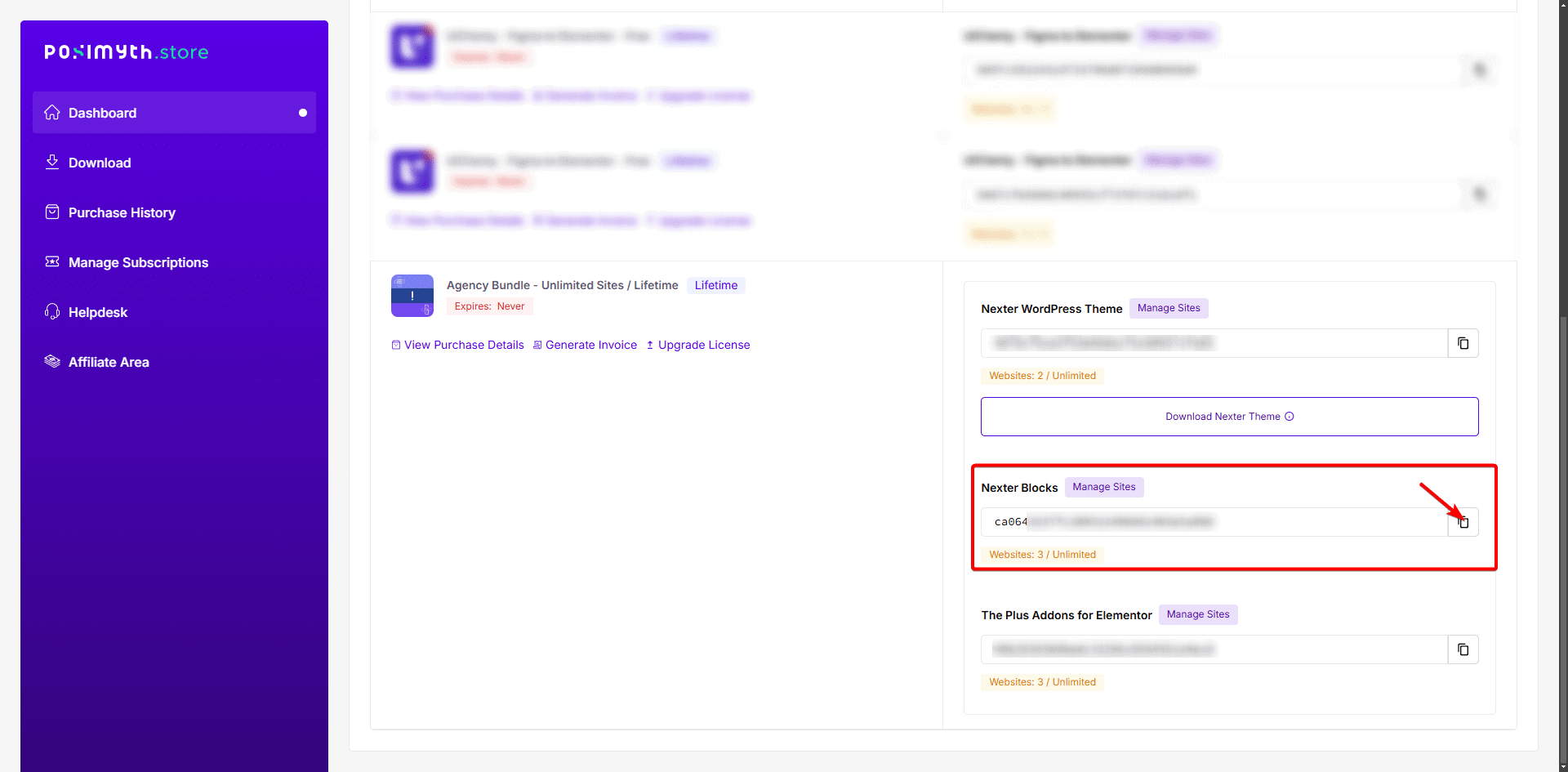
3. On your dashboard page, based on the purchase you made, you will see the items with their respective licence key. Find Nexter Blocks, then click on the copy icon button to copy the key to your clipboard.
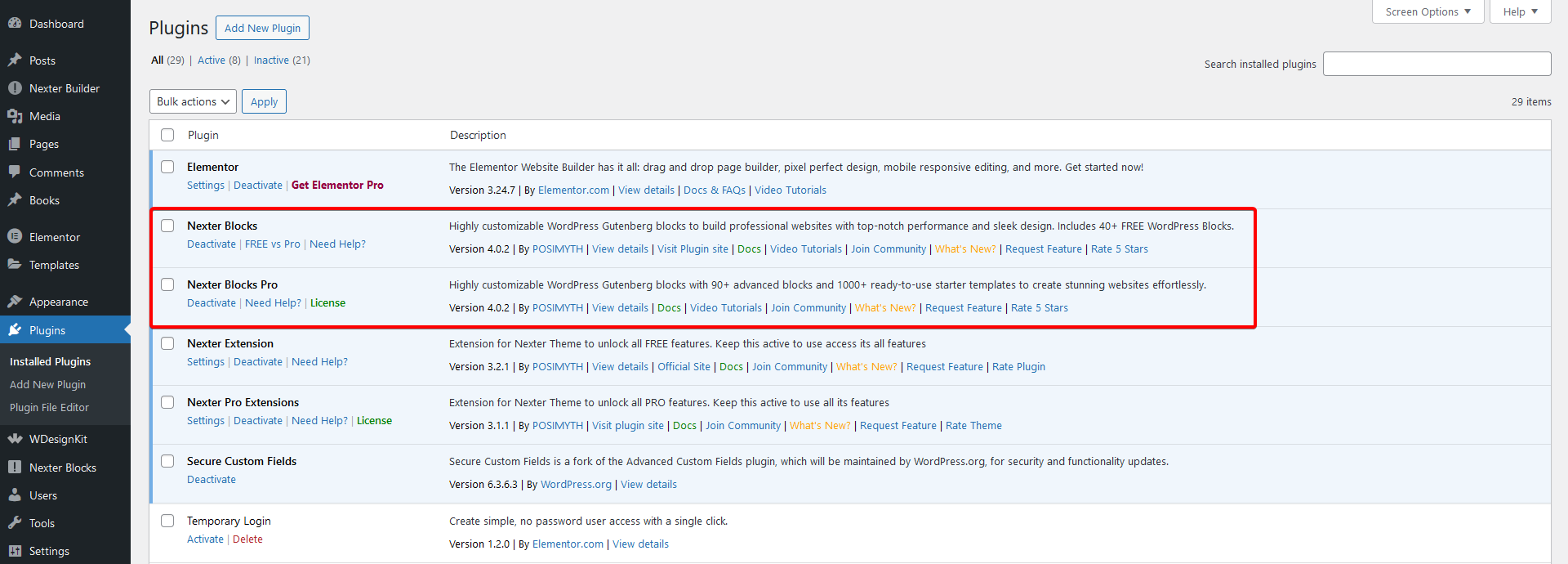
4. Now log in to your WordPress website backend and visit Plugins > Installed Plugins and make sure you have both Nexter Blocks and Nexter Blocks Pro installed and activated.
Note: Both the FREE and PRO versions of the plugin are required to access all the features.
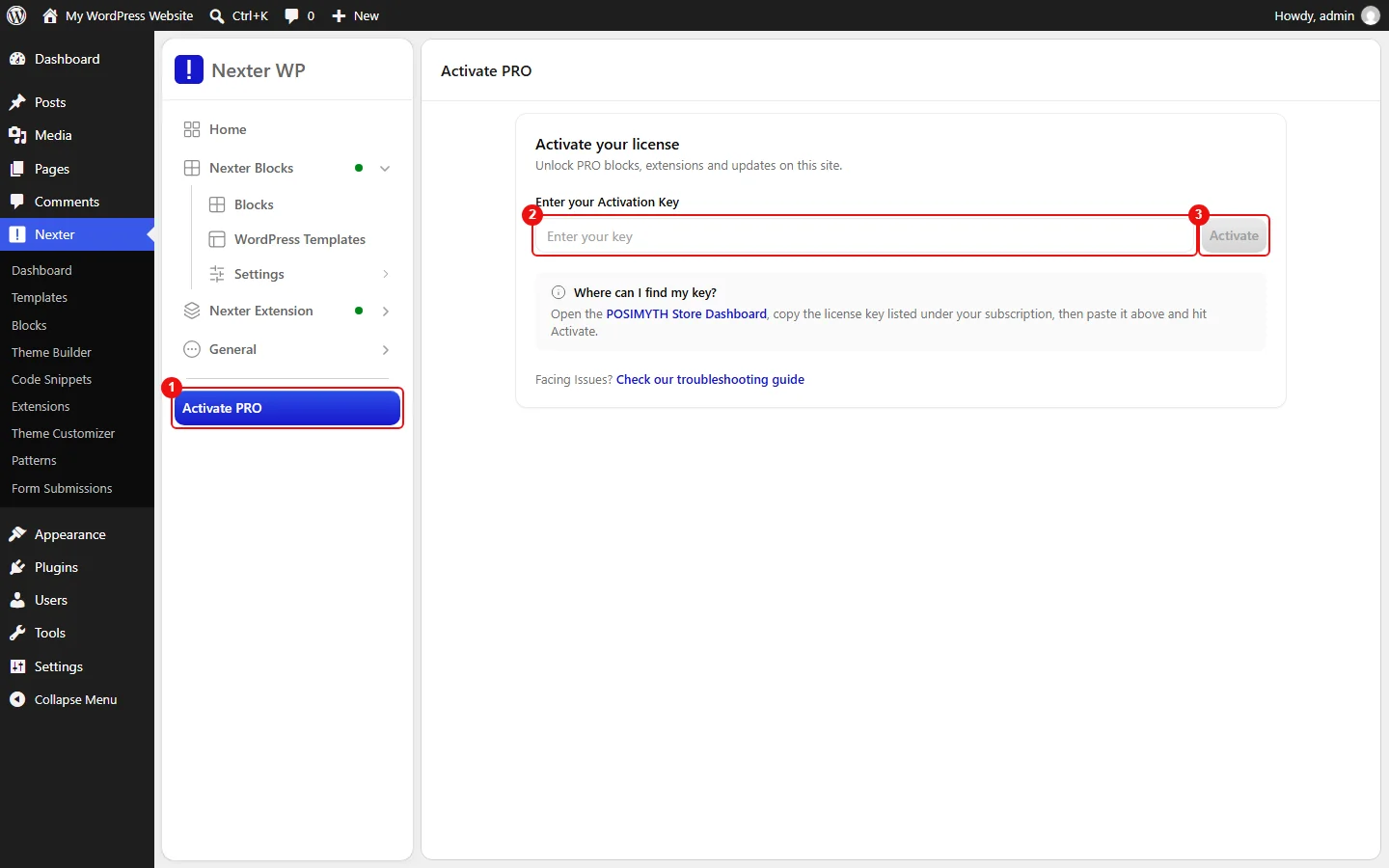
5. Then go to Nexter > Activate PRO.
6. In the Enter your Activation Key field, paste your licence key and click on Activate.
Your licence is now active. With Pro activated, you can access Pro features such as the Popup Builder block for creating overlay forms and timed offers on your pages.
Common Licence Activation Issues
Some of the common issues users face while activating the Nexter Pro licence.
Expired Licence
In some cases, if you are not receiving updates and cannot activate Nexter Pro, then your licence might have expired.
To check this, visit the Store.
Go to Dashboard, and under Manage Subscriptions, check if you see this.
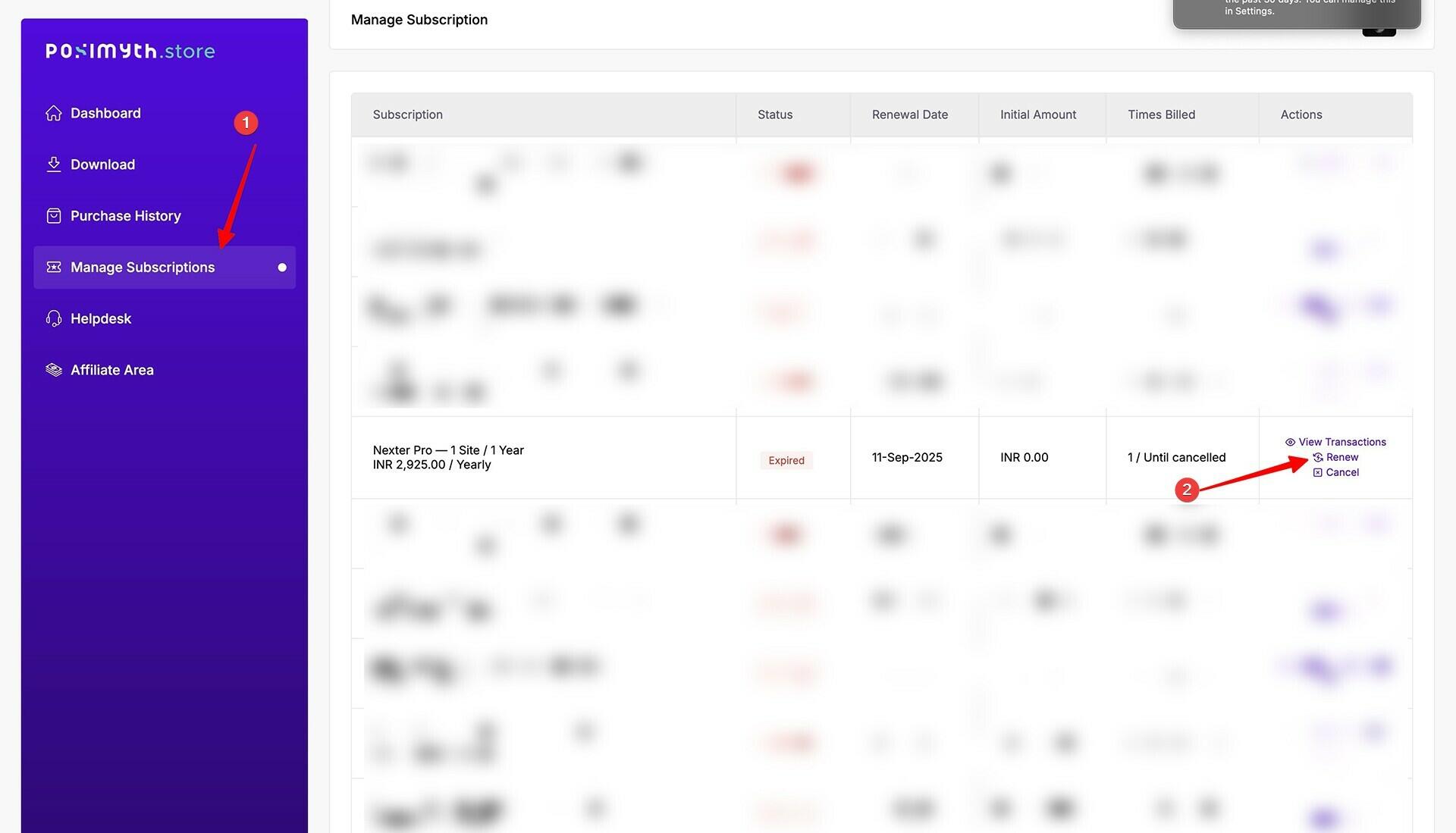
How to Renew Your Nexter Pro Licence.
Make sure Site and Home URL are Same
Make sure your WordPress Address (URL) and the Site Address (URL) are the same.
To check from the WordPress backend, go to Settings > General.

For example, if you installed and activated the plugin licence on a staging site and then moved it to the production site, the WordPress Address (URL) and Site Address (URL) could differ and this can cause the licence activation issue.
Security Firewall Blocking
Your security firewall from a plugin or hosting may be blocking access to the servers used to verify the key. Disable your security firewall and try again. If you need to check your server configuration first, see Hosting System Requirements for Nexter for the minimum requirements.
You can use the licence on localhost and staging sites unlimited times, regardless of the limited website plan. Staging sites will be considered only if they:
- localhost
- 10.0.0.0/8
- 172.16.0.0/12
- 192.168.0.0/16
- yourdomain.dev
- yourdomain.local
- dev.yourdomain.TLDs
- staging.yourdomain.TLDs
