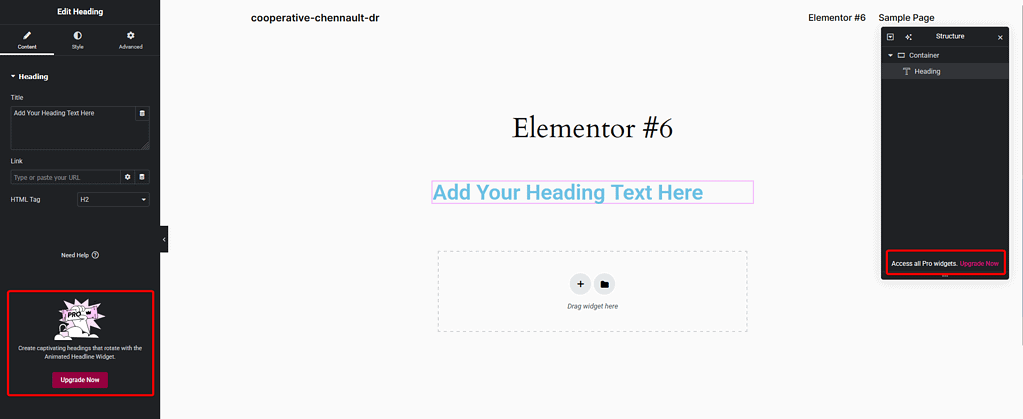
Do you want to remove the extra Elementor banners that show up across your WordPress dashboard? Elementor often displays promotional or feature-related banners in different places, which can clutter the backend and distract from your workflow. By hiding these banners, you can keep your dashboard clean, distraction-free, and focused only on the tools you actually use.
With the Nexter Extension (Free) plugin, you can hide Elementor AI banners, Pro upgrade prompts, and image optimization banners directly from your WordPress admin.
Best Used For:
- Agency WordPress sites where Elementor is installed but clients should not see Pro upgrade prompts
- WordPress developers managing client sites who want a cleaner Elementor editor experience
- Site owners running Elementor Free who want to remove AI and image optimization banners from the Media Library
How to Hide Elementor Banners with the Nexter Extension?
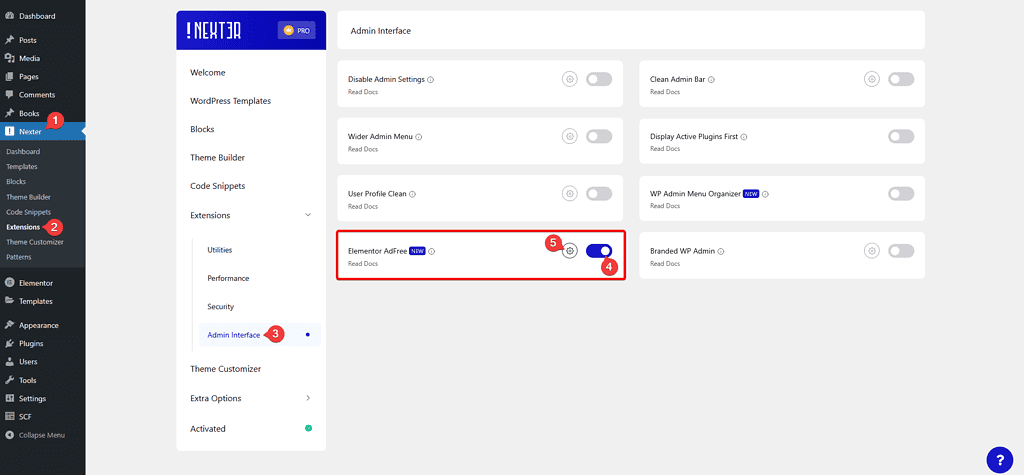
To hide the Elementor banners from your WordPress site with the Nexter Extension plugin, from the WordPress Dashboard, go to Nexter > Extensions > Admin Interface.
Then go to the Elementor AdFree section, enable the toggle and click on the gear icon (⚙).
Note: You’ll see this option only if you have the Elementor plugin active on your site.
It will open the Elementor AdFree pop-up.
Then you will see different options to hide Elementor banners from different parts of your website.
- Hide Elementor AI banners – This hides all Elementor AI-related banners and buttons from the Media Library and the Elementor editor. Enable this when you want a cleaner editing environment without AI prompts appearing every time you work with images or edit pages.
- Hide Elementor Image Optimization Banner – This hides the Image Optimizer by Elementor plugin banner from the Media Library and the Elementor editor. Enable this if you use a separate image optimization plugin and want to avoid duplicate plugin prompts appearing in your admin.
- Hide Elementor Pro Ads – This hides the Elementor Pro upgrade button from the Elementor editor. Enable this on client sites where you want to keep the editing interface free of upgrade prompts that are not relevant to the client’s workflow.
Turn on the options that fit your needs, and then click on the Save button.
To further streamline your WordPress admin interface, Nexter Extension also lets you clean up the WordPress Admin Bar and remove links that are not relevant to your workflow.
Hide Elementor AI banners
This hides all Elementor AI-related banners and buttons from your site, including the AI button in the Media Library and AI banners or links that appear across the Elementor seditor.

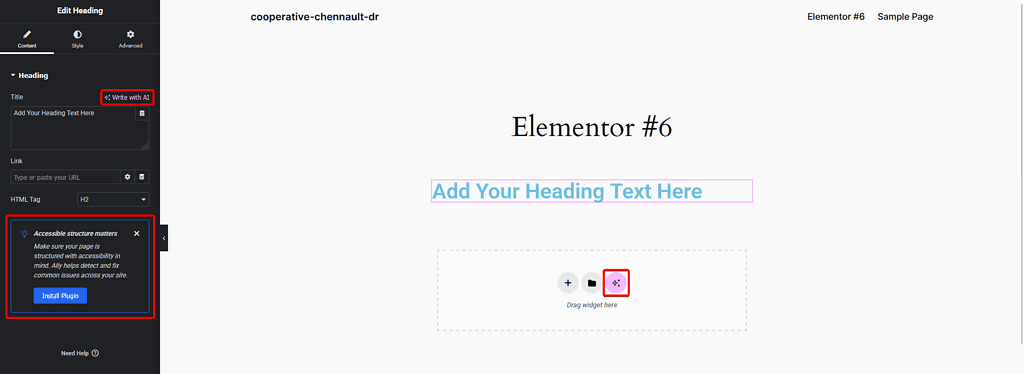
Hide Elementor Image Optimization Banner
This hides the Image Optimizer by Elementor plugin banner from the Media Library and the Elementor editor. It also hides the Web Accessibility and Usability plugin banner from the Pages section.



Hide Elementor Pro Ads
This hides the Elementor Pro upgrade button from the Elementor editor. Enable this option if you are running Elementor Free on client sites and want to keep the editing interface free of upgrade prompts.
If you also want to reduce unnecessary script loading in the editor, see How to Disable Loading for Elementor Icons to stop Elementor from loading icon libraries on pages that do not use them.