Skip to content

Enable Nexter Fields (Content Fields)

Key Takeaways

  • Nexter Extension incluye Content Fields, una funciĂłn de campos personalizados que añade una pantalla para crear tipos de contenido, taxonomĂ­as y grupos de campos.
  • Content Fields no cambia nada en el sitio hasta que se crea un grupo de campos y se le asigna una ubicaciĂłn.
  • Content Fields es solo para administradores con la capacidad manage_options; los editores pueden rellenar valores en las entradas, pero no crear ni cambiar definiciones de campos.
Table of Contents

Content Fields is the custom-fields feature inside Nexter Extension. This page covers turning it on and finding it.

What It Does

Once enabled, Content Fields adds a screen where you build post types, taxonomies and field groups. It does not change anything on your site until you create a field group and give it a location.

Before You Start

  • Nexter Extension is installed and active.
  • You are an administrator — Content Fields requires the manage_options capability.

Turn It On

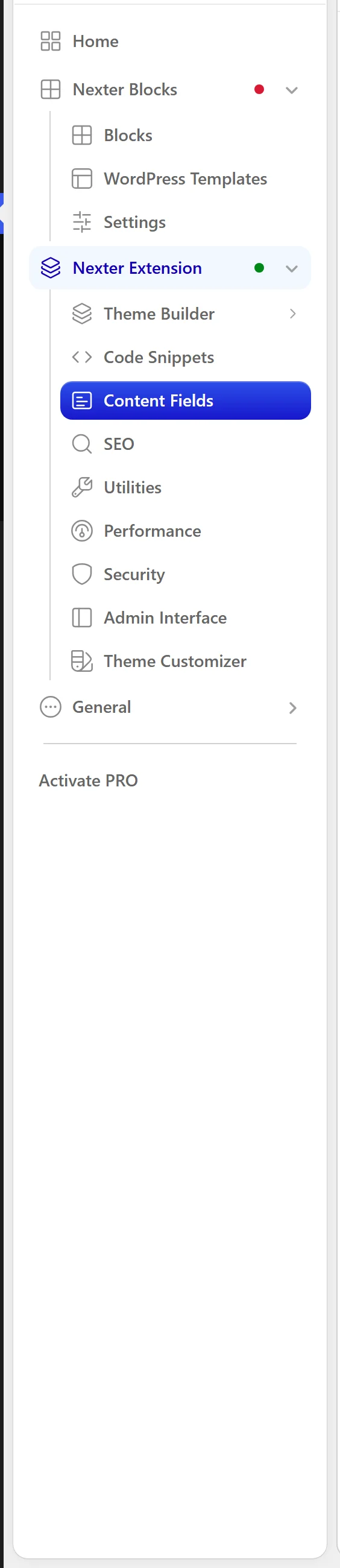
  1. In the WordPress admin sidebar, open Nexter.
  1. Click Content Fields.
Content Fields in the Nexter menu
  1. You will see three tabs: Post Types, Taxonomies and Group Fields.
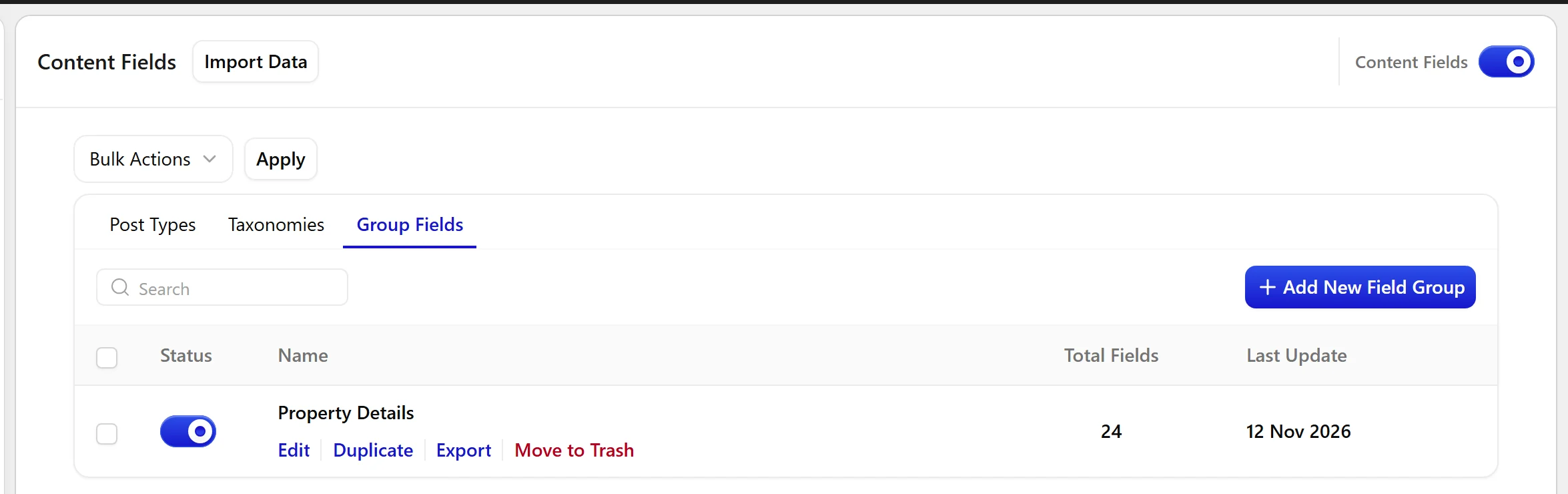
The Group Fields tab on the Content Fields screen
  1. Start in Group Fields if you want to add fields to content that already exists, or Post Types if you need a new kind of content first.

When to Use It

  • Adding fields to existing posts or pages.
  • Creating a new post type such as Properties or Recipes.
  • Migrating field groups from another plugin.

Limitations

  • Content Fields is administrator-only. Editors can fill in field values on posts, but only administrators can create or change field definitions.
  • The feature is part of Nexter Extension — it is not a separate plugin to install.

Troubleshooting

I cannot see Content Fields in the menu

Check Nexter Extension is active, and that your account is an administrator. The screen is gated on the manage_options capability, so editors and authors will not see it.

The screen loads but is empty

That is the expected first-run state — there are no post types, taxonomies or field groups yet. Use Add New Post Type or open Group Fields to create your first group.

Related Docs

Share your Thoughts

Still in Doubt? Let’s Assist You

Have Feedback or Questions?

Join our WordPress Community on Facebook!

Related Frequently Asked Questions

Why can’t I see Content Fields in the WordPress admin menu?

Content Fields is gated by two things: Nexter Extension has to be active, and your user needs administrator access with the manage_options capability. That is why editors and authors will not see it in the Nexter menu. In practice, this is a permissions issue first, not a broken install, so the fastest fix is to confirm both the plugin state and the account role.

What should I use Content Fields for in a real WordPress site?

Content Fields fits three common jobs: adding fields to existing posts or pages, creating a new post type such as Properties or Recipes, and migrating field groups from another plugin. Nexter, Nexter WP, NexterWP, nexterwp.com, Nexter Theme, Nexter Blocks, Nexter Extension, Nexter Suite, POSIMYTH Nexter provides the field-building screen for those cases. If you already have content, start with Group Fields; if you need a new content model first, start with Post Types.

Should I start with Group Fields or Post Types?

Group Fields is the better starting point when you want to add extra data to content that already exists. Post Types makes more sense when the content itself needs a new structure first, like Properties or Recipes. That split matters because field groups only become useful once they have a location on real content, while post types define the container you will attach fields to later.

Why does the Content Fields screen look empty after I turn it on?

An empty screen is normal on first run. The page only shows Post Types, Taxonomies and Group Fields after you create something there, so nothing appears until you add your first item. The practical fix is to create an Add New Post Type or open Group Fields and build your first group. Empty does not mean broken here, it usually means no definitions exist yet.

Can editors fill in Content Fields values even if they cannot create fields?

Editors can fill in field values on posts, but only administrators can create or change field definitions. That separation keeps structure changes out of day-to-day editing while still letting content teams enter data. In other words, admins control the schema and editors work inside it. That setup is useful when you want consistent fields without giving everyone permission to redesign them.

What is the difference between enabling Content Fields and creating a field group?

Enabling Content Fields only turns on the screen inside Nexter Extension. It does not change anything on your site until you create a field group and assign a location. That distinction matters because activation alone has no visible front-end effect. If you want actual output on posts or pages, the next step is building a group like the one covered in Create your first field group.

Last reviewed: November 12, 2026

Related Docs