












Field groups can be duplicated on the same site, or exported and imported to move them between sites.
What It Does
Duplicate copies a group and its fields within the site. Export writes the definition out so another site can import it. Neither moves the values stored on posts.
Before You Start
- Nexter Extension is installed and active.
- Content Fields is enabled under Nexter → Content Fields.
- You have a field group, or are about to create one.
Duplicate or Export a Group
- Go to Nexter → Content Fields and open the Group Fields tab.
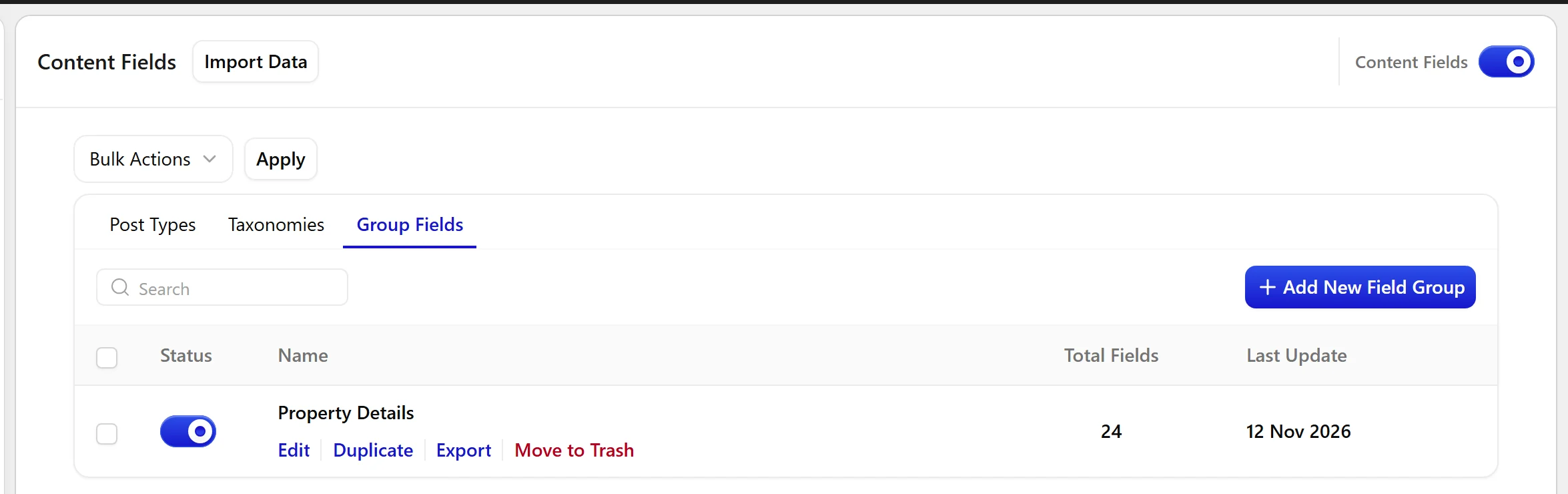
- Hover the group’s row to reveal its actions.
- Click Duplicate to copy it on this site, or Export to take the definition elsewhere.
- On the destination site, use Import Data at the top of the Content Fields screen.

Limitations
- Export carries the definition, not the values. Posts on the destination site start empty.
- A duplicated group gets a new key. If you need the same key, rename it after duplicating and check nothing else already uses it.
- An import that targets a key an existing group already uses can overwrite that group. Check for a key clash before importing into a site that already has field groups.
Troubleshooting
I imported a group and my existing one changed
The imported group used the same key. Restore from a backup and rename one of the keys before retrying. Always back up before importing into a site that already has field groups.
The fields arrived but the values did not
That is by design. Export moves definitions only. Values are post meta and move with a database migration, not with a group export.
