












Alert boxes are the coloured strips that tell a visitor something went right, something went wrong, or something needs their attention before they carry on.
In Nexter Blocks an alert box is the Message box with alert styling — you pick the icon and the colours that say success, warning, error or information.
For every External Form Styler setting in one place, see the main Message box guide.
Before You Start
- Edition: Free — works in Nexter Blocks (free) and with Nexter Blocks Pro.
- Block to enable: Message box, switched on under Nexter > Blocks in your WordPress dashboard.
Video Tutorial
Steps
- Add the Message box block and type the alert text as the Title.
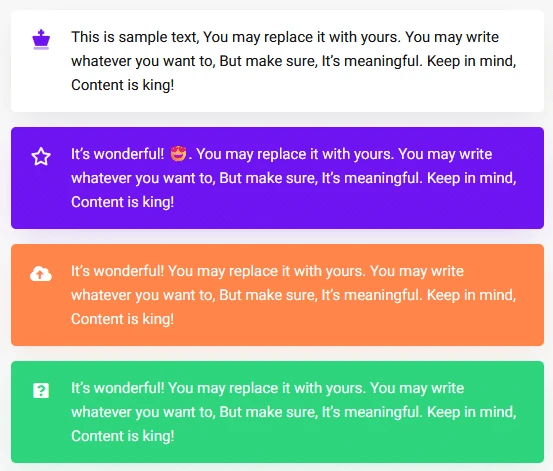
- Pick an Icon that matches the meaning — a tick for success, an exclamation mark for a warning, a cross for an error, an i for information.
- Set the box background and border colours to match: green, amber, red or blue.
- Set the icon and title colours so they read clearly against that background.
- Switch the close button on if the alert should be dismissible, then publish.
There is no separate alert box block or preset — an alert box is this same Message box with alert styling. The block’s own default title, “Special Alert message for you. Got it?”, is why it is often described that way.
How It Behaves
The Message box is a single styled box with up to four parts — an icon, a title, a description and a button — plus an optional close button. It is the block to reach for when a page needs a notice that stands apart from the body text.
- There is no alert type to choose. The difference between a success box and an error box is entirely the icon and the colours you set — the block renders the same structure either way, measured across every icon setting tested.
- The block’s default content is already an alert. Out of the box the title reads “Special Alert message for you. Got it?” with an exclamation icon and a close button.
- The description needs both switches. Measured separately in both directions: with the toggle on and the text box empty, and with text typed but the toggle off, no description element is rendered at all.
- The arrow only exists if the icon does. Measured with the icon switched off and the arrow switched on: there is no arrow anywhere on the page. The arrow is drawn on the icon, so switching the icon off removes both.
- Any icon class is accepted — measured, the icon you choose is rendered verbatim, so the same block covers all four alert styles.
Limitations
- No presets. There is no success/warning/error chooser; you set the colours each time. Save the styled block as a reusable block if you need it often.
- Colour alone does not convey meaning to everyone. Keep the icon, and make the wording say what happened, so the alert still reads without colour.
- Closing is not remembered — measured, a reload brings the alert back.
- One alert per block.
Troubleshooting
My alert looks like plain text
No background colour has been set. The block does not colour itself by meaning — set the box background and border for the alert you want.
The icon is missing
Check the icon is switched on and an icon has been chosen. Measured: with the icon off, the arrow disappears too.
The description text I typed is not showing
Measured in both directions: the description needs its toggle on and text in the field.
The alert comes back after the visitor closes it
Measured: closing hides it for that page view only and a reload restores it. See the close button guide.
