












The Switcher’s own toggle sits directly above its content. Sometimes the control belongs somewhere else — in a sticky bar, beside a heading, at the top of a long page.
A Carousel Remote set to the switcher type does exactly that, connected by a shared Carousel ID.
For every External Form Styler setting in one place, see the main Switcher guide.
Before You Start
- Edition: Pro — connecting a remote to the Switcher needs Nexter Blocks Pro.
- Block to enable: Switcher, switched on under Nexter > Blocks in your WordPress dashboard.
- A Switcher already set up — see the main Switcher guide.
- A Carousel Remote block — see the Carousel Remote guide.
Video Tutorial
Steps
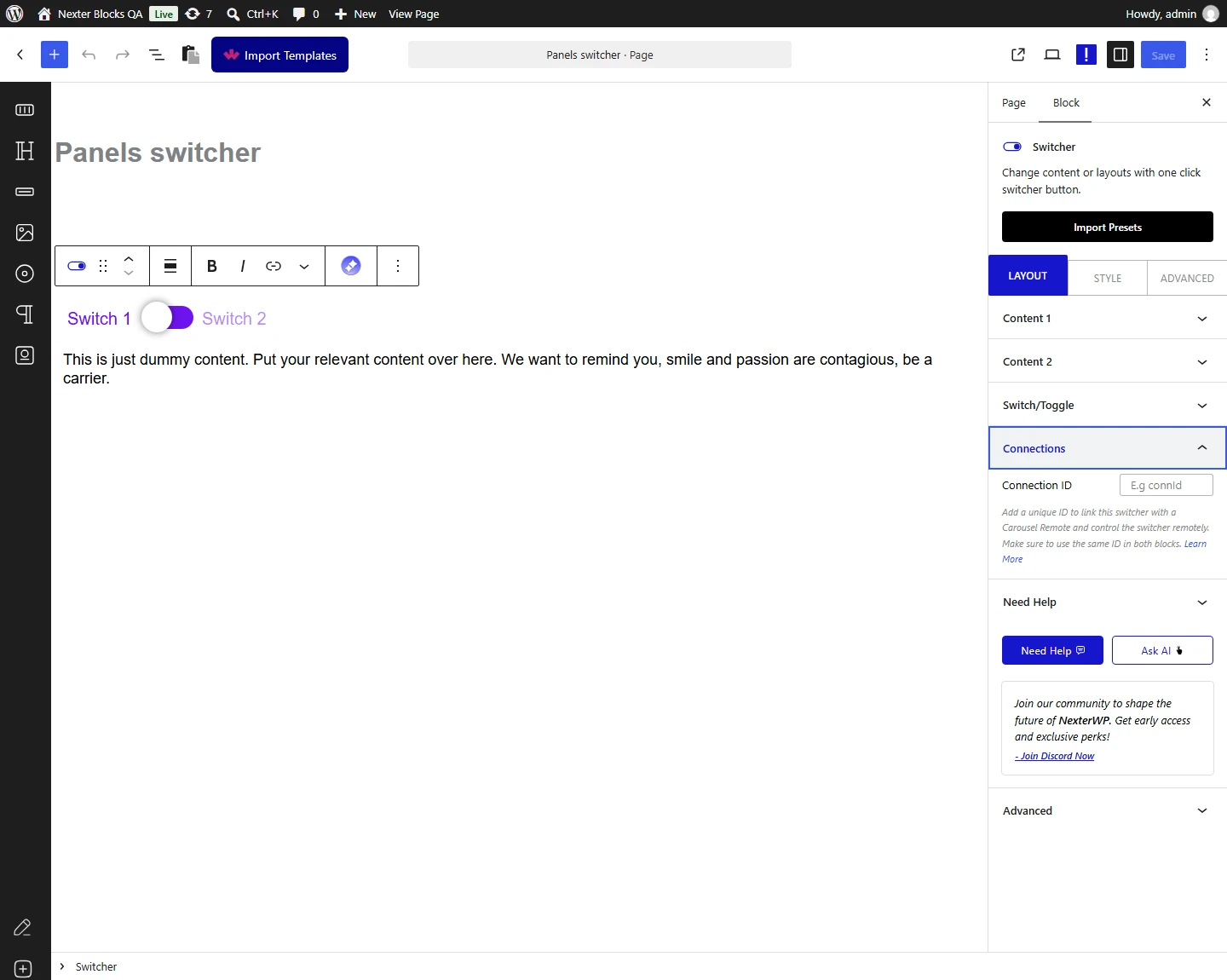
- Select the Switcher and set a Carousel ID — for example
Sw1.
- Add the Carousel Remote block where you want the controls.
- Set the remote’s Carousel ID to the same value.
- Set the remote’s Remote Type to Switcher.
- Publish and use the remote’s controls on the real page.
Connecting a Carousel Remote needs Nexter Blocks Pro. Measured: with Pro active the switcher carries the connection id the remote looks for; with only the free plugin the id is empty, so no remote can find it.
How It Behaves
The Switcher shows one of two panes of content at a time, with a toggle between them. It is the block behind a monthly / yearly pricing switch, or any pair of alternatives that should not both be on screen at once.
- Measured on a published page: the remote’s Next control hid pane 1 and showed pane 2, putting the toggle into its active state, and Prev switched back.
- The remote works the switcher’s labels. That is why a remote-driven switch is remembered across a reload, while the switcher’s own slider is not — measured, and reported to the development team.
- Connecting a Carousel Remote needs Nexter Blocks Pro. Measured: with Pro active the switcher carries the connection id the remote looks for; with only the free plugin the id is empty, so no remote can find it.
- The switcher’s own toggle still works — the remote is an extra control, not a replacement.
- One ID pairs one remote with one switcher. Give each pairing on a page its own unique ID.
Limitations
- Connecting a Carousel Remote needs Nexter Blocks Pro. Measured: with Pro active the switcher carries the connection id the remote looks for; with only the free plugin the id is empty, so no remote can find it.
- A wrong ID does nothing, and says so only in the console. Measured with mismatched IDs: the switcher never moved, and every click logged a
TypeError. - A remote with no Carousel ID behaves the same way — measured, nothing happens and the same error is logged on each click.
- The connection runs on the published page only, not in the editor.
Troubleshooting
The remote controls do nothing
Check three things in order: Remote Type is set to Switcher, the Carousel ID matches on both blocks exactly, and Nexter Blocks Pro is active.
How can I confirm the IDs are wrong?
Open the browser console and click a control. Measured with mismatched IDs: every click logs a TypeError. With matching IDs the console stays clean.
It works but only in one direction
Next moves to the second pane and Prev returns to the first. Measured in both directions — if only one works, check both controls are enabled on the remote.
Nothing happens in the editor
Expected. Publish the page and test there.
