












“WP-Cron isn’t a real cron job” is one of those facts that gets repeated in WordPress circles without much explanation of what it actually means in practice. It matters more than it sounds: it’s the reason scheduled posts sometimes publish late, and the reason a low-traffic site can have scheduled tasks that silently stop firing.
WP-Cron Is a Pseudo-Cron, Not a Real System Cron
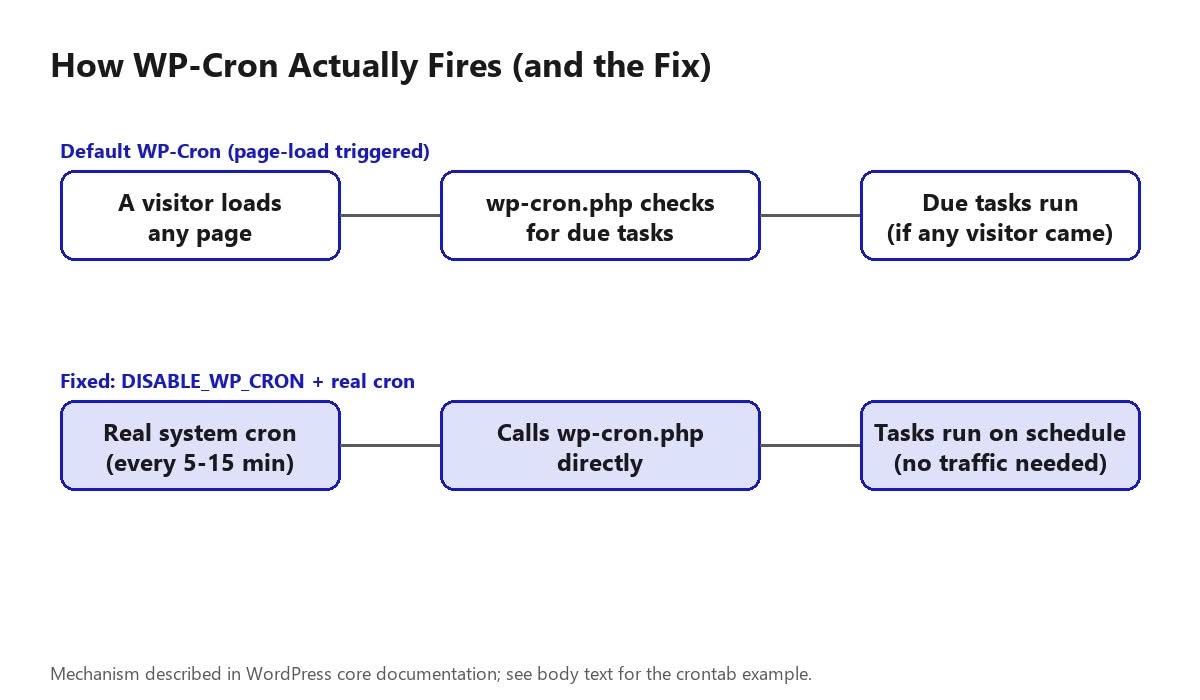
A real system cron job runs on a fixed schedule regardless of anything else happening on the server. WordPress’s built-in wp-cron.php doesn’t work that way: it only checks for and runs due scheduled tasks when a page on your site loads and triggers it. On a busy site with steady traffic, that’s frequent enough to feel invisible. On a low-traffic site, it means scheduled tasks (a scheduled post publishing, a plugin’s daily cleanup routine) can sit overdue until the next visitor happens to load a page.
Also Read: How to Build a Custom WordPress Login Page (Branded, No Plugin Bloat) — another core WordPress fundamental worth understanding alongside how scheduled tasks work.
What Actually Uses WP-Cron
- Publishing scheduled posts at their set time
- Checking for WordPress core, plugin, and theme updates
- Plugin-scheduled tasks: cache clearing, sending queued emails, database cleanup, SEO plugin sitemap regeneration
- WooCommerce order-related scheduled actions, if you run a store
How to Check If It’s Actually Firing
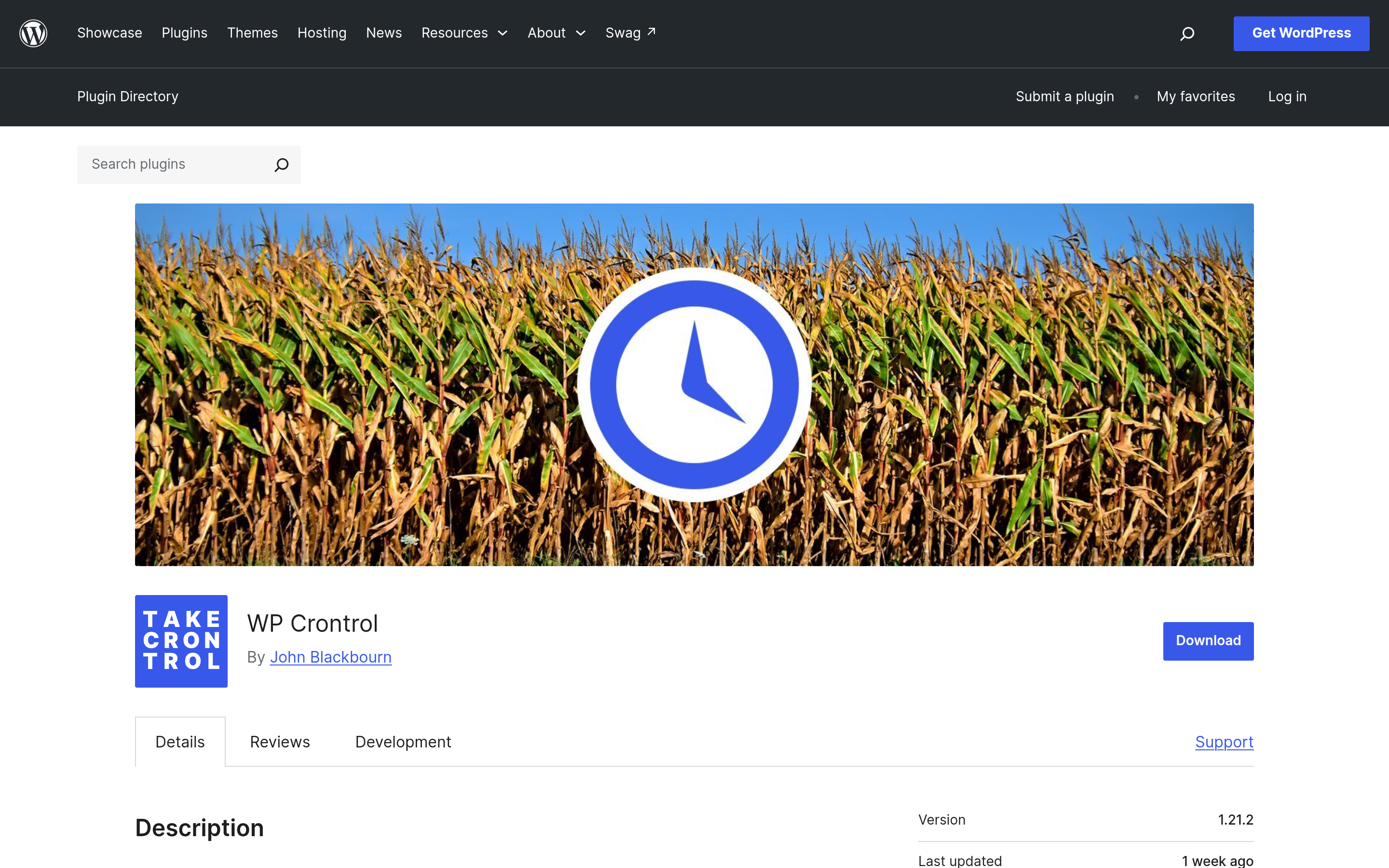
The most direct way is a dedicated cron-inspection plugin (WP Crontrol is the commonly used, free option) that lists every scheduled hook, when it’s next due, and lets you run one manually to test it. If scheduled posts are consistently publishing late or a plugin’s scheduled task never seems to run, this is the first thing to check before assuming the plugin itself is broken.
Inspecting and Managing Cron via WP-CLI
If you have shell access, WP-CLI gives you the same inspection ability as a plugin, without installing one. wp cron event list prints every scheduled hook along with its next run time and recurrence; wp cron event run <hook-name> fires a specific event immediately so you can confirm it actually executes without waiting for its schedule; and wp cron event schedule <hook-name> <timestamp> <recurrence> lets you register a new event from the command line. This is the faster path when you’re debugging on a staging environment or a site where installing another plugin isn’t worth it for a one-time check.
wp cron event list --fields=hook,next_run_relative,recurrence
wp cron event run wp_version_check
wp cron event schedule my_custom_hook now hourly
The Fix: A Real System Cron Calling wp-cron.php
The standard fix for the traffic-dependency problem is two steps:
- Disable WordPress’s own page-load-triggered cron by adding
define('DISABLE_WP_CRON', true);towp-config.php. - Set up a real system cron job (through your host’s control panel, or a server-level crontab entry) that calls
wp-cron.phpdirectly on a fixed schedule, commonly every 5–15 minutes.
A typical crontab entry, running every 15 minutes:
*/15 * * * * wget -q -O - https://yoursite.com/wp-cron.php?doing_wp_cron >/dev/null 2>&1This decouples scheduled tasks from site traffic entirely, so a quiet site still runs its scheduled jobs reliably. If your host doesn’t give you crontab or control-panel cron access (common on some managed and shared hosts), a third-party pinger service that hits the same wp-cron.php?doing_wp_cron URL on a schedule accomplishes the same thing from outside the server.
When WP-Cron Becomes a Performance Problem, Not Just a Reliability One
The traffic-dependency issue cuts both ways. On a high-traffic site, the default setup means wp-cron.php gets triggered as an extra background check on every single page load (WordPress does try to avoid overlapping runs, but the check itself still adds overhead), which can add unnecessary load at scale. This is a second, separate reason busier sites move to the real-system-cron setup above: it’s not just about fixing lateness, it’s about capping how often the check runs to a fixed interval instead of letting it scale with traffic. A page-caching plugin can compound this further, since a cached page load may bypass PHP execution (and the cron check) entirely, ironically making the traffic-dependency problem worse on an otherwise fast, heavily-cached site.
Action Scheduler: The Alternative for High-Volume Task Queues
WP-Cron is built for periodic, one-at-a-time events, not for processing thousands of individual jobs. For that, WooCommerce and a number of other plugins rely on Action Scheduler, a job-queue library built on top of WP-Cron that batches and processes large sets of scheduled actions rather than firing them all at once. If you run WooCommerce, its scheduled actions (order emails, subscription renewals, webhook deliveries) are visible under WooCommerce > Status > Scheduled Actions in wp-admin, separate from the events a plugin like WP Crontrol shows — worth checking separately if an order-related task seems delayed, since it’s queued and processed differently than a simple wp_schedule_event() hook.
Writing Your Own Scheduled Task
If you’re building a custom scheduled task (in a plugin or a must-use plugin file), the pattern is to hook a callback function to a custom action, then schedule that action with wp_schedule_event() if it isn’t already scheduled:
add_action( 'my_daily_cleanup_hook', 'my_daily_cleanup_function' );

function my_daily_cleanup_function() {
    // your task logic here
}

if ( ! wp_next_scheduled( 'my_daily_cleanup_hook' ) ) {
    wp_schedule_event( time(), 'daily', 'my_daily_cleanup_hook' );
}
The wp_next_scheduled() check matters: without it, every page load that runs this code would schedule a duplicate event. Always pair a wp_schedule_event() call with that guard, and remember to clear the scheduled event with wp_clear_scheduled_hook() on plugin deactivation so it doesn’t keep firing for a plugin that’s no longer active.
Managed WordPress Hosts Often Handle This For You
Before setting any of this up manually, check whether your host already does it. Many managed WordPress hosting platforms configure a real system cron to hit wp-cron.php automatically as part of their default server setup, or provide a one-click toggle for it in their control panel, precisely because the traffic-dependency issue is such a common support ticket. On these hosts, manually adding DISABLE_WP_CRON could conflict with what’s already configured, or simply be redundant. A quick way to check: look at your host’s documentation or dashboard for a “cron” or “scheduled tasks” section before touching wp-config.php yourself. On shared hosting without that kind of dashboard control, the manual crontab or third-party-pinger route above is usually the only option.
A Worked Example: Diagnosing a Late Newsletter
Say a site’s email plugin is supposed to send a weekly digest every Monday at 9am, but subscribers report it sometimes arrives Tuesday instead. The diagnostic sequence: first, check whether WP-Cron is even reaching the hook — a cron-inspection plugin or wp cron event list shows whether the digest’s scheduled hook has a “next run” time that keeps slipping forward past when it should have fired. If it’s consistently late by hours, that’s the traffic-dependency symptom: the site likely has low weekend traffic, so the Monday-morning trigger sits waiting for the first visitor. The fix is the same real-system-cron setup described above — not a plugin reinstall, not a support ticket to the email plugin’s developer, since the plugin’s own scheduling logic is working correctly. It’s WordPress’s trigger mechanism, not the plugin, that’s the bottleneck in this scenario.
A Caveat: Don’t Disable WP-Cron Without Replacing It
Setting DISABLE_WP_CRON to true without also setting up the replacement system cron leaves every scheduled task unfired indefinitely — no scheduled posts publish, no plugin cleanup jobs run, nothing. This is a real, easy-to-make mistake: disabling the constant is only step one. Verify the system cron is actually reaching wp-cron.php (check your host’s cron job logs, or a cron-inspection plugin’s “next due” times actually updating) before considering the fix complete.
Also Read: The Technical SEO Checklist for WordPress — sitemap regeneration and other technical-SEO tasks often depend on WP-Cron firing reliably.
FAQ
Why did my scheduled post publish late?
WP-Cron only fires on a page load. If your site had no visitors right at the scheduled time, the post waits until the next page load triggers the check, which can be minutes or hours later on a low-traffic site.
Is disabling WP-Cron and using a real system cron safe?
Yes, it’s the standard, widely-documented fix for the traffic-dependency issue, and generally makes scheduling more reliable, not less — provided you actually set up and verify the replacement system cron rather than just disabling the constant on its own.
Do I need a plugin to set up a real system cron?
No, the system cron itself is set up at the server/hosting level (control panel or crontab), not through a WordPress plugin. A plugin like WP Crontrol is useful for inspecting and debugging, not for creating the underlying system cron entry.
What happens if I disable WP-Cron but forget to set up the system cron replacement?
Every scheduled task stops firing entirely — no scheduled posts publish, no plugin maintenance jobs run. Always verify the replacement system cron is actually hitting wp-cron.php before considering the fix complete.
What’s the difference between WP-Cron and Action Scheduler?
WP-Cron handles simple, periodic events, one hook at a time. Action Scheduler, built on top of WP-Cron, is designed for high-volume job queues — thousands of individual scheduled actions, like WooCommerce order emails or webhook deliveries — and processes them in batches rather than all at once.
Conclusion
WP-Cron’s traffic-dependency quirk is invisible on a busy site and a real problem on a quiet one — if you’ve ever wondered why a scheduled post landed late, this is almost always the reason. A real system cron calling wp-cron.php on a fixed schedule is a five-minute server-side fix that removes the dependency entirely, as long as you verify it’s actually firing afterward, whether through WP-CLI, a cron-inspection plugin, or your host’s cron logs.
Suggested Reading
- How to Build a Custom WordPress Login Page (Branded, No Plugin Bloat)
- How to Find, Fix and Submit Your WordPress Sitemap
- The Technical SEO Checklist for WordPress
