












Key Takeaways
- Internal linking plugins come in two types: dedicated tools (Link Whisper, Internal Link Juicer, LinkBoss, Interlinks Manager) and SEO suites with a built-in link-suggestion feature (Rank Math, Yoast SEO).
- Link Whisper suggests links as you write, while Internal Link Juicer builds them automatically from the keywords you configure.
- Rank Math’s Link Suggestions feature is free; Yoast’s internal linking tool requires Yoast SEO Premium.
- Choose by how much control you want: approve every link (Link Whisper or an SEO suite) or set-and-forget automation (Internal Link Juicer).
- Internal links build topical authority and help AI engines map your site; pair a linking tool with a plugin like RankReady to track whether AI answers actually cite you.
Picture a WordPress site with 150 published posts. A handful of them are genuinely good, and almost none of them link to each other. That is one of the most common SEO problems on content-heavy sites, and it is the exact problem an internal linking plugin is built to fix. Done by hand, connecting all those posts is slow and easy to forget. A good plugin either suggests the links for you or adds them automatically.
The tricky part is that “internal linking plugin” covers two very different kinds of tool, and people often install the wrong one. This guide splits them clearly, gives you six options with honest pros and cons, and helps you match a tool to how much control you actually want.
What an Internal Linking Plugin Actually Does
An internal link is any link from one page on your site to another page on the same site. Internal linking plugins help you create and manage those links at scale, so related posts point to each other instead of sitting as dead ends. That matters for two reasons: readers find more of your content, and search engines and AI systems get a clearer map of how your pages relate.
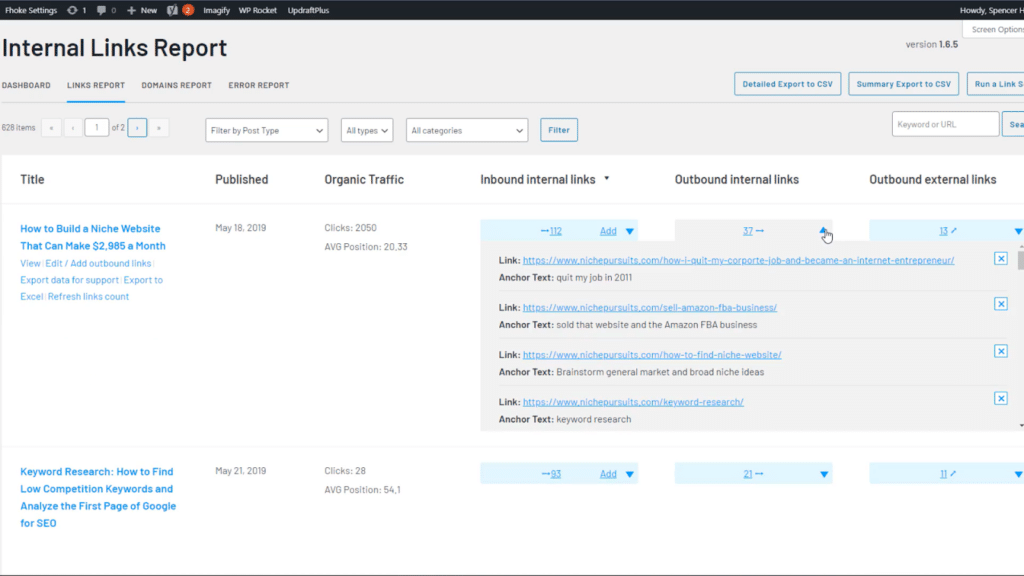
Here is the split that decides which tool you need:
- Dedicated internal-linking tools. Their whole job is finding, suggesting, or automatically inserting internal links. Think Link Whisper, Internal Link Juicer, LinkBoss, and Interlinks Manager.
- SEO suites with a link-suggestion feature. Plugins like Rank Math and Yoast SEO do meta titles, sitemaps, and schema, and they include internal link suggestions as one feature among many.
If you already run an SEO suite, you may not need a separate plugin at all. If linking is your main pain point, a dedicated tool usually goes deeper. Internal links are also one of the main ways you build topical authority, so it helps to plan them around a topical map rather than linking at random.
Dedicated Internal-Linking Tools
1. Link Whisper (Free)
Link Whisper Free is the best-known dedicated option, with around 30,000 active installs and a 82 out of 100 rating from 145 reviews (version 0.9.5, last updated June 2026, tested up to WordPress 7.0). It scans your posts and suggests relevant internal links as you write, then lets you add them with a checkbox. It also flags orphaned posts and broken links.
Best for: writers who want fast, editor-side suggestions without leaving the post.
Worth knowing: the deeper reporting, automatic linking, and bulk tools live in the paid Link Whisper plan, which is sold separately from the WordPress.org version.
2. Internal Link Juicer
Internal Link Juicer takes the automatic route. It has roughly 90,000 active installs and a strong 94 out of 100 rating from 531 reviews (version 2.26.0, updated March 2026). You configure target keywords per post, and it automatically turns those keywords into links to that post wherever they appear across your site. It describes itself as a solution for “building internal links within post content” through “intelligent per-post configuration of your desired keywords.”
Best for: sites that want set-and-forget automatic linking based on keywords rather than approving each link.
Worth knowing: taxonomy linking, custom fields, and keyword import are Pro features, and automatic linking needs careful keyword rules or it can over-link.
Also Read: Semantic SEO for WordPress explains why the words around your links, not just the links themselves, shape how search engines read your content.
3. LinkBoss
LinkBoss is the newer, AI-first option (around 2,000 active installs, 96 out of 100 from 17 reviews, version 2.8.3, updated May 2026). Instead of matching exact keywords, it uses natural language processing to suggest contextually relevant links, and it can fix anchor text issues and map your site structure. The free tier includes Google Search Console integration.
Best for: larger content libraries that want meaning-based suggestions rather than keyword matches.
Worth knowing: it has fewer reviews than the established tools, and the heavier automation runs on a credit or subscription model.
4. Interlinks Manager
Interlinks Manager is less about adding links and more about measuring the ones you have (about 8,000 active installs, 92 out of 100 from 5 reviews, version 1.18, updated March 2026). It gives you link equity analysis, an optimization score, and broken-link and redirect detection based on HTTP status codes.
Best for: people who want data on their existing internal link structure, not just more links.
Worth knowing: automatic link creation, link suggestions, and visit tracking are in the Pro version, so the free core is mostly an auditing tool.
SEO Suites With Built-In Link Suggestions
If you already run a full SEO plugin, check what you own before buying anything new. Two of the biggest include internal linking help.
5. Rank Math SEO
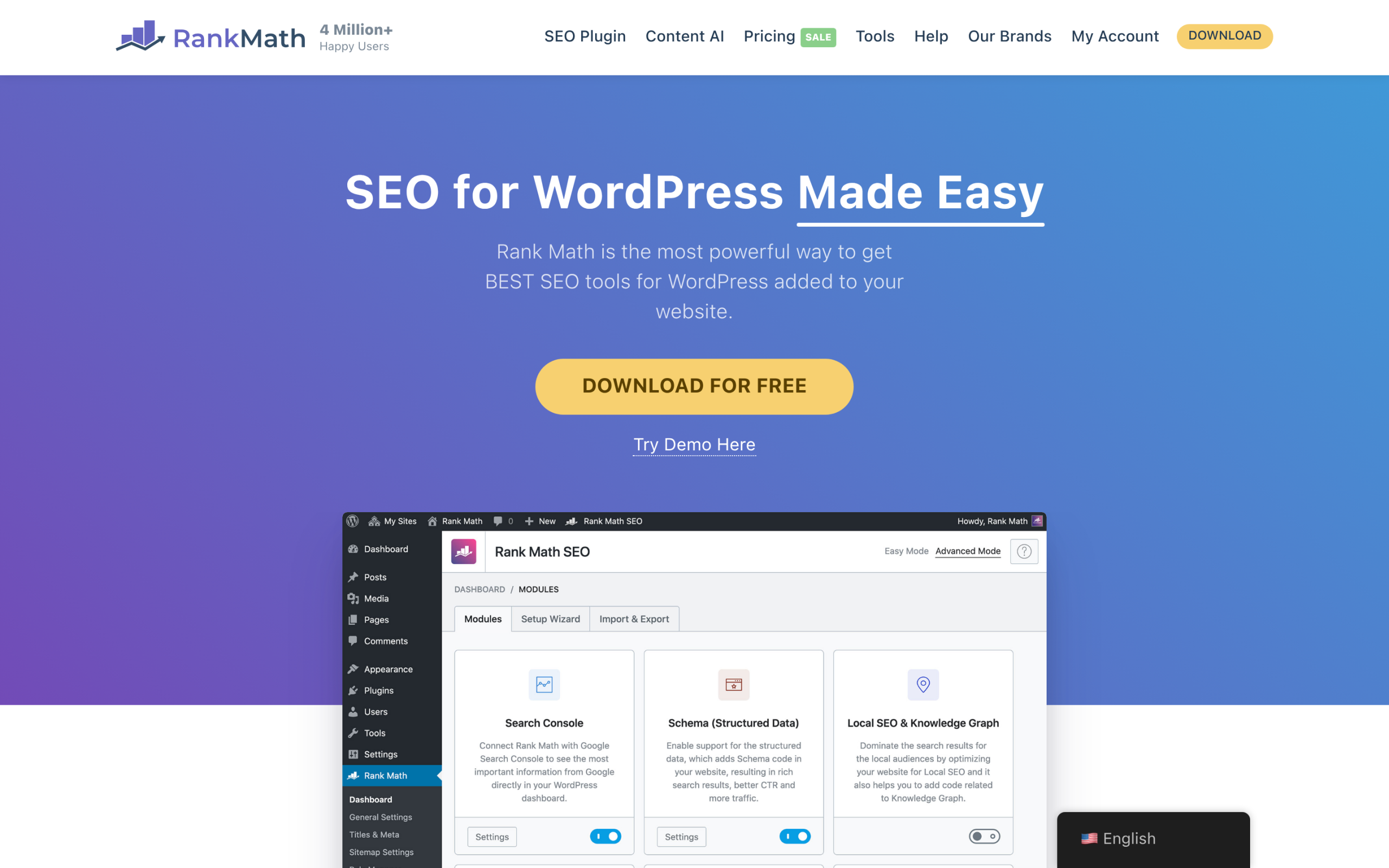
Rank Math has around 4,000,000 active installs (version 1.0.273, 96 out of 100 from 7,453 reviews, updated June 2026). Its Link Suggestions feature is free: you mark important posts as Pillar Content, and Rank Math suggests those posts by category inside the editor, with one-click insert. Its newer AI Link Genius adds AI-driven internal linking in the PRO version.
Best for: sites already on Rank Math that want built-in suggestions without adding another plugin.
Worth knowing: the free suggestions depend on having pillar content and clean categories; the AI automation is a Pro upgrade.
6. Yoast SEO
Yoast SEO is the most installed SEO plugin at around 10,000,000 active installs (version 27.9, 96 out of 100 from 27,811 reviews, updated June 2026). Its internal linking suggestions are a Premium feature. Yoast scans your content, compares the most prominent words across your posts, and shows five related pages to link to inside the editor as you write.
Best for: existing Yoast users who upgrade to Premium and want suggestions built into their writing flow.
Worth knowing: the internal linking tool is not in free Yoast. It needs Yoast SEO Premium and an initial content scan before suggestions appear.
Also Read: Rank Math vs Yoast SEO compares the two suites in full if you are deciding which one to build your SEO on.
Internal Linking Plugins Compared
| Plugin | Type | How it links | Free version | Last updated |
|---|---|---|---|---|
| Link Whisper | Dedicated | Suggests as you write | Yes, plus paid plan | Jun 2026 |
| Internal Link Juicer | Dedicated | Automatic, keyword-based | Yes, plus Pro | Mar 2026 |
| LinkBoss | Dedicated | Semantic AI suggestions | Free tier, plus paid | May 2026 |
| Interlinks Manager | Dedicated | Audits links, Pro adds auto-links | Yes, plus Pro | Mar 2026 |
| Rank Math SEO | SEO suite | Pillar and category suggestions | Yes, Pro adds AI Link Genius | Jun 2026 |
| Yoast SEO | SEO suite | Prominent-words suggestions | Premium only | Jun 2026 |
How to Choose the Right One
- You want to approve every link yourself: Link Whisper, or the built-in suggestions in Rank Math or Yoast.
- You want fully automatic linking: Internal Link Juicer.
- You have a large library and want meaning-based links: LinkBoss.
- You want to audit and score the links you already have: Interlinks Manager.
- You already run Rank Math or Yoast: start with their built-in tools before paying for a separate plugin.
Whichever you pick, the plugin is only half the job. Use descriptive anchor text that tells readers and search engines what the target page is about, and link to your most important pages more often than your throwaway ones.
Internal Linking and AI Search
Internal links do more than pass ranking signals. They show search engines and AI systems how your pages relate, which is a big part of how you earn answer engine optimization results. When an AI engine like ChatGPT or Perplexity reads your site, a clean internal link structure makes it easier to understand which page answers which question, and which pages are your authoritative ones.
That is a different job from measuring whether AI engines actually find and cite you. RankReady, POSIMYTH’s free AI SEO plugin, handles that side. It logs AI crawler visits, shows citation-bot activity and real AI referrals from tools like ChatGPT and Perplexity, and generates llms.txt and schema. It does not build internal links for you, so treat it as a companion to one of the tools above, not a replacement. If you want to see the full landscape, our roundup of AI visibility tools and the guide to entity SEO cover how AI systems decide who to cite.
The Bottom Line
Internal linking is one of the highest-return, lowest-cost things you can do for an existing WordPress site. Match the tool to how much control you want: suggestions you approve, or automation you configure once. Link with intent, keep your anchor text descriptive, and point the most links at the pages you most want to rank. Do that consistently and both readers and AI engines will have a much easier time finding your best work.
Suggested Reading
- What Is Topical Authority? How WordPress Sites Build It
- How to Build a Topical Map for WordPress
- Semantic SEO for WordPress
- Rank Math vs Yoast SEO: Which Wins in 2026?
- What Is AI SEO? The Complete 2026 Guide
