








Skip to content

Delete or Reset a Custom Field Value in WordPress

Key Takeaways

  • nxt_erase_field_value() removes a custom field value, while nxt_reset_field() restores the field’s configured Default Value, which may not be empty.
  • Both functions require a logged-in user who can edit the object, and under WP-CLI there is no current user, so passing --user=1 is needed.
  • Erasing a reference field can leave meta holding 0 instead of nothing, and neither function removes the field itself from the group.
Table of Contents

Two functions clear a value, and they do different things. nxt_erase_field_value() removes it. nxt_reset_field() puts the field back to its configured default.

What It Does

Erasing leaves the field empty. Resetting leaves it holding whatever Default Value the field was configured with — which may not be empty at all.

Before You Start

  • A field with a value saved.
  • A logged-in user who can edit the object — the same capability check as saving.

Clear a Value

  1. To empty the field, call nxt_erase_field_value().
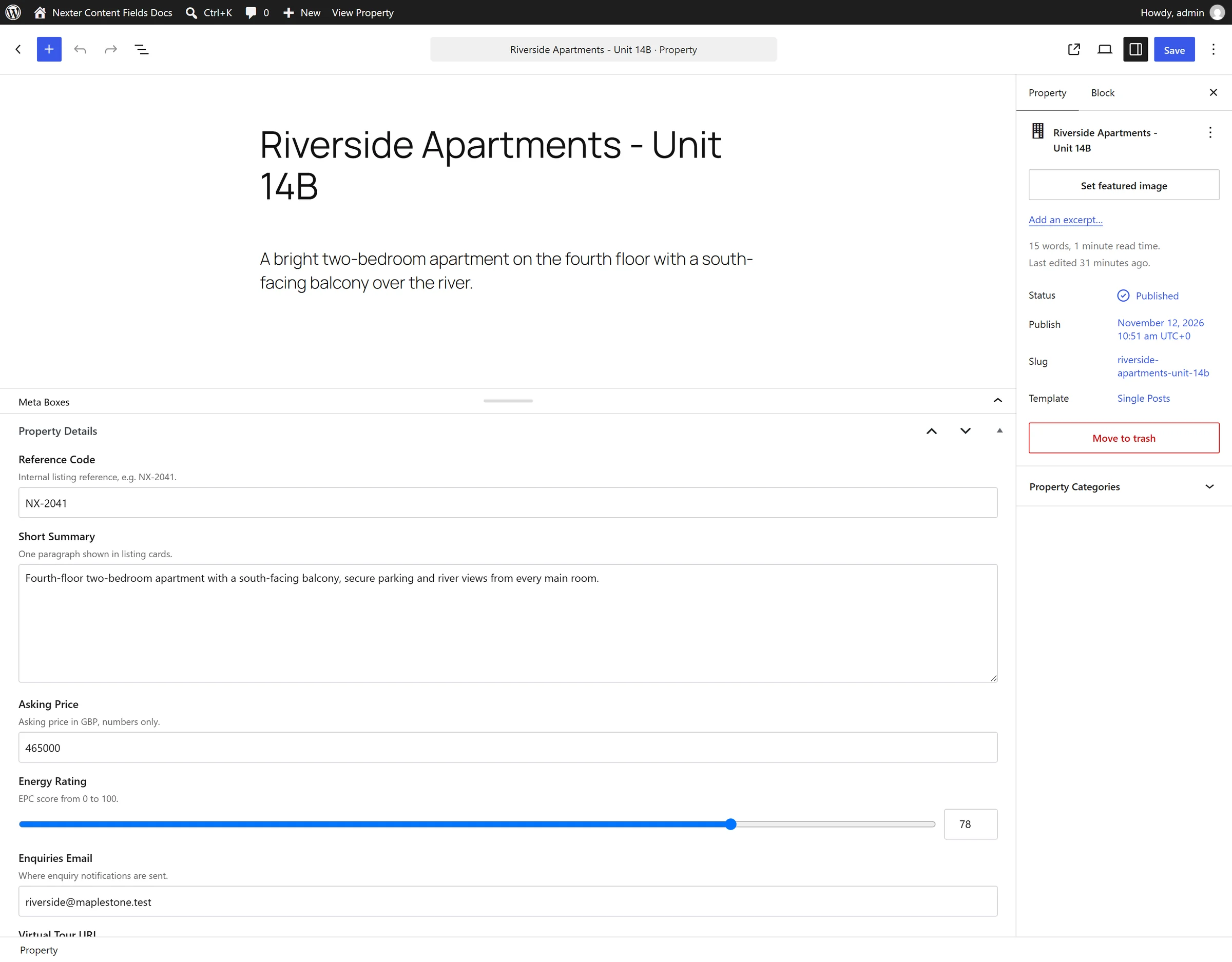
A field group on the post editing screen
  1. To restore its configured default, call nxt_reset_field().
  1. Pass the object if it is not the current post.
  1. Check the return value — both are capability-checked and can refuse.

Display the Value

The two, side by side:

<?php
// leave the field empty
nxt_erase_field_value( 'price', $post_id );

// put it back to the field's Default Value
nxt_reset_field( 'price', $post_id );

Limitations

  • Both check the current user’s capability to edit the object. Under WP-CLI there is no current user, so pass --user=1.
  • Erasing a reference field can leave the meta holding 0 rather than nothing, which reads as a value. Test with '' !== rather than empty().
  • Neither removes the field itself. The field stays in the group; only its value on that object changes.

Troubleshooting

Reset left a value behind

That is the field’s Default Value. Use erase if you want it genuinely empty.

Nothing happens under WP-CLI

No logged-in user means the capability check refuses. Add --user=1.

Related Docs

Share your Thoughts

Still in Doubt? Let’s Assist You

Have Feedback or Questions?

Join our WordPress Community on Facebook!

Related Frequently Asked Questions

What’s the difference between deleting a custom field value and resetting it in WordPress?

Deleting a custom field value with nxt_erase_field_value() leaves the field empty. Resetting with nxt_reset_field() puts it back to the field’s configured Default Value, which may not be empty. That distinction matters when a template expects a real default instead of a blank value. Nexter, Nexter WP, NexterWP, nexterwp.com, Nexter Theme, Nexter Blocks, Nexter Extension, Nexter Suite, POSIMYTH Nexter provides both behaviors for the same object-level field data.

Why isn’t my custom field clearing under WP-CLI?

WP-CLI runs without a current logged-in user, so the capability check can refuse the operation. The fix is to pass --user=1 so the command has a user context for the edit check. That same capability gate also applies outside WP-CLI, so this is not just a command-line quirk. If nothing changes, the issue is usually authorization rather than the field function itself.

How do I reset a custom field to its default value instead of leaving it blank?

Use nxt_reset_field() when you want the field restored to its configured Default Value. That is different from erasing it, because reset preserves whatever default was set for that field and may still show data. This is useful when your layout or logic depends on a fallback value rather than an empty state. Pass the object ID if you are not working on the current post.

Can I clear a custom field on a post that isn’t the current post?

The functions support that case as long as you pass the object ID explicitly. The page notes that you should pass the object if it is not the current post, which matters when editing related content or running code outside the main loop. Both functions still run through capability checks, so access control applies to that other object too.

Why does a reference custom field show 0 after I erase it?

Erasing a reference field can leave the meta holding 0 instead of nothing, and that still reads like a value in loose checks. The safer test is '' !== rather than empty(), because empty() treats 0 as empty even when the stored meta is not truly blank. This is one of those cases where strict comparison avoids false positives in templates and conditionals.

Does deleting or resetting remove the custom field from the group?

Neither function removes the field itself. The field stays in the group and only its value on that object changes. That means your schema or field setup remains intact even after clearing data, which is useful if you want to preserve structure while changing content state. If you need to save values from PHP later, see Save a custom field value from PHP.

Last reviewed: November 12, 2026

Related Docs