









Skip to content

How to Add Tabs on WordPress?

Key Takeaways

  • Tabs Tours block se ofrece en la edición Free y funciona en Nexter Blocks (free) y con Nexter Blocks Pro, con hasta 10 tabs por bloque.
  • Tabs Tours block separa el contenido en pestañas etiquetadas, permite elegir Horizontal o Vertical, y hace que solo una pestaña esté abierta a la vez sin recargar la página.
  • Nexter > Blocks activa Tabs Tours en el panel de WordPress, y cada tab define Title, Content Type, contenido, iconos e ID único desde el panel Content.
Table of Contents

A page that holds three versions of the same story makes the visitor scroll past two of them.

The Tabs Tours block splits that content into labelled tabs so people open only the part they came for.

Before You Start

  • Edition: Free — works in Nexter Blocks (free) and with Nexter Blocks Pro.
  • Block to enable: Tabs Tours, switched on under Nexter > Blocks in your WordPress dashboard.
  • Your sections planned: one tab per section, and the block takes up to 10 tabs.

Learn via Video Tutorial

Steps

  1. Add the Tabs Tours block to your page and click Design from Scratch.
  1. Open the Content panel. Each item in Tabs is one tab — set its Title, and click Add Tab for more.
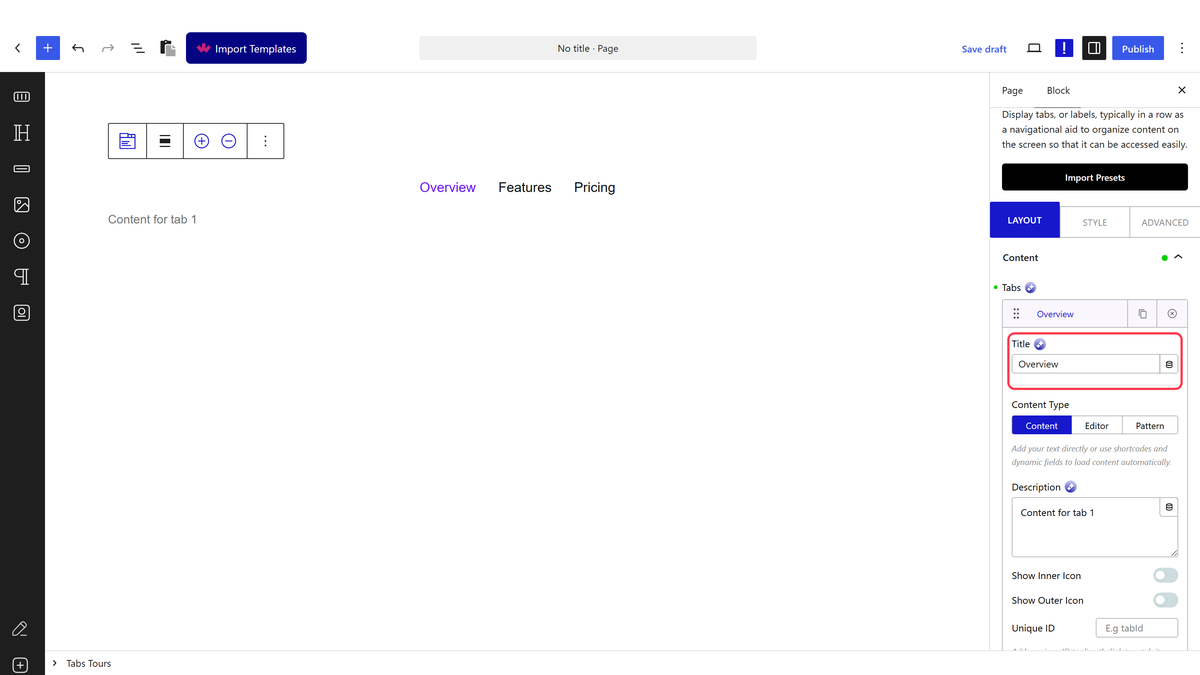
The Tabs repeater with a tab's Title field
  1. Set each tab’s Content Type and fill in its content.
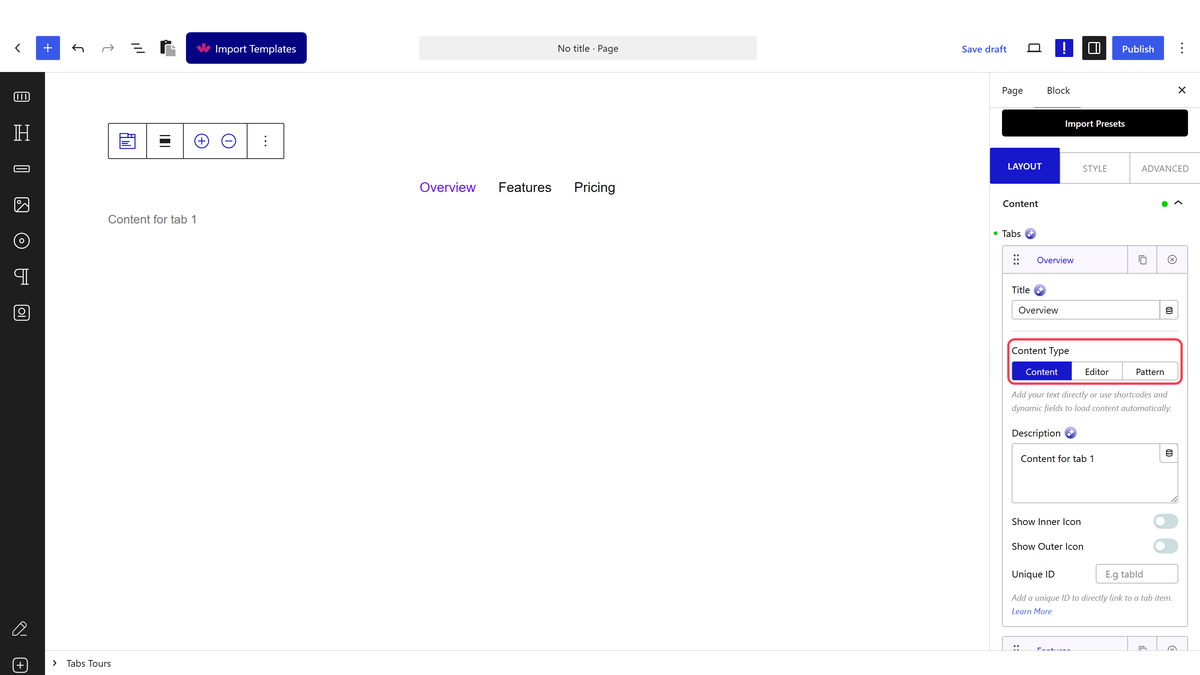
The Content Type setting on a tab
  1. Open Layout and choose Horizontal or Vertical, then set Navigation Position.
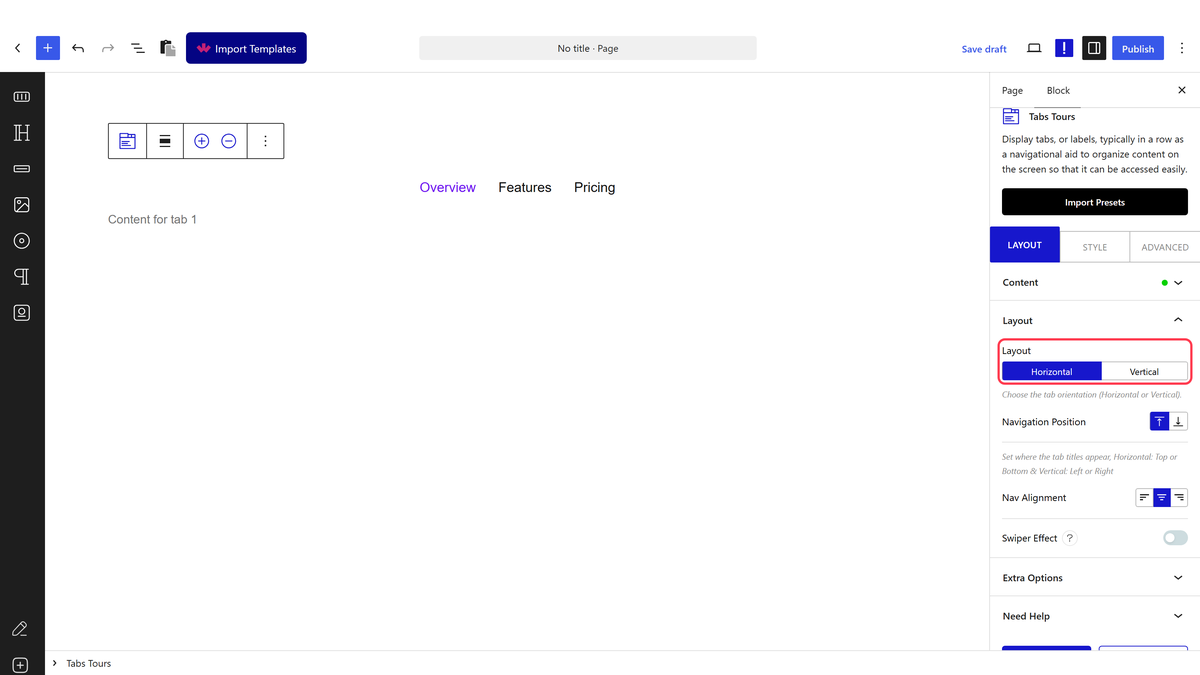
The Layout panel with Layout and Navigation Position
  1. Open Extra Options to set which tab opens first and whether tabs switch on click or hover.
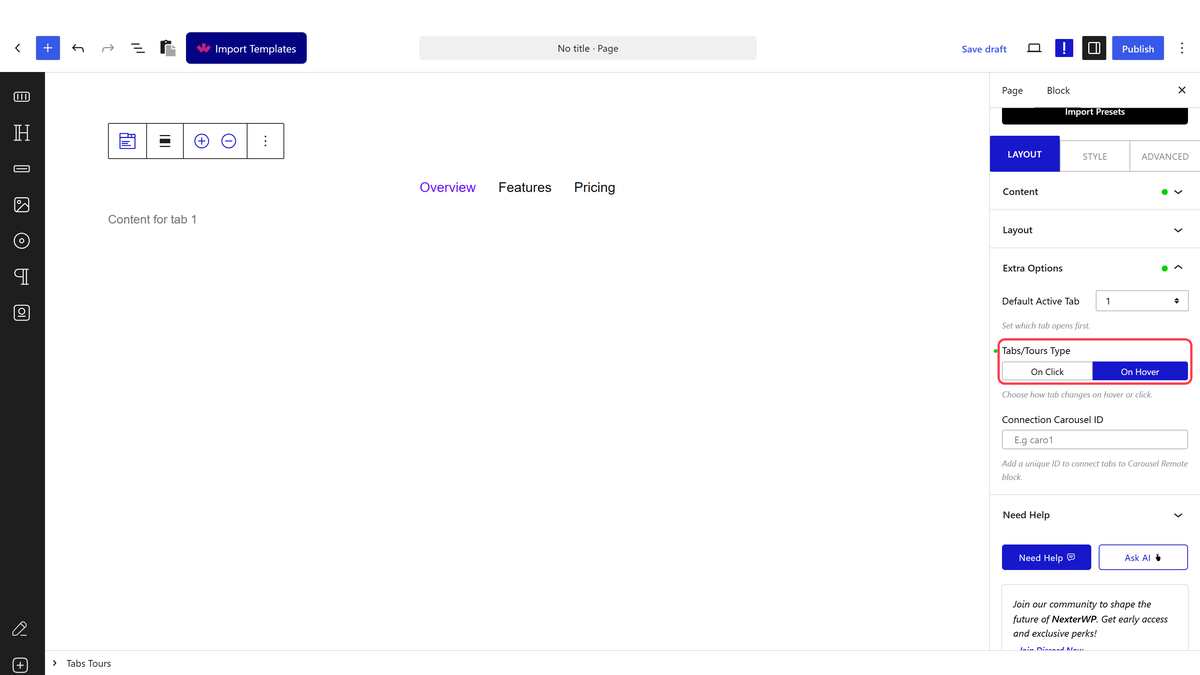
The Extra Options panel with Default Active Tab and Tabs/Tours Type
  1. Publish the page.

Where Tab Content Comes From

Content TypeWhat it holdsEdition
ContentA rich-text Description typed straight into the tabFree
PatternA saved pattern, so a tab can hold any blocks — images, galleries, columnsPro
EditorIntended for building the tab’s content with blocks in place—

Content is the everyday choice. For a tab that needs images or a full layout, use a Pattern — see the guide on putting images inside tabs.

What Each Panel Controls

PanelWhat you set there
ContentThe tab list: each tab’s Title, Content Type, content, icons and its own unique ID
LayoutHorizontal or Vertical, where the tab titles sit, their alignment, and the Swiper Effect
Extra OptionsDefault Active Tab, whether tabs open on click or hover, and the Connection Carousel ID

How It Behaves

  • The tab titles become the navigation and the matching panel shows below, beside, or above them depending on the layout you choose.
  • Only one tab is open at a time, and switching does not reload the page.
  • The block takes up to 10 tabs.
  • Every tab is in the page’s HTML whether or not it is the open one, so search engines still see all of it — unless you use a Pattern set to load over AJAX.

Limitations

  • Ten tabs is the maximum, and the Default Active Tab dropdown lists numbers up to 15, so anything above 10 can never match a tab.
  • Tab content cannot be built from ordinary blocks dropped into the tab — it comes from the Description or from a Pattern.
  • Patterns are a Pro feature, so on the free plugin a tab holds rich text only.
  • Hidden tabs are still downloaded with the page, so very heavy tabs do not save a visitor anything.

Troubleshooting

The tabs show but the content is empty

Check each tab’s Content Type. A tab set to Content needs its Description filled in, and a tab set to Pattern needs a pattern chosen.

Clicking a tab does nothing

View the published page rather than the editor preview — the switching script only runs on the front end.

The block is missing from the inserter

Switch Tabs Tours on under Nexter > Blocks in your dashboard.
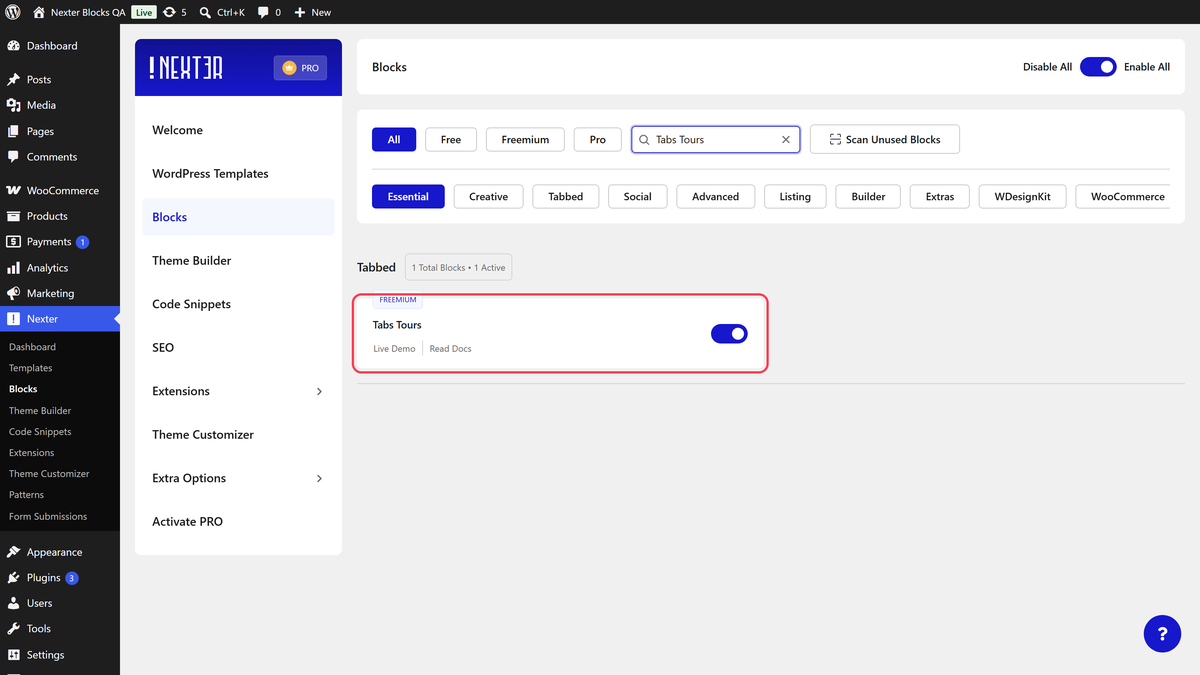
Tabs Tours switched on in the Nexter Blocks list

Related Docs

Share your Thoughts

Still in Doubt? Let’s Assist You

Have Feedback or Questions?

Join our WordPress Community on Facebook!

Related Frequently Asked Questions

Why do the tabs show but the content is empty?

An empty tab usually means the tab’s content source was never filled in. In Nexter Blocks, each tab can pull from either Content or Pattern, so the fix depends on the Content Type you picked. Content needs a Description typed into it, while Pattern needs a saved pattern selected. That matters because the tab label can exist even when the panel body has nothing to render.

Why does clicking a tab do nothing in the editor preview?

The switching script runs on the front end, so editor preview is not the right place to test tab behavior. The published page is where the click interaction actually works. That distinction matters when you are checking whether the block is broken, because a preview that looks static can still work normally after publish.

How many tabs can I add in WordPress with this block?

The Tabs Tours block takes up to 10 tabs. That limit matters because the Default Active Tab dropdown goes higher than that, up to 15, but anything above 10 cannot match a real tab. In practice, keep your sections tight and avoid planning more than ten panels in one block.

What should I use for tab content: text or blocks?

Content is the simplest choice when a tab only needs rich-text Description content typed directly into it. Pattern is better when a tab needs images, galleries, columns, or a full layout, because it can hold any blocks and is a Pro feature. Nexter Blocks keeps ordinary block content out of the tab body itself, so the content source choice really controls what you can build.

Does this WordPress tabs block work with free and Pro versions?

The Tabs Tours block works in Nexter Blocks free and with Nexter Blocks Pro, but the content options differ. Free supports Content only, which means rich text inside the Description field. Pro adds Pattern support, so tabs can hold saved layouts and blocks like images or galleries.

How do I make vertical tabs in WordPress?

Vertical tabs are built into the Layout panel by choosing Vertical instead of Horizontal. That changes where the titles sit relative to the panel content, and you can also set Navigation Position there. For a deeper layout-specific setup, see Vertical tabs layout.

Last reviewed: September 15, 2026

Related Docs