












In this blog post, we will be conducting a detailed review of the OceanWP WordPress theme with its pros and cons.
If you’re looking for a flexible and customizable theme for your website, this OceanWP review will help you decide if it is the right choice for you.
So, let’s dive into the review and see what this theme has to offer.
What is OceanWP WordPress Theme?
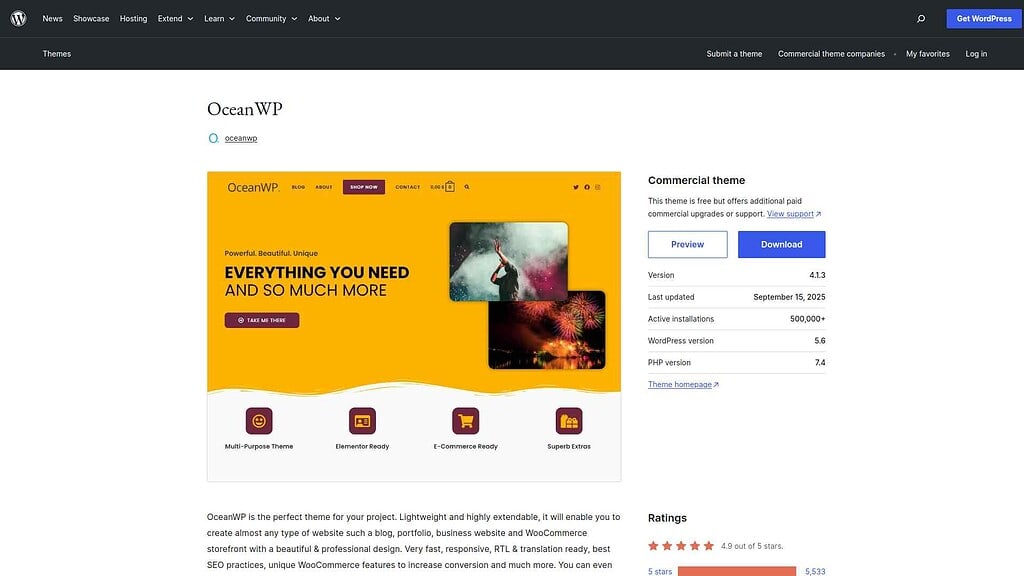
OceanWP is a highly acclaimed and flexible WordPress theme that offers a wide range of features and customization options. It is known for its lightweight nature, fast loading times, and search engine optimization, making it an ideal choice for visually appealing and responsive website development.
With OceanWP, users can enjoy a user-friendly interface and seamless integration with top page builders like Elementor, simplifying the website design and customization process.
Pros of OceanWP
- WordPress Widgets Enhancer enhances default WordPress widgets for more versatile website design.
- Developer-friendly with advanced customization and integration options.
- Seamless integration with popular plugins like WooCommerce and Elementor for dynamic and interactive websites.
Cons of OceanWP
- Ocean Extra plugin is required for full functionality.
- Multiple options in customizer may overwhelm new users.
- Not fully compatible with some speed optimization plugins.
- Many users reported poor customer support.
- Not suitable for WooCommerce and its vendor plugins.
- Many users faced licensing issues with the premium version.
Recommended Read: OceanWP Alternatives
Nexter WP Theme vs OceanWP Compared
| FEATURES | Nexter Theme | Kadence Theme | Astra Theme | Blocksy | OceanWP | GeneratePress | Avada Theme |
|---|---|---|---|---|---|---|---|
| Global Fonts & Colors | Yes | Yes | Yes | Yes | Yes | Yes | Yes |
| Advanced Theme Builder | Yes | Yes | Limited | Limited | Limited | Yes | Limited |
| Conditional Rules | Yes | - | Yes | Yes | Yes | Yes | Limited |
| Header & Footer Builder | Yes | Yes | Limited | Limited | Limited | Yes | Yes |
| Code Snippets | Yes | - | - | Limited | - | - | - |
| Prebuilt Websites Templates | Yes 1000+ | Yes 90+ | Yes 300+ | Yes 40+ | Yes 240+ | Yes 90+ | Yes 110+ |
| Action & Filter Hooks | Yes | - | Yes | - | - | - | - |
| Whitelabel Theme | Yes | Limited | Yes | Yes | Yes | - | Yes |
| Maintenance/Coming Soon Mode | Yes | - | - | Yes | - | - | Yes |
| Replace Text & URL | Yes | - | - | - | - | - | - |
| Performance Booster | Yes | Limited | Limited | Limited | Limited | Limited | Yes |
| Security Hardening | Yes | - | - | - | Requires Ocean Core Extensions Bundle | - | Yes |
| Local Google Fonts | Yes | Yes | Yes | Yes | Yes | Yes | Yes |
| Adobe Fonts | Yes | - | - | Yes | Yes | - | Yes |
| Custom Upload Fonts | Yes | Requires Kadence Custom Fonts plugin | - | Yes | Yes | Yes | Yes |
| 404 Page | Yes | - | Yes | Yes | Yes | Yes | Yes |
| Disable Admin Settings | Yes | - | - | - | - | - | - |
| Post & Page Duplicator | Yes | - | - | - | - | - | - |
| WooCommerce Builder | Yes (With The Plus Addons) | Yes (Requires Shop Kit extension) | Yes | Yes | Yes | Yes | Yes |
| Blog Builder | Yes | - | Limited | Yes | Yes | Yes (Requires Blog add on) | Yes |
| Vertical & Horizontal Mega Menu | Yes | Limited | Yes | Limited | Yes | - | Yes |
Why We Recommend Using Nexter WP Theme?
Nexter is a lightweight, high-performance theme from POSIMYTH, the team behind The Plus Addons for Elementor and Nexter Blocks. It offers all the essential elements of a premium WordPress theme, such as a flexible header and footer builder, customizable post types, an archive builder, multilingual capabilities, and numerous additional features.
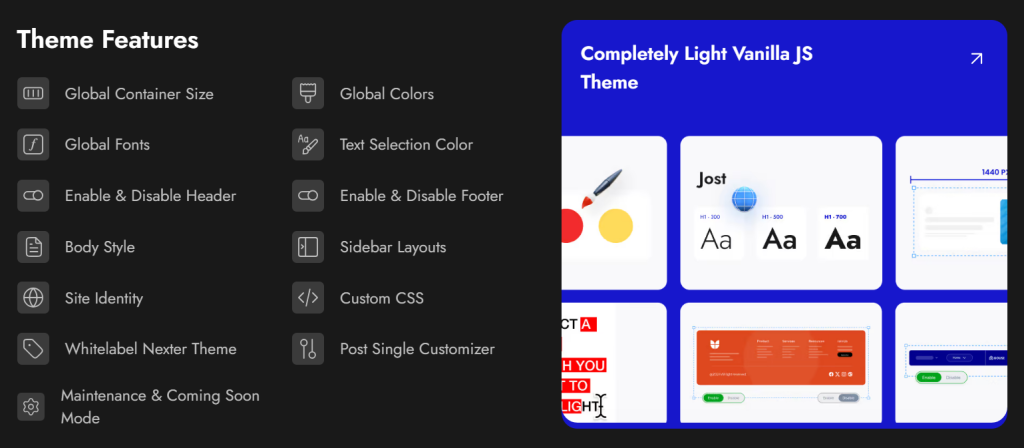
With Nexter, you can select from a wide range of pre-designed templates for effortless website construction and deployment. In terms of speed, Nexter excels with its exceptional performance. The theme's core files are optimized to be under 20 KB, resulting in lightning-fast load times of less than 0.5 seconds.
Nexter seamlessly integrates with popular page builders like Gutenberg, Elementor, Beaver Builder, and Brizy, ensuring compatibility across all major platforms.
Moreover, Nexter also provides many security features, such as content protection, Google reCAPTCHA integration, and the ability to disable XML-RPC or conceal your WordPress version.
Stay updated with Helpful WordPress Tips, Insider Insights, and Exclusive Updates – Subscribe now to keep up with Everything Happening on WordPress!
Extra Resources
Nexter Official Website
Check 90+ Gutenberg Blocks Library
Get Premium Plan – Yearly & Lifetime (Both available)
Join our Facebook Community – Ask all your WordPress questions
Subscribe for Product Updates, Elementor News, Tips & More
