












Two of Nexter Blocks’ most-used visual effects shipped a year apart — Glassmorphism in June 2025, Smooth Scroll in July 2025 — but they’re commonly combined on the same page: a frosted-glass card gliding into view as the page eases past it. Here’s both, refreshed for how they actually get used together in 2026 builds, plus the performance and accessibility tradeoffs worth knowing before you turn either on sitewide.
Glassmorphism: The Frosted-Glass Effect
Glassmorphism creates the illusion of frosted glass using a blurred, semi-transparent background — content stays visible behind it, just softened. It shipped in June 2025 as a Global Block Styles background option: add a background (color, gradient, or image) to a section, place a block inside it, then enable the Background Filter’s Blur control from that inner block’s Advanced tab, fine-tuning saturation and background color to taste. Under the hood this is the CSS backdrop-filter property, which reached Baseline (broad cross-browser support with no polyfill needed) in September 2024, so there’s no fallback concern for modern-browser traffic — though Safari on iOS ships WebKit builds that can trail desktop Safari by a few months, so it’s worth a quick check on an actual iPhone before shipping a design that leans heavily on the effect.
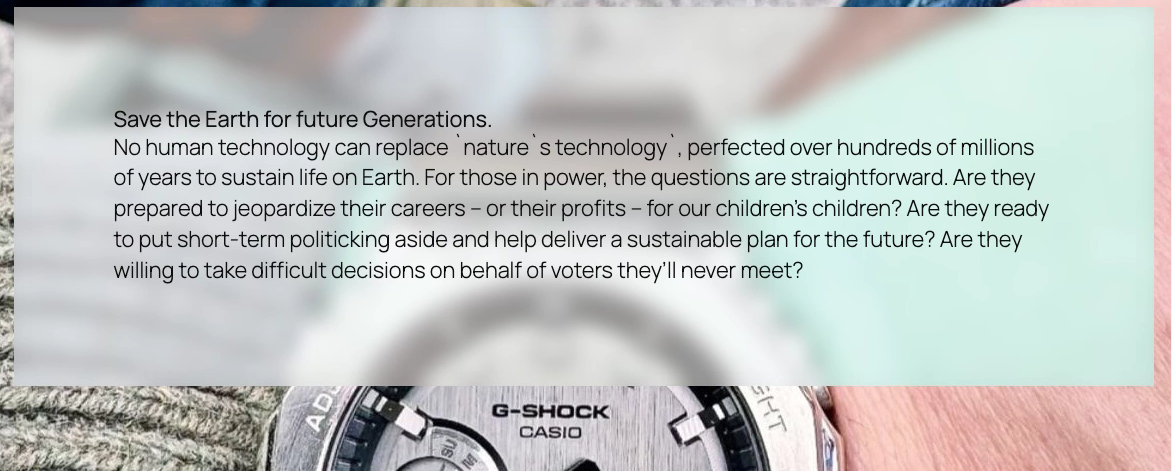
Common uses: hero-section callout cards, popups and modals, navigation bars that need to stay legible over shifting background content, and minimalist section overlays that add depth without visual clutter.
Also Read: Nexter Blocks Repeater: How to Build Dynamic Layouts with ACF and JetEngine — shipped in the same June 2025 release as Glassmorphism.
The Real Performance Cost of a Blur Effect
Glassmorphism looks free because it’s a single toggle, but backdrop-filter isn’t a cheap effect under the hood. It has to sample and process the pixels of everything behind the element in real time, and the browser typically promotes the filtered element onto its own GPU compositor layer to do that efficiently. Blur specifically is the most expensive of the common filter types, since it samples a wide kernel of surrounding pixels — a large blur radius applied to a large element is doing meaningfully more work than a small blur on a small card. The practical guidance: keep blurred surfaces reasonably small (a card or panel, not a full-page overlay), avoid animating the blur radius itself (animating it re-triggers GPU compositing on every frame, which can tank performance on a mid-range phone), and limit how many simultaneously-blurred elements appear in the same viewport at once.
Smooth Scroll: Easing Instead of the Default Jump
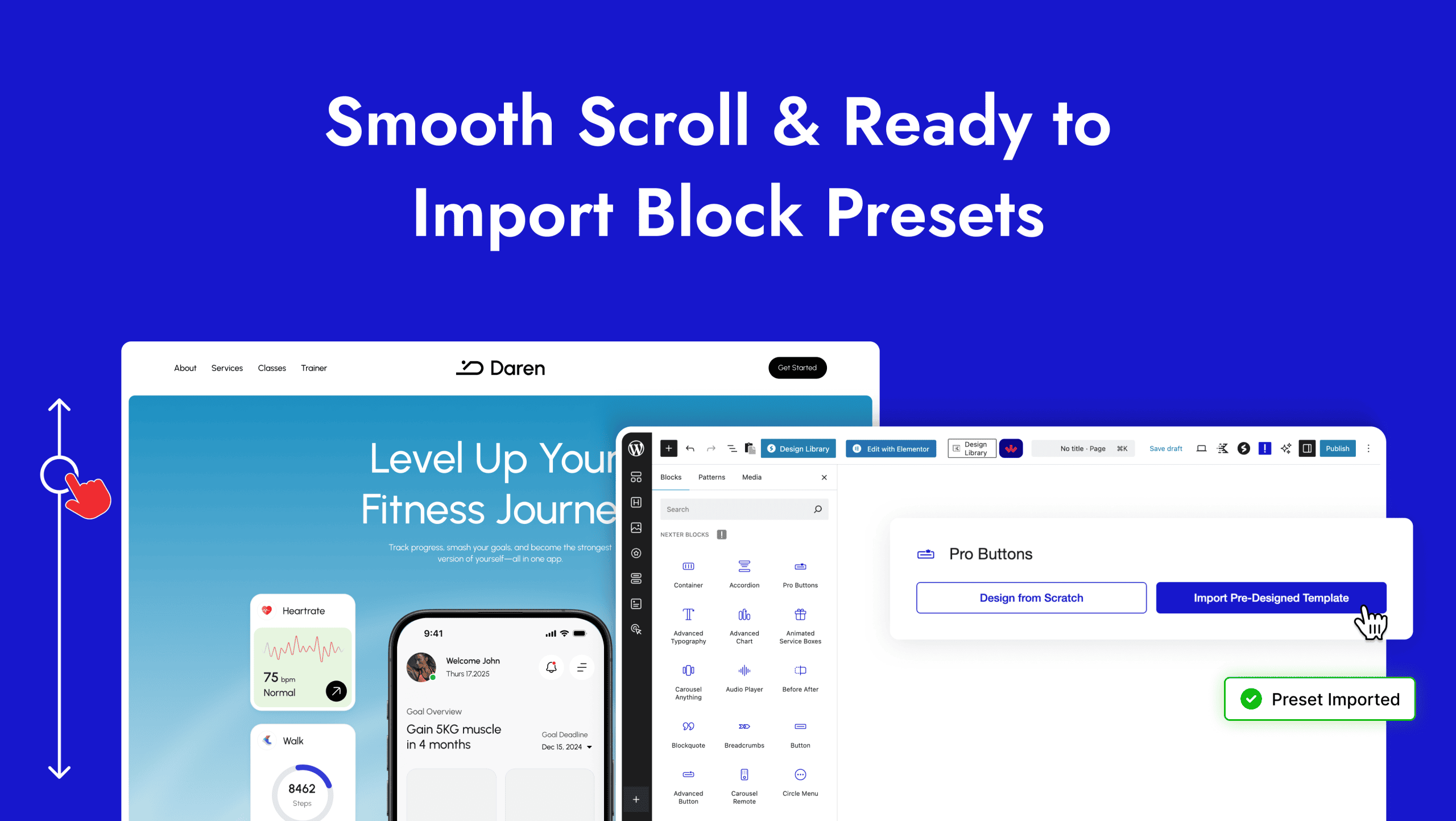
Smooth Scroll, shipped July 2025, replaces the browser’s abrupt default scroll behavior with a configurable eased motion, including custom easing curves for anchor-link navigation (a table of contents jumping to a section, for instance) and general page scroll. It’s enabled per-site from Nexter’s settings rather than per-block.
Smooth Scroll and Motion-Sensitive Visitors
Eased scrolling is a real accessibility consideration, not just a nice-to-have detail. Visitors with vestibular disorders can experience genuine discomfort — loss of balance, migraines, nausea — from motion effects that feel purely cosmetic to everyone else, and scrolling motion counts. The CSS media feature prefers-reduced-motion exists specifically so a visitor can tell the browser they want animation minimized, at the operating-system level, and well-built sites honor it. A minimal safeguard looks like this:
@media (prefers-reduced-motion: reduce) { * { scroll-behavior: auto !important; } }
That single rule falls back to instant, non-eased scrolling for exactly the visitors who’ve asked for it at the OS level, while changing nothing for everyone else. If you’re using Nexter’s sitewide Smooth Scroll setting, it’s worth confirming with a support check (or testing directly with the OS-level reduced-motion toggle switched on) whether that preference is already respected before assuming it is.
Combining Both on the Same Section
A common 2026 pattern: a table of contents anchor-linking down the page with Smooth Scroll’s eased motion, landing on a Glassmorphism callout card that fades into view over a background image or gradient. Neither feature depends on the other — Smooth Scroll is a sitewide scroll-behavior setting, Glassmorphism is a per-block visual style — but they’re frequently paired because the eased arrival makes a blurred card’s appearance feel more deliberate than an instant jump-cut would.
Also Read: Nexter Blocks Global Border and Block Presets: Speeding Up Your Design Workflow — a Glassmorphism card commonly pairs with a matching global border or radius preset.
Step by Step: Building a Glassmorphism Hero Card
- Add a background to the section — a photo, gradient, or solid color all work, though a photo or gradient makes the frosted effect most visible.
- Place a container block (a card, group, or column) inside that section for the content that will sit on the glass surface — a heading, short paragraph, and a button is a typical hero-card combination.
- Open that inner block’s Advanced tab and enable the Background Filter’s Blur control.
- Adjust the blur radius and saturation together, not blur alone — a moderate blur with slightly boosted saturation usually reads as “frosted glass” more convincingly than a heavy blur with default saturation, which can look simply hazy.
- Set the card’s background color to a low-opacity white or dark tone (matching your site’s light or dark surfaces) so the blur has something semi-transparent to composite against.
- Check text contrast on the card against the actual background image you’re using, at both the section’s default state and any hover state, before calling it done.
Where Glassmorphism Works Well — and Where It Doesn’t
- Works well: a hero callout card over a photo, a sticky nav bar over scrolling content, a modal or popup over a busy background, a small stat card or badge floating over an image section.
- Works poorly: body-text-heavy sections where blur behind long paragraphs reduces contrast and readability; full-page overlays with a large blur radius (the performance cost scales with element size); stacking multiple blurred layers on top of each other, which compounds both the visual muddiness and the rendering cost.
- Contrast check matters: because the background shows through, text placed directly on a glass card needs its own solid-enough contrast against the blurred, semi-transparent backdrop — don’t assume a design that looks fine on one background photo will hold up on every photo a client later swaps in.
Native Smooth Scroll vs. a JavaScript Scroll Library
Before Nexter’s built-in Smooth Scroll setting existed, the common way to get eased scrolling on a WordPress site was a JavaScript library like Lenis or Locomotive Scroll, hand-installed and wired up per theme. Those libraries are capable, but they add a real dependency: a script to load, a bit of custom initialization code, and in some implementations a full re-parenting of the page’s scroll container that can interact awkwardly with sticky headers, anchor links, or third-party embeds that assume normal document scroll behavior. A native, settings-level toggle avoids all of that — there’s no extra script to load, no custom scroll-container behavior to debug when a plugin doesn’t expect it, and no version to keep updated as browsers change. The tradeoff is customization depth: a dedicated JS library typically offers finer-grained control over easing curves and scroll-linked effects than a settings panel does. For the large majority of sites, where the goal is simply “replace the abrupt default jump with something smoother,” the native setting is the lower-risk choice; a hand-rolled JS library only earns its complexity when a site needs scroll-linked animation effects well beyond basic easing.
Which Sites Actually Benefit From These Effects
Neither effect is universally the right call, and that’s worth saying plainly rather than presenting both as always-on defaults. Glassmorphism reads well on portfolio sites, agency landing pages, product marketing pages with strong photography, and SaaS hero sections — places where a visually rich background already exists and a card needs to sit on top of it without blocking it entirely. It reads poorly, or simply adds nothing, on content-first sites like documentation, long-form blogs, or news sites, where the background behind any given section is usually just a plain page background with nothing worth partially revealing.
Smooth Scroll is closer to a universal default — eased scrolling rarely hurts and often reads as more polished — but it’s still worth pairing with the prefers-reduced-motion safeguard above rather than treating it as risk-free for every visitor. The honest framing for a client or stakeholder: Glassmorphism is a design decision to make deliberately per-section, while Smooth Scroll is closer to a sitewide default with one accessibility caveat attached.
Troubleshooting: When the Blur Doesn’t Look Right
- The card looks hazy rather than “frosted glass”: increase saturation alongside the blur radius rather than blur alone — a pure blur with no saturation adjustment tends to look muddy instead of glass-like.
- Text on the card is hard to read: the background photo behind it is too visually busy or too close in tone to the text color; either adjust the card’s background opacity/tint or pick a less busy region of the photo to sit the card over.
- The effect doesn’t appear at all on an older device: confirm the visitor isn’t on an outdated Safari/WebKit build specifically, since
backdrop-filtersupport, while broadly available today, has historically lagged furthest behind on older iOS Safari versions. - The page feels sluggish on mobile after adding several glass cards: this is very likely the cumulative blur-compositing cost described above — reduce the number of simultaneously visible blurred elements, or shrink the blur radius on the ones that remain.
Conclusion
Both effects are lightweight, native settings rather than separate plugins — Glassmorphism a per-block visual style, Smooth Scroll a sitewide scroll-behavior toggle. Used together deliberately (not on every section at once), they add polish without the performance cost of a heavier animation library. Keep blurred surfaces small and few, respect prefers-reduced-motion for visitors who’ve asked for less motion, and check text contrast on glass cards against more than one background before calling the design finished.
FAQ
Does Glassmorphism require a background image to work?
No, it works over a solid color or gradient background too; an image background just makes the blur effect more visually obvious.
Is Smooth Scroll a per-block setting like Glassmorphism?
No, Smooth Scroll is a sitewide setting affecting overall scroll behavior and anchor-link navigation, not something toggled per individual block.
Will heavy use of Glassmorphism hurt page performance?
Blur effects have a real but generally modest rendering cost when used on a few small elements; the risk grows with element size, blur radius, and how many blurred layers appear in the same viewport at once, especially if the blur itself is animated.
Is smooth scrolling an accessibility problem for anyone?
It can be for visitors with vestibular disorders or motion sensitivity, who may set a reduced-motion preference at the operating-system level specifically to avoid eased-scroll and animation effects. A well-built site respects that preference via the prefers-reduced-motion CSS media feature rather than forcing eased scrolling on everyone regardless of their settings.
Why does Safari sometimes render Glassmorphism differently than Chrome?
backdrop-filter support is broadly cross-browser today, but Safari on iOS ships WebKit builds that can lag a few months behind desktop Safari, so a subtle rendering difference on iPhone is worth checking for directly rather than assuming desktop testing covers it.
Suggested Reading
- Nexter Blocks Repeater: How to Build Dynamic Layouts with ACF and JetEngine
- Nexter Blocks Global Border and Block Presets: Speeding Up Your Design Workflow
- Nexter Blocks Data Table and Pricing Table: Building Comparison Tables Without Code
