












Reviews are the strongest thing on a product card. A shopper choosing between two similar items will pick the one with visible ratings almost every time.
The Product Listing block can show each product’s star rating, but it does not do so unless you ask.
Before You Start
- Edition: Pro — the Product Listing block needs Nexter Blocks Pro.
- Block to enable: Product Listing, switched on under Nexter > Blocks in your WordPress dashboard.
- WooCommerce active, with published products. The block reads your real catalogue, so an empty store renders an empty listing.
- Products with approved reviews. A product with no reviews has no rating to show.
Star ratings are switched off by default on this block. If your products have reviews and no stars are appearing, this setting is almost always the reason.
Steps
- Select your Product Listing block.
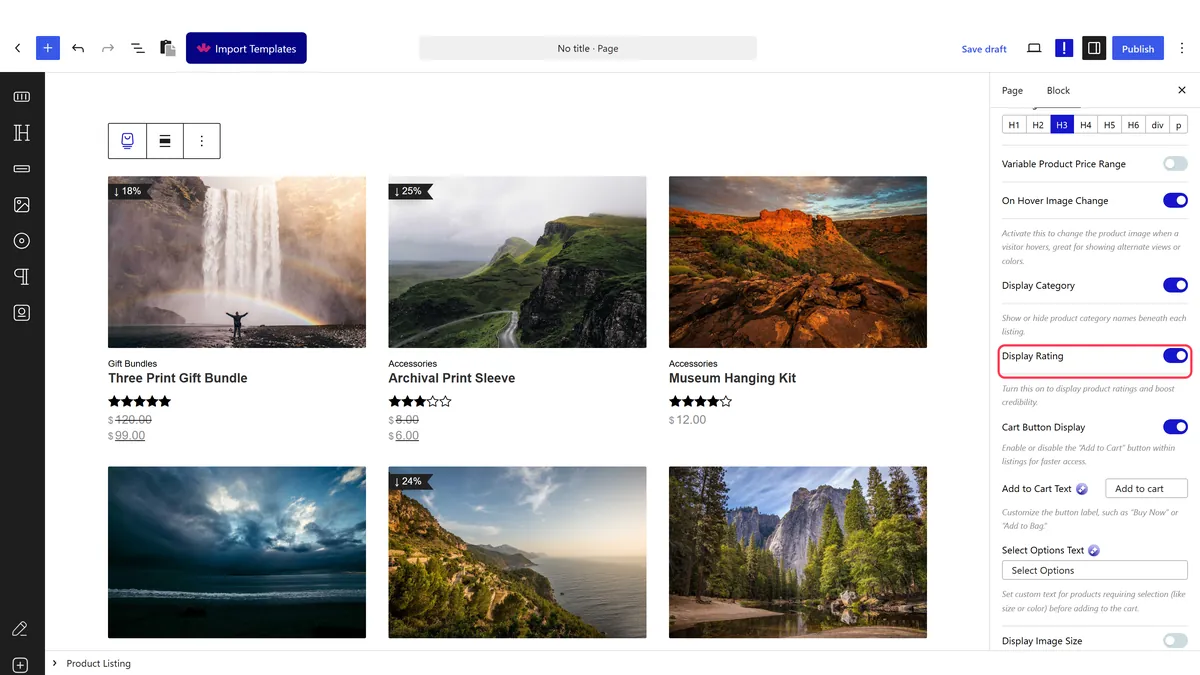
- Switch the rating display on.
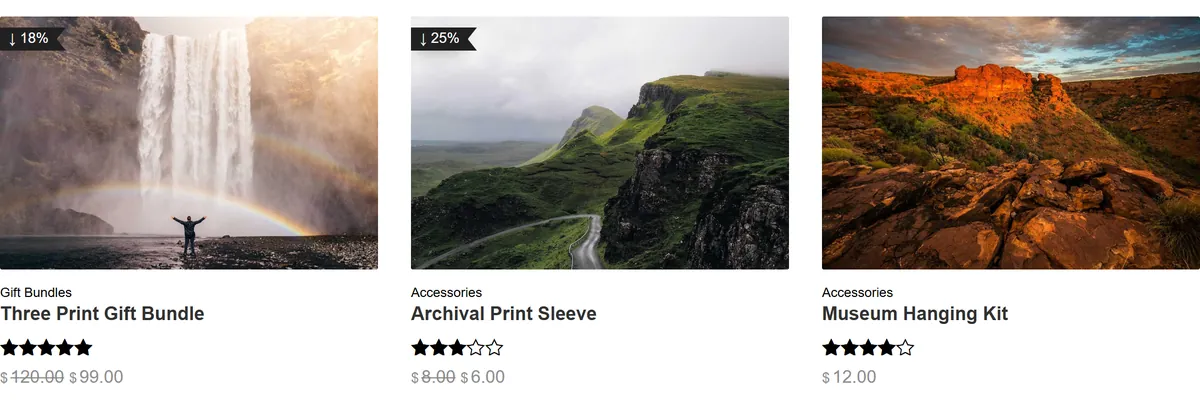
- Set the star colour to suit your design.
- Publish and check a product that actually has reviews.
How It Behaves
The rating is WooCommerce’s own average, rendered as stars on the card.
- It is off by default. Measured on an untouched listing, no star markup rendered at all even for products with reviews.
- Measured with it switched on: the cards rendered WooCommerce’s star markup including an accessible label such as
Rated 5.00 out of 5, so screen readers get the value as well. - The rating is the average of approved reviews. It comes from WooCommerce, so approving a review updates the listing with no edit here.
- Products with no reviews render no stars, which can make a grid look uneven while a catalogue is new.
- Measured with Nexter Blocks Pro deactivated: the block renders nothing at all — no wrapper, no products, no prices. This is a Pro-only block.
Limitations
- Pro only — measured with Nexter Blocks Pro deactivated, nothing renders.
- No reviews means no stars. On a new shop this makes the listing look patchy, which is an argument for collecting reviews before turning it on.
- A single five-star review looks the same as fifty unless you also show the review count, so early ratings can mislead.
- Only approved reviews count. Reviews awaiting moderation are not included.
- It reflects WooCommerce’s average and nothing else, so it cannot be overridden per product from this block.
Troubleshooting
No stars appear even though my products have reviews
The rating display is off by default. Switch it on in the block settings. This is the most common cause by far.
Some products have stars and others do not
Those products have no approved reviews. A product with none has no rating to display.
The rating looks wrong
It is WooCommerce’s average of approved reviews. Check whether some reviews are still awaiting moderation.
Ratings are enabled but still nothing shows
Check that reviews are enabled for the product and that WooCommerce’s own rating feature is turned on in its settings.
