












Divi 5 arrived in late 2024 with a rebuilt front end that cut its JavaScript load from 276KB down to 45KB. That single change closed most of the speed gap between Divi and Gutenberg, and it makes the choice between the two builders worth revisiting if you last compared them a year or two ago.
Gutenberg, the block editor built into WordPress 5.0, is free, ships with every WordPress install, and has matured significantly since its 2018 launch. Divi, by Elegant Themes, is a premium visual builder bundled with its own WordPress theme, a library of 2,500+ page layouts, and a deep set of per-element design controls.
Both handle the fundamentals of WordPress page building without code. Where they differ is in depth, pricing, ecosystem fit, and how much they hand you on day one versus how much you configure yourself.
In this Gutenberg vs Divi comparison, we cover 10 key dimensions: ease of use, builder options, design elements, speed and performance, SEO, WooCommerce support, templates, flexibility, pricing, and support. By the end, you will know exactly which builder fits your project.
What is Gutenberg?
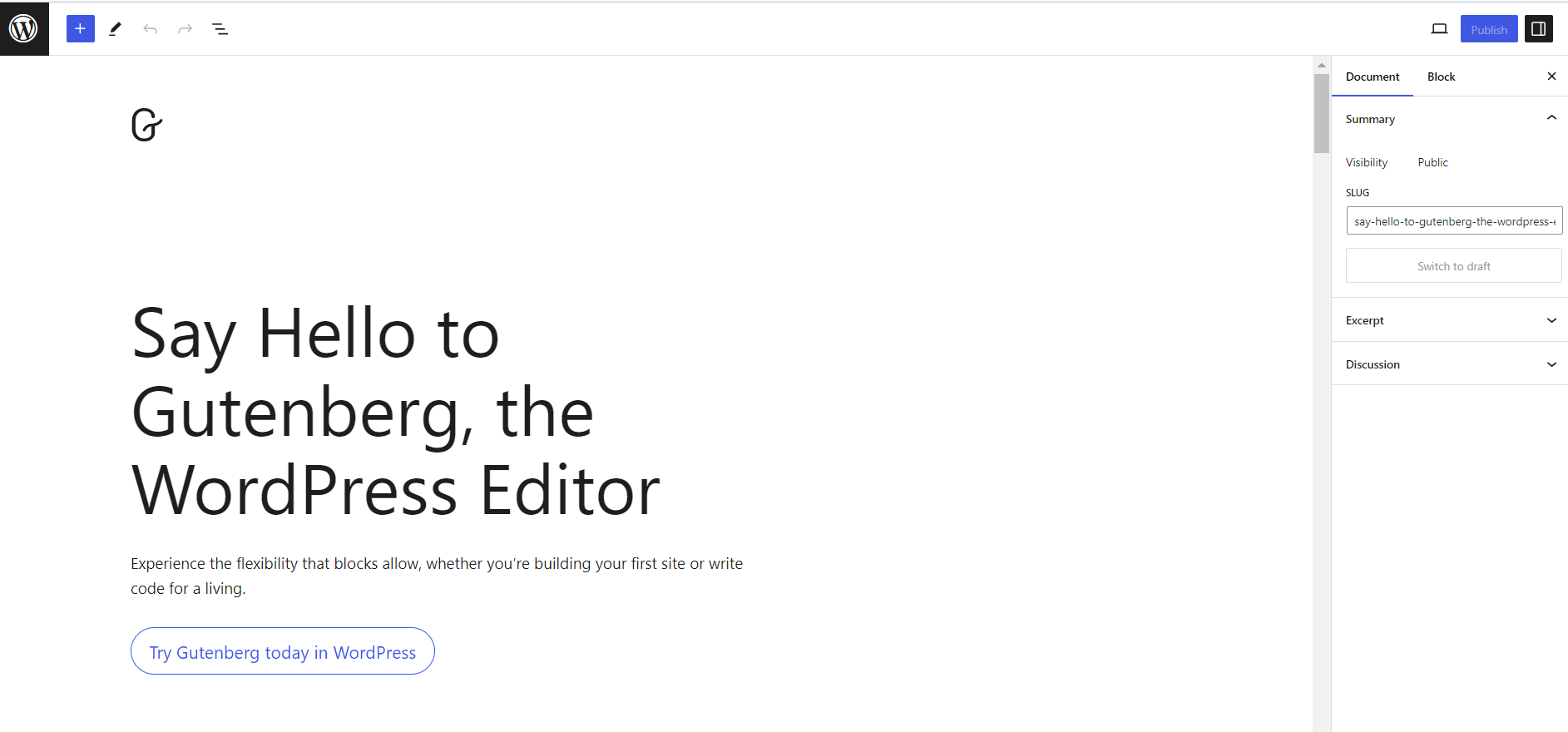
In WordPress 5.0, the Gutenberg editor replaced the Classic Editor with a block-based approach to content creation. Every element on a page, including text, images, headings, tables, and media, lives in its own block. You add, arrange, and configure these blocks through a visual interface without touching code.
Gutenberg simplifies the website design process with a visual builder and a growing library of blocks that cover both content and layout needs. Because it is part of WordPress core, it benefits from regular updates and broad plugin compatibility.
Pros and Cons of Gutenberg
Pros
- Free and built in: Gutenberg ships with every WordPress install. No subscription, no purchase required.
- Block-level editing: Each element lives in its own block, making it easy to rearrange, reuse, and style content independently.
- Tight WordPress integration: As a core feature, Gutenberg works natively with most WordPress themes, plugins, and updates without compatibility headaches.
Cons
- Limited native design features: Core Gutenberg handles text, images, and basic layouts well. Advanced elements like animated sections, mega menus, and custom theme builders require a block plugin.
- Compatibility gaps with some older plugins: A small number of legacy third-party themes and plugins have not fully adopted the block editor, which can cause friction.
- No built-in template library: Gutenberg does not ship with pre-designed full-page templates. You start from scratch or use a starter theme.
What is Divi?
Divi is a drag-and-drop visual builder for WordPress, created by Elegant Themes. In late 2024, Elegant Themes released Divi 5 with a rebuilt JavaScript engine that reduced its page weight from 276KB to 45KB and significantly improved load times. The visual editor lets you see every design change in real time on the front end of your site.
Divi comes bundled with the Divi theme and includes a library of 350+ full website templates and 2,500+ page layouts organized by industry. It also ships with a theme builder that lets you design custom headers, footers, single post templates, and archive pages visually.
Pros and Cons of Divi
Pros
- Deep design controls: Divi exposes spacing, sizing, colors, borders, animations, hover states, and scroll effects on every module, giving you precise control over every element.
- Theme builder included: Design custom headers, footers, 404 pages, single post layouts, and WooCommerce templates visually inside the builder.
- Dozens of customizable modules: Similar to Gutenberg blocks, Divi modules handle everything from hero sections and pricing tables to forms, galleries, and blog post grids.
Cons
- No free version: Divi does not have a free plan. The builder and theme are sold together, starting at $89/year.
- Steeper learning curve: The volume of options can overwhelm new users. Understanding Divi’s Section, Row, and Module hierarchy takes time before the workflow feels intuitive.
- Theme lock-in: Divi works best with the Divi theme. Switching away from Divi later requires rebuilding your page layouts since Divi stores content in its own format.
Gutenberg vs Divi: 10 Key Differences
Both builders can produce professional WordPress websites. The right choice depends on your workflow, budget, and the type of site you are building. Here is a side-by-side look at the most important differences.
| Feature | Gutenberg | Divi |
|---|---|---|
| Ease of use | Minimal interface. Straightforward for beginners and bloggers. | Drag-and-drop visual builder. More options upfront; steeper learning curve. |
| Builder options | Core blocks only. Header, footer, and theme sections need a third-party builder. | Full theme builder included. Manage headers, footers, and WooCommerce templates visually. |
| Design elements | 100+ native blocks. Extend with Nexter Blocks for 90+ additional blocks. | 200+ elements (native modules + community) with deep animation, hover, and typography controls per element. |
| Speed and performance | Lightweight core. Page speed depends on your theme and hosting setup. | Divi 5 rebuilt JS engine (276KB → 45KB). Third-party tests: Divi 5 ~2.58s vs Gutenberg ~3.19s LCP. |
| SEO and visibility | Clean code output. Works well with Yoast and Rank Math. | SEO-compatible. Built-in cache tools and structured layouts support rankings. |
| WooCommerce support | 30+ WooCommerce blocks. Full store design needs a plugin like Nexter Blocks. | 25+ Woo modules and 200+ eCommerce layouts built in. |
| Template collection | No built-in library. Use Nexter starter templates or WDesignKit for 1,000+ templates. | 350+ full website templates and 2,500+ page layouts organized by industry. |
| Flexibility and customization | Good baseline. Extensible with block plugins, custom CSS, and theme builders. | Extensive per-element controls. A/B testing built in. Global design settings. |
| Pricing | Free (included in WordPress core). Nexter Blocks starts free. | Divi: $89/year or $249 lifetime. Divi Pro: $277/year. |
| Support | WordPress.org forums. No dedicated live support for core Gutenberg. | Knowledge base, live chat, Divi VIP (Pro plan), active user community. |
| Best for | Bloggers, content-focused sites, performance builds, budget-conscious users. | Design-heavy sites, agencies, WooCommerce stores, template-driven projects. |
Let’s explore each difference in detail.
1. Gutenberg vs Divi: Ease of Use
The interface you choose affects how quickly you can publish, iterate, and maintain your site. Both Gutenberg and Divi are designed for non-developers, but they take very different approaches.
Gutenberg
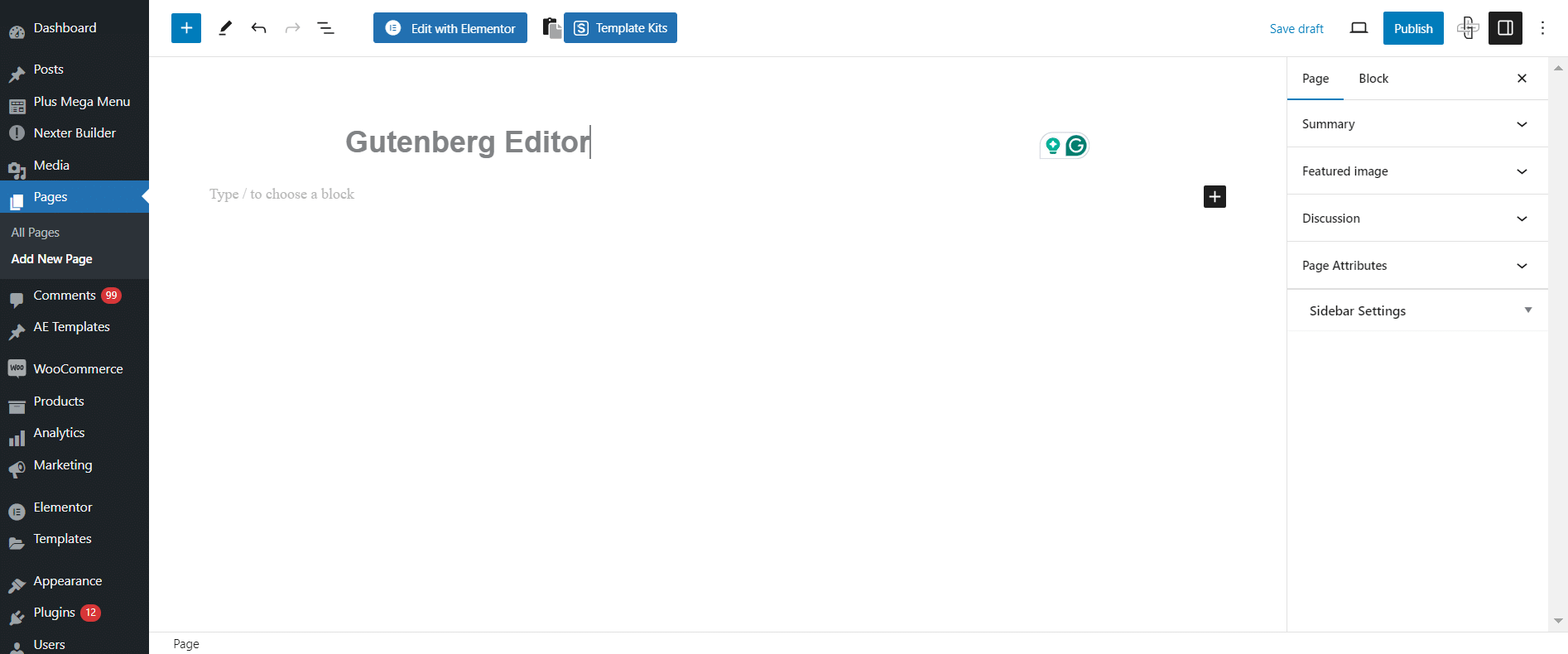
Gutenberg has a clean, minimal interface focused on the content you are creating. To add a new element, click the + icon and choose from the block library. Once a block is placed, click it to open its settings in the right-hand sidebar: colors, typography, spacing, and alignment.
Because the editing area mirrors the front end of your site, the learning curve is short. Bloggers and writers who primarily add text and images will feel comfortable within minutes. Every change is visible in real time without switching between edit and preview modes.
Gutenberg also includes a Block Manager that lets you toggle specific blocks on or off globally, keeping the interface clean and focused on what you actually use.
Divi
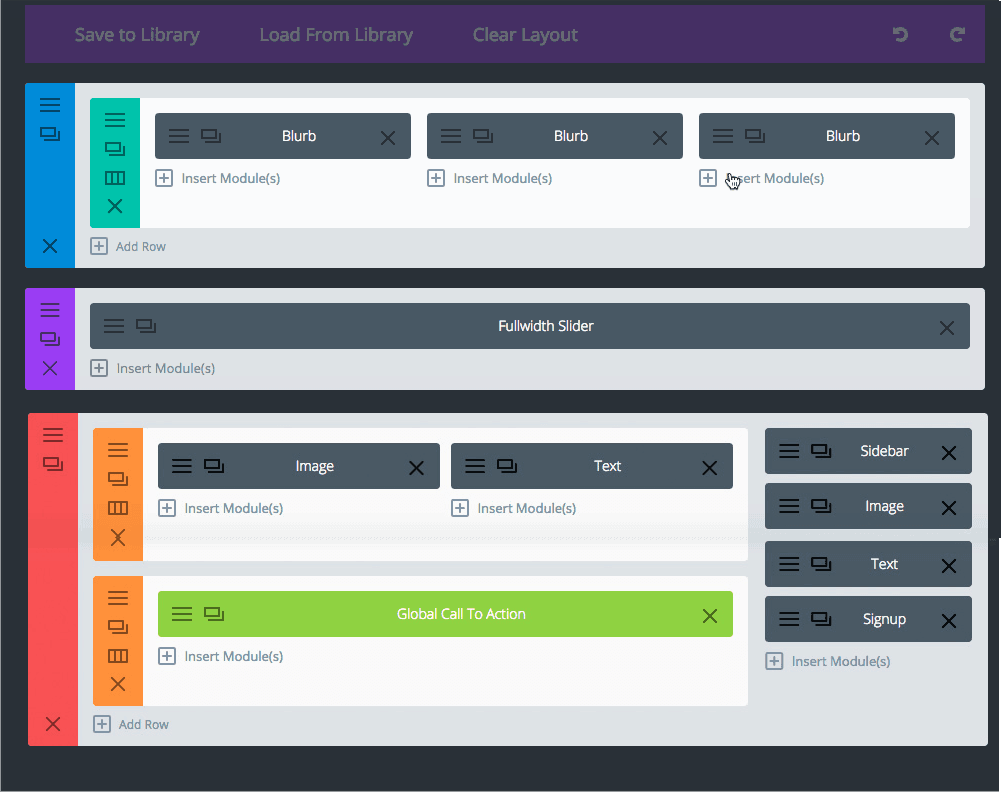
Divi makes website creation visual with its drag-and-drop builder, where you insert modules into rows and sections and see every change live on the front end. Pre-defined column layouts let you quickly scaffold a page structure before filling in content.
The trade-off is complexity. Divi’s interface surfaces a large number of options, and understanding how Sections, Rows, and Modules nest together takes time. New users often need a few hours of practice before the workflow feels natural.
Divi also includes a wireframe mode that reveals the underlying structure of any page, making it easier to restructure complex layouts. And it has a built-in split testing (A/B testing) tool for comparing page variations, a feature Gutenberg does not offer natively.
2. Gutenberg vs Divi: Builder Options
Beyond building individual pages, a page builder needs tools for managing site-wide structure: headers, footers, archive pages, 404 templates, and performance settings.
Gutenberg
Gutenberg’s Site Editor gives you control over global styles, page templates, and navigation. You can modify fonts, colors, and spacing site-wide through the Styles panel.
For more advanced theme building, such as custom headers, footers, 404 pages, and archive templates, you will need a third-party builder. Nexter Builder fills this gap with a Gutenberg-based theme builder (free to start) that covers headers, footers, single post templates, archive pages, and more using drag-and-drop blocks.
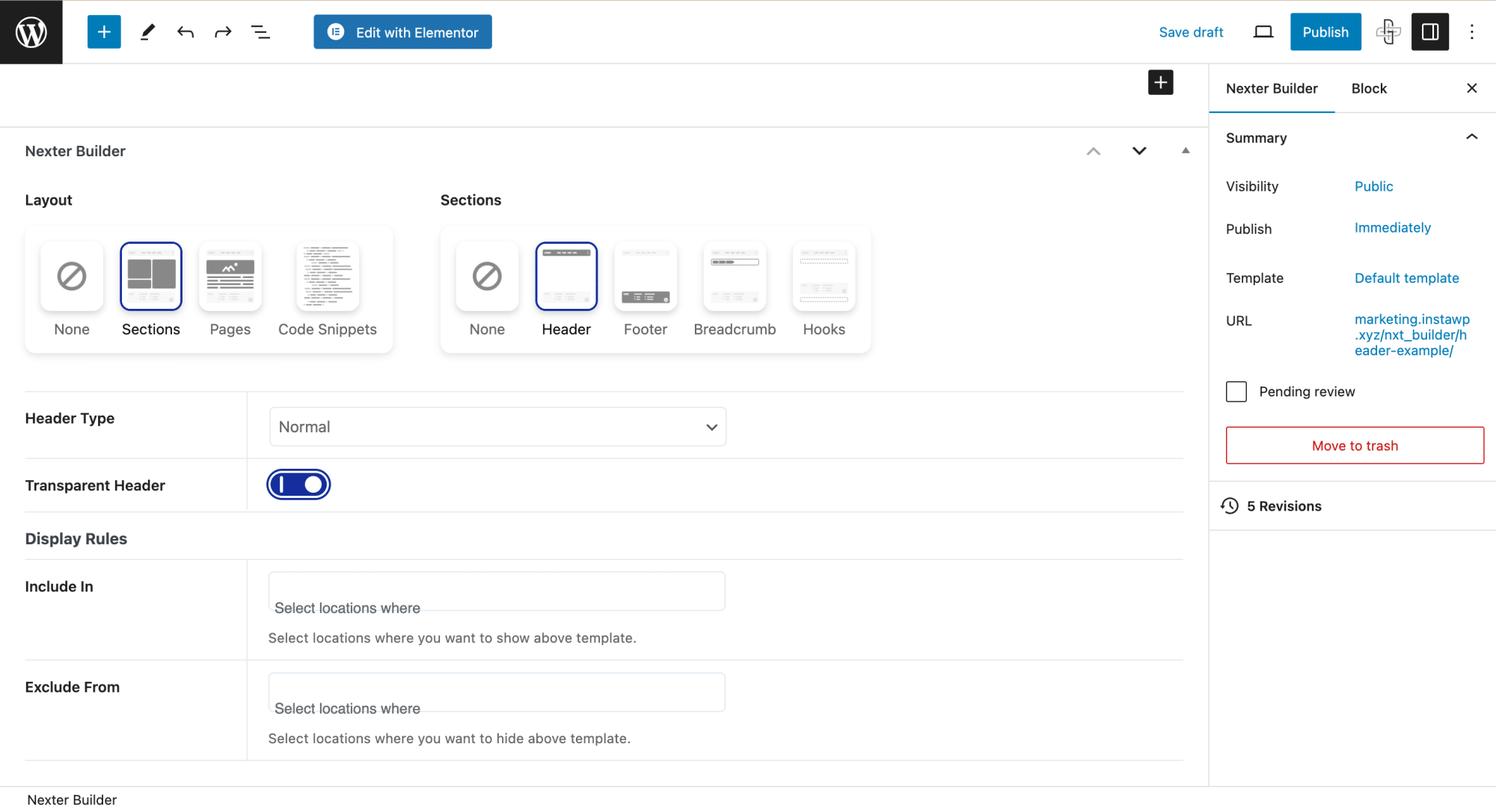
Free Nexter Theme Builder for Gutenberg
Divi
Divi includes a fully integrated theme builder that covers every section of a WordPress site: headers, footers, single post layouts, WooCommerce product templates, and archive pages. You design each one visually inside the same Divi interface.
The builder also has performance settings, API integrations, and a module library where you can save custom designs for reuse. Templates created in Divi’s library can be imported and exported across projects, which is useful for agencies managing multiple client sites.
Enhance your website design with a custom header and footer. Learn How to Create Header & Footer in WordPress in this Beginners Guide.
3. Gutenberg vs Divi: Design Elements
Design elements determine how visually engaging your site can be. Both builders give you a strong foundation, but they differ in depth and out-of-the-box richness.
Gutenberg
Gutenberg ships with 100+ core blocks covering text, media, design, widgets, and embeds. Reusable blocks, now called synced patterns, let you save and reuse combinations of blocks across posts and pages, which helps maintain a consistent design without repetition.
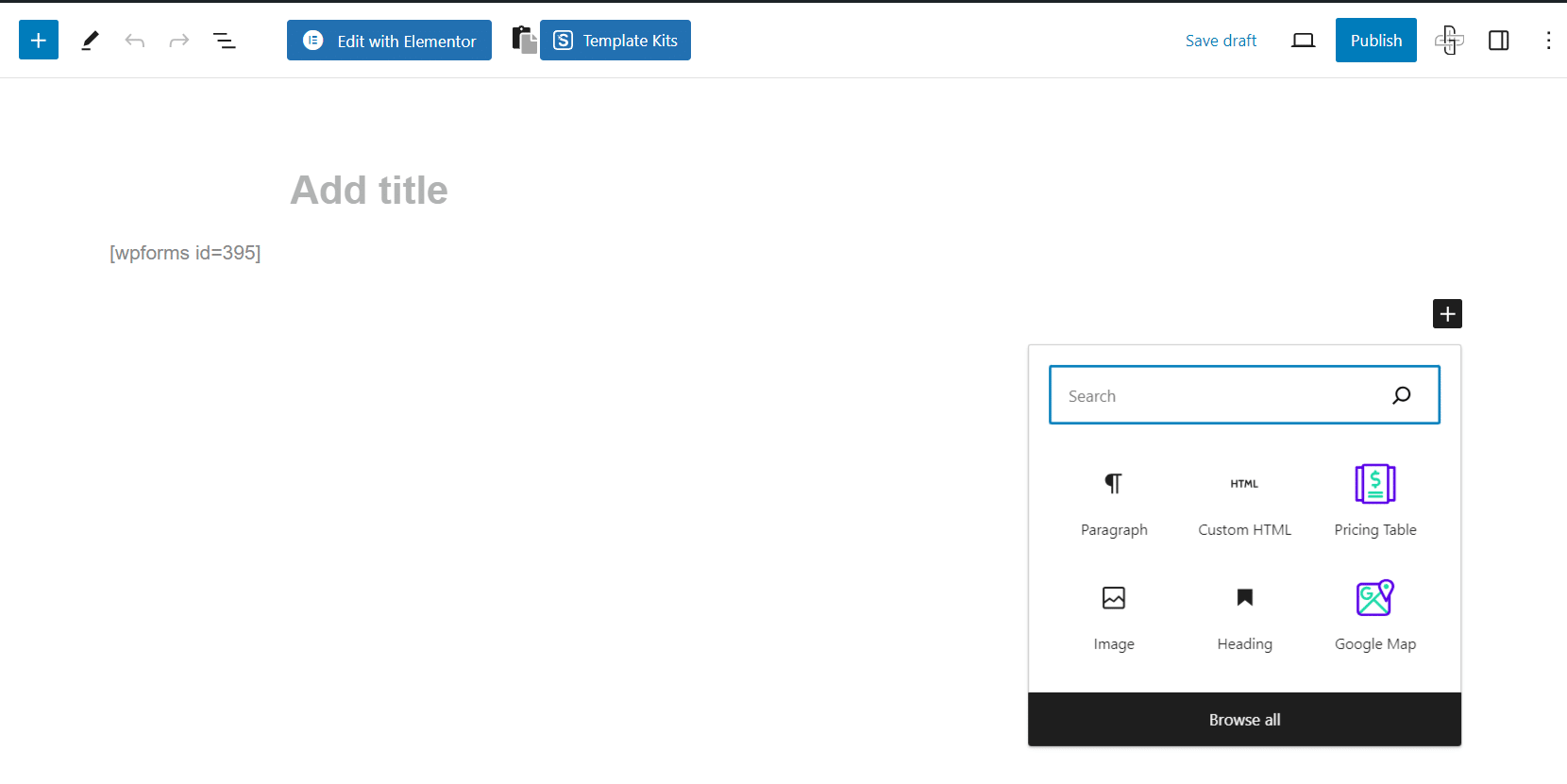
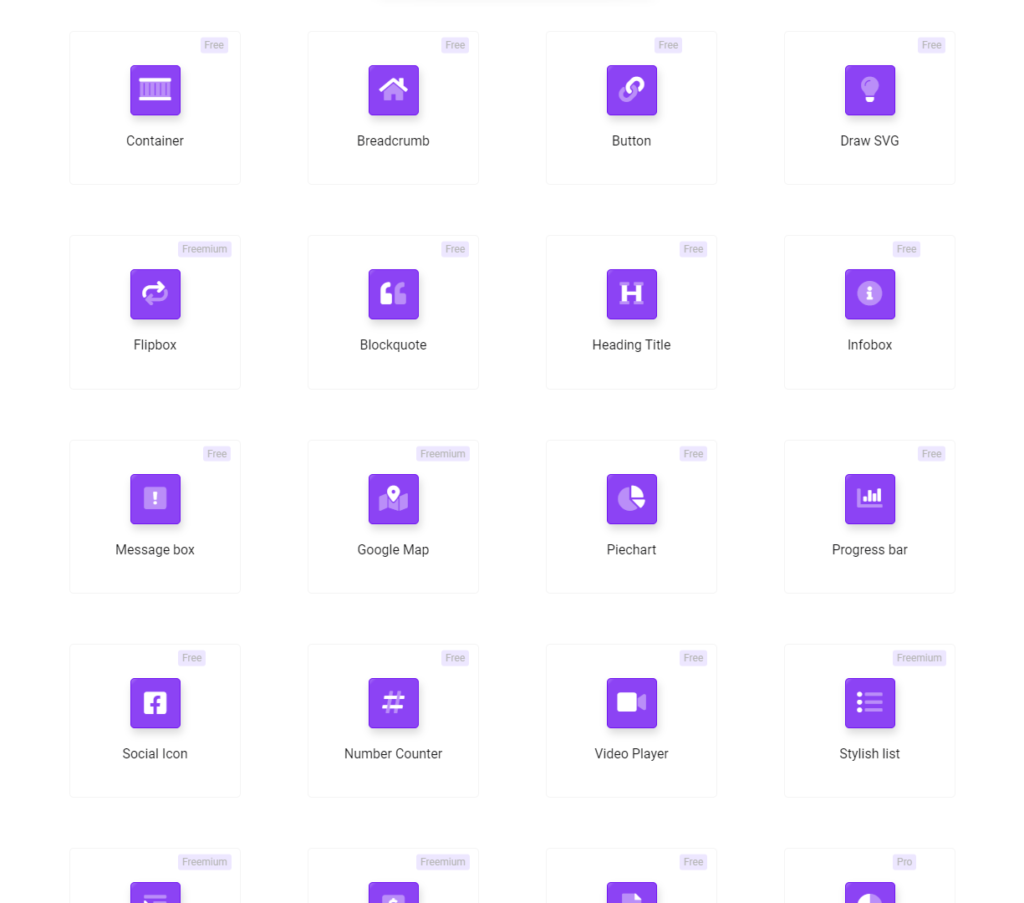
For richer design capabilities, Nexter Blocks adds 90+ native Gutenberg blocks covering animations, carousels, mega menus, countdown timers, social feeds, before/after sliders, and more. Since all Nexter Blocks load with pure Vanilla JS and smart asset delivery, adding blocks does not inflate your page weight.
If you design in Figma, UiChemy converts Figma layouts into Gutenberg blocks directly, reducing the manual work of translating designs to the block editor.
Divi
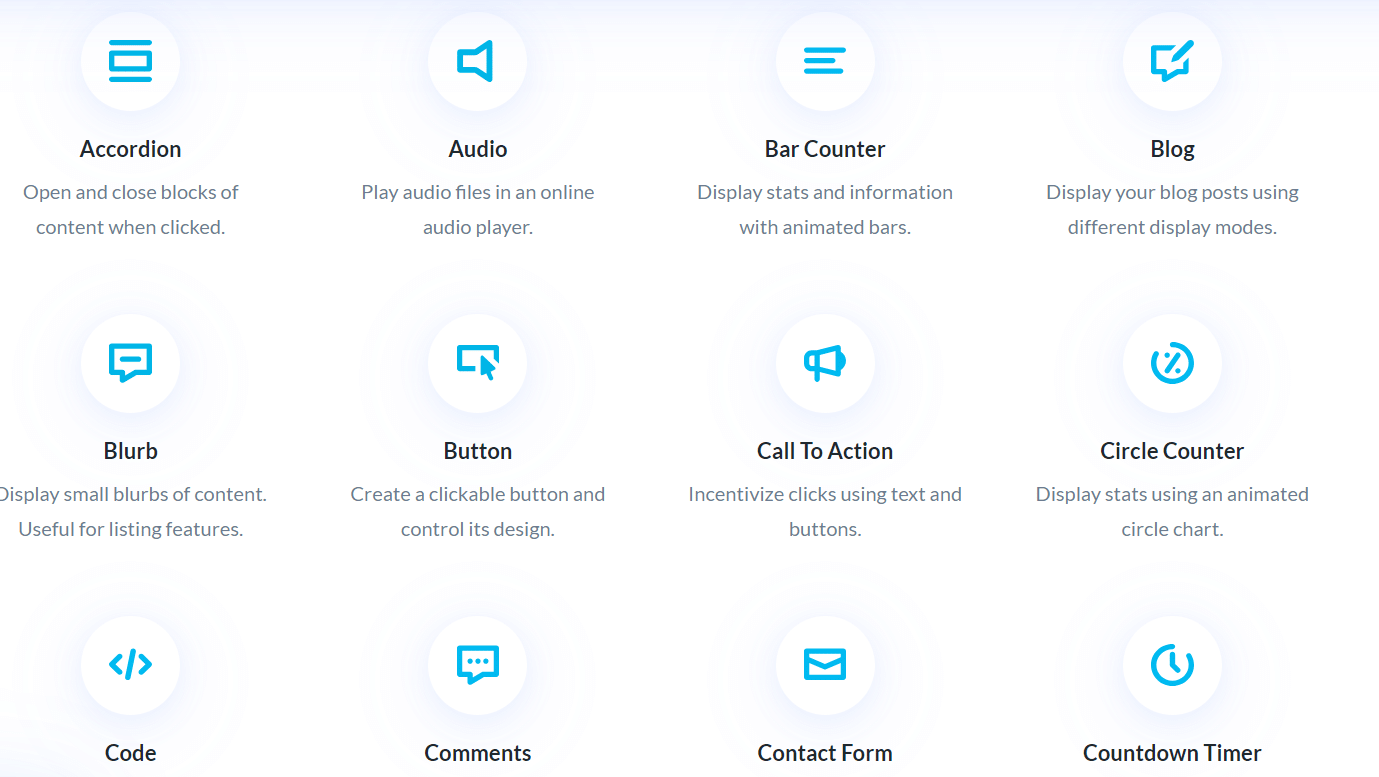
Divi includes dozens of content modules covering buttons, icons, sliders, galleries, forms, pricing tables, testimonials, blog post grids, and media elements. Each module exposes granular controls for spacing, typography, color, borders, animations, and hover effects.
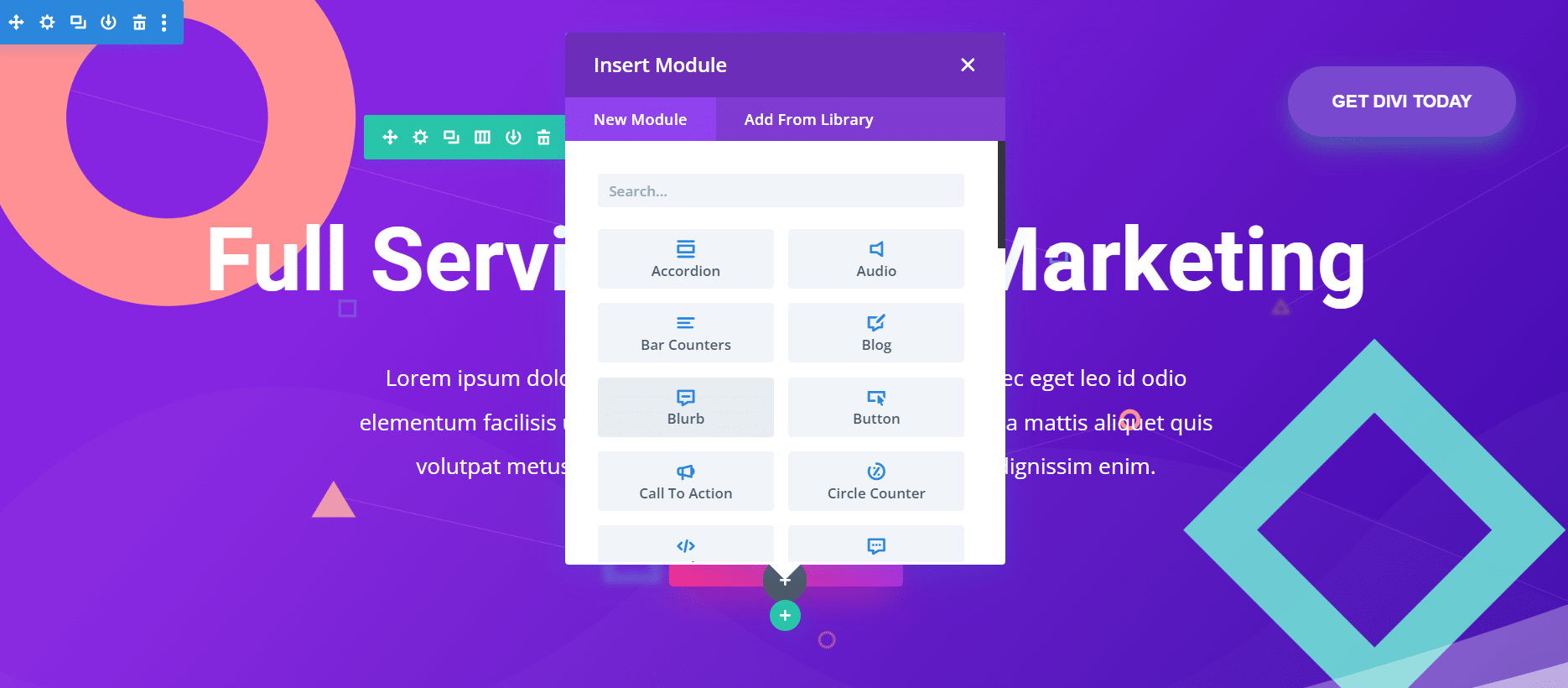
Divi’s global design system lets you set site-wide defaults for colors, fonts, and spacing and then override them at the module level without writing CSS. Whether you are designing a blog feed, a CTA section, a gallery, or a product carousel, there is a dedicated Divi module ready to use.
4. Gutenberg vs Divi: Speed and Performance
Page speed directly affects Core Web Vitals, search rankings, and user retention. For years, Gutenberg held a clear speed advantage over Divi. Divi 5 narrowed that gap significantly.
Gutenberg
Gutenberg is lightweight by design. It loads only the CSS and JavaScript required for the blocks actually used on a given page, and it generates clean semantic HTML without extra wrapper divs or inline styles. Paired with a performance-focused theme, a Gutenberg site can achieve excellent Core Web Vitals without heavy optimization work.
The Nexter Theme weighs under 50KB and loads with zero jQuery dependency. Combined with Nexter Blocks’ smart asset delivery, which loads only one CSS file and one JavaScript file per page regardless of how many blocks are active, the performance overhead of adding 90+ blocks stays minimal.
Divi
Divi 5, released in late 2024, rebuilt the entire front-end engine. The JavaScript bundle shrank from 276KB to 45KB. The dynamic module framework now loads only the CSS and JavaScript for modules used on the current page, not the entire Divi library.
Third-party speed tests (DiviLife, DiviFlash) tested Divi 5 and Gutenberg on equivalent pages under controlled conditions. Divi 5 loaded in approximately 2.58 seconds with 191KB total page weight. Gutenberg loaded in approximately 3.19 seconds with 196KB. On optimized hosting, Divi 5 now outperforms default Gutenberg on complex pages.
That said, real-world performance depends heavily on hosting, caching, image optimization, and theme choice. Both builders are fast when properly configured. The “Divi is slow” reputation applies to Divi 4 and earlier, not Divi 5.
Is your website loading slowly and losing visitors? Read 20+ Tips to Speed Up Your WordPress Website.
5. Gutenberg vs Divi: SEO and Visibility
A critical factor in SEO rankings is site performance and overall user experience. A website built on either builder can rank well when paired with the right SEO plugin and a clean site structure.
Gutenberg produces clean, semantic HTML output. This pairs well with Yoast SEO and Rank Math, both of which integrate directly with the block editor to let you set focus keywords, meta descriptions, and schema markup per post. The Site Editor also gives you control over heading hierarchy and structured templates that help search engines understand your content.
Divi is also SEO-compatible. Its structured column and row system produces organized layouts, and Divi Pro includes a cache-clearing tool to ensure search engines always index fresh content. Divi works with the same SEO plugins as Gutenberg and gives you full control over meta information per page.
Neither builder has an inherent SEO advantage over the other. Your SEO results come from content quality, Core Web Vitals, and your SEO plugin configuration, not from the builder itself.
6. Gutenberg vs Divi: WooCommerce Support
Both builders support WooCommerce, but with different levels of built-in capability for designing store pages.
Gutenberg
Gutenberg works with WooCommerce out of the box. WooCommerce ships 30+ blocks for product grids, cart pages, checkout, and account management. For basic store pages, these blocks cover the essentials without extra plugins.
For full design control over product archives, single product pages, and shop layouts, you need a block plugin. Nexter Blocks Pro includes a WooCommerce Product Grid block with grid, carousel, masonry, and metro layouts, plus a WooCommerce Builder for designing single product templates and archive pages visually. Since Nexter Blocks uses smart asset delivery, your store pages stay lean even with custom layouts active.
Divi
Divi includes 25+ dedicated WooCommerce modules for product listings, shop pages, cart, checkout, and account pages. The Divi Theme Builder supports WooCommerce template targeting, so you can design product archives, single product layouts, and checkout pages visually inside the same builder interface.
Divi also ships 200+ pre-built eCommerce page layouts from its template library. For agencies building multiple WooCommerce stores, the combination of built-in Woo modules, pre-designed layouts, and template library reuse creates a faster production workflow than Gutenberg’s plugin-required approach.
Looking to design an online store website using WooCommerce? Know How to Add Gutenberg Editor to WooCommerce easily.
7. Gutenberg vs Divi: Template Collection
A ready-made template library lets you design a full website faster by starting from a professionally designed foundation rather than a blank canvas.
Gutenberg
Gutenberg does not include a built-in template library. You can save your own page designs as synced patterns for reuse, or use WordPress starter themes that include pre-built block templates. The Nexter starter templates give you pre-built WordPress websites ready to import in one click.
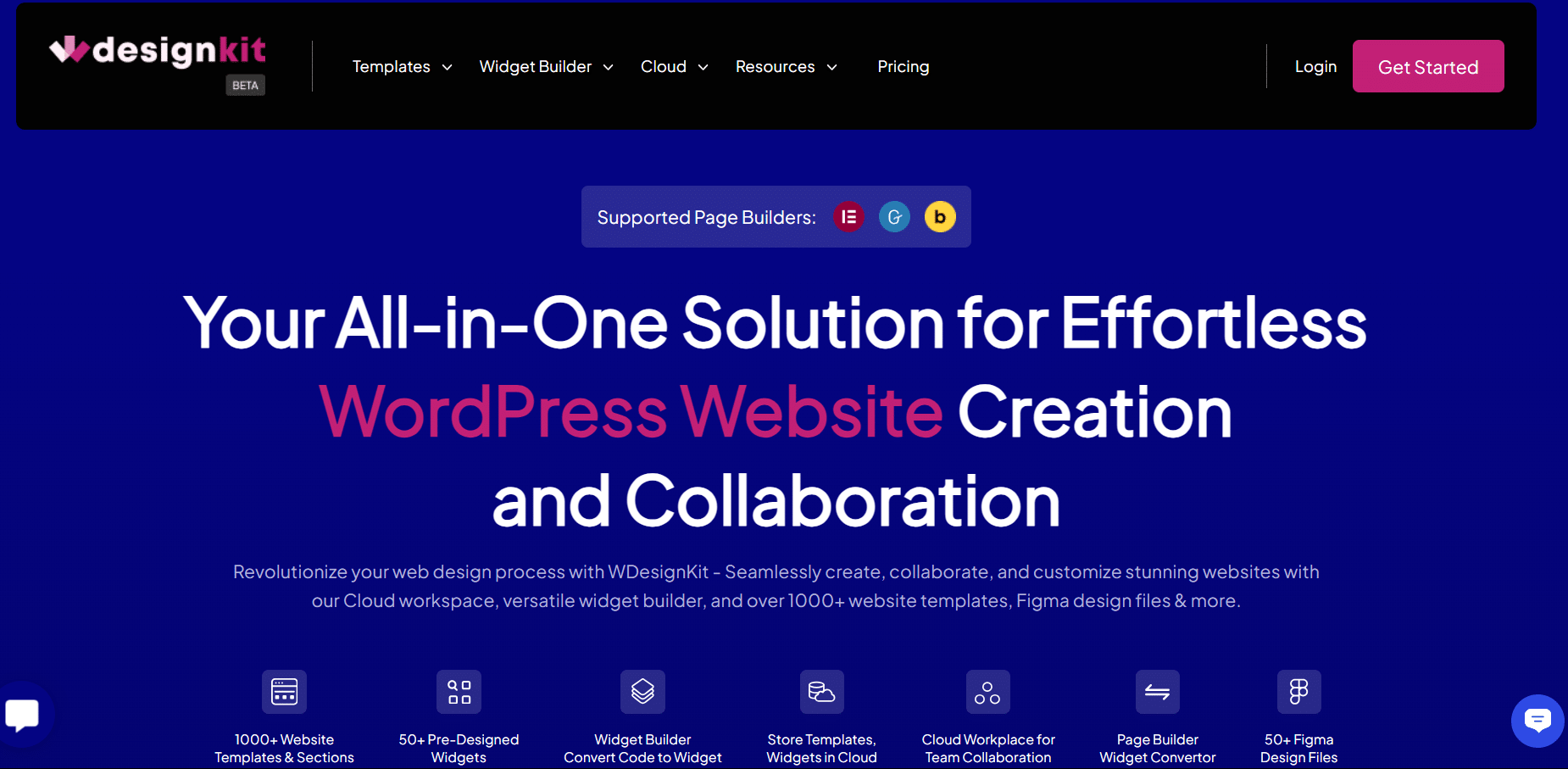
For a larger template library that works with Gutenberg, WDesignKit brings you thousands of website templates, pre-designed widgets, and Figma design files. Templates import with contextually adapted content, not lorem ipsum, which makes them usable immediately.
Divi
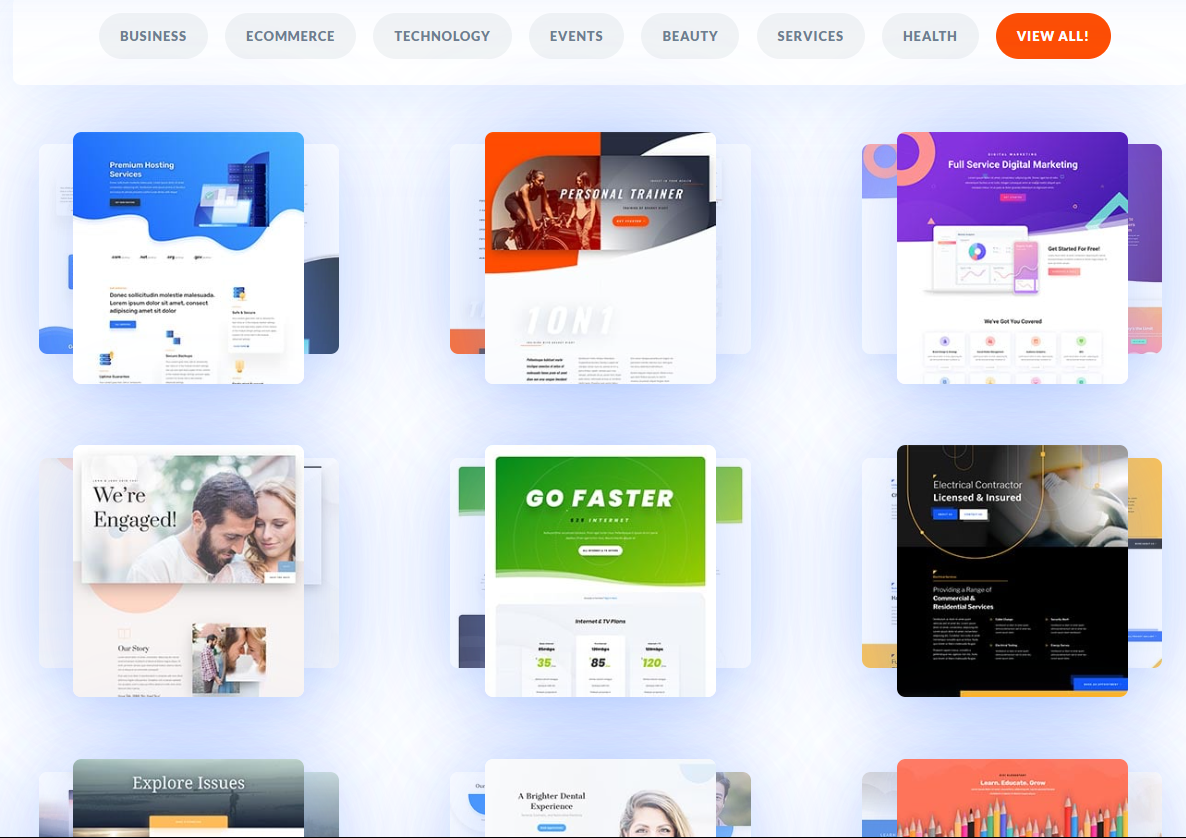
Divi includes 350+ full website templates and 2,500+ page layouts, organized by industry. Whether you need a template for a restaurant, a law firm, a portfolio, or an online store, you can find a pre-built starting point. All templates are fully customizable inside the Divi builder and can be aligned with your brand colors and typography without starting from scratch.
8. Gutenberg vs Divi: Flexibility and Customization
Gutenberg
When you add a block in Gutenberg, clicking it opens a panel with style options: colors, typography, spacing, alignment, and borders. For finer control, you can add custom CSS per block without leaving the editor.
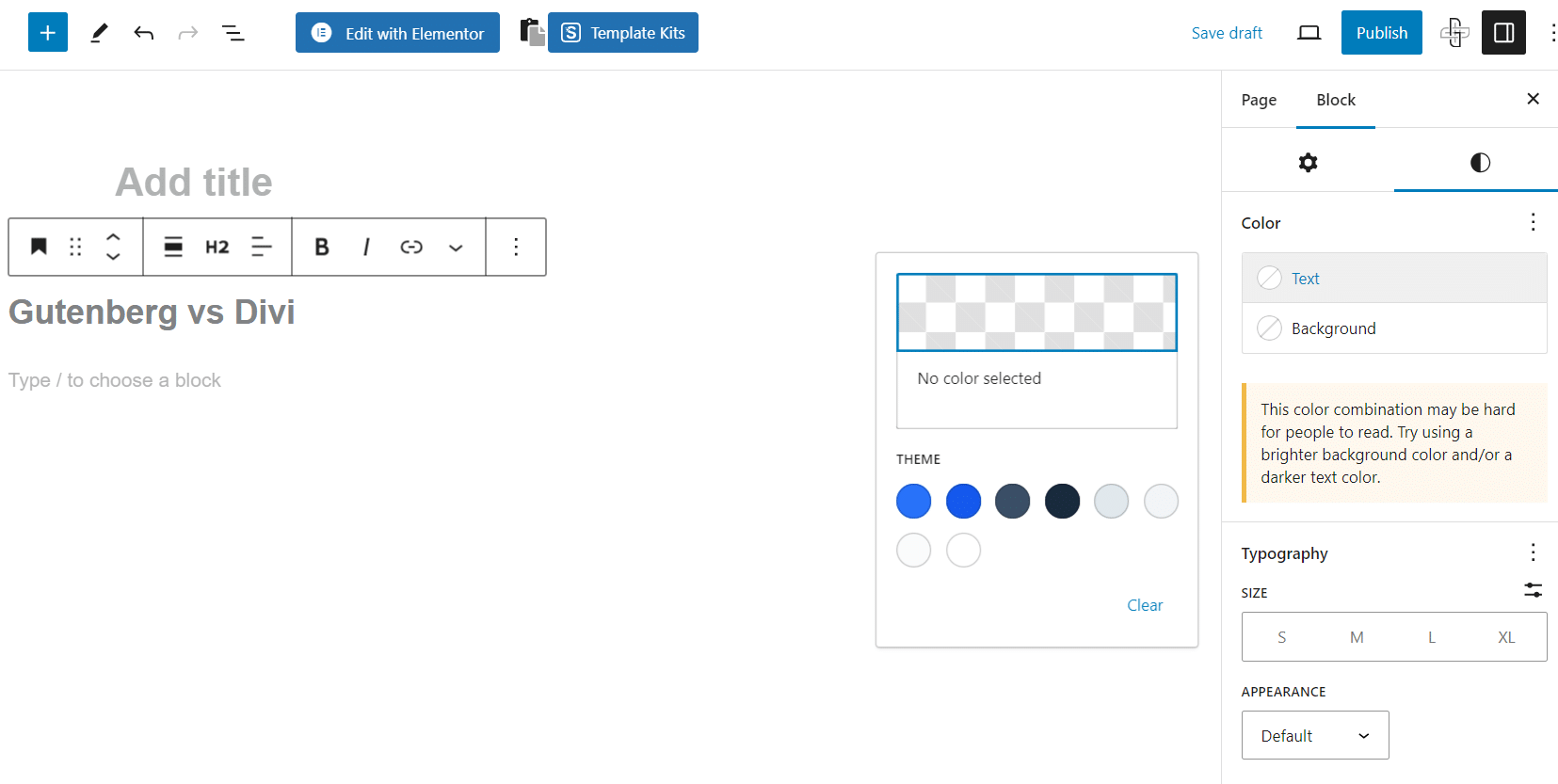
The WordPress Site Editor gives you global control over fonts, colors, spacing, and template structures site-wide. Changes in the Site Editor flow through all pages using that template, so you can update your entire site’s look from a single screen.
For advanced customization beyond Gutenberg’s core settings, Nexter Blocks adds deep styling controls, motion animations, scroll effects, conditional visibility rules, and a full set of advanced blocks that make Gutenberg’s customization capabilities comparable to Divi’s. All blocks are Vanilla JS with no jQuery dependency.
Create pages that convert your audience. Learn How to Create a High-Converting Landing Page with Gutenberg.
Divi
Divi exposes customization settings on every individual module. Typography, color, spacing, borders, animation effects, hover transitions, and scroll effects are all accessible through per-module settings panels.
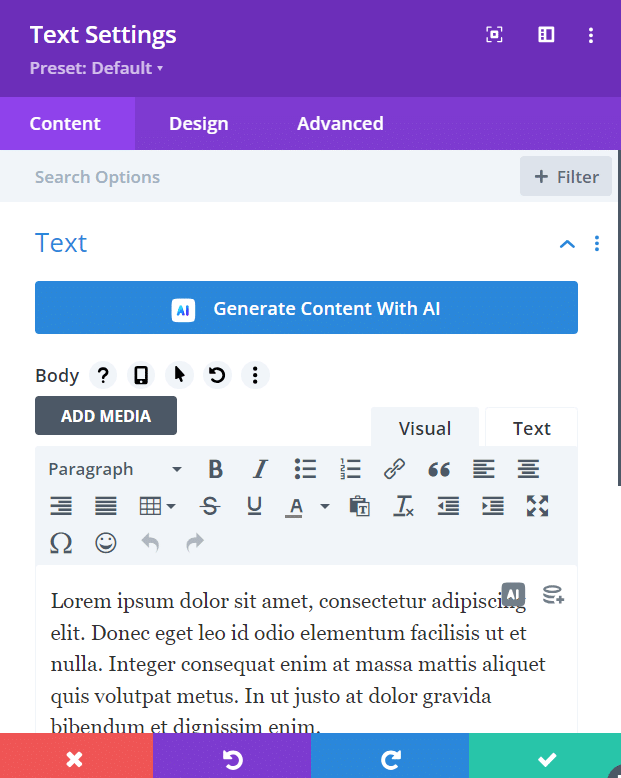
Divi’s global design system lets you copy settings from one module to another, apply global presets, or reset to defaults without starting over. The built-in A/B testing tool lets you create page variants and measure conversion rates directly inside Divi, without a separate testing plugin.
9. Gutenberg vs Divi: Pricing
Gutenberg
Gutenberg is part of WordPress core, so it is free. There is no subscription required to use it. Block plugins and themes can extend its functionality: Nexter Blocks starts free and covers 90+ Gutenberg blocks for content, design, and builders. Nexter Blocks Pro and Nexter Extension add advanced blocks, extensions, and theme-building capabilities. See Nexter plans and pricing for full details.
Divi
Divi does not have a free version. It comes in two subscription plans.
- Divi: $89/year for unlimited websites, or $249 for 10-year access. Includes the Divi theme, page builder, and template library.
- Divi Pro: $277/year. Adds Divi Cloud, Divi AI, Divi VIP support (30-minute response time), and Divi Teams (4 seats). Lifetime + Pro option: $297 upfront, then $212/year for Pro services.
10. Gutenberg vs Divi: Support and Documentation
Gutenberg
Gutenberg is supported through the WordPress.org community: the support forums, Make WordPress blog, and a large ecosystem of third-party documentation. There is no dedicated live support for the core block editor itself.
If you are using Nexter Blocks alongside Gutenberg, support options expand significantly. POSIMYTH Innovations provides a full documentation library, an AI Chat available 24/7, a Discord community, and a Pro helpdesk through the store.
Divi
Elegant Themes offers a comprehensive support system for Divi. This includes a searchable documentation library, live chat, and an active community forum. Divi Pro plan subscribers get access to Divi VIP, which includes priority live chat with shorter response times.
The Divi user community on Facebook is large and active, which means real-world answers to common problems are easy to find. For agencies on tight deadlines, Divi’s live chat support is a meaningful advantage over Gutenberg’s community-only model.
Switching from Divi to Gutenberg: What to Expect
Switching from Divi to Gutenberg is possible but requires rebuilding your page layouts. Divi stores content in its own shortcode format. Without the Divi plugin active, that content renders as broken text with visible shortcode tags. You cannot paste a Divi layout into Gutenberg and have it work automatically.
What you give up in the switch: Divi’s template library, per-module animation controls, built-in A/B testing, and the visual drag-and-drop front-end editing experience.
What you gain: a native WordPress workflow with no plugin lock-in, cleaner code output, and a builder that stays fast as WordPress core improves. You also eliminate the Divi theme dependency, since Gutenberg blocks work with any block-compatible theme.
Migration effort depends on page complexity. Simple content pages take 30 to 60 minutes each. Pages built with Divi’s advanced layout tools take 1 to 3 hours to recreate in Gutenberg. A plugin like Divi Breeze can export Divi content to a more portable format, but you will still need to rebuild each page in the block editor.
Nexter Blocks reduces the feature gap after switching. Its Header Builder, Mega Menu, Popup Builder, and advanced blocks replicate most of what Divi’s theme builder and module library provide, inside the native WordPress editor and on any theme.
Which Should You Choose: Gutenberg or Divi?
Choose Gutenberg if: you are building a content-focused site, a blog, or a performance-first build on a limited budget. Gutenberg is free, maintained by WordPress core, and produces clean code that pairs well with any modern theme. For WordPress beginners, the minimal interface and short learning curve make it the easier starting point.
Choose Divi if: you are running an agency, building design-heavy sites with complex layouts, or working on WooCommerce stores where Divi’s built-in Woo modules save meaningful development time. The template library and visual front-end editor are genuine productivity tools for teams working across multiple client projects.
Many creators use a hybrid approach: Gutenberg for blog content and Divi for landing pages. This works, but it means maintaining two builders on the same site and accepting the overhead of both. A cleaner approach is to extend Gutenberg with Nexter Blocks and skip Divi entirely. You get a full theme builder, 90+ blocks, WooCommerce support, and advanced design controls in a native WordPress environment, with a single plugin to manage instead of two systems.
If you are deciding between Divi vs Elementor vs Gutenberg, the same framework applies: Gutenberg with a quality block plugin can match either premium builder on most project types. Elementor and Divi still have edges in template libraries and visual front-end editing, but Gutenberg’s native performance and zero cost are hard to argue against for most use cases. Check Nexter plans and pricing to see what extending Gutenberg costs versus a Divi subscription.
Stay updated with Helpful WordPress Tips, Insider Insights, and Exclusive Updates – Subscribe now to keep up with Everything Happening on WordPress!
Wrapping Up: Gutenberg vs Divi for Your WordPress Site
The Gutenberg vs Divi comparison in 2026 is closer than it has ever been. Divi 5’s rebuilt engine removed the speed argument that used to favor Gutenberg by default. Now both builders are fast, capable, and actively maintained.
Gutenberg wins on cost, native WordPress integration, and performance ceiling when paired with a lightweight theme. Divi wins on out-of-the-box design depth, template library size, and WooCommerce production speed for agencies.
If you want to take Gutenberg further without switching builders, Nexter Blocks from POSIMYTH Innovations adds 90+ native Gutenberg blocks including a Header Builder, Popup Builder, Mega Menu, WooCommerce Product Grid, and advanced animations. The free version covers the most-used blocks. Pro adds the full suite. It works on any WordPress theme, not just Nexter.
Explore the 90+ Blocks Library from Nexter Blocks
