












A Nexter user asked our community last month: “I woke up to 300 fake registrations overnight. Which anti-spam plugin actually stops this?” The replies ranged from Akismet to CleanTalk to rolling a custom honeypot. Nobody agreed, and for a good reason. Anti-spam plugins for WordPress are not one-size-fits-all. Comment spam, form spam, fake registrations, and login brute-force are four different problems that need four different approaches.
The right plugin removes nearly all of it without making real visitors solve puzzles. The wrong one slows your site, breaks form submissions, or stops working after a WordPress update.
This guide compares the 5 best anti-spam plugins for WordPress in 2026, tested on the same five criteria: detection accuracy, user friction, pricing, builder compatibility, and active maintenance. By the end you will know exactly which one fits your site, your budget, and the spam you actually deal with.
What to look for in an anti-spam plugin
Before the list, here is the short version of what separates a great anti-spam plugin from a frustrating one.
- Detection accuracy. A good plugin blocks 95% or more of spam without flagging real comments or form submissions as false positives. Anything below that means lost leads.
- Zero-friction protection. CAPTCHAs work but they reduce conversions. The best plugins block spam invisibly using honeypots, behavior analysis, or cloud filters. Real visitors never see a challenge.
- Active maintenance. A plugin last updated 18 months ago is a liability. Check the WordPress.org “last updated” date before installing anything on a live site.
- Builder and form compatibility. Your plugin must work with whatever you use. Gutenberg, Elementor, Bricks, WPForms, Contact Form 7, Gravity Forms, and Fluent Forms all handle anti-spam integration differently.
- Transparent pricing. Some free plugins are genuinely free. Others hit hard limits the moment your traffic grows. We flag both clearly below.
Now the picks.
1. Akismet Anti-Spam
Akismet ships with every WordPress install and has been the default anti-spam standard for nearly two decades, built by Automattic. Over 5 million active installations make it the most-used anti-spam plugin on WordPress.org.
Every comment, contact form submission, or trackback gets sent to Akismet’s cloud service, checked against a database of known spam signatures, and either approved or filtered. No CAPTCHA. No visible honeypot. The visitor sees nothing.
Why it works: Akismet’s spam database is updated by every site running it. New spam patterns get caught within hours. For comment-heavy blogs, accuracy consistently runs above 99%.
Free vs paid:
- Free plan: Personal blogs only, non-commercial use, no ads on the site
- Plus plan ($4.40/month): One site, commercial use included
- Enterprise plan (custom pricing): Multiple sites, priority support, agency-level features
Where it falls short: The free tier is restricted to non-commercial sites only. Run ads, sell products, or accept sponsorships and you technically need a paid plan. It primarily handles comment spam and contact form spam from well-integrated plugins. Login attacks and registration spam need a separate solution. Because it sends comment data to a third-party cloud service, it also raises questions for GDPR-strict regions.
Best for: Content sites, blogs, and small businesses with high comment volume who want set-and-forget protection with minimal configuration.
2. CleanTalk Spam Protection
CleanTalk takes a broader approach than Akismet. Instead of focusing on comments alone, it protects every entry point on your site. Comments, contact forms, registrations, WooCommerce checkout, and login attempts.
Detection runs on CleanTalk’s cloud, checking every submission against behavioral patterns, IP reputation, browser fingerprints, and known spam databases. Like Akismet, it runs invisibly. No puzzles, no math problems, no clicking traffic lights.
Why it works: CleanTalk publishes a real-time stats dashboard across its full network. Over 5 billion spam attempts are blocked monthly, with network-wide detection accuracy reported at 99.998%.
Free vs paid:
- Free plan: 7-day trial only, then paid
- Anti-Spam plan ($8/year per site): Comment, registration, login, and form spam protection
- Security plan ($35/year per site): Adds firewall, malware scanning, brute force protection
- Anti-Spam + Security bundle ($45/year per site): Both products combined
Where it falls short: No permanent free tier. Just a 7-day trial, then paid. The dashboard lives on CleanTalk’s site rather than in your WordPress admin. For sites with niche spam patterns like industry-jargon spam or language-specific attacks, the cloud filter occasionally misses or over-blocks edge cases.
Best for: WooCommerce stores, membership sites, and any WordPress site with multiple entry points where comment-only tools like Akismet fall short.
3. Antispam Bee
Antispam Bee is the most popular free alternative to Akismet, built by a small German developer team and trusted by over 600,000 active installations on WordPress.org. It holds a 4.8-star average from 225+ reviews.
It works entirely without sending data to third-party services, making it a strong fit for GDPR-strict sites. Detection is local: honeypots, comment metadata analysis, regex pattern matching against known spam phrases, and optional country-based blocking.
Why it works: No cloud dependency means no monthly fees, no third-party data transfers, and no breakage when an external service changes its API. Antispam Bee has been actively maintained since 2009 and continues shipping regular updates.
Free vs paid: 100% free. No paid tier, no upgrade prompt, no premium feature gates.
Where it falls short: Handles comment and trackback spam only. Form spam and registration spam need a separate plugin or form-builder-level protection. The interface is minimal. No stats dashboard, no detailed reports, no usage graphs. Detection accuracy is lower than Akismet on sophisticated AI-generated spam since there is no shared signal network.
Best for: Self-hosted blogs, GDPR-sensitive sites, developers who want zero third-party dependencies, and anyone who needs reliable comment spam protection at zero cost.
Also Read: Cloudflare Turnstile vs Google reCAPTCHA — how the two most popular challenge-free verification tools compare in 2026.
4. WP Armour Honeypot Anti-Spam
WP Armour takes a different approach. Instead of scanning submitted content for spam signatures, it places an invisible honeypot field in your forms that real visitors never see but bots fill in automatically. When that field arrives filled, the submission is rejected silently.
The plugin works with every major form builder. Contact Form 7, Gravity Forms, WPForms, WS Form, Ninja Forms, Fluent Forms, and Elementor Forms. It also covers WordPress comments, registrations, and BuddyPress activity.
Why it works: Honeypots are decades-old anti-spam technology, but WP Armour modernizes the approach with rotating field names, randomized form attributes, and per-request tokens. Enough to catch bots that handle modern single-page form rendering.
Free vs paid:
- Free plan: Honeypot protection across all supported forms and comments
- Extended ($9 one-time per site): Adds CAPTCHA fallback, country blocking, statistics dashboard, IP rules
- Extended Multisite ($29 one-time): Same features across a WordPress multisite network
Where it falls short: Honeypot-only detection means sophisticated bots that render pages in a headless browser can occasionally slip through. The free version has no statistics, so you cannot see exactly how much spam it blocks. Updates ship less frequently than Akismet or CleanTalk, though the plugin remains stable and compatible with current WordPress versions.
Best for: Form-heavy sites, lead generation pages, and anyone who wants invisible spam blocking with no recurring subscription. The $9 one-time Extended license makes it strong long-term value.
5. Titan Anti-Spam & Security
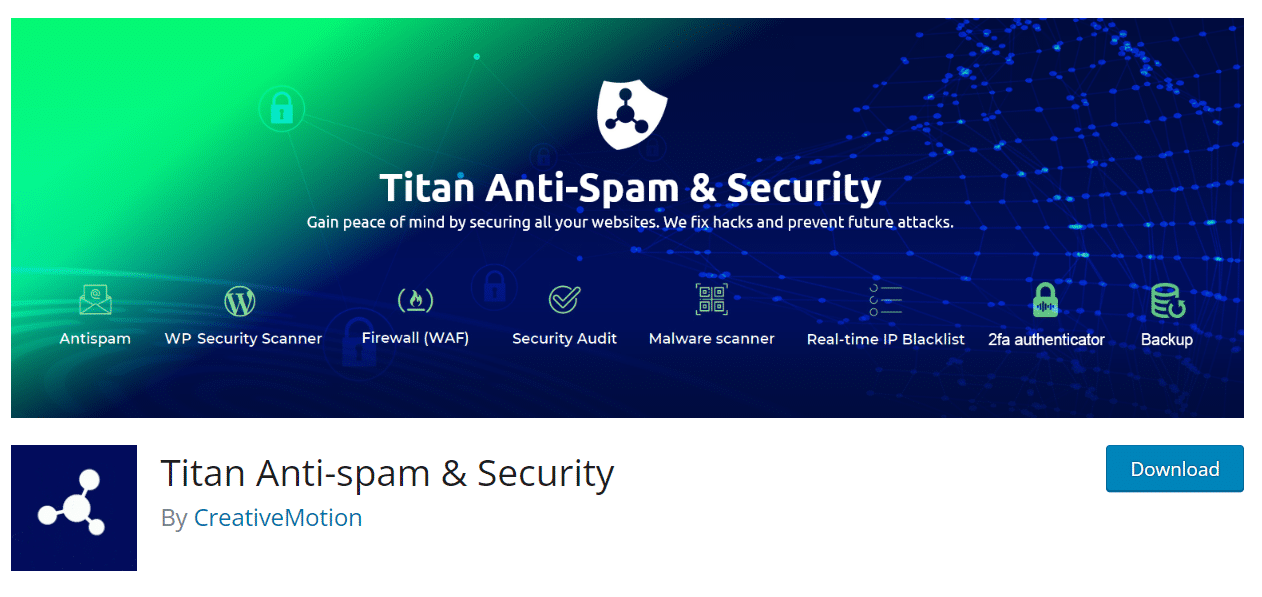
Titan combines anti-spam protection with a security suite. You get comment and form spam filtering plus a firewall, malware scanner, file integrity monitor, and login protection in a single plugin install.
Spam detection uses behavior analysis, IP reputation checking, and content pattern matching. The cloud filter learns from the entire Titan user network, similar to Akismet, but adds firewall and brute-force protection on top.
Why it works: Bundling spam protection with security means one plugin replaces two or three. For sites not already running Wordfence or Sucuri, Titan covers both spam and basic site hardening without plugin conflicts.
Free vs paid:
- Free plan: Comment spam filter, contact form spam filter, security scanner, login protection
- Pro plan ($65/year per site): Adds real-time scanning, automatic malware removal, advanced firewall rules, priority support
Where it falls short: The free tier shows upsell prompts in the dashboard, which some users find pushy. The combined feature set makes it a heavier plugin than dedicated anti-spam-only options. Sites already running a security plugin will find overlap. Some firewall rules are more aggressive than competitors, occasionally blocking legitimate traffic from non-US visitors.
Best for: Small business sites and bloggers who want spam protection plus basic security coverage in one install, without managing multiple security products.
How the 5 plugins compare side-by-side
This table shows the high-signal differences at a glance. Use it to shortlist two plugins, then read those full sections before deciding.
| Plugin | Free tier | Comment spam | Form spam | Registration spam | GDPR-friendly | Best for |
|---|---|---|---|---|---|---|
| Akismet | Personal blogs only | Excellent | Limited | Limited | Sends data to cloud | High-traffic blogs |
| CleanTalk | 7-day trial | Excellent | Excellent | Excellent | Sends data to cloud | WooCommerce + multi-entry sites |
| Antispam Bee | Fully free | Strong | None | None | Fully local | GDPR-strict comment sites |
| WP Armour | Fully free | Strong | Excellent | Strong | Fully local | Form-heavy sites |
| Titan Anti-Spam | Free + Pro | Strong | Strong | Strong | Sends data to cloud | All-in-one security + spam |
One-line picks: Akismet for comment-heavy blogs, CleanTalk for stores and membership sites, Antispam Bee for privacy-first sites, WP Armour for form-heavy lead gen, and Titan if you do not already have a security plugin.
Which anti-spam plugin is right for your site?
The right choice depends entirely on where your spam is hitting you. Here is a quick decision framework.
Most of your spam is blog comments: Akismet or Antispam Bee. Akismet wins on accuracy. Antispam Bee wins on privacy and price.
You run a WooCommerce store, membership site, or allow registrations: CleanTalk. It covers more entry points than any other plugin on this list. The $8/year cost is negligible against the time spam costs you.
You run a lead-generation site with lots of contact forms: WP Armour. Honeypots are the right tool for form spam, and the one-time $9 license beats any recurring subscription.
You do not have a security plugin yet: Titan Anti-Spam & Security. You get spam protection plus a firewall in one install, replacing two plugins at once.
You are GDPR-strict and will not send any data outside your server: Antispam Bee or WP Armour. Both run entirely locally with zero cloud dependency.
Need to lock down your registration page too? Here is how to stop spam registrations on WordPress.
Stay updated with Helpful WordPress Tips, Insider Insights, and Exclusive Updates – Subscribe now to keep up with Everything Happening on WordPress!
Wrapping Up
Spam is an ongoing tax on every WordPress site, and the right anti-spam plugin reduces it to near zero without creating friction for real users. The five plugins above cover every common scenario. Comment-heavy blogs, WooCommerce stores, lead-gen forms, membership sites, and GDPR-strict builds. Pick the one that matches the spam you actually receive, install it tonight, and your moderation queue empties by next week.
If you also need spam-free login and registration pages on a Gutenberg site, Nexter Blocks includes Login Form, Registration Form, and Password Reset Form blocks that integrate with reCAPTCHA out of the box. Pair those with one of the anti-spam plugins above and your front-end is covered end to end. See full Nexter pricing or download Nexter free to try the blocks first.
FAQs on Anti-Spam Plugins for WordPress
Is Akismet free for WordPress?
Akismet has a free tier, but it is restricted to non-commercial personal blogs. If your site runs ads, sells products, or accepts any form of sponsorship, you need the Plus plan at $4.40/month per site. Commercial use on the free tier technically violates Akismet’s terms of service, even for small sites.
What is the best free anti-spam plugin for WordPress?
Antispam Bee is the best fully free option. No paid tier, no usage limits, and no third-party data transfers. It handles comment spam reliably on any size blog. If you also need form spam protection for free, WP Armour is the right choice. Its free tier covers honeypot protection across all major form builders.
Can I use more than one anti-spam plugin at the same time?
You can, but most sites do not need to. Running two cloud-based spam filters like Akismet and CleanTalk together can create redundancy that slows form submissions since both check each request. A better approach: use one cloud filter for comments and one local honeypot like WP Armour for forms. That combination covers all entry points without overlap.
Does Antispam Bee work with contact forms?
No. Antispam Bee only protects WordPress comment sections and trackbacks. It does not integrate with Contact Form 7, WPForms, Gravity Forms, or any other form builder. For form spam protection on a GDPR-strict site, pair Antispam Bee with WP Armour, which covers all major builders and runs locally with no external requests.
Which anti-spam plugin is best for WooCommerce?
CleanTalk is the best anti-spam plugin for WooCommerce. It protects the checkout form, registration, login, and product reviews in one install for $8/year. Akismet covers WooCommerce reviews if integrated, but does not protect the checkout or registration flow. WP Armour’s honeypot approach also works well on WooCommerce forms if you prefer a one-time-cost option.
Are WordPress anti-spam plugins GDPR compliant?
It depends on the plugin. Akismet, CleanTalk, and Titan send submission data to external cloud servers, which can raise GDPR concerns depending on your privacy policy and where those servers are located. Antispam Bee and WP Armour run entirely locally. No data leaves your server, making them fully GDPR-friendly without requiring additional disclosures to users.
