If you have too many items within a tab you can use the built-in Swiper Effect of the Nexter Blocks Tabs Tours block.
This will provide a better user experience where users can easily swipe the tab titles to view the content.
To check the complete feature overview documentation of the Nexter Blocks Tabs Tours block, click here.
Requirement – This block is a part of the Nexter Blocks, make sure its installed & activated to enjoy all its powers.
To do this add the Tabs Tours block on the page and go to Layout make sure Horizontal is selected as Layout and then turn on the Swiper Effect toggle.
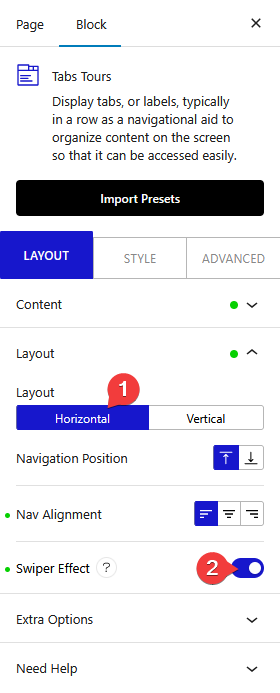
With that, users can now easily swipe the tab titles.
Also, check How to create Vertical Tabs layout in WordPress.