












A date tells a reader how fresh something is, which is useful for news and unhelpful for a guide that has been accurate for three years.
The date can be switched off on the listing so evergreen posts are judged on their title instead.
Before You Start
- Edition: Free — works in Nexter Blocks (free) and with Nexter Blocks Pro.
- Block to enable: Post Listing, switched on under Nexter > Blocks in your WordPress dashboard.
Steps
- Select your Post Listing block.
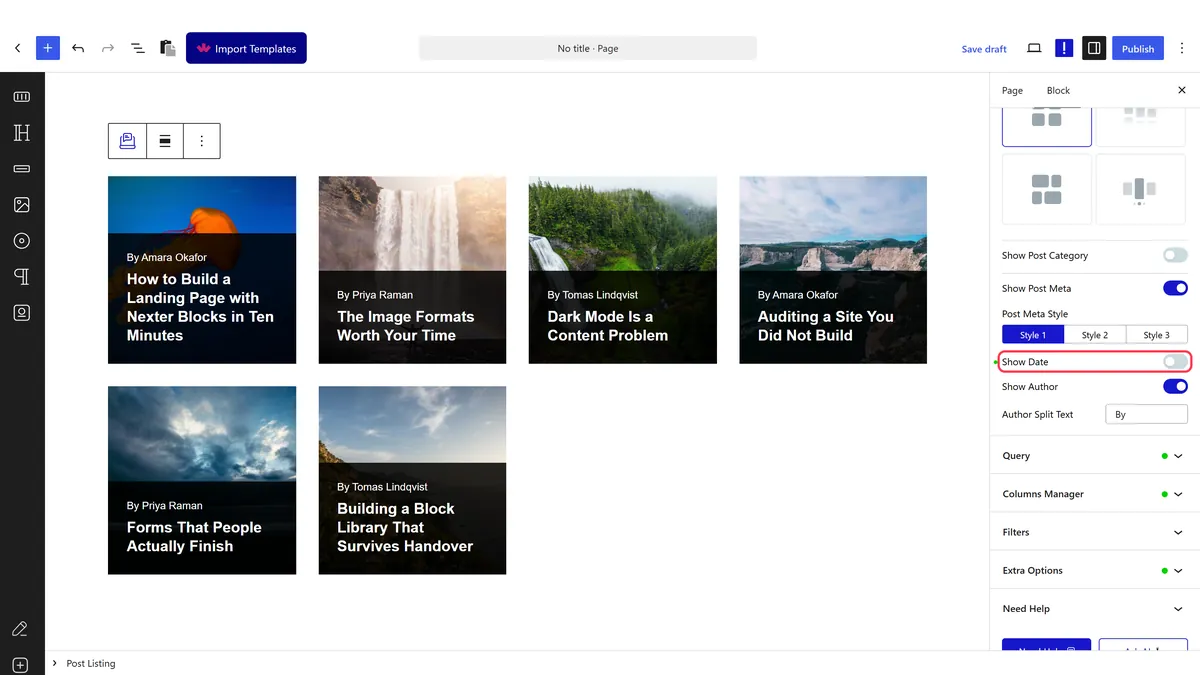
- Switch the date display off.
- Publish and check the cards on the real page.
How It Behaves
The date is part of the post meta line, and hiding it removes that element from each card.
- It is on by default. Measured on an untouched listing, each card rendered a
post-meta-dateelement with a formatted date such asSeptember 13, 2026, linking to the post. - Hiding it is cosmetic. The published date is still stored on the post, still in your sitemap, and still visible to search engines.
- Search results may still show a date that Google works out for itself, so hiding it here does not guarantee a dateless listing in search.
- The author usually shares the line, so check the meta line still reads properly — see hide the author name.
- Measured with Nexter Blocks Pro deactivated: the listing still renders its posts. The block itself is free.
Limitations
- It does not make content look current. Readers are good at spotting dated screenshots and old advice regardless.
- Search engines can still display a date. Hiding it in the listing does not remove it from the post data.
- For genuinely time-sensitive posts it is misleading, and a stale post with no date is worse than a stale post with one.
- It applies to the whole listing, not to individual cards.
- A better answer is often to update the post and let the date work for you.
Troubleshooting
The date still shows
Check you changed the setting on the right block and are viewing the published page.
Google still shows a date in search results
Expected. The date is still in the post data. Hiding it in the listing does not remove it.
The meta line looks broken now
A separator is left behind. Hide the author too, or restyle the meta line.
I want to show the updated date instead
That is a theme or template concern rather than a listing setting.
