












A plan with twenty features reads as a wall of ticks, and the three that actually sell it get lost in the middle.
Showing the first few and folding the rest behind a button keeps the comparison readable without throwing anything away.
For every Pricing Table setting in one place, see the Pricing Table feature guide.
Before You Start
- Edition: Free — measured working identically with and without Nexter Blocks Pro.
- Block to enable: Pricing Table, switched on under Nexter > Blocks in your WordPress dashboard.
Steps
- Add the Pricing Table block and set Content Style to Stylish List.
- Add your features, one row each.
- Switch the Show More toggle on.
- Set how many features stay visible before the button.
- Edit the button labels for the open and closed states.
Show More is not available on List Style 2. Measured: with that list style selected the button never appears and every feature shows, whatever the limit says. Use the default list style if you need the button.
How It Behaves
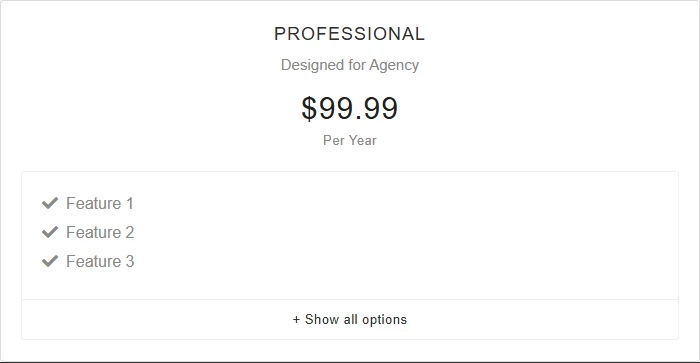
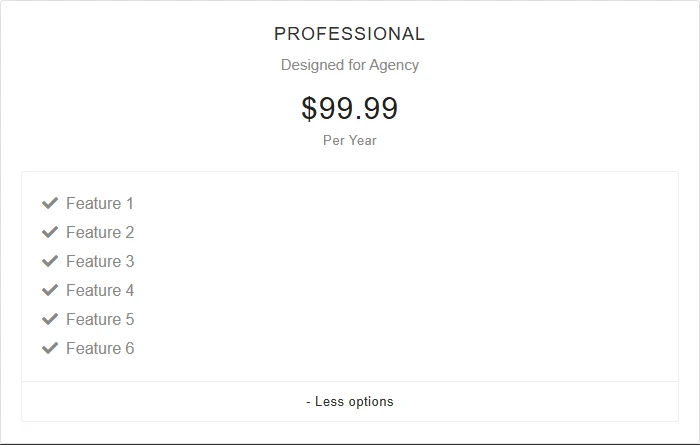
- Measured on a published page: with six features and the limit set to three, exactly three showed on load and the button read “+ Show all options”. Clicking it revealed all six.
- It works without Nexter Blocks Pro — measured identically on both editions.
- The hidden features are present in the page from the start, so search engines still see them; the button only changes what is displayed.
- The limit is a count of rows, so it behaves the same however long each feature line is.
Limitations
- Show More is not available on List Style 2. Measured: with that list style selected the button never appears and every feature shows, whatever the limit says. Use the default list style if you need the button.
- The feature list only exists when Content Style is set to Stylish List. The block starts in WYSIWYG content mode, which gives you a rich-text area instead — measured, no list items at all. Tooltips and the Show More button both hang off that list, so they need the same setting.
- The button collapses and expands that one plan — it does not sync across plans placed side by side, so two tables can end up different heights once one is expanded.
- There is no per-feature control over which rows stay visible; it is always the first N in order.
Troubleshooting
The Show More button never appears
Two common causes, both measured: List Style is set to style 2, which does not offer the button at all; or the feature list has no more rows than the limit, so there is nothing to hide.
I have no feature list to limit
Set Content Style to Stylish List — the block starts in WYSIWYG mode, which has a rich-text area instead of a list.
My plans are different heights after expanding one
That is expected — each plan expands independently. If even heights matter more than tidiness, leave Show More off and let every plan list its features in full.
