












Greenshift, a Gutenberg block plugin built around advanced CSS grid layouts, container queries, and interactive animations, targets developers who need granular control over layout behavior and CSS transitions inside the WordPress block editor. For site builders who want a faster, more template-driven workflow with less configuration overhead, that depth becomes a steep onboarding curve rather than an advantage.
This guide covers the three strongest Greenshift alternatives available in 2026: Nexter Blocks, Essential Blocks for Gutenberg, and Kadence Blocks. Each brings a different combination of blocks, builders, performance characteristics, and pricing. The comparison table further down lays out the key differences side by side.
1. Nexter Blocks
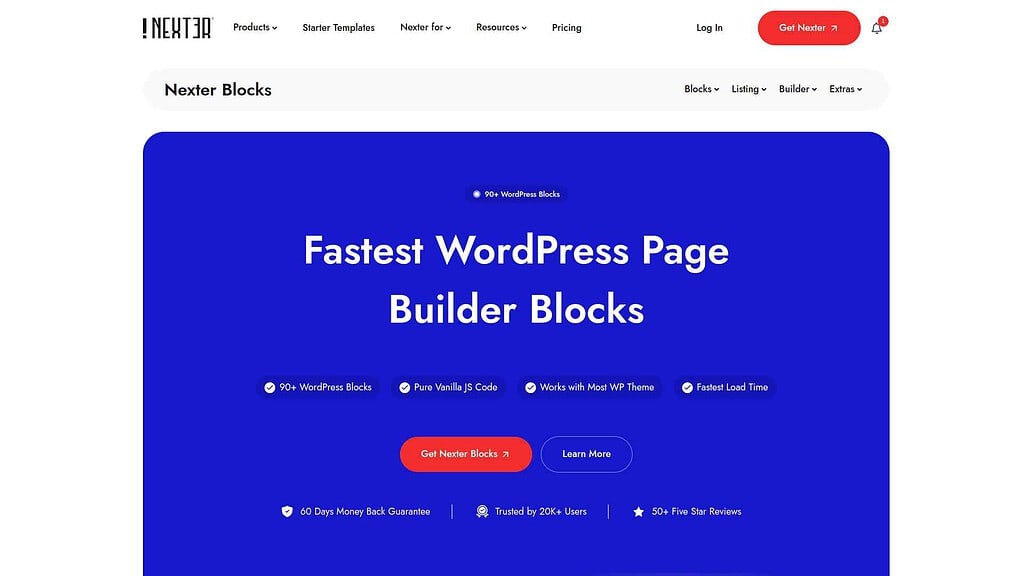
Nexter Blocks is a Gutenberg block plugin by POSIMYTH Innovations with 90+ blocks, built-in theme builder support, and a zero-jQuery, pure vanilla JS architecture. Unlike Greenshift, which prioritizes advanced CSS and animation control for developers, Nexter Blocks is designed for complete site building from header to footer inside the WordPress block editor, with a workflow accessible to both developers and non-technical site owners.
Every paid plan includes Nexter Extension, which adds 50+ site-level tools covering security settings, performance controls, custom fonts, code snippets, and a full theme builder. This consolidation means fewer separate plugins managing site infrastructure, and more consistent behavior across the entire WordPress installation. Smart asset delivery loads only 1 CSS file and 1 JS file per page regardless of how many blocks are on that page.
The Nexter Blocks free version is available on WordPress.org. Pro plans start at $39/year for a single site, with a Studio plan at $129/year for unlimited sites. Agencies get The Plus Addons for Elementor (120+ Elementor widgets) bundled with the Agency plan.
Key Features of Nexter Blocks
- 90+ Gutenberg blocks covering layouts, commerce, carousels, social feeds, mega menus, popups, and more
- Zero jQuery dependency and pure vanilla JS for fast page loads and high Core Web Vitals scores
- Smart asset delivery: only 1 CSS file and 1 JS file loaded per page regardless of block count
- Full theme builder via Nexter Extension: custom headers, footers, archives, single posts, and 404 pages
- Vertical and Horizontal Mega Menu Builder for Gutenberg
- Cross Domain Live Copy Paste for copying sections between different websites
- Custom Login Form Block with social login (Facebook, Google), reCAPTCHA, and Mailchimp integration
- Ajax Search Bar with dropdown filters for blog posts, custom post types, and WooCommerce products
- Advanced Carousel Builder with tab/accordion linking and circular menu integration
- Popup Builder with exit intent, slide-in, full-screen, and sale banner options
- Global Dark Mode for Gutenberg with site-wide color connection support
- White-label support for agencies rebranding the plugin for client projects
2. Essential Blocks for Gutenberg
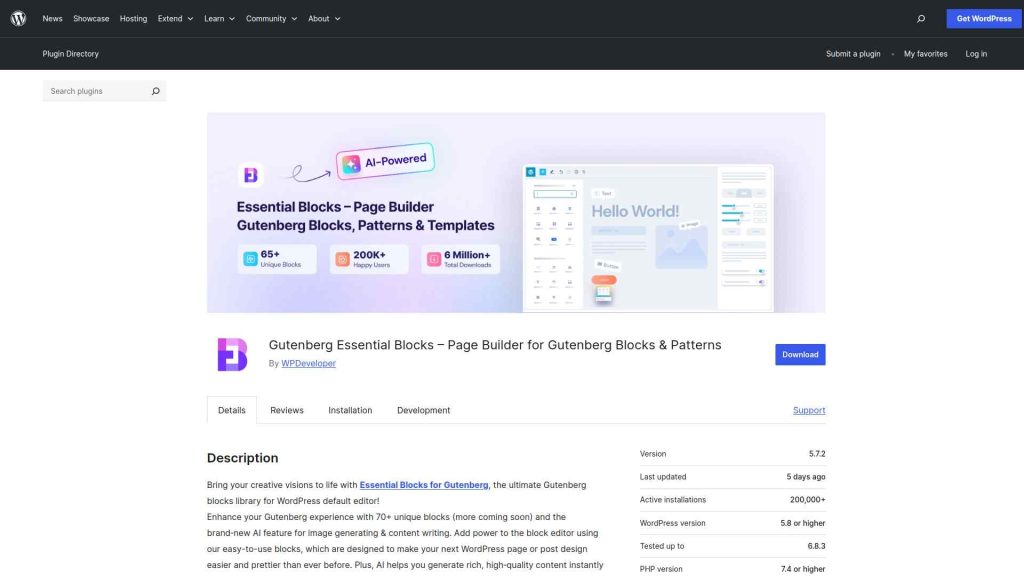
Essential Blocks for Gutenberg is a block plugin by WPDeveloper with 70+ blocks and a focus on ease of use. The plugin integrates with WPDeveloper’s broader ecosystem, including Templately (a cloud template library with 1,000+ pre-built designs) and EmbedPress (for media embeds). This makes it a practical option if you already use WPDeveloper tools or need a large pre-built template library for fast site assembly.
The plugin is lightweight and compatible with any WordPress theme. Core functionality is free on WordPress.org, with Essential Blocks Pro unlocking additional blocks and WooCommerce-specific components. For teams building client sites who want a beginner-friendly block plugin with deep template support, Essential Blocks is a solid Greenshift alternative where the onboarding time is significantly shorter.
Key Features of Essential Blocks for Gutenberg
- 70+ blocks for content, layout, and interactive page elements
- 1,000+ pre-built templates via Templately integration for fast project starts
- 100% Gutenberg Block Editor compatible with no page builder dependency
- Lightweight and responsive design for strong front-end performance
- WooCommerce blocks in the Essential Blocks Pro plan
- Cloud template storage via Templately workspace for team collaboration
See how it stacks up in our full Essential Blocks for Gutenberg Review
3. Kadence Blocks
Kadence Blocks is a Gutenberg block plugin by Kadence WP with over 1 million active installs on WordPress.org. It covers most layout and content block needs out of the box: the Row/Columns block provides a flexible container for any layout, while free-tier blocks include advanced image handling, testimonials, countdown timers, accordions, and tabs. Kadence Pro adds Slider, Video Popup, Lottie animations, and WooCommerce-specific blocks.
What distinguishes Kadence Blocks among Greenshift alternatives is its performance focus. Blocks load only the CSS they use, and the plugin generates no render-blocking scripts on the front end. This per-page CSS generation means Kadence Blocks is one of the few alternatives with a performance philosophy comparable to Greenshift’s own lean output goals, without requiring developer knowledge to achieve good scores. It pairs naturally with Kadence Theme but works cleanly alongside any WordPress theme including Nexter Theme.
Key Features of Kadence Blocks
- 20+ free blocks covering layout containers, image galleries, carousels, testimonials, tabs, and accordions
- Per-page CSS generation: no unused styles loaded on any page
- Advanced typography and color system for site-wide design consistency
- Kadence AI integration (Pro): AI content generation inside the block editor
- WooCommerce product blocks and shop layout controls (Pro)
- 1,000+ starter templates via Kadence Cloud for fast project launches
Looking for alternatives to other discontinued Gutenberg plugins? See the full Cwicly Alternatives guide.
Greenshift Alternatives Comparison Table
| FEATURES | Nexter Blocks | Spectra | Kadence Blocks | Stackable | Greenshift | Essential Blocks | Crocoblock |
|---|---|---|---|---|---|---|---|
| Total Blocks | 90+ | 25+ | 15+ | 40+ | 100+ | 70+ | 60+ |
| Total Extensions | 15+ | 3 | - | - | - | - | - |
| Blog Builder | Yes | - | - | - | Limited | Limited | - |
| Advanced Data Table | Yes | - | Limited | - | (Limited, Only Comparison Table Block) | Yes | Yes |
| Popup Builder/Off Canvas | Yes | Limited | Limited | (Limited, Only Video Popup Block) | (Limited, Simple Popup Builder with Button Trigger) | Yes | (Limited, Requires separate JetPopup plugin) |
| Dynamic Listing | Yes | - | Limited | Yes | Yes | Limited | Yes |
| Custom Loop Skin | Yes | - | - | Yes | - | - | - |
| Vertical & Horizontal Mega Menu | Yes | - | - | - | Limited | Limited | (Limited, Requires separate JetMenu plugin) |
| Dark Mode | Yes | - | - | - | Yes | - | - |
| Cross Domain Copy and Paste | Yes | - | - | (Limited, Only includes Copy-Paste Styles) | Limited | Limited | - |
| Live Ajax Search | Yes | - | - | - | Yes | - | (Limited, Requires separate JetSearch plugin) |
| Header & Footer Builder | Yes | Limited | - | Yes | - | - | (Limited, Requires separate JetThemeCore plugin) |
| Carousel Anything & Remote | Yes | Limited | Limited | Yes | Yes | Limited | Yes |
| Login/Signup Form | Yes (Contains Password Reset too) | Yes | - | - | (Limited, Only Login Form Block) | - | (Limited, Requires separate JetFormBuilder and JetWooBuilder plugin) |
| Advanced Row Background | Yes | - | Yes | Limited | - | Limited | - |
| Code Snippets & Hooks | Yes | - | - | - | Limited | - | - |
| Advance Theme Builder | Yes | Limited | - | - | - | - | (Limited, Requires separate JetThemeCore plugin) |
| Social Reviews | Yes (Includes Facebook & Google Reviews) | - | - | - | - | - | - |
| Social Feeds | Yes (Includes Facebook, Instagram, YouTube, Vimeo & Multi Social) | - | - | - | - | (Limited, Only Instagram feed) | - |
| Scroll Sequence | Yes | - | Limited | (Limited, Only included Motion Effects) | (Limited, Only Background Parallax Block) | - | - |
| Form Styler | Yes | Yes | Yes | - | - | Yes | (Limited, Requires separate JetFormBuilder plugin) |
| Advanced Display Conditions | Yes | Limited | Limited | Yes | Limited | - | Limited |
| White-label Plugin | Yes | - | - | - | Yes | - | - |
Why We Recommend Using Nexter Blocks?
If you need a Gutenberg block plugin that handles both front-end design and site-level infrastructure in one installation, Nexter Blocks is the most complete option in this list. The 90+ blocks, built-in theme builder, and smart per-page asset loading make it a full-stack site building platform rather than a block supplement. The free version covers the core blocks. Download Nexter free from WordPress.org and activate Pro features when you are ready to scale.
Depending on your business, website, and the features you’re looking for, you might be looking for different Gutenberg blocks. Besides, your budget and affordability are also important factors in this decision.
However, when choosing the right Gutenberg blocks, you must consider certain factors to ensure a smooth experience. These include ease of use, premium customer support that extends beyond phone and chat support, flexibility, security, and so on.
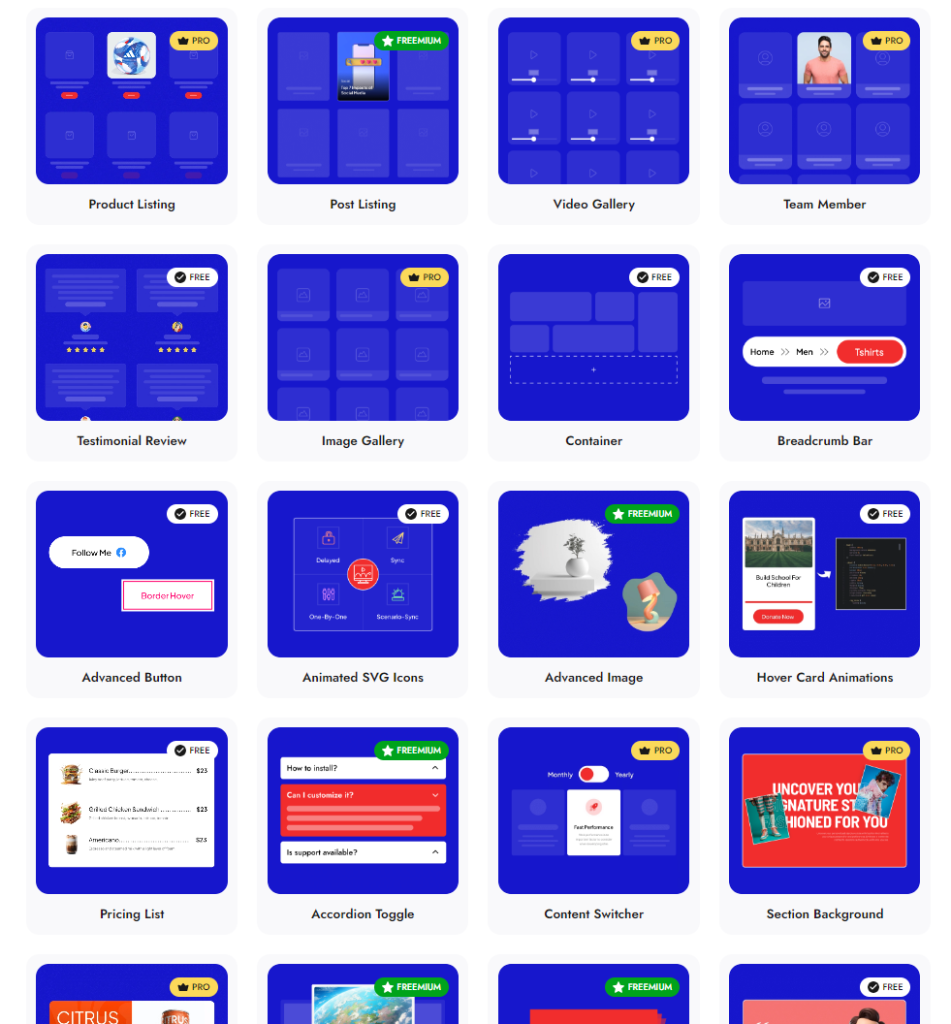
Check 90+ Gutenberg Blocks Library from Nexter Blocks
Nexter Blocks brings you all these features and more in a single plugin. It is easy to install and use, you can enjoy hands-on support, and the plugin offers you possibly every unique function you need to create a stunning website.
And the best part? The blocks are highly customizable, and you don’t need to know coding to use them for your website.
Wrapping Up: Best Greenshift Alternatives
Greenshift is a capable plugin for advanced developers who need container query support, CSS grid control, and animation tooling inside Gutenberg. For site builders who prioritize ease of use, template availability, or performance optimization at scale, the three alternatives above each address a different part of that gap.
Nexter Blocks is the strongest all-in-one option: 90+ blocks, a built-in theme builder, and zero jQuery make it a full-stack Gutenberg site building platform. Essential Blocks is the easiest entry point for teams that want 1,000+ pre-built templates via Templately for faster project starts. Kadence Blocks targets performance-conscious developers who want per-page CSS generation and lean output alongside their blocks.
All three are available for free on WordPress.org. If you also build on Elementor, The Plus Addons for Elementor provides 120+ Elementor widgets as a direct parallel to what these Gutenberg plugins offer inside the block editor. Get Nexter free and compare it against Greenshift on a real project before committing to any paid plan.
Stay updated with Helpful WordPress Tips, Insider Insights, and Exclusive Updates – Subscribe now to keep up with Everything Happening on WordPress!
FAQs on Greenshift Alternatives
What is Greenshift used for?
Greenshift is a WordPress Gutenberg block plugin focused on advanced CSS capabilities: grid layouts, container queries, CSS transitions, and interactive animations. It targets developers who want precise layout and animation control inside the block editor without writing custom CSS manually. This focus makes it powerful for complex, bespoke designs but also gives it a steeper learning curve compared to block plugins designed for broader audiences and faster workflows.
What is the best alternative to Greenshift?
Nexter Blocks is the most feature-complete Greenshift alternative, with 90+ blocks, a full theme builder via Nexter Extension, zero jQuery, and smart per-page asset delivery starting at $39/year. For teams that want a template-first workflow, Essential Blocks for Gutenberg offers 1,000+ pre-built templates through Templately. For performance-focused builds where lean per-page CSS output is the priority, Kadence Blocks with its per-page CSS generation is a close match at a lower learning curve than Greenshift.
Is Greenshift free?
Yes, Greenshift has a free version on WordPress.org. Advanced features including premium animations, container query controls, and certain layout tools require a paid Greenshift Pro plan. The same freemium model applies to the three alternatives covered here: Nexter Blocks, Essential Blocks for Gutenberg, and Kadence Blocks all offer free tiers on WordPress.org with paid upgrades unlocking advanced blocks, builders, and templates.
Do Greenshift alternatives work without a page builder?
Yes. All three alternatives in this guide work natively inside the Gutenberg block editor without requiring Elementor, Bricks, or any other separate page builder. Nexter Blocks, Essential Blocks for Gutenberg, and Kadence Blocks are all pure Gutenberg plugins. If your workflow does use Elementor, The Plus Addons for Elementor is the parallel recommendation: 120+ Elementor-native widgets covering the same range of blocks that these Gutenberg plugins provide.
Can I use Nexter Blocks with any WordPress theme?
Yes. Nexter Blocks works with any WordPress theme including Astra, Kadence Theme, GeneratePress, OceanWP, and most other popular themes. The plugin applies no theme-specific CSS dependencies and does not require Nexter Theme to function. Pairing Nexter Blocks with Nexter Theme gives you a fully integrated ecosystem with shared performance settings and a consistent admin experience, but the blocks operate independently regardless of the active theme.
What happened to Cwicly?
Cwicly was a Gutenberg block plugin that discontinued development in 2024. Users still running Cwicly on active sites should migrate to a currently-maintained alternative before compatibility issues arise with future WordPress versions. See the complete Cwicly Alternatives guide for a breakdown of the best maintained replacements and a migration overview for each option.
Extra Resources
Nexter Official Website
Check 90+ Gutenberg Blocks Library
Get Premium Plan – Yearly & Lifetime (Both available)
Join our Facebook Community – Ask all your WordPress questions
Subscribe for Product Updates, Elementor News, Tips & More
