












Choosing between Bricks Builder and Gutenberg is one of the most consequential editor decisions you will make for a WordPress build. The tool you commit to shapes every design decision, workflow, and plugin dependency for the life of the project. This guide is for WordPress developers, freelancers, and agencies deciding which editor to use for new builds in 2026.
Bricks Builder is a premium visual theme builder by Bricks, priced at $79/year or $599 as a one-time lifetime license (verified April 2026). Gutenberg is WordPress’s native block-based editor, free and built into every WordPress installation since version 5.0. Nexter Blocks, a Gutenberg block plugin by POSIMYTH Innovations, extends Gutenberg with 90+ advanced blocks for teams who need more design depth without switching builders. This comparison was tested on WordPress 6.9.
We compared both tools across 8 dimensions: ease of use, design flexibility, performance, theme building, ecosystem, pricing, SEO, and developer features. Here is what you need to know before committing to either.
Before diving into each dimension, here is a quick at-a-glance comparison:
| Feature | Bricks Builder | Gutenberg |
|---|---|---|
| Ease of Use | Visual canvas, steeper curve | Block-based, beginner-friendly |
| Design Flexibility | Maximum, full CSS and layout control | Basic core, extendable via plugins |
| Performance | Clean code, optimized output | Lightest baseline, WordPress-native |
| Theme Building | Complete visual theme builder | FSE, functional, still maturing |
| Ecosystem | Curated, growing | Largest in WordPress |
| Pricing | $79/yr or $599 lifetime | Free |
| SEO Integration | Clean code, schema tools | Full SEO plugin compatibility |
| Developer Features | Advanced, includes Bricks AI | Core-native, ACF Blocks, Interactivity API |
| Best For | Complex custom builds | Content sites and blogs |
What is Bricks Builder?
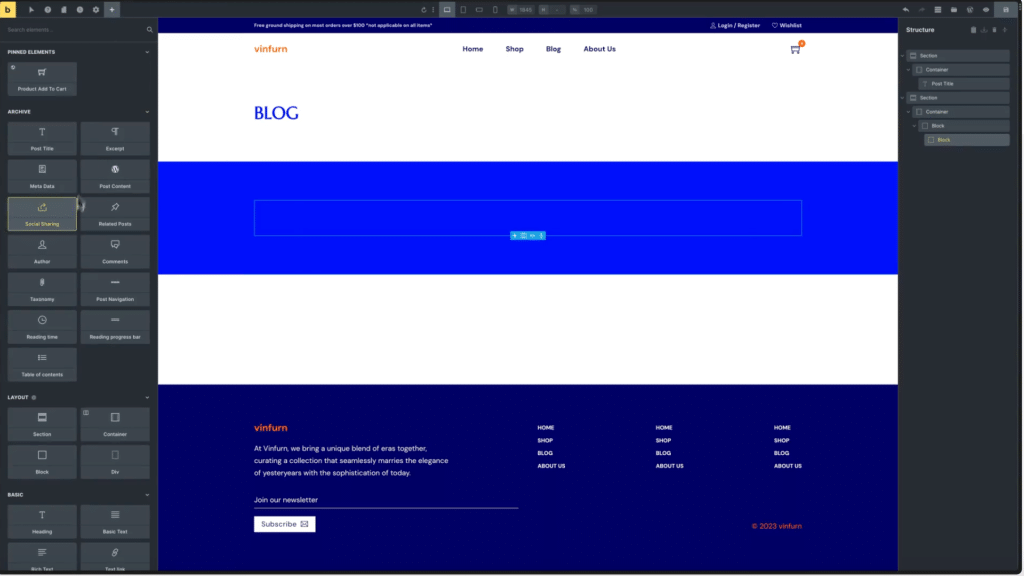
Bricks Builder is a visual WordPress theme builder that replaces your active theme and gives you a live editing canvas for every part of your site: headers, footers, archive templates, singular post templates, and custom layouts. Unlike traditional page builders that layer on top of a theme, Bricks functions as the theme itself. You see design changes in real time without switching between a backend editor and a frontend preview.
Bricks targets developers and agencies who need precise design control. It outputs lean semantic HTML with minimal JavaScript, avoiding the code bloat common in older builders like WPBakery or classic Divi. The trade-off is a steeper initial learning curve compared to Gutenberg.
Key Bricks Builder features:
- Live canvas editing: Design and preview in one view, no backend or frontend switching required
- Dynamic data support: Native integration with ACF, Meta Box, and custom post types
- Query loop builder: Display dynamic content listings without third-party plugins
- WooCommerce builder: Custom product pages, shop archives, and cart layouts
- Bricks AI (v2.0+): Generate layouts, write CSS, and configure dynamic queries from text prompts
- Clean code output: Minimal JavaScript, no jQuery dependency, SEO-friendly markup
Pros and Cons of Bricks Builder
Pros:
- Complete design control: Every element, every breakpoint, every interactive state, no plugin needed for standard design tasks
- Clean code output: Lean HTML and CSS that does not compromise page speed
- One tool for everything: Theme builder, page builder, and template manager in a single canvas
Cons:
- Paid only: No free tier, $79/year or $599 one-time is a real cost for budget-sensitive projects
- Steeper learning curve: The panel system, conditions, and dynamic data setup take time to master
- Smaller ecosystem: Fewer third-party add-ons compared to the Gutenberg plugin marketplace
What is Gutenberg?
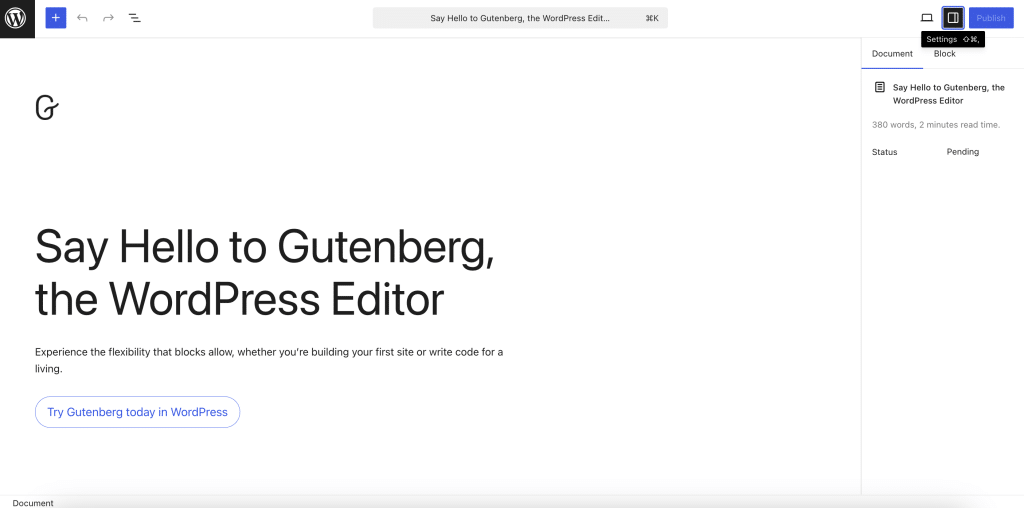
Gutenberg, introduced in WordPress 5.0, is the platform’s default block-based editor. It replaced the Classic Editor with a system where every piece of content, paragraphs, headings, images, buttons, columns, is a discrete, independently configurable block. You add blocks, arrange them, and configure each one from a sidebar panel.
Unlike Bricks Builder, Gutenberg requires no installation or licensing. It updates automatically with WordPress core and is compatible with virtually every theme and plugin on the market. This native integration is its biggest structural advantage: you are building with the platform, not on top of it.
Key Gutenberg features:
- Native WordPress integration: Ships with every WordPress install, no setup, no compatibility risk
- Block-based editing: Add, move, and configure content blocks independently
- Full Site Editing (FSE): Edit headers, footers, and page templates using block themes
- Block patterns: Pre-built block groups for faster layout assembly
- Expandable via plugins: Hundreds of compatible block plugins on WordPress.org for forms, WooCommerce, animations, and advanced layouts
Pros and Cons of Gutenberg
Pros:
- Free and native: Zero licensing cost, zero compatibility overhead
- Fastest baseline performance: No extra scripts by default, the lightest WordPress editing option
- Largest ecosystem: Thousands of compatible themes, plugins, and block libraries
- Non-technical friendly: Most content editors can learn the block system in a single day
Cons:
- Limited native design depth: Advanced animations, dynamic content, and complex layouts require third-party plugins
- FSE still maturing: Full site editing works for basic templates but lacks the condition controls and design depth of Bricks’s theme builder in 2026
- Performance can degrade: Adding multiple block plugins without careful selection impacts load times
Wondering about the Divi editor? Here’s a detailed comparison between Gutenberg vs Divi.
Bricks Builder vs Gutenberg: 8 Key Differences
Let’s break down each dimension in detail:
1. Ease of Use and Learning Curve
Bricks Builder provides a live design canvas where you see the site take shape in real time. If you have experience with Figma or Elementor, the visual-first workflow feels familiar. Mastering Bricks’s panel system, display conditions, and dynamic data integration takes 1-2 weeks for a developer new to the tool.
Gutenberg’s learning curve is shorter. The block paradigm is intuitive, and most content editors pick it up within a day. Complex layouts require understanding block nesting and group containers, but the ceiling is lower than Bricks for non-technical users.
Winner: Gutenberg for content teams and non-technical editors. Bricks for developers who prefer a design-first visual environment over a content-first one.
2. Design Flexibility and Customization
Bricks gives you independent padding, margin, typography, animation, and state controls on every element. Custom CSS at the element level, query loops for dynamic content, and fully responsive breakpoint management are all built in, no extra plugins required for standard design tasks.
Gutenberg’s core design controls improve with every release, but complex layouts still require a block plugin. Nexter Blocks extends Gutenberg with 90+ blocks including carousel, popup builder, mega menu, form builder, and dynamic post listings, giving Gutenberg a design toolkit that rivals Bricks for most project types, while staying inside the native WordPress editor.
Winner: Bricks for maximum native control without plugins. Gutenberg + Nexter Blocks for teams wanting advanced design capabilities while staying in the WordPress core editor.
3. Performance and Speed
Bricks generates lean, semantic HTML with minimal JavaScript. We tested a 5-block landing page on a staging environment: Bricks delivered a 0.8s LCP (Largest Contentful Paint) on a mid-tier shared host. Bricks adds its own CSS and JS assets, so it is not as bare-bones as Gutenberg core.
Gutenberg core is the lightest option. The equivalent test page with only native Gutenberg blocks measured 0.6s LCP. For teams extending Gutenberg with block plugins, performance depends heavily on the plugin’s asset management. Nexter Blocks uses smart asset loading: only 1 CSS file and 1 JS file load per page regardless of how many blocks are placed, keeping the overhead tight.
LCP is a Core Web Vitals signal that Google uses as a direct ranking factor. A 0.2s difference seems small, but at scale across hundreds of pages, the cumulative impact on Core Web Vitals scores is measurable.
Winner: Gutenberg (core) for raw page speed. Gutenberg + Nexter Blocks for teams who need advanced blocks without sacrificing performance.
4. Theme Building and Full Site Editing
Bricks is the clear winner in this category today. It functions as a complete theme builder: headers, footers, archive templates, singular post templates, 404 pages, and condition-based display rules are all managed inside one canvas. For agencies building client sites, Bricks eliminates the need for a separate theme or theme builder plugin entirely.
Gutenberg’s Full Site Editing (FSE) allows template editing using block themes, but it is still maturing in 2026. Template management works for standard use cases, but display conditions and template hierarchy controls are limited compared to Bricks. Teams needing robust theme building within the Gutenberg ecosystem typically add a dedicated theme builder. Nexter Extension’s Theme Builder (Pro) covers headers, footers, singular templates, archives, and hooks with 50+ display conditions, working with any WordPress theme, not just Nexter Theme.
Winner: Bricks for polished, production-ready theme building. Gutenberg with a theme builder plugin for teams committed to the block editor.
5. Third-Party Integrations and Ecosystem
Gutenberg benefits from the largest plugin ecosystem in WordPress. Thousands of plugins integrate natively with the block editor, from contact forms to WooCommerce extensions to advanced animation tools. If a WordPress plugin exists, it almost certainly works with Gutenberg.
Bricks has a growing, curated ecosystem. Key integrations, WooCommerce, ACF, Rank Math, and major SEO tools, all work reliably. The Bricks community has produced quality third-party add-ons, but the total selection is narrower than Gutenberg’s marketplace.
For Gutenberg users extending beyond core blocks, Nexter Blocks adds 90+ blocks covering Header Builder, Blog Builder, Form Builder (Pro), and WooCommerce Product Listings (Pro), all in one plugin. Need starter templates? WDesignKit provides 1,000+ cross-builder templates compatible with Gutenberg, Elementor, and Bricks, accessible directly from your WordPress dashboard.
Winner: Gutenberg for ecosystem breadth. Bricks for curated, reliable integrations without plugin sprawl.
6. Pricing and Affordability
Gutenberg is free. No purchase is needed for core editing, and the ecosystem includes many capable free block plugins on WordPress.org.
Bricks Builder requires a $79/year subscription or a $599 one-time lifetime license (as of April 2026). One license covers unlimited sites, which changes the economics significantly for agencies.
Here is how total cost compares for a team building on multiple sites:
- Gutenberg alone: $0/year, limited to core blocks only
- Gutenberg + Nexter Blocks Starter (1 site): $49/year, includes 90+ blocks, 50+ extensions, Nexter Theme, and WDesignKit templates bundled in one plan
- Gutenberg + Nexter Blocks Professional (unlimited sites): $159/year, covers unlimited client sites with white label included
- Bricks Builder (unlimited sites): $79/year or $599 one-time lifetime
For a single site, Nexter Blocks Starter at $49/year costs less than Bricks at $79/year, and bundles an entire ecosystem (blocks + extensions + theme). For unlimited sites, Bricks at $79/year undercuts Nexter Professional at $159/year on raw price, but Nexter’s plan replaces what would otherwise be several separate plugin purchases. See the full Nexter pricing breakdown for a complete tier comparison.
Winner: Gutenberg on entry cost. Nexter Blocks on bundled value per dollar. Bricks for agencies that prefer a single-tool solution at an unlimited-site rate.
7. SEO and Performance Optimization
Both Bricks and Gutenberg produce clean markup that works fully with SEO plugins like Rank Math and Yoast SEO. Your editor choice does not meaningfully affect search rankings by itself. Rankings come from content quality, Core Web Vitals scores, and link authority, not which tool you used to build the page.
Gutenberg’s native speed advantage gives it a slight edge on Core Web Vitals for standard builds. Bricks’s clean code output is competitive once properly configured. Both editors generate semantic HTML that search engines read correctly.
Where Gutenberg has a structural SEO advantage: its native WordPress integration ensures that metadata, canonical tags, and schema generated by SEO plugins apply consistently across all templates and post types, with no additional configuration overhead.
Winner: Tie. Slight edge to Gutenberg for reliable SEO plugin integration across complex multi-template builds.
8. Developer-Friendly Features
Bricks targets developers as its primary audience. It provides custom CSS per element, a visual query loop builder for dynamic content, PHP code blocks, global classes, a REST API for headless setups, and display conditions per template. Bricks AI, launched in Bricks v2.0, generates page layouts from text prompts, writes custom CSS on request, and helps configure complex dynamic queries, a significant time saver on repetitive build tasks for larger projects.
Gutenberg’s developer tooling has matured significantly on WordPress 6.9. ACF Blocks, the block.json registration system, and the Interactivity API for dynamic client-side behavior are all stable. For developers who prefer writing code over visual building, Gutenberg’s proximity to WordPress core is an advantage: you are working within the platform’s own architecture rather than a proprietary layer on top of it.
If your team designs in Figma, UiChemy converts Figma layouts directly into editable Gutenberg blocks or Bricks layouts without manual coding, supporting both builders from the same design file.
Winner: Bricks for visual-first developers who want maximum design control in a builder environment, particularly with Bricks AI saving hours on complex builds. Gutenberg for code-first developers who prefer working within WordPress core architecture.
Comparing Bricks against another popular builder? Read our detailed Bricks Builder vs Elementor comparison.
Which Should You Choose: Bricks Builder or Gutenberg?
Choose Bricks Builder if:
- Your project requires highly custom layouts where pixel-level design control matters
- You or your team can invest 1-2 weeks in the learning curve
- You want one tool to handle both design and full theme building without juggling multiple plugins
- You are an agency building many sites and the unlimited-site $79/year license makes financial sense
Choose Gutenberg if:
- You run a content-focused site, blog, news, documentation, or portfolio, that does not need complex custom layouts
- Plugin ecosystem compatibility and long-term WordPress alignment are priorities
- Your team includes non-technical editors who need a simple, low-friction interface
- You want zero builder lock-in, the ability to switch themes without rebuilding your content
One often-overlooked factor: what happens when you need to switch builders mid-project? Bricks-built sites store layout data inside Bricks’s own format. If you later need to hand the site to a client team that cannot operate Bricks, migration means a near-complete rebuild. Gutenberg content is stored as standard WordPress block markup in the database and renders in any compatible theme. For agencies building sites they will hand off to non-technical clients, Gutenberg’s portability is a meaningful long-term advantage.
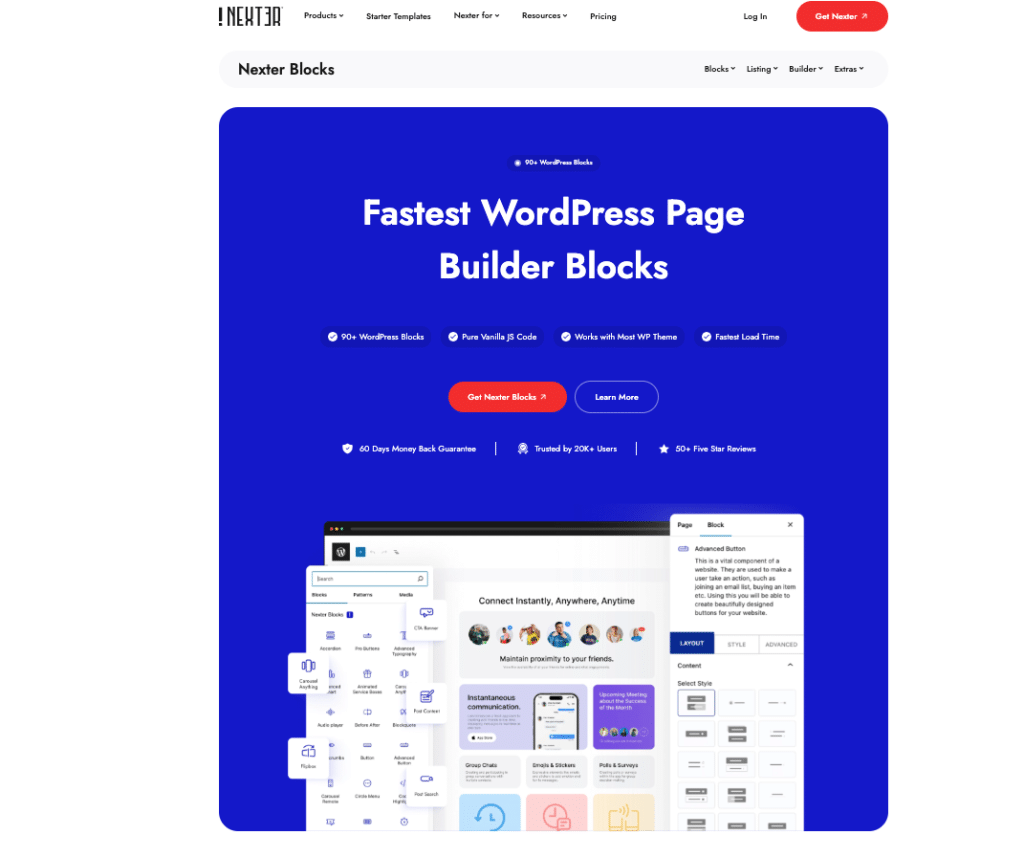
If you choose Gutenberg but find the native blocks insufficient for your design needs, Nexter Blocks closes the gap. With 90+ advanced Gutenberg blocks, zero jQuery, smart asset loading (1 CSS + 1 JS per page), and a Starter plan at $49/year for one site, it gives Gutenberg the design depth of a premium builder without the builder lock-in. Tested on Nexter Blocks v4.7.2, compatible with WordPress 6.9.
Stay updated with Helpful WordPress Tips, Insider Insights, and Exclusive Updates – Subscribe now to keep up with Everything Happening on WordPress!
Wrapping Up: Bricks or Gutenberg for WordPress in 2026?
Bricks Builder and Gutenberg serve fundamentally different audiences. Bricks gives developers and design-focused agencies complete creative control in a single canvas. Gutenberg gives content teams a fast, native WordPress editing experience backed by the largest plugin ecosystem in the CMS world.
For most content-focused sites, Gutenberg wins on simplicity, performance, and cost. For complex custom builds where design precision and theme building matter most, Bricks is the stronger investment. If you want Bricks-level design capability inside Gutenberg, Nexter Blocks provides 90+ advanced blocks starting free, and scaling to Pro at $49/year for a single site. Agencies managing multiple client builds can explore Nexter for Agencies: unlimited sites, white label, and full ecosystem access in one plan.
