












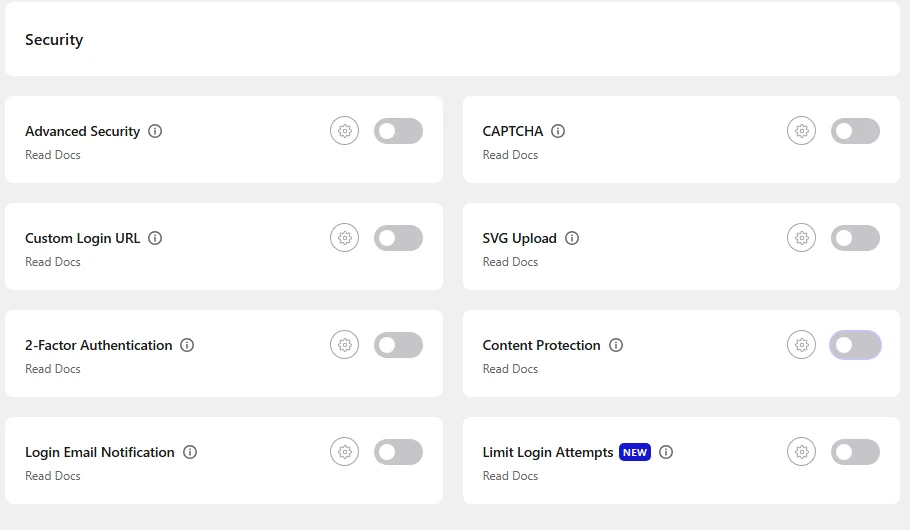
To stop image download and save in WordPress, turn on Content Protection in Nexter Extension, switch on Disable Right Click and Disable Drag/Drop, and choose at least one role under Who Can Access. Visitors who right-click or drag an image then see a warning instead of the save menu.
Content Protection is a Pro feature of Nexter Extension. For the full feature list, see the Content Protection overview.
Best Used For:
- Photography and portfolio sites protecting original images from casual download
- WooCommerce stores preventing product image theft
- Design agencies and digital artists protecting branded visual assets
What Content Protection Does and Does Not Stop
Content Protection runs in the visitor’s browser. It blocks the right-click menu, dragging an image out of the page, and the keyboard shortcuts people use to open developer tools or view the page source.
It is a deterrent for casual saving, not a lock. A visitor can still take a screenshot, turn off JavaScript, or read an image address with other tools. If an image must never be copied, publish a smaller or watermarked version instead.
Before You Start
- Nexter Extension (free) and Nexter Extension Pro are installed and active.
- You can open Nexter > Extensions > Security (an administrator account).
How to Stop Image Download in WordPress, Step by Step
- In your WordPress dashboard, go to Nexter > Extensions > Security.
- Find the Content Protection card and switch it on. The Content Protection popup opens. If it does not, click the gear icon (⚙) on the card.
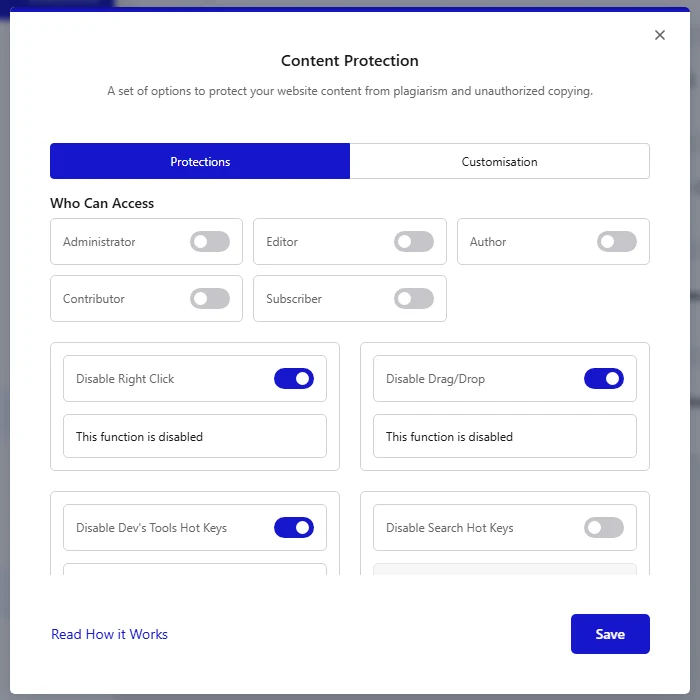
- On the Protections tab, switch on Disable Right Click and Disable Drag/Drop. These two block the Save image as menu and dragging an image out of the page.
- Under Who Can Access, switch on at least one role, for example Administrator. Roles you switch on keep normal access, so you can still right-click while you work. Logged-out visitors and every role you leave off are restricted.
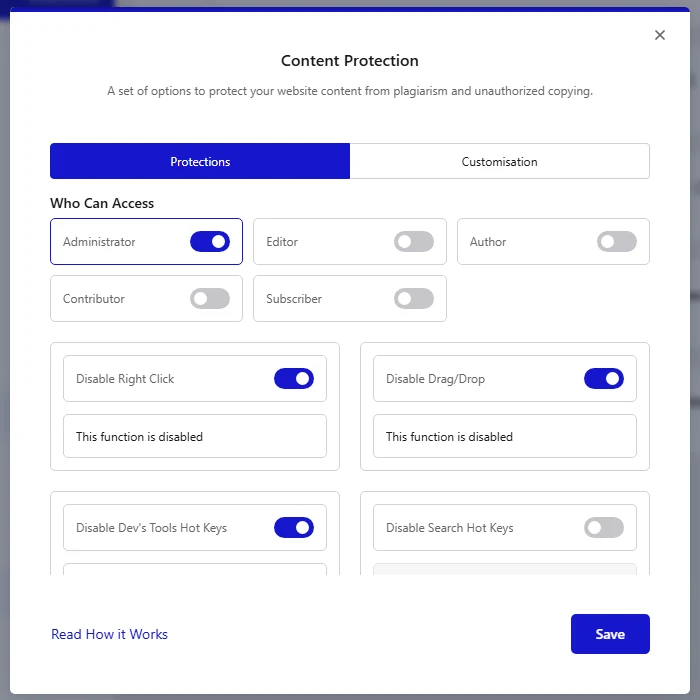
Switch on at least one role. In our tests with Nexter Extension 4.7.10 and Pro 4.7.7, Content Protection did nothing for any visitor until a role was switched on under Who Can Access.
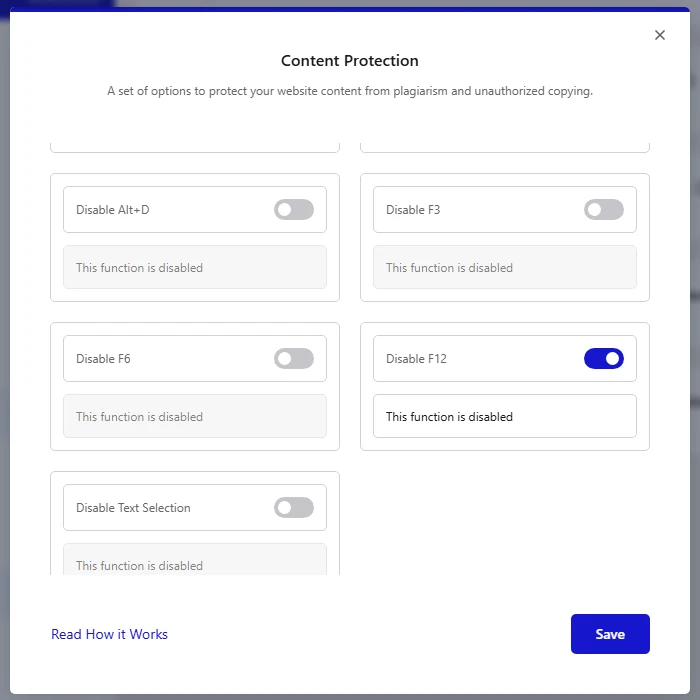
- Optional: switch on Disable Dev’s Tools Hot Keys, Disable Ctrl+U/CMD+U and Disable F12 to also block the shortcuts that open developer tools and the page source.
- Click Save.
What Visitors See
When a logged-out visitor right-clicks or drags an image, the browser menu does not open and a warning appears in the corner of the page.
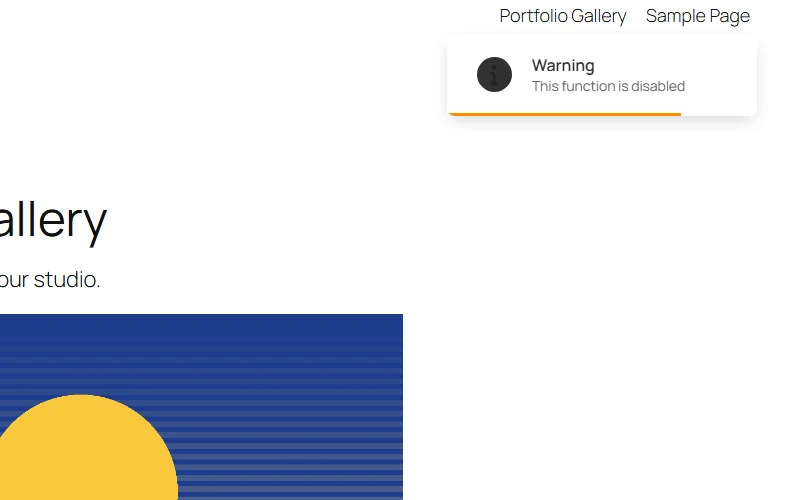
Every option has its own message box, which starts as This function is disabled. Change the text to say what you want. If you clear a message, the action is still blocked but no warning appears. The Customisation tab sets the notice style, its position on the page and how long it stays visible (3000 ms by default).
Settings Explained
- Who Can Access: roles you switch on are exempt from every restriction below.
- Disable Right Click: blocks the right-click menu, including Save image as.
- Disable Drag/Drop: blocks dragging an image off the page.
- Disable Dev’s Tools Hot Keys: blocks the shortcuts that open developer tools.
- Disable Search Hot Keys, Ctrl+C, Ctrl+V, Ctrl+A, Ctrl+U, Ctrl+P, Ctrl+H, Ctrl+L, Ctrl+K, Ctrl+O, Ctrl+E, Alt+D, F3, F6 and F12: each switch blocks that one shortcut. On a Mac the Cmd key is covered where the label shows it.
- Disable Text Selection: stops visitors selecting text. It does not affect images.
Troubleshooting Common Issues
- Nothing happens for visitors: check that at least one role is switched on under Who Can Access and that you clicked Save. Then test in a private window while logged out. If you use a caching plugin, clear the page cache.
- You can still right-click while logged in: this is expected when your role is switched on under Who Can Access.
- The menu is blocked but no warning appears: the message box for that option is empty. Type a message and save again.
- Someone still copied an image: screenshots and other tools are outside what a browser script can stop. See the limits near the top of this page.
Frequently Asked Questions
Can visitors still save my images after I turn this on?
Not through the usual routes. Right-click, dragging and the listed shortcuts are blocked. A determined visitor can still take a screenshot, so use watermarked or lower-resolution images for anything valuable.
Does Content Protection stop Google from crawling my images?
No. It works through browser scripts for people visiting the page. It does not change your robots rules or how search engines crawl your site.
Can my team keep right-click access?
Yes. Switch on the roles you want to exempt under Who Can Access, for example Administrator and Editor.
Is Content Protection free?
No. It is a Pro feature of Nexter Extension.
