











The button you want people to click is usually the one already in your design, not one the popup block adds.
Give the block a CSS selector and any matching element on the page becomes the popup’s trigger.
For every Popup Builder setting in one place, see the Popup Builder block guide.
Before You Start
- Edition: Pro — the Popup Builder block is part of Nexter Blocks Pro.
- Block to enable: Popup Builder, switched on under Nexter > Blocks in your WordPress dashboard.
- The popup’s content decided: a short message, a form, or a saved pattern to load into it.
Learn via Video Tutorial
Steps
- Add the Popup Builder block to your page and click Design from Scratch.
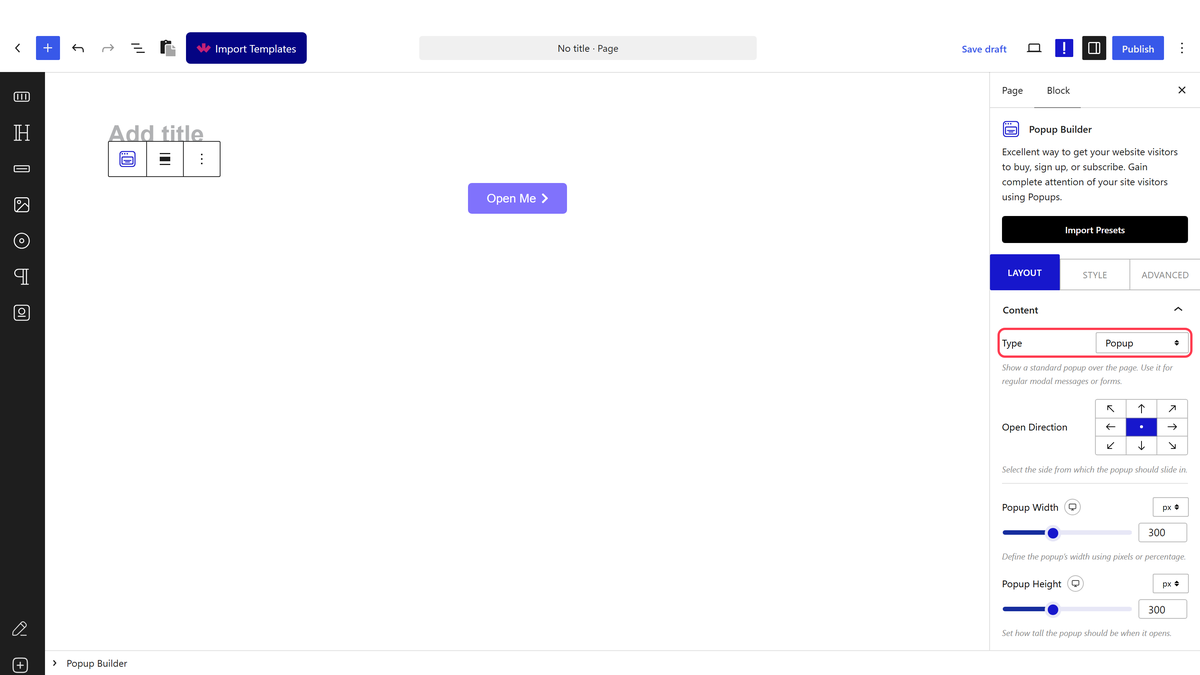
- In the Content panel, choose a Type and set the popup’s size.
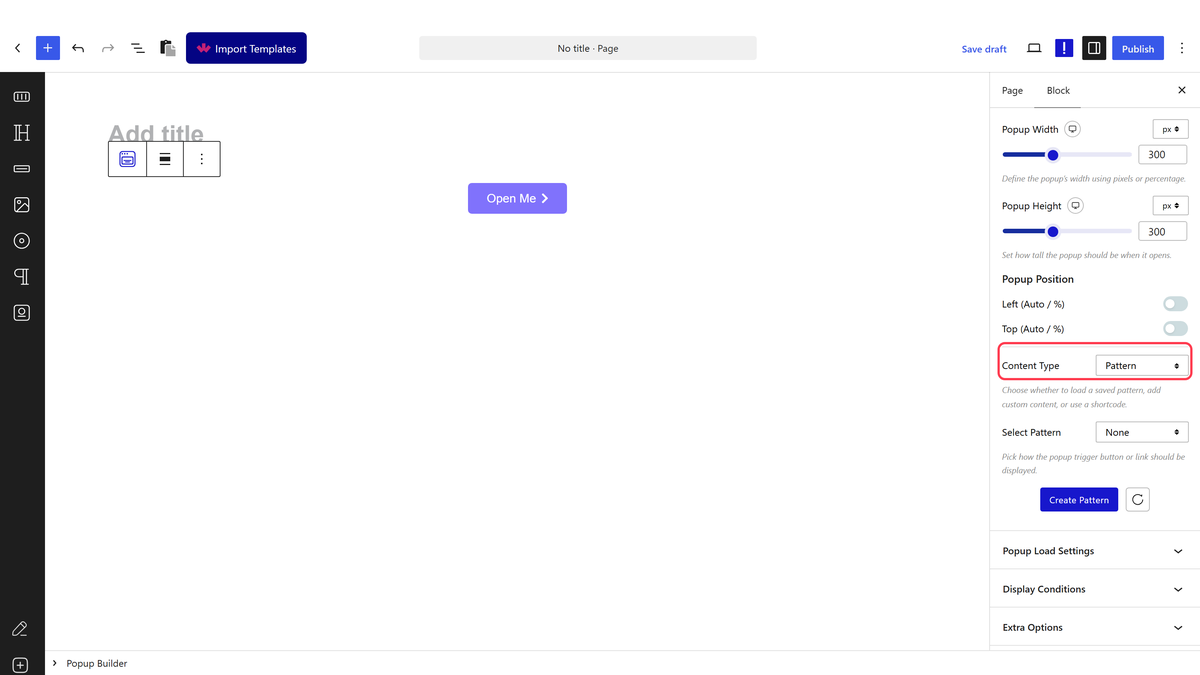
- Set Content Type and add what the popup should show.
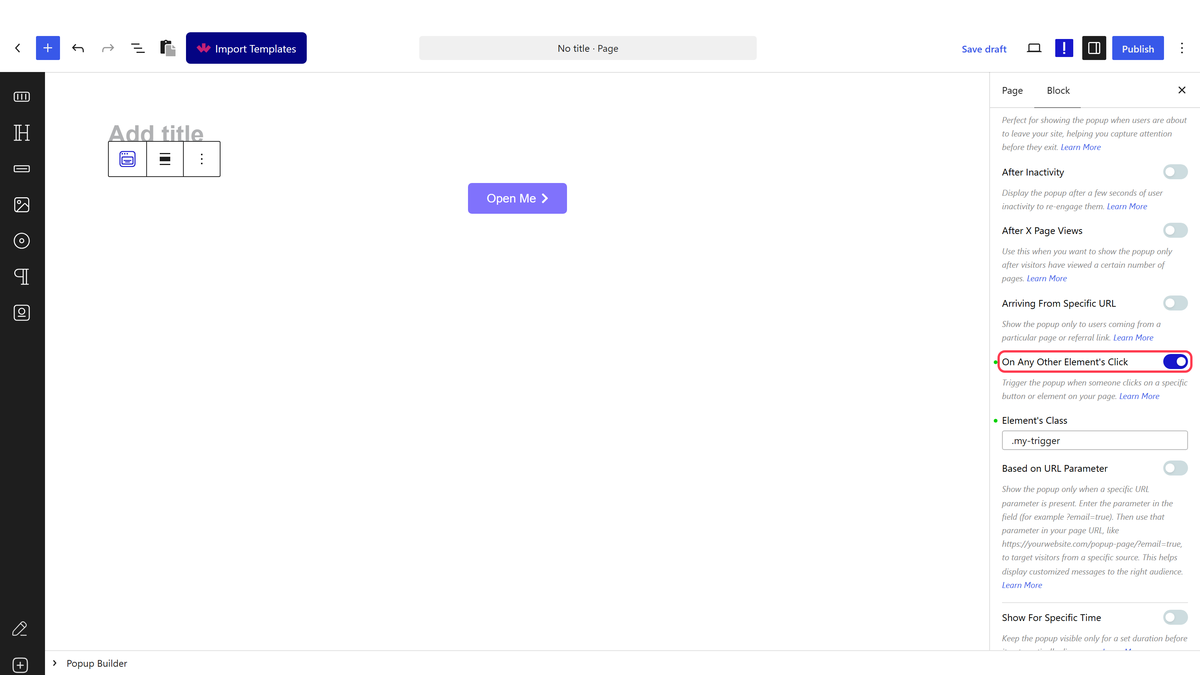
- Open Display Conditions and switch On Any Other Element’s Click on.
- Give the element you want to use a class or ID of your own, for example my-trigger, in its Advanced settings.
- Enter that selector in the field, written as CSS — .my-trigger for a class or #my-trigger for an ID.
- Publish the page and test it on the front end.
A popup can have more than one display condition switched on at once. Leave On Button Click on only if you also want the button to open it.
How It Behaves
- The selector is passed through to the page exactly as you typed it.
- Any element matching it becomes a trigger, so one selector can serve several buttons at once.
- The element can be anywhere on the page — it does not have to be near the Popup Builder block.
- Switch On Button Click off if you do not want the block’s own button as well.
Limitations
- Pro only.
- It has to be a valid CSS selector. Typing a bare class name without the leading dot will not match anything.
- The element must already be on the page when it loads; something added later by another script will not be picked up.
- A selector that matches more than you expect turns unrelated clicks into popup triggers.
Troubleshooting
Clicking my button does nothing
Check the selector includes its dot or hash, and that the class really is on the element — inspect the published page to confirm.
The popup opens from the wrong things
The selector is matching more elements than intended. Make it more specific, such as #pricing .my-trigger.
