








Introducing Blocks Presets, Smooth Scroll Effects & More in Nexter Blocks.

Key Takeaways

  • Nexter Blocks v4.5.0 introduces ready-made presets for over 20 blocks in the free version and 10+ in Pro, streamlining the design process.
  • Smooth Scroll Navigation block features updated JavaScript for refined scrolling behavior, enhancing user experience on websites.
  • Google Maps block allows users to set pins by entering an address, simplifying map setup without needing coordinates.
  • Dynamic Repeater Block now works smoothly with FSE theme, and an auto-save feature for block toggles is added in the dashboard.

We’ve got exciting news for you! The latest Nexter Blocks v4.5.0 update is packed with enhancements that’ll save you time, make your workflow smoother, and help you design faster, with even more flexibility. 

Whether you’re building with the free or pro version, there’s something in it for you.

Let’s walk you through the key updates and show how they can make your next project even better.

1. Presets for Blocks Design Smarter, Not Harder

We’ve introduced ready-made presets for a wide range of Nexter Blocks, making it easier than ever to import ready-to-use templates and speed up your workflow. 

Just click, select, and apply a design you like. 

No need to start from scratch or tweak every little detail.

Why it’s awesome:

  • Save time on layout and design.
  • Explore design inspiration without having to leave the editor.
  • Maintain consistency across your site with pre-styled options.
  • Great for beginners and pros alike, you focus on content, we handle the design.

Over 20+ blocks in the free version and 10+ in Pro now come with presets. It’s like having a designer built right into your editor.

nexter preset free and pro

How Does It Work?

When you add a Nexter Block, you now have 2 options:

  1. Design from Scratch
  2. Import pre-designed templates

advanced button import pre designed template

Just click on the ‘Import Pre-designed Templates’ option, and you’ll see a bunch of ready-made Advanced Button presets. Pick the one you like, import it in one click, and skip the hassle of designing from scratch.
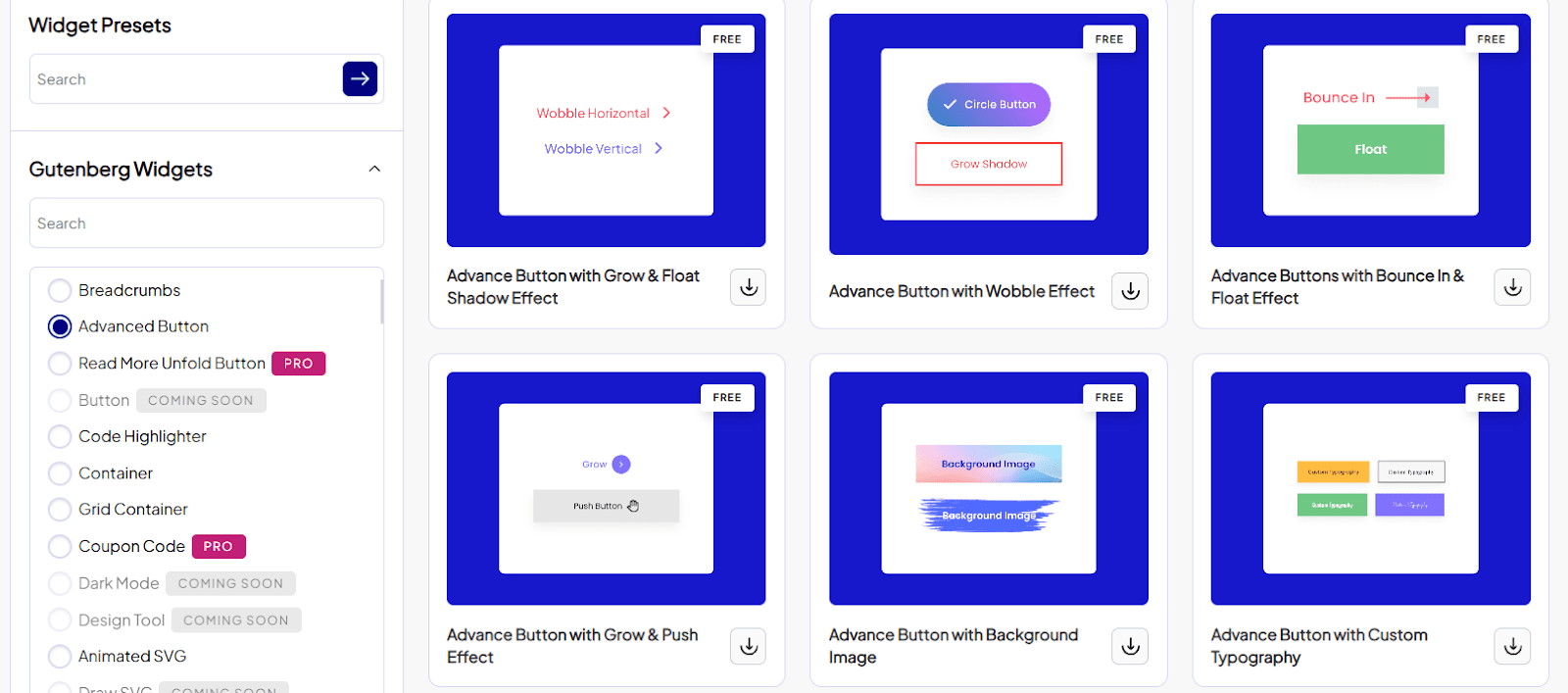
widget preset

Also, you get the Import Presets option in the right editor settings of a block.
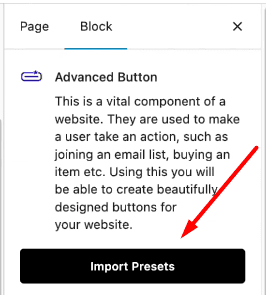
advanced button import presets

2. Smoother Smooth Scroll (Yes, Really)

The Smooth Scroll Navigation block just got a polish. We’ve updated the underlying JavaScript to make scrolling behavior feel more refined and… well, smooth.

Now, your website will glide as smoothly as it looks.

But that’s not all, options in the block now come with a clear subline (an inline description) so you know exactly what each setting does without guessing or trial and error.

smooth scroll layout tab

Why It’s Helpful:

  • Your visitors enjoy a buttery smooth scrolling experience.
  • You save time setting things up, with better in-editor clarity.
  • Perfect for one-page websites, portfolios, and long-form pages.

Let’s take a look at it yourself.

3. Google Maps — Set Pins by Address

You asked, we delivered.

Now, you can set a pin on your Google Map block by simply entering an address. No more fiddling with coordinates or dragging a marker manually.

Why It Matters:

  • It’s faster and easier to set up maps.
  • More accurate placement, especially helpful for service-based businesses or local listings.

Whether you’re using the free version or Pro, this update is all about improving your workflow and output quality.
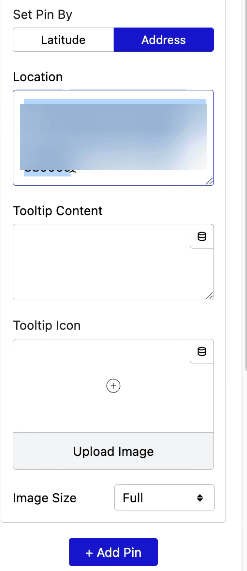
set pin by address

4. Other Updates

We’ve added other few helpful updates to make your experience even smoother. The Dynamic Repeater Block now works smoothly with FSE theme, so you won’t run into layout issues.

In the dashboard, we’ve introduced an auto-save feature for block toggles, making it easier to manage settings without losing progress.

Plus, the Timeline Block now includes a Pin Image option, giving you more control over how your story is displayed.

Timeline block

To learn more and check more details, please visit the complete changelog here.

Wrapping Up

Nexter Blocks v4.5.0 isn’t just another update. It’s a step forward toward giving you a faster, more intuitive design experience. Presets, in particular, are going to make a big difference, helping you build clean, consistent designs in just a few clicks.

And if you haven’t tried these new updates yet, now’s the perfect time to explore. Head to your WordPress dashboard and update to the latest version.

Have feedback or want to see something new in the next release? We’d love to hear from you!

About the Author

Photo of Aditya Sharma CMO of NexterWP
CMO at POSIMYTH Innovations · NexterWP · 7 years experience

He has spent years in the WordPress ecosystem building, breaking, and optimizing sites until they actually perform. He works at the intersection of speed, growth, and usability, helping creators ship websites that load fast and convert. An active WordPress community contributor sharing through tools, tutorials, and direct collaboration. Tested practice, not theory.

WordpressThemesElementorn8nAIClaudeAutomationServer

Share your Thoughts

Have Feedback or Questions?

Join our WordPress Community on Facebook!

Related Frequently Asked Questions

How do I use presets in Nexter Blocks?

Presets in Nexter Blocks allow you to import ready-made templates quickly, saving time on design. When you add a block, you can choose to import a pre-designed template by clicking 'Import Pre-designed Templates.' This feature is available for over 20 blocks in the free version and 10+ in Pro, making it easier for both beginners and pros to maintain design consistency across their site.

What are the benefits of the Smooth Scroll Navigation block?

The Smooth Scroll Navigation block enhances user experience by providing a refined scrolling behavior. This update improves the JavaScript behind the block, resulting in smoother scrolling. It's particularly beneficial for one-page websites and long-form content, as it creates a more engaging browsing experience for visitors while also simplifying setup with clearer inline descriptions for settings.

What common mistakes do users make when using presets?

Many users overlook the variety of presets available in Nexter Blocks, which can lead to unnecessary design work. By not utilizing presets, they miss out on time-saving opportunities and consistency in design. It's important to explore the preset options for over 20 blocks in the free version and 10+ in Pro to enhance workflow and design quality.

Does the Smooth Scroll feature affect website performance?

The Smooth Scroll Navigation block is designed to enhance user experience without compromising website performance. The update focuses on refining the underlying JavaScript, ensuring that scrolling feels smooth and responsive. This is particularly important for long-form pages where performance can be impacted by heavy scripts, making it crucial to test the feature in your specific setup.

What updates were made to the Dynamic Repeater Block?

The Dynamic Repeater Block now works smoothly with Full Site Editing (FSE) themes, addressing previous layout issues. This update ensures better compatibility and functionality within the WordPress ecosystem, allowing users to manage dynamic content more effectively. Additionally, the introduction of an auto-save feature for block toggles in the dashboard enhances user experience by preventing loss of progress.

Last reviewed: April 14, 2026