












Do you want to change the order of categories, tags, or custom taxonomy terms on your WordPress site? By default, WordPress displays taxonomy terms in alphabetical order, and it does not give you built-in controls to reorder them manually. But sometimes you may want to reorder them manually, such as to show specific categories at the top of a list or display product tags in a custom order.
With the Nexter Extension (Free) and Nexter Extension (Pro) plugins, you can reorder taxonomy terms using a drag-and-drop interface directly in the WordPress dashboard.
Best Used For:
- WooCommerce stores that need product categories shown in a specific order on shop and archive pages
- Blog and magazine sites that want featured categories at the top of navigation menus and category lists
- Portfolio and directory sites with custom taxonomies that need a curated display sequence
How to Order Taxonomy Terms with the Nexter Extension Pro?
To order taxonomy terms with Nexter Extension Pro, from the WordPress Dashboard, go to Nexter > Extensions > Utilities.
Then go to the Taxonomy (Term) Order section, enable the toggle and click on the gear icon (⚙). This opens the configuration popup where you select which taxonomies to enable term ordering for.

It will open the Taxonomy (Term) Order pop-up.
Then you will see all the taxonomies available on your site.
Turn on the toggle for the specific taxonomy you want to reorder. For example, enable the toggle for Categories if you want to change the order in which categories appear across your site.
Once done, click on the Save button.
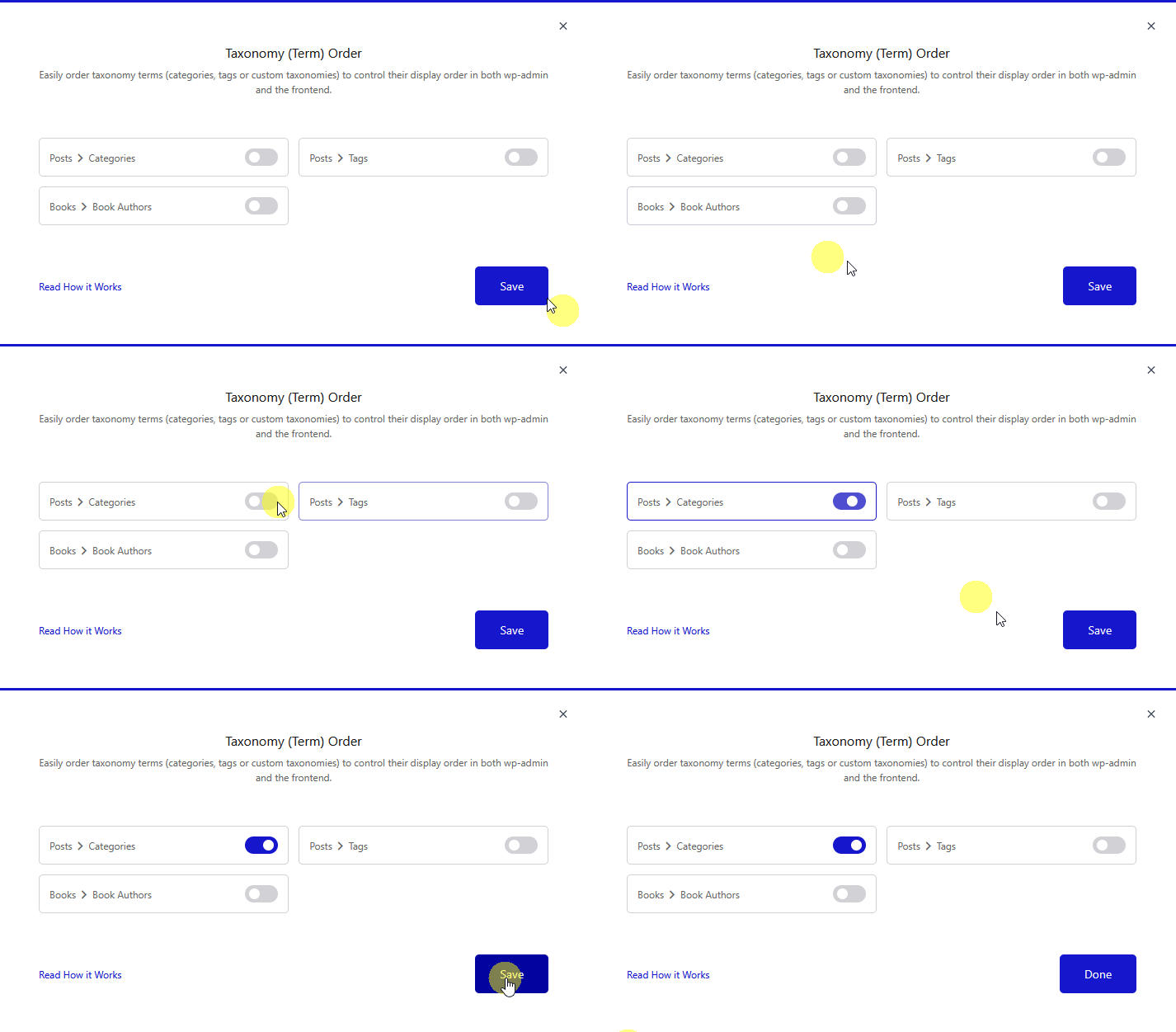
Then reload the page.
Now you will see a menu item Terms Order under Nexter Extension. Click on it.
On the next page, you will see all the terms of that specific taxonomy.
Drag and drop the terms to rearrange them in the order you want. The changes save automatically.
If you have enabled term ordering for multiple taxonomies, select the specific taxonomy from the Select Taxonomy dropdown to switch between them and reorder their terms separately.
These changes will reflect on both the backend and the frontend of your site.
