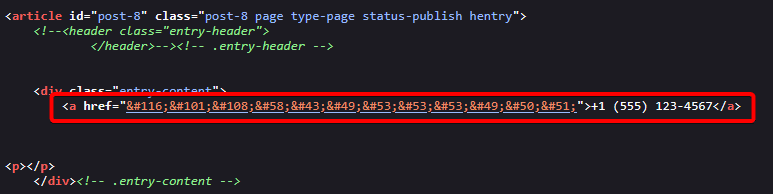
Do you want to protect your clickable telephone links from spam bots on your WordPress site? When you add a tel: link to make your number clickable, bots can still detect and harvest it, leading to unwanted calls or messages. By encoding the tel: link, you can make it harder for bots to read, while still allowing real visitors to click and call you instantly. This helps keep your contact details safer without affecting user experience.
With the Nexter Extension (Free) and Nexter Extension (Pro), you can easily hide the phone number from spam bots in your WordPress site.
How to Hide Telephone Number from Spam Bots with the Nexter Extension Pro?
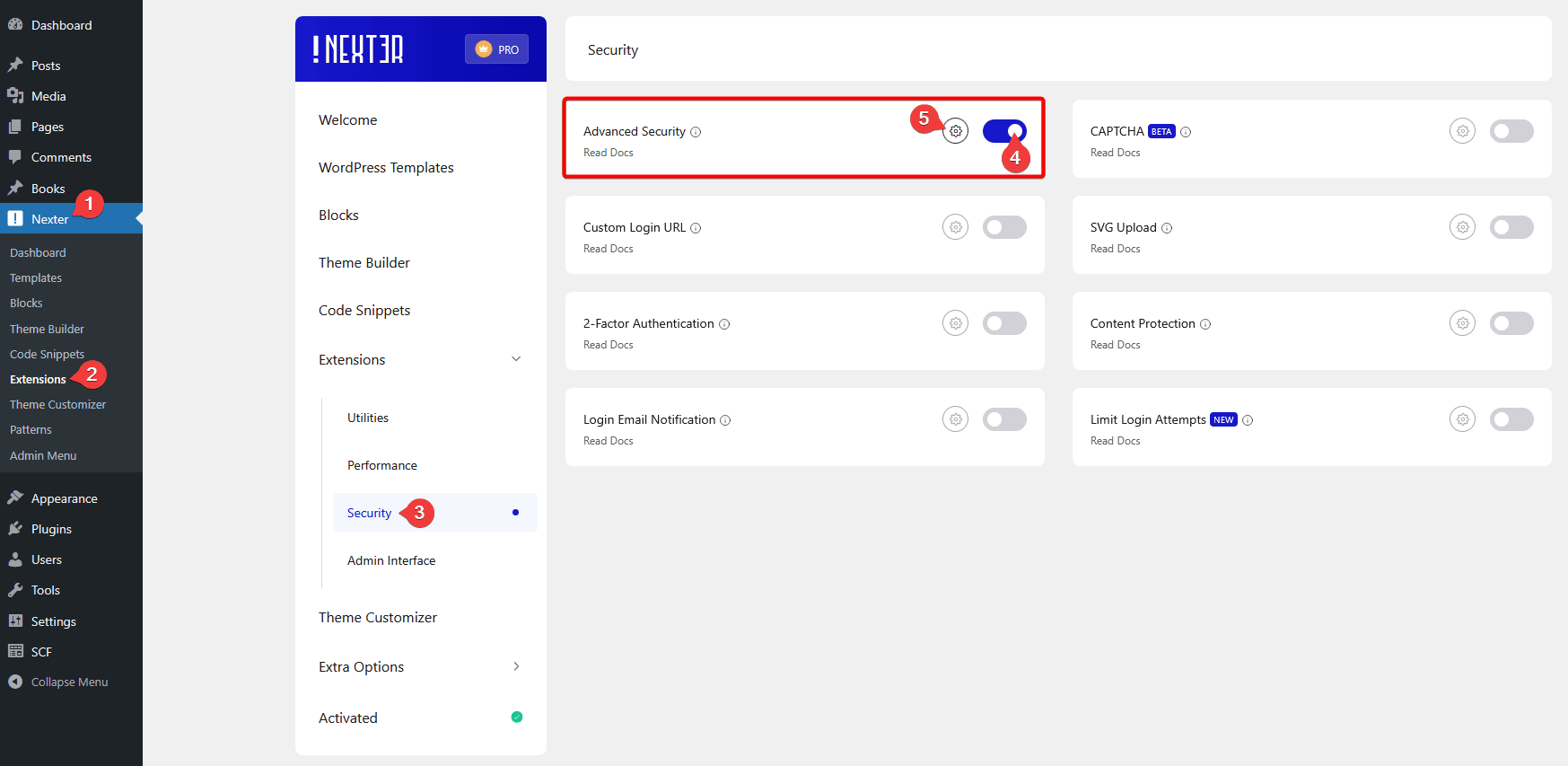
To hide the telephone number from spam bots with the Nexter Extension Pro plugin, from the WordPress Dashboard, go to Nexter > Extensions > Security.
Then go to the Advanced Security section, enable the toggle and then click on the gear icon (⚙).
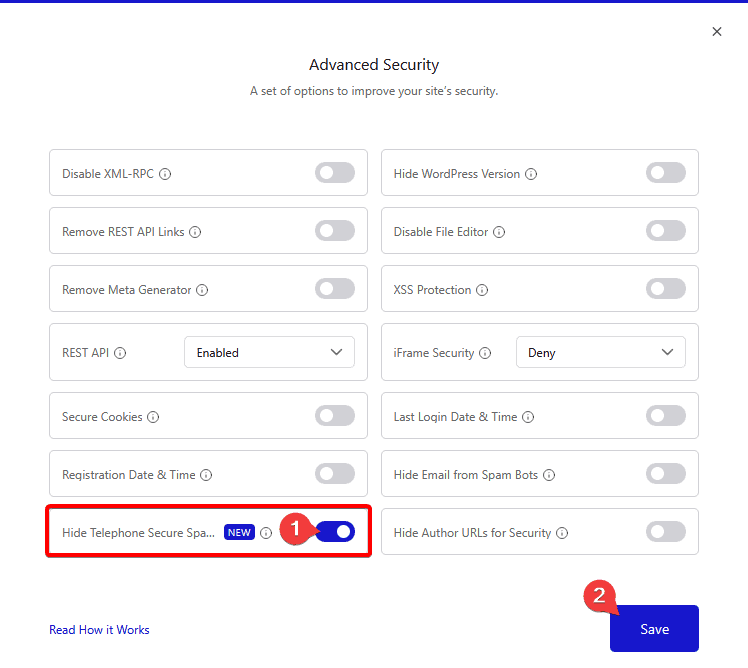
It will open the Advanced Security popup, then enable the Hide Telephone Secure Spam Bots toggle and click the Save button.
Now, to hide the telephone number from spam, add the phone number like this with this shortcode on any page or post.
[nxt_encode link="tel:+1555123"]+1 (555) 123-4567[/nxt_encode]This will show the phone number normally and will be clickable to humans, but in the source code, the telephone link will be encoded.